How to List Estate Sale Finds on eBay With an AI Tool

Published August 4, 2026 · Maxmerce
Quick answer: To list an estate sale find on eBay with an AI tool, first separate what you observed, what you tested, and what remains unknown. Photograph the actual item, record identifying marks and included parts, then use those verified inputs to generate a draft. AI can organize the listing; it cannot authenticate the product or perform the physical inspection for you.
An estate sale purchase rarely arrives with a clean product record. The box may be missing. The owner’s notes may be incomplete. A camera can look excellent while its light meter, shutter speeds, or film advance remain uncertain. That uncertainty is normal. Turning it into confident but unsupported listing copy is not.
This guide uses one vintage 35mm film camera kit as a working example. The method also applies to other one-off resale finds: document the item before cleaning, test only what you can test, make unknowns visible, and let the AI draft follow your evidence.
Why Estate Sale Reselling Needs an Evidence-First Workflow
Retail inventory starts with a catalog record. Estate sale inventory starts with an object and a story. The story might help you investigate, but it should not quietly become a listing fact. “It belonged to a professional photographer” does not prove that the shutter works. “It has been stored for years” does not establish condition. “The family said it was serviced” is not the same as a service receipt.
Before opening an AI listing tool, sort every detail into one of three buckets:
This simple split prevents a common AI problem: the draft fills an information gap with plausible language, and the seller approves it because the sentence sounds polished.
Step 1: Decide Whether the Find Is Ready to List
Do not begin with the title. Begin with a gate: is the item identifiable, allowed, and sufficiently understood to offer to a buyer?
- Identity: Can you verify the product type, maker, and model from the item itself or reliable documentation?
- Authenticity: If the item carries a brand, do you have enough evidence to be certain it is genuine?
- Condition: Can you distinguish cosmetic appearance from functional status?
- Completeness: Do you know exactly which parts and accessories will ship?
- Policy: Is the product permitted in the intended eBay category and market?
eBay’s current counterfeit policy says sellers may list an item only when they are certain it is genuine. The policy specifically points to records such as invoices, serial numbers, grading reports, and accepted certificates as possible documentation. An AI-generated title does not add authenticity evidence.
Stop condition: If a valuable branded find cannot be authenticated, do not use uncertain phrases such as “probably authentic,” “looks genuine,” or “estate fresh” to push it into a listing. Pause the item and resolve the identity question first.
Step 2: Create a Source Card Before Cleaning
A source card preserves what was present at intake. Give the item an internal SKU, then record the date, source, purchase lot, visible maker and model markings, serial number, accessories, obvious wear, and any documents that came with it.
Keep statements from the sale separate. A useful note might read:
- Observed: silver-and-black 35mm SLR body; model engraving present; serial recorded; 50mm lens, front cap, strap, and leather case included.
- Sale statement: family member said the camera had been used regularly.
- Not yet verified: shutter accuracy, meter function, light seals, lens haze, and recent film test.
Do this before wiping the item down. Dust, corrosion, missing screws, degraded foam, handwritten labels, or mismatched accessories can be evidence. Cleaning first can erase part of the condition story you need to describe.
Step 3: Test Functions Without Overstating the Result
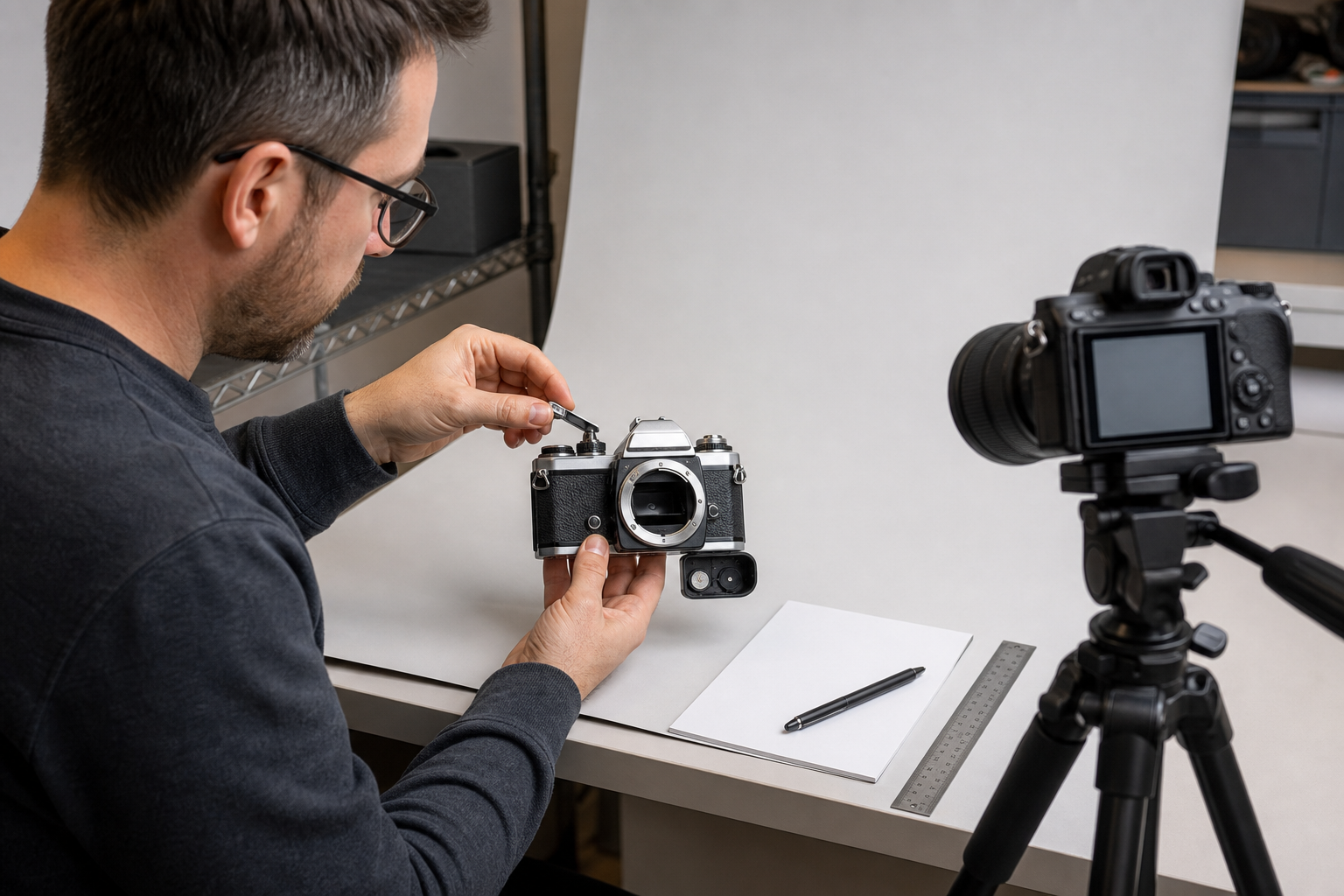
A vintage camera is not “tested” simply because the shutter clicked once. Break testing into observable actions. Depending on the item and your competence, you might check whether the film advance moves, the shutter releases at selected settings, the frame counter resets, the battery compartment is clean, the meter responds with a compatible battery, and the lens controls move.
Never imply technical precision you did not measure. Hearing different shutter sounds does not prove that every shutter speed is accurate. Looking through a lens under room light does not equal a professional optical inspection. A dry-fire test does not equal a completed roll of film.
| Weak claim | Why it is risky | Evidence-based version |
|---|---|---|
| Works perfectly | Claims every function is correct. | List each function tested and the observed result. |
| Fully tested | Does not explain test scope. | “Shutter released at each selected setting; accuracy was not measured.” |
| Lens is flawless | Cosmetic viewing may miss optical issues. | Describe visible scratches, haze, fungus, dust, and the inspection method. |
| Professional camera | May be opinion or unsupported positioning. | Use the verified model and technical format. |
| Recently serviced | Requires credible service evidence. | Name the dated receipt or omit the claim. |
Step 4: Choose the eBay Condition From Function, Not Appearance
Condition labels vary by category. For Cameras & Photo, eBay’s item condition guide currently defines Used as previously used, potentially showing cosmetic wear, while still being fully operational and functioning as intended. For parts or not working covers items that do not function as intended, are not fully operational, need repair, or are missing essential components.
That means “untested” is not a shortcut to Used. If you cannot verify that the camera is fully operational, review the available category conditions and select the one that matches what you actually know. Then write a condition note that states both the tests performed and the functions not tested.
Illustrative condition note: “Shutter releases at each selected setting; film advance moves and frame counter resets. Shutter accuracy and light meter were not tested. Lens shows light exterior wear; no fungus was seen under room light. Includes camera body, 50mm lens, front cap, strap, and leather case. Film and battery are not included.” Use this structure only with results that match your item.
Step 5: Photograph the Actual Estate Sale Find
For used inventory, photos are evidence—not decoration. eBay’s listing photo guidance says every listing needs at least one image, permits up to 24, and does not allow catalog or stock photos for used items. eBay also recommends a clear main photo of the whole item, multiple angles, and close-ups of flaws.
For the camera kit, capture:
- Camera and every included accessory together
- Front, rear, top, base, and both sides of the body
- Model engraving and serial number
- Lens front and rear glass, barrel, and mount
- Battery compartment and film chamber
- Case interior and strap condition
- Every dent, crack, corrosion spot, scratch, or missing part
Do not stage accessories that are not included. If a battery or roll of film is shown only to demonstrate testing, state clearly that it is not part of the sale—or keep it out of the listing photos.
Step 6: Generate the Draft From Verified Inputs
Once the evidence set is complete, the Maxmerce eBay AI Listing Tool can use product photos and details to generate a reviewable eBay listing with a title, description, category, item specifics, attributes, and condition notes. Every field remains something the seller should inspect and edit before publishing.
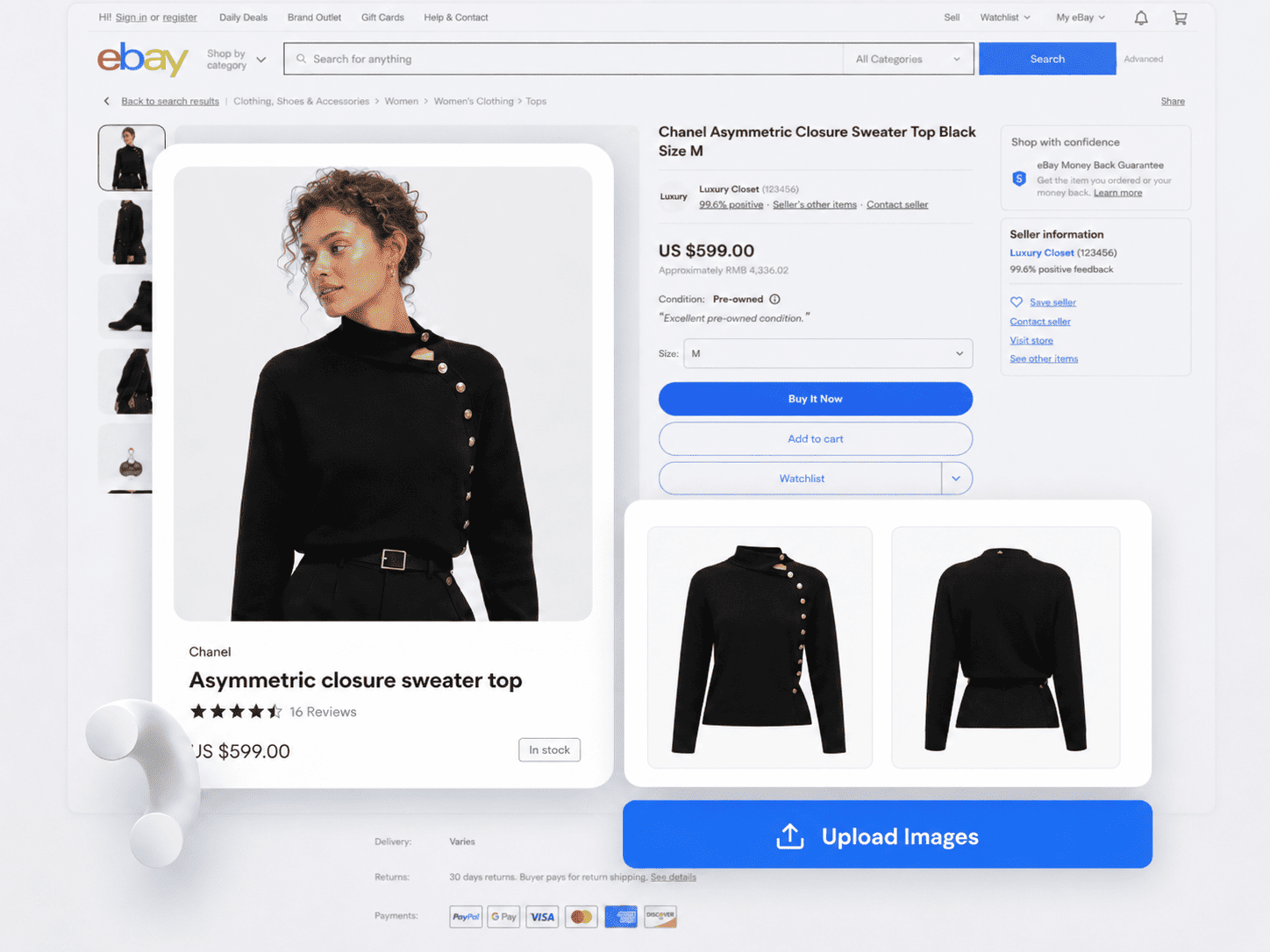
Give the tool concise evidence, not a sales pitch. A strong input for the camera example would include:
- Verified model and format from visible markings
- Exact lens identification
- Specific test results and untested functions
- Cosmetic wear and photographed defects
- Complete list of included parts
- Any important exclusion, such as no film or battery
Before approving the title, remove adjectives that the evidence cannot support. “Rare,” “mint,” “professional,” “serviced,” and “fully tested” should not appear just because they make the draft sound more marketable.
Step 7: Review the AI Draft Against the Physical Item
Put the camera on the desk while you review. Do not rely on memory or on the draft itself. Compare every important statement with the source card, test log, photos, and included accessories.
| Draft field | Evidence to check | Typical estate sale error |
|---|---|---|
| Title | Maker, model, format, lens, and kit contents | Wrong model generation or unsupported “tested” claim |
| Category | Actual product type and eBay category options | Camera body placed under a lens-only category |
| Item specifics | Body markings, lens markings, measurements | Guessed focal length, mount, or color |
| Condition | Test log plus visible wear | Cosmetically clean item described as fully operational |
| Included items | Group photo and source card | Manual, battery, film, or case implied but not included |
| Description | Observed / Tested / Unknown notes | Unknown history converted into a confident story |
Step 8: Run a Language and Policy Check
Maxmerce can scan a draft before publishing for prohibited terms, sensitive language, and potential compliance issues. This extra pass is useful for finding wording that deserves attention, but it does not authenticate a product or guarantee that a listing complies with every rule.

Review highlighted phrases in context. Remove a brand name if it does not belong to the actual product. Rewrite an unsupported compatibility statement. Replace a vague guarantee with the specific test result. If the underlying product is uncertain, fix the product decision rather than polishing the sentence.
A Repeatable Estate Sale Listing Checklist
- Assign an internal SKU before cleaning or separating the lot.
- Record visible maker, model, serial, included parts, and obvious damage.
- Separate sale stories from observed facts.
- Resolve authenticity and policy questions before drafting.
- Test individual functions and record the exact scope.
- Mark every unresolved function as Unknown.
- Choose the eBay condition that matches functional evidence.
- Photograph the actual item, identifiers, accessories, and flaws.
- Generate the AI draft from verified inputs.
- Compare the complete draft with the physical item before publishing.

Frequently Asked Questions
Can I use an AI tool to list estate sale finds on eBay?
Yes. An AI tool can turn verified photos and product details into a reviewable draft. You still need to confirm model, authenticity, condition, test results, included parts, and every buyer-facing claim.
Can I list an untested vintage camera as Used?
Do not choose Used only because the camera has cosmetic wear. eBay’s Cameras & Photo definition says a Used item is fully operational and functions as intended. Choose the available condition that matches your evidence and clearly disclose test limits.
Can I use stock photos for a used estate sale item?
No. eBay says catalog or stock photos cannot be used when an item is listed as used. Photograph the actual product, including identifiers, included parts, and flaws.
What details should I record at the sale?
Record the date, source lot, visible brand and model markings, serial number, included accessories, obvious damage, and any seller statements. Keep those statements separate from facts you personally observe or test.
Can AI verify that a branded find is authentic?
No. Authenticity requires its own evidence and judgment. eBay says the seller should list an item only when certain it is genuine. AI-generated copy is not proof.
Turn Inspection Notes Into a Reviewable eBay Draft
Maxmerce is designed to help sellers turn product photos and verified details into editable eBay listing content. Keep the physical inspection and authenticity decision with the seller; let the AI tool reduce the blank-page work after the evidence is ready.
Explore the Maxmerce eBay AI Listing Tool or see the broader eBay listing tools.
Sources reviewed: eBay Item Condition by Category, eBay Adding Pictures to Your Listings, eBay Counterfeit Policy, and the current Maxmerce eBay AI Listing Tool page. Platform conditions and policies can change; confirm the current category options before publishing.