Add the Amazon product link
Start with one supported, publicly accessible product page instead of copying its title, images and specifications into a blank eBay form.
Move Amazon product details to eBay faster
Skip repetitive copy-and-paste. Add a supported Amazon product link, let Maxmerce bring accessible product details into an editable eBay listing, then review, finish and publish in less time.

Paste a supported public Amazon product link into Maxmerce instead of manually rebuilding the listing field by field. Maxmerce collects accessible title, image, description and product details, then prepares an editable eBay listing. You finish the eBay category, item specifics, condition, price and shipping details before publishing. Link compatibility and field coverage vary by page.
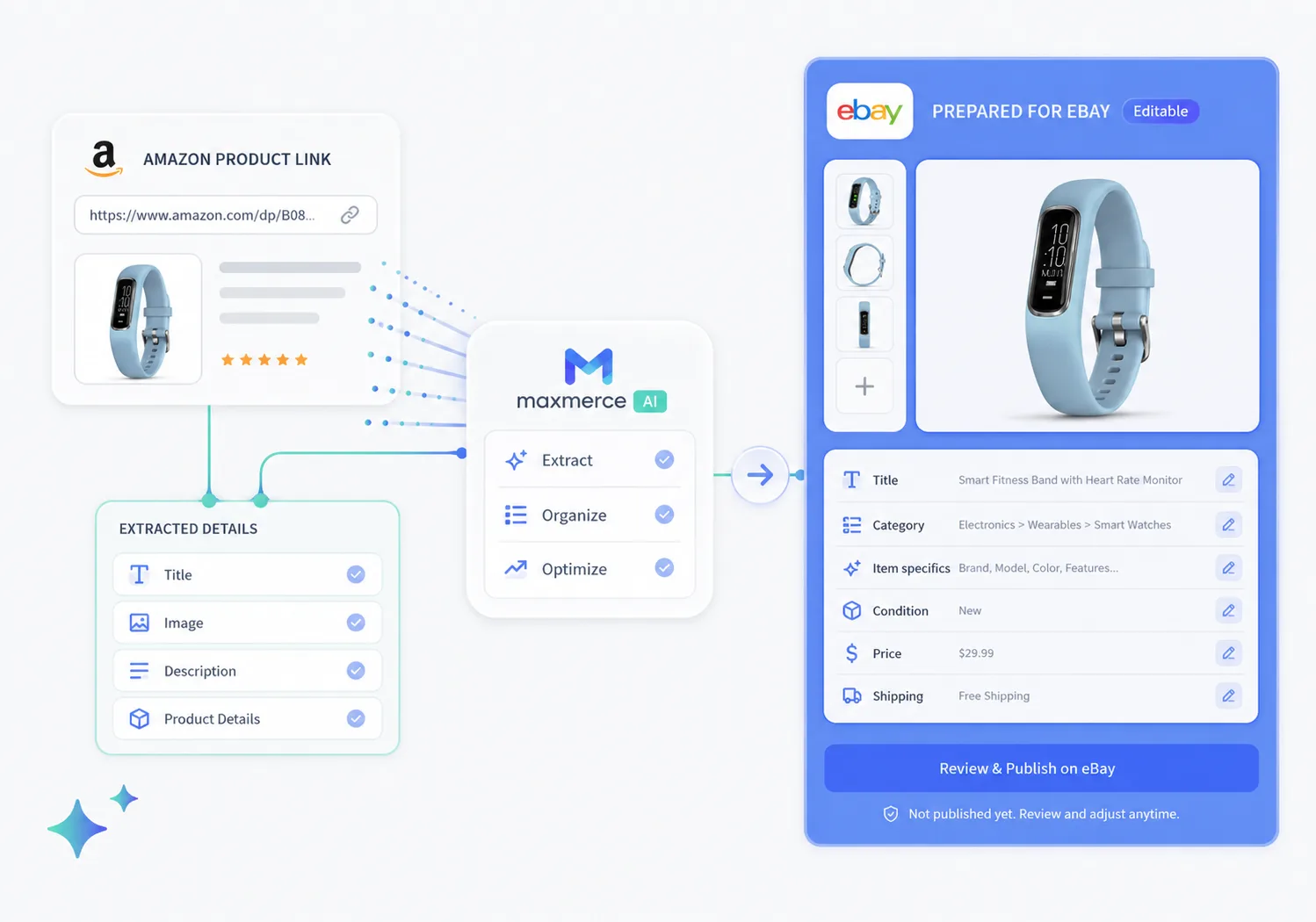
From source link to eBay listing
Replace repetitive copying with a faster starting point, then add the eBay-specific decisions only you can make.
Start with one supported, publicly accessible product page instead of copying its title, images and specifications into a blank eBay form.
Maxmerce prepares an editable title, description, category and item-specific suggestions from the information it can collect.
Review the transferred details, add condition, price, shipping and required specifics, then connect eBay and publish when ready.
Less manual copying
Instead of rebuilding the same product identity, description and variation details by hand, use the accessible source information as your starting point. Then shape the prepared listing around the exact item, your offer and the eBay fields buyers rely on.
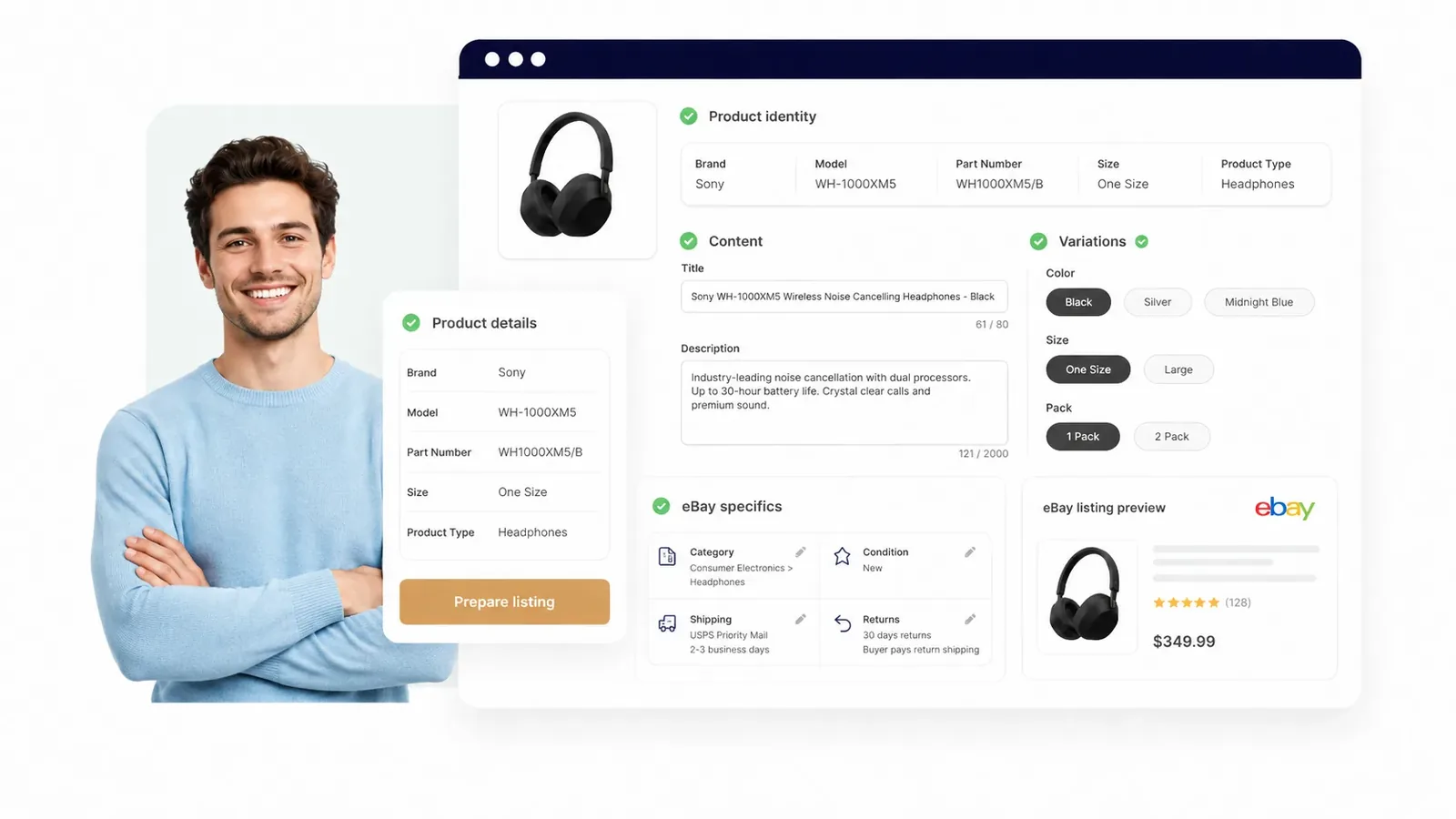
Finish for eBay
Maxmerce accelerates setup. You shape the final offer with the eBay details buyers use to search, compare and buy. For a broader marketplace workflow, explore the eBay AI listing tool.
Describe new, used, open-box or refurbished inventory with the details that make your exact item clear.
Choose the right color, size, pack count and variation so buyers land on the offer you intend to sell.
Complete model numbers, UPCs and other identifiers that help buyers recognize and compare the product.
Choose the eBay category and add the specifics buyers use to filter search results.
Turn the prepared product information into your offer with pricing, delivery and return details.
Refine the title around the product terms and attributes eBay shoppers are most likely to use.
Final review
Run one fast pass through the product and offer details, then publish with confidence.

Common questions
An Amazon to eBay listing tool helps turn accessible product information from a supported Amazon product link into an editable eBay listing. With Maxmerce, the seller reviews the title, description, images, category, item specifics, condition and shipping details before publishing.
Depending on the source page, Maxmerce can prepare accessible titles, images, descriptions, product details and variation information as the starting point for an editable eBay listing.
Review the prepared product details, choose the eBay category, complete item specifics, add condition, price and shipping, then publish when the listing is ready.
Review the product identity, images, brand and model, variations, condition, eBay category, item specifics, price, shipping and returns so the final listing matches the item you want to sell.
Yes. Maxmerce prepares an editable listing for review. You decide what to change, when to connect eBay and whether the listing is ready to publish.
Start with one supported link
Skip repetitive copying, prepare the editable listing and spend your time on the final eBay decisions.
Create eBay Listing