eBay Bulk Edit Listings: Error-Free Mass Updates

Learning how to eBay bulk edit listings without errors saves sellers 15-20 hours weekly. Manual updates waste time and create costly mistakes. Modern eBay bulk edit tools with rule-based logic let you update thousands of listings in minutes by applying conditional filters across your entire catalog with preview capabilities that catch errors before they go live.
This comprehensive eBay bulk edit guide shows you exactly how to execute error-free mass updates, what causes most failures in native eBay bulk edit tools, and which approaches deliver consistent results. You’ll learn tested strategies US and European sellers use when they eBay bulk edit massive catalogs without hiring additional staff.
Key Takeaways
- eBay bulk edit errors in File Exchange: Native eBay bulk editor causes overwrite accidents, decimal mistakes, and category conflicts due to lack of validation preview (eBay Seller Help, 2025)
- Manual eBay bulk edit time costs: Updating 1,000 listings individually takes 15-20 hours at 45-60 seconds per listing—$375-500 in labor costs alone (Industry benchmark, 2025)
- Rule-based eBay bulk edit advantage: Conditional logic systems update thousands of listings in 15-30 minutes by applying filters like “if category = Electronics, increase price 10%”
- Preview mode prevents eBay bulk edit disasters: Seeing before/after comparisons catches 95% of errors before they affect live listings, eliminating costly rollback procedures
- Selective field eBay bulk edits: Change prices and quantities without touching descriptions or images, preserving custom optimization work across bulk operations
Why eBay’s Native Bulk Editor Falls Short
When sellers try to eBay bulk edit listings using File Exchange, they discover it’s designed for basic uploads, not sophisticated catalog management. The tool downloads your listings to CSV format, lets you edit offline, then re-uploads everything. Sounds simple, but this eBay bulk edit approach causes most errors sellers experience.
The biggest problem? Zero validation before changes go live. You’ll edit a spreadsheet with 50 columns, accidentally shift one cell, and suddenly 200 listings have their titles in the price field. By the time you notice, those listings have been live for hours with $0.01 prices or nonsense descriptions.
Common File Exchange Disasters
Decimal point errors destroy profit margins overnight. A seller meant to change $49.99 to $45.99 across 500 listings but typed “4599” in Excel. Without decimal formatting, File Exchange published $4,599.00 prices. The listings sat there for three days before anyone noticed—zero sales, algorithm penalties for overpricing, and weeks recovering search rankings.
Category mismatches happen when eBay’s category IDs change. You’ll edit listings using last month’s category numbers, upload them, and watch half your catalog move into wrong categories. Electronics end up in “Home & Garden,” automotive parts land in “Toys.” Your search visibility drops 80% instantly because Cassini can’t match products to shopper queries.
Variation conflicts create the worst headaches. eBay’s variation system requires parent-child relationships in specific formats. Edit one field wrong in Excel, and you’ll break the entire variation set. A clothing seller tried updating sizes and accidentally created 30 duplicate parent listings, each missing their size variations. It took 12 hours manually fixing the mess.
The Manual Alternative Doesn’t Scale
Editing listings one-by-one through eBay’s Seller Hub seems safer but kills productivity. Each listing takes 45-60 seconds to load the edit form, make changes, and save. That’s 12-15 minutes per hundred listings.
For a 1,000-product catalog, you’re looking at 15-20 hours of pure clicking and waiting. At $25/hour labor cost, that’s $375-500 spent on data entry that should take minutes. And you can’t bill that time to anything revenue-generating—you’re just maintaining what already exists.
Larger sellers with 5,000-10,000 listings can’t function this way. They’d need full-time staff doing nothing but updating prices and descriptions. That’s where bulk editing tools become non-negotiable.
Rule-Based eBay Bulk Edit: The Modern Approach
The best way to eBay bulk edit listings safely uses rule-based systems that apply conditional logic across thousands of products instantly. Instead of editing spreadsheets blind, you’ll set up “if-then” rules that target specific listings automatically through your eBay bulk edit tool.
Here’s how it works in practice: You want to increase prices by 10% on electronics over $50 to improve margins. In a rule-based system, you’ll create a filter selecting “Category = Electronics” AND “Price > $50,” then apply “+10% to price field.” The system shows you exactly which 437 listings match before you confirm.
Conditional Filters That Prevent eBay Bulk Edit Errors
Quality eBay bulk edit tools offer 30+ filter options combining category, price range, inventory level, SKU patterns, sales velocity, and custom tags. This precision targeting when you eBay bulk edit eliminates accidental changes to wrong products.
Say you need to update shipping time from 3-day to 2-day handling, but only for domestic products with inventory over 10 units. You’d set:
- Filter 1: Shipping destination = United States
- Filter 2: Quantity available > 10
- Action: Change handling time to 2 business days
The system highlights 892 matching listings, shows their current values, and displays the proposed changes. You’ll review them in 90 seconds, confirm, and watch the update complete in 3-4 minutes. Compare that to manually editing 892 listings over two days.
Preview Mode: Your eBay Bulk Edit Safety Net
This is what separates professional eBay bulk edit tools from dangerous ones. Preview mode shows before/after comparisons for every field you’re changing when you eBay bulk edit across all matched listings.
A seller needed to add “Free Shipping” to titles for promotional listings. Instead of blind Excel formulas, they used preview mode to see that 23 of their 500 targeted listings already had “Free Ship” in titles. The system highlighted duplicates, preventing “Free Shipping Free Ship” title nonsense that would’ve looked unprofessional.
Preview also catches formula errors. If your price increase rule accidentally targets sale items you meant to exclude, you’ll see it immediately in the preview list. Cancel, adjust the filter, preview again. This iterative testing takes seconds and prevents hours of cleanup.
Step-by-Step: Executing Error-Free eBay Bulk Edits
Professional sellers use a proven workflow to eBay bulk edit listings without errors. Here’s the exact step-by-step process that high-volume shops follow when they eBay bulk edit thousands of products, catching mistakes before they become costly problems.
Step 1: Define Your Exact eBay Bulk Edit Target
Get specific about which listings you’ll eBay bulk edit and why. Vague goals like “update some prices” lead to eBay bulk edit mistakes. Instead: “eBay bulk edit to increase prices by 8% on electronics accessories priced $15-75 with over 30 days since last edit.”
Write down your criteria:
- Which product categories/subcategories?
- What price range?
- Inventory level requirements?
- Time since last modification?
- Any SKU patterns or tags?
This clarity prevents scope creep. You won’t accidentally update your top-selling hero products when you only meant to touch long-tail inventory.
Step 2: Build and Test Your eBay Bulk Edit Rule Logic
When you eBay bulk edit, start with the broadest filter, then layer on restrictions. Using our eBay bulk edit electronics example:
- Base filter: Category contains “Electronics” → returns 2,847 listings
- Add price range: Price between $15-$75 → narrows to 1,523 listings
- Add time filter: Last modified > 30 days ago → down to 891 listings
- Exclude conditions: Does not contain “Refurbished” in title → final count 847 listings
Each filter refinement shows you the new count and sample listings. This layered approach helps you understand exactly what you’re targeting before defining the action.
Step 3: Preview Your eBay Bulk Edit Changes on Small Sample First
Even with solid eBay bulk edit rules, test on 5-10 listings before scaling. Select a subset when you eBay bulk edit, apply your change, review results in preview mode.
Check specifically:
- Are calculated values correct? (formulas working as expected)
- Does text formatting look clean? (no extra spaces or characters)
- Did conditional logic apply properly? (right listings excluded/included)
- Will changes overwrite anything important? (custom descriptions intact)
This takes 2-3 minutes but prevents disasters. One seller’s “add 10%” rule was accidentally set to “multiply by 10” instead. Testing on 5 listings revealed $499 prices becoming $4,990. That preview check saved approximately $50,000 in lost revenue from overpriced inventory.
Step 4: Apply eBay Bulk Edit Updates in Staged Batches
When you eBay bulk edit, don’t update 5,000 listings simultaneously. Break your eBay bulk edit into batches of 500-1,000 so you can monitor results between groups.
Apply first batch, then verify:
- Check 10-15 random listings on live eBay site
- Confirm prices, titles, descriptions display correctly
- Watch for eBay error notifications in Seller Hub
- Allow 15-30 minutes for platform synchronization
If batch one looks perfect, proceed with batches 2-5. This staged rollout contains problems. If something goes wrong in batch three, you’ve only affected 1,500 listings instead of 5,000.
Step 5: Document Your eBay Bulk Edit Changes for Future Reference
Maintain an eBay bulk edit log of what you changed, when, and why. Document date, filter criteria, fields modified when you eBay bulk edit, number of listings affected. This becomes crucial when troubleshooting later eBay bulk edit issues.
Three weeks from now, you won’t remember if you updated shipping times on clearance items. Your log says “October 15: Changed handling time to 1-day for clearance tag, 234 listings.” Now you can quickly verify if that change caused any unexpected problems.
Advanced eBay Bulk Edit Strategies for Complex Catalogs
Once you’ve mastered basic eBay bulk edit operations, these advanced techniques help you handle complicated multi-category scenarios that trip up most sellers when they try to eBay bulk edit complex catalogs.
Selective Field eBay Bulk Edit: Surgical Precision
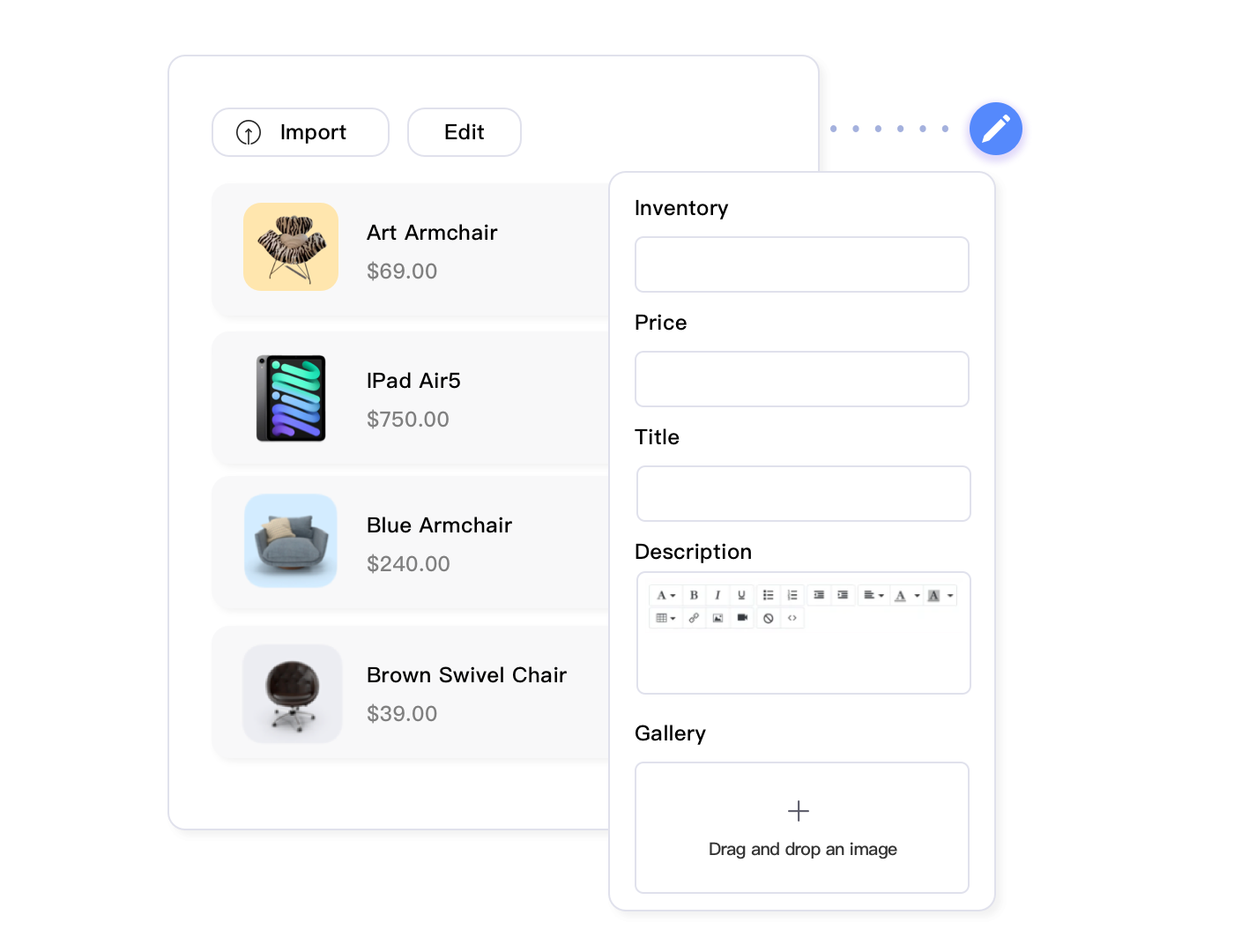
Sometimes when you eBay bulk edit, you need to change prices without touching anything else. Other times, you’ll eBay bulk edit descriptions while preserving titles and images. Selective synchronization lets you target specific fields in your eBay bulk edit operations.
A common scenario: You’ve spent weeks optimizing titles and descriptions for top-selling items. Now you need to raise prices by 5% across 800 listings. With full listing replacement, you risk overwriting your custom content if your bulk edit file doesn’t perfectly match eBay’s current data.
Selective updates solve this. Choose “Price” as the only field to modify. Everything else—titles, descriptions, images, item specifics—stays exactly as it is. You’re making surgical changes to one data point without disturbing the rest.
This becomes critical when managing listings with custom HTML templates or A+ content. Accidentally overwriting formatted descriptions means hours recreating them. Selective updates protect that investment.
Tag-Based eBay Bulk Edit Organization for Complex Rules
As catalogs grow beyond 1,000 products, eBay bulk edit filters based on categories and prices become too broad. Tags add custom grouping that makes your eBay bulk edit operations reflect your business logic.
Create tags like:
- Clearance-Q4 for items to discount before year-end
- Supplier-FastShip for products with guaranteed 2-day arrival
- High-Margin for items with 50%+ profit that can handle shipping promotions
- Review-Needed for listings requiring content updates
Now your bulk rules become incredibly precise. “Apply 20% discount to all items tagged Clearance-Q4 AND High-Margin where inventory > 15 units.” That might match 87 specific products that perfectly fit your strategy, ignoring the 3,000 others.
Tags also enable team workflows. Your inventory manager tags products needing description updates, then your content specialist runs a bulk rule applying new descriptions only to “Review-Needed” tagged items. No spreadsheets, no miscommunication.
Scheduled eBay Bulk Edit for Recurring Changes
Some eBay bulk edit updates happen on predictable schedules—weekend promotions, seasonal keyword changes, holiday shipping deadline adjustments. Scheduling automates these repetitive eBay bulk edit tasks.
Set up once: “Every Friday at 6 PM, add ‘[Weekend Sale]’ prefix to all items tagged Weekend-Promo.” The system executes automatically, then removes the prefix Monday morning at 6 AM. You’ve created automated weekend urgency without manual work.
Seasonal sellers use this heavily. A Christmas decoration shop schedules keyword updates:
- September 1: Add “Early Christmas” to titles, Halloween tags
- October 15: Change to “Christmas 2025” in titles
- November 1: Add “Holiday Gift” to descriptions
- January 2: Remove Christmas keywords, add “Clearance”
These scheduled rules run while you sleep. By the time you check your shop at 9 AM, 2,000 listings already reflect the seasonal changes that would’ve taken a full day manually.
How Maxmerce Transforms eBay Bulk Editing
When you try to eBay bulk edit manually, you’ll waste 10-15 hours weekly for just 1,000 products, plus create costly errors from decimal mistakes and field overwrites. For shops doing $50,000 monthly, that’s $375-500 in pure labor costs every week just to eBay bulk edit and maintain listings. At scale, this eBay bulk edit approach becomes unsustainable—you’re either hiring dedicated catalog staff or letting inventory management slide.
The consequences compound fast. Outdated prices lose you the Buy Box to faster competitors. Stale descriptions hurt conversions. Inventory mismatches generate defects. Yet manually updating hundreds of listings through eBay’s interface isn’t realistic when you’re also handling orders, customer service, and sourcing.
Advanced bulk editing tools solve this by automating what used to require spreadsheet gymnastics and prayer. Instead of downloading CSVs, manually editing 50 columns, and hoping nothing breaks during upload, you’re applying surgical rules that target exactly the listings you need.
Take Maxmerce’s Rule-Based Bulk Listing Editing system. It handles bulk updates through conditional logic that eliminates guesswork and prevents errors before they happen.
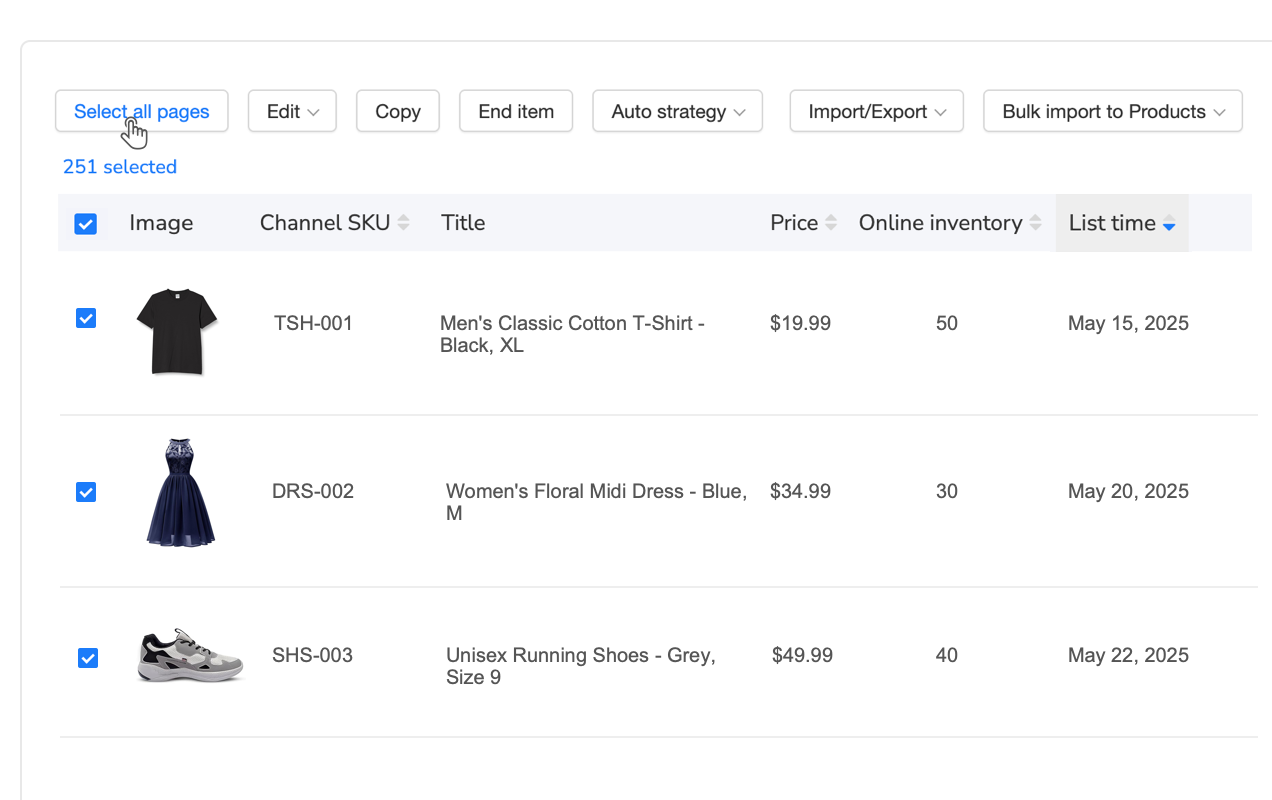
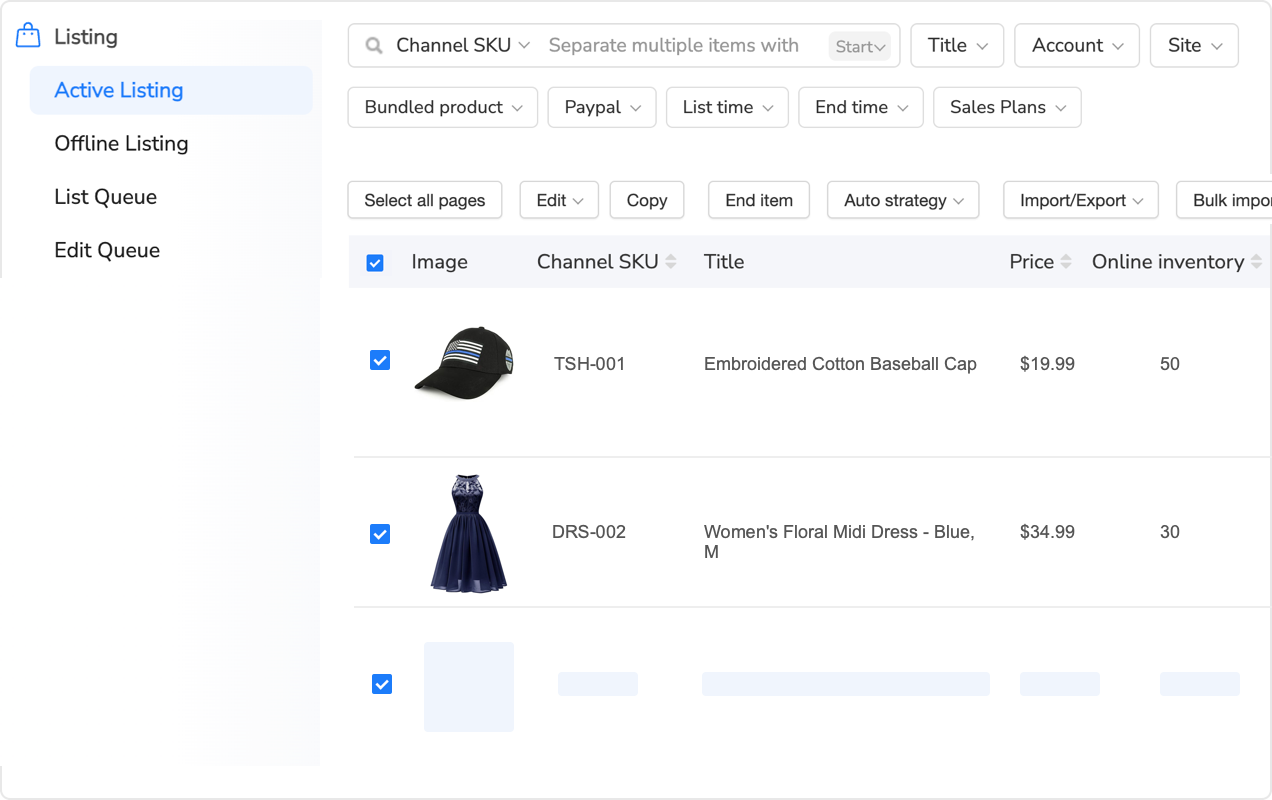
Here’s the exact workflow: Log into Maxmerce’s centralized listing dashboard, which displays all your eBay inventory with real-time sync. Set up a filter rule like “Category = Electronics AND Price > $50 AND Inventory < 5.” The system instantly shows you exactly 127 listings matching those criteria.
Now define your action: “Increase price by 10% AND add ‘[Low Stock]’ to title prefix.” Before applying anything, you’ll see a complete preview showing before/after values for every single listing. That preview table displays current price $59.99 → new price $65.99, current title “Wireless Headphones” → new title “[Low Stock] Wireless Headphones.”
This preview catches mistakes instantly. You notice three of those 127 listings are already marked Low Stock. Adjust your filter to exclude titles containing “[Low Stock],” rerun the preview. Now it’s perfect—124 listings will update exactly as intended. Click confirm, and Maxmerce processes all 124 changes in 2-3 minutes.
The time savings are transformative: 124 manual edits would take 90-120 minutes through eBay’s interface. That’s over two hours compressed into three minutes—a 93% time reduction. For a 2,000-product catalog, you’re saving 15-20 hours weekly that can go into sourcing, marketing, or expansion.
But speed isn’t the main value. It’s error prevention through validation. Maxmerce’s preview mode has saved sellers from catastrophic mistakes that would’ve cost thousands. One seller accidentally set up a rule to multiply prices by 10 instead of adding 10%. The preview showed $49.99 → $499.90. He caught it before it went live, avoiding roughly $30,000 in lost revenue from massively overpriced inventory.
The system also offers selective field synchronization—you can update prices without touching descriptions, change quantities without affecting titles. This surgical precision protects your custom optimization work. Spent weeks perfecting high-converting product descriptions? Lock those fields and update everything else safely.
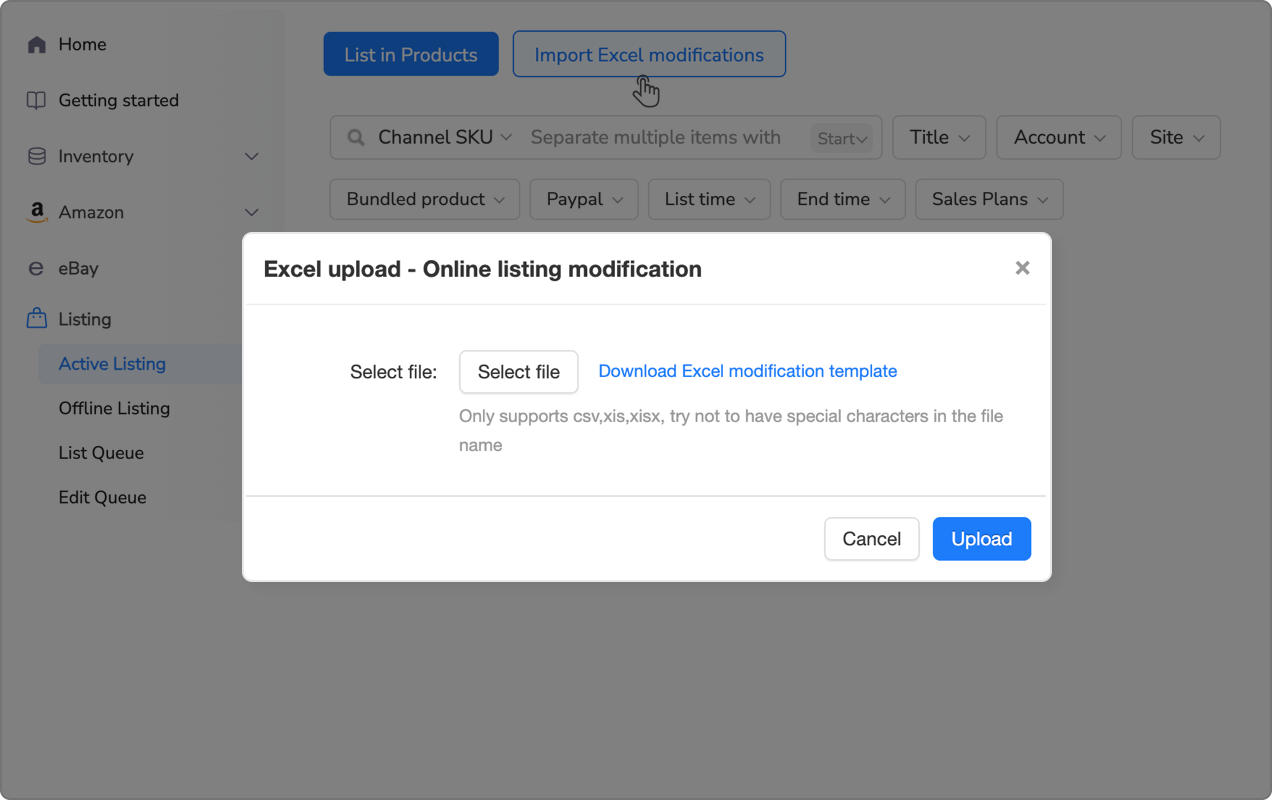
Additionally, Maxmerce’s Bulk Product Editing via Excel feature provides an alternative workflow for sellers who prefer spreadsheet control but need validation guardrails. Export your listings to Excel with all current data, make offline changes using familiar formulas and filters, then re-import.
The difference from eBay’s File Exchange? Pre-upload validation. Before any changes go live, Maxmerce scans your Excel file for common errors: decimal misplacements, category ID mismatches, variation conflicts, missing required fields. You’ll get a validation report highlighting 23 potential issues before upload. Fix them in Excel, re-upload, pass validation, then publish with confidence.
This workflow combines Excel’s flexibility with platform-level error checking. You can use complex formulas to calculate new prices based on multiple conditions, apply sophisticated find-replace operations across thousands of cells, and leverage Excel’s data tools. Then Maxmerce ensures what you’ve built actually works within eBay’s requirements before it touches your live listings.
Both approaches integrate into broader catalog management. Tag 200 products as “Summer-Clearance,” then apply bulk discount rules to that tag. Next month, create a “Back-To-School” tag and schedule automatic keyword updates. Your catalog adapts to seasonal strategies without manual intervention.
The operational impact shows in metrics. Sellers using Maxmerce’s bulk tools report updating their entire catalogs in 8 hours monthly versus 40-50 hours with manual methods. That’s 32-42 hours saved—equivalent to hiring a part-time employee just for listing management. Except you’re not paying wages; you’re using software that costs less than one hour of labor.
Error rates drop dramatically too. Manual editing through eBay typically generates 2-5% error rates—wrong prices, typos, misclassified products. With preview-based bulk systems, sellers report error rates under 0.5%. Fewer mistakes mean fewer customer complaints, better seller ratings, and no emergency scrambles fixing catalogs at midnight.
Update Thousands of eBay Listings in Minutes, Not Days
Stop wasting 15+ hours weekly on manual listing updates. Maxmerce’s rule-based bulk editor with preview mode helps you execute error-free changes across your entire catalog in minutes.
Common eBay Bulk Edit Mistakes and How to Avoid Them
Even with sophisticated eBay bulk edit tools, sellers make predictable mistakes that cause catalog chaos when they eBay bulk edit. Learn from these common eBay bulk edit failures so you don’t repeat them.
Mistake 1: Overwriting Optimized Content
You’ve A/B tested titles and descriptions for months, finally achieving strong conversion rates. Then you run a bulk update to change prices and accidentally include the “description” field in your update template. Boom—200 custom-optimized descriptions replaced with generic text.
Prevention: Always use selective field updates when touching price, quantity, or other data fields. Lock content fields (title, description, images) unless you specifically intend to modify them. Double-check your field selection in preview mode before confirming.
Mistake 2: Forgetting About Active Promotions
You apply a 10% price increase across electronics, not realizing 40 of those listings are running eBay promotions with fixed discount amounts. Now the promotion shows “$5 off” but your base price is 10% higher, effectively reducing the customer discount.
Prevention: Check for active promotions before bulk pricing changes. Add a filter excluding listings with current discounts, or adjust promotion amounts simultaneously with base price changes. Better yet, tag promotional items separately so bulk rules automatically exclude them.
Mistake 3: Ignoring Variation Parent-Child Relationships
Clothing sellers face this constantly. You bulk update quantities on variation children (individual sizes/colors) but forget to update the parent listing’s total quantity. Now your parent shows “5 available” but you actually have 50 across all variations. Shoppers assume low stock and skip your listing.
Prevention: Use bulk tools that automatically recalculate parent quantities when children change. If editing manually, always update parents and children in the same operation. Run a verification report after bulk edits to catch quantity mismatches.
Mistake 4: Applying Global Changes to Unique Products
You decide all items should ship within 2 business days and bulk update handling time. Problem: 15% of your catalog consists of custom-made items requiring 7-day production. You just promised impossible deadlines, guaranteeing late shipment defects.
Prevention: Audit your catalog for exceptions before bulk updates. Tag unique products, then exclude those tags from general rules. For handling time example, apply updates only to “In-Stock” tagged items, leaving “Made-to-Order” products unchanged.
Mistake 5: Not Testing Formulas on Sample Data
In Excel, you create a formula to add 15%: =Price*1.15. Looks right. You apply it to 2,000 rows and upload. Turns out eBay interprets your decimal prices differently, and now everything costs 115x what it should—$49.99 becomes $5,748.85.
Prevention: Always test formulas on 5-10 sample listings first. Export a small batch, apply your formula, re-upload just those items. Verify they appear correctly on eBay before scaling to thousands. This 5-minute test prevents hours of emergency fixes.
Mistake 6: Bulk Editing During Peak Traffic Hours
You execute a bulk update at 6 PM on a Friday evening—prime shopping time. The updates temporarily interrupt inventory sync, causing some listings to briefly show as out-of-stock. You lose 2 hours of peak sales while the system processes changes.
Prevention: Schedule bulk operations during off-peak hours—typically 1-5 AM in your target market’s timezone. Set up updates to run overnight or early morning. This minimizes impact on shoppers and reduces load on eBay’s servers, speeding up processing.
Measuring Success: eBay Bulk Edit KPIs That Matter
Track these eBay bulk edit metrics to quantify how your improved eBay bulk editing workflow impacts your bottom line and operational efficiency.
Time Savings per 1,000 Listings
Baseline: Manual editing through eBay takes 15-20 hours per 1,000 listings. Track how long bulk operations take, then calculate percentage reduction. Goal: Achieve 90%+ time savings, completing in under 2 hours.
Calculate monthly value: If you update 1,000 listings 4 times monthly, you’re saving 52-72 hours. At $25/hour labor cost, that’s $1,300-1,800 monthly savings. This metric justifies tool costs and demonstrates ROI to stakeholders.
Error Rate Reduction
Before implementing bulk tools, audit 100 random listing edits for errors—wrong prices, typos, misclassifications. Calculate error percentage. After adopting preview-based systems, audit another 100. Measure improvement.
Target: Reduce errors from typical 3-5% to under 0.5%. Every prevented error saves customer service time, maintains seller ratings, and protects revenue. One pricing error costing $500 in margin justifies a year of tool subscription.
Catalog Update Frequency
How often can you afford to refresh pricing, descriptions, and keywords? Manually: maybe monthly. With efficient bulk tools: weekly or even daily for competitive categories.
Track: Updates per month before and after. If you move from monthly catalog refreshes to weekly, you’re 4x more responsive to market changes. This agility directly impacts competitiveness—you can match competitor price drops within hours instead of weeks.
Staff Time Allocation
Where does your team spend time before versus after implementing bulk editing? If you free up 15 hours weekly from listing management, where does that time go? Ideally into revenue-generating activities like sourcing, marketing, or customer retention.
Measure: Hours spent on listing management weekly. Reduce this metric while maintaining or improving catalog quality. The goal isn’t just efficiency—it’s reallocating human talent to higher-value work.
| Task/Challenge | Manual Approach | Maxmerce Solution | Time Savings |
|---|---|---|---|
| Update 1,000 listing prices | 15-20 hours editing one by one through Seller Hub | Rule-Based Bulk Editing with conditional filters + preview | 93% (completed in 15-30 minutes) |
| Apply seasonal keyword changes | 10-12 hours manually editing titles/descriptions | Scheduled bulk updates with find-replace rules | 91% (completed in 20 minutes) |
| Update product attributes across catalog | 8-10 hours for 500 listings via File Exchange | Bulk Product Editing via Excel with pre-upload validation | 87% (completed in 60 minutes with error checking) |
| Adjust shipping times for fast-stock items | 6-8 hours identifying and editing qualifying listings | Tag-based filtering + selective field sync | 94% (completed in 25 minutes) |
| Apply promotional discounts to category | 4-5 hours setting up individual promotions | Category filter + automated promotion rules | 88% (completed in 30 minutes) |
| Fix policy violations across listings | 12-15 hours manually finding and correcting issues | Prohibited words scan + bulk find-replace with preview | 90% (completed in 90 minutes) |
Integration with Broader eBay Listing Management
Your eBay bulk edit capabilities aren’t a standalone tactic—they’re one component of comprehensive catalog management. Here’s how eBay bulk edit operations fit into your overall marketplace strategy.
Dynamic Pricing Workflows
Competitive repricing requires frequent updates. Manual changes can’t keep pace with market fluctuations. Integrate bulk editing with repricing logic:
- Repricing tool monitors competitor prices hourly
- When 10+ items in a category drop below your prices, trigger alert
- Review suggested price changes in bulk editor preview
- Apply updates to affected listings in minutes
- Monitor Buy Box win rate over next 24 hours
This responsive workflow keeps you competitive without constant monitoring. You’re alerted to meaningful changes, review them contextually, then execute fast.
Seasonal Content Updates
Holidays, seasons, and events require keyword and description changes. Build a content calendar with bulk update rules:
- Labor Day (September): Add “Back to School” keywords to relevant categories
- Black Friday prep (October): Update titles with “Black Friday Deal” for sale items
- Holiday shopping (November): Add gift-focused language to descriptions
- Post-holiday (January): Shift to clearance messaging and New Year keywords
Schedule these updates in advance. Your catalog automatically adapts to seasonal shopping behavior without manual intervention each year.
Quality Control Audits
Use bulk operations for maintenance, not just updates. Run monthly audits:
- Identify listings with missing item specifics—bulk add them
- Find products with fewer than 5 images—tag for photography
- Detect titles under 60 characters—expand for better SEO
- Locate listings without recent updates—refresh for algorithm boost
This proactive approach maintains catalog health. You’re not just reacting to problems; you’re systematically optimizing thousands of listings that would never get individual attention.
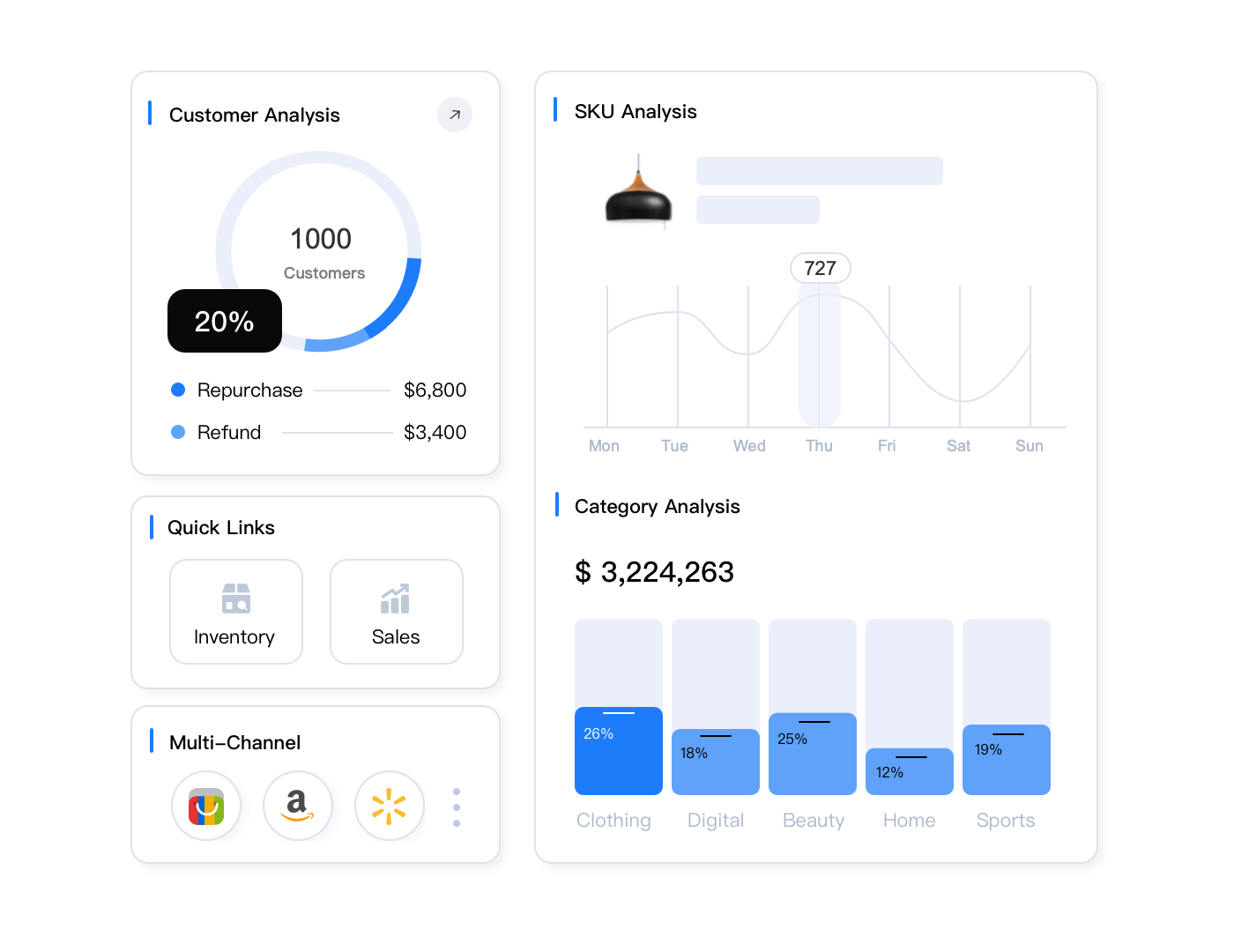
Multi-Platform eBay Bulk Edit: Beyond eBay
If you’re selling on Amazon, Walmart, or Shopify alongside eBay, your eBay bulk edit strategy becomes even more critical. When you eBay bulk edit products, those same changes often need to propagate across platforms. Each marketplace has unique requirements, but the same base products need consistent information.
Cross-Platform Consistency Challenges
eBay allows HTML in descriptions; Amazon strips it. Walmart requires specific item specs eBay doesn’t need. Your product weighs the same everywhere, but formatting and field requirements differ.
Manual approach: Maintain separate spreadsheets for each platform, manually copy-paste-modify data. Inevitable inconsistencies and 3x the work.
Unified bulk editing: Maintain one master catalog, then apply platform-specific transformations during publishing. Update price once, sync everywhere with appropriate formatting.
Maxmerce’s Cross-Platform Bulk Publishing
Sellers managing multiple channels face amplified complexity. A 1,000-product catalog across three platforms means maintaining 3,000 listings. Bulk editing each platform separately still leaves you updating 1,000 items three times.
Maxmerce’s Bulk Product Publish feature centralizes this chaos into one operation. Store your master product catalog once, then publish to eBay, Amazon, and Walmart simultaneously with platform-specific optimizations handled automatically.
Here’s the workflow: You update 500 product prices in Maxmerce’s central catalog—one action, 2-3 minutes. The system then propagates those price changes to all connected channels, applying each platform’s formatting requirements automatically. eBay listings update with your standard format, Amazon listings comply with ASIN requirements, Walmart listings match Item Spec standards. What would’ve been 90 minutes of manual work per platform (4.5 hours total) completes in 5 minutes.
The system also handles attribute mapping intelligently. eBay’s “Brand” field maps to Amazon’s “Brand Name” and Walmart’s “brand” attribute automatically. Color variations sync across platform-specific formatting—eBay’s variation tables, Amazon’s parent-child ASINs, Walmart’s variant structure. You manage one product record; Maxmerce translates it into three platform-compliant formats.
This gets powerful when launching new products. Upload 50 new items to your master catalog with complete details—images, descriptions, specifications, pricing. Use Bulk Product Publish to push them to all three platforms at once. In 10-15 minutes, you’ve created 150 live listings (50 per platform) that would’ve taken 6-8 hours manually creating through each platform’s individual interface.
Seasonal updates become trivial. Black Friday pricing? Adjust 1,000 products once in master catalog, publish to all channels. Holiday keyword updates? Edit descriptions centrally, propagate everywhere. You’re maintaining one source of truth instead of chasing inconsistencies across three separate systems.
The error prevention here is massive. Manually maintaining separate catalogs guarantees inconsistencies—product #427 priced at $39.99 on eBay but still $44.99 on Amazon because you forgot to update it. With centralized bulk publishing, that’s impossible. Every channel reflects your master data automatically.
Sellers using Maxmerce’s cross-platform bulk tools report 85-90% reduction in multi-channel management time. If you previously spent 20 hours weekly keeping three channels synchronized, you’re now spending 2-3 hours. That’s a part-time employee’s worth of labor saved every single week.
Manage eBay, Amazon & Walmart from One Dashboard
Update thousands of listings across all your sales channels simultaneously. Maxmerce’s centralized bulk editing ensures consistency while respecting each platform’s unique requirements.
Future-Proofing Your Bulk Editing Workflow
eBay’s platform evolves constantly—new category structures, updated policies, changed attribute requirements. Your bulk editing approach needs flexibility to adapt without starting from scratch.
Building Adaptable Rule Templates
Instead of creating one-off rules for immediate needs, build reusable templates that adjust to changing conditions. Use variables rather than hardcoded values.
Poor approach: “Increase price to $49.99 for Electronics category” (only works for that specific price and category)
Adaptable approach: “Increase price by 10% for items tagged Margin-Boost where current price > $25” (works for any products matching conditions)
The second rule applies to future products automatically. Tag new items as “Margin-Boost,” and they’ll be included in your next price optimization run without rule modifications.
Maintaining Clean Data Architecture
Bulk operations amplify existing data quality issues. If your current listings have inconsistent formatting—some use “Blue” while others use “blue,” some show weights in pounds and others in ounces—bulk rules become complicated quickly.
Invest in data standardization:
- Consistent capitalization: Brand names, colors, sizes
- Standardized units: All weights in pounds, dimensions in inches
- Uniform formatting: Dates, phone numbers, model numbers
- Complete attributes: No blank fields in required data
This upfront work makes future bulk operations dramatically simpler. Rules that previously needed 5-6 conditions to handle format variations now work with one or two filters.
Documenting Your Bulk Editing Library
Over months, you’ll develop dozens of proven rules for different scenarios. Document them so you don’t reinvent the wheel.
Maintain a bulk operations playbook:
- Rule name: “Weekend Promotion Prefix”
- Purpose: Add urgency messaging to titles for weekend sales
- Filters: Tag = Weekend-Sale AND Inventory > 10
- Action: Add “[Limited Time]” prefix to title
- Reverse rule: Remove “[Limited Time]” prefix Monday morning
- Notes: Schedule for 6 PM Friday, reverse 6 AM Monday
Six months later, you’ll remember “we did something for weekend promotions” but not the exact filter logic. Your playbook has it documented, ready to deploy again immediately.
Advanced Scenarios: Bulk Editing for Specific Business Models
Different selling approaches require tailored bulk editing strategies. Here’s how various eBay business models leverage these tools.
Dropshipping: Rapid Catalog Turnover
Dropshippers list hundreds of products weekly, often testing products for 2-4 weeks before deciding which to keep. Manual listing creation can’t keep pace.
Workflow: Use product scrapers to collect supplier data, bulk import 500 test listings weekly. After 2 weeks, bulk analyze performance—items with 0 views in 14 days get delisted automatically. Top performers get optimized titles and expanded descriptions via bulk update.
This rapid test-optimize-scale cycle requires bulk operations at every stage. You’re constantly adding, evaluating, and refining hundreds of listings based on performance data.
Private Label: Variation Management at Scale
Private label sellers often manage products in 5-10 colors and 4-6 sizes—50+ variations per product line. Updating prices or attributes across all variations manually is nightmare fuel.
Strategy: Use tag-based grouping by product line. Tag all “Premium T-Shirt Line” variations together. When costs increase, apply bulk price adjustment to that tag across all colors and sizes simultaneously. When updating product descriptions, sync changes to all variations from parent listing.
Bulk tools designed for variations automatically maintain parent-child relationships, recalculate total inventory across variations, and ensure consistency in shared attributes like brand and material.
Liquidation: Time-Sensitive Pricing
Liquidators work with perishable inventory—products that must sell within 30-90 days or they’re worthless. Pricing needs aggressive adjustments based on time remaining.
Automation: Set up tiered bulk rules triggered by listing age. Items listed 30-45 days with no sales get 10% discount. At 45-60 days, apply 25% discount. Beyond 60 days, drop to cost-recovery pricing. These scheduled rules execute automatically without daily monitoring.
This lifecycle-based repricing maximizes recovery value while minimizing manual intervention. You’re systematically liquidating inventory at optimal price points based on urgency.
Arbitrage: Competitive Response Speed
Retail arbitrage relies on finding price differences and exploiting them quickly. When you discover 50 underpriced items at a retailer, you need them listed on eBay within hours, not days.
Rapid deployment: Use bulk listing templates with pre-configured shipping, handling, and policies. Collect product details via mobile app, bulk upload photos, auto-generate descriptions, publish 50 listings in 1-2 hours. Your speed advantage over slow competitors is the difference between profit and leftovers.
Bulk operations compress the arbitrage cycle from discovery to sales, maximizing profit windows before competition catches up or prices normalize.
Compliance and Risk Management in Bulk Operations
Bulk editing powerful tools can create bulk problems if used carelessly. Maintain compliance with eBay policies while executing large-scale changes.
Policy Violation Detection
eBay prohibits certain words and claims in listings—”authentic” for non-branded items, medical claims for supplements, trademark terms you don’t own. Manually reviewing thousands of listings for violations is impractical.
Automated compliance: Run bulk scans checking listings against prohibited word lists before updates. If you’re adding “authentic leather” to 500 product descriptions, scan first to ensure you’re not accidentally using banned terms.
Maxmerce’s Prohibited Words Check feature automates this critical safeguard. Before executing any bulk update affecting titles or descriptions, run it through compliance scanning. The system compares your planned changes against eBay’s current prohibited terms database, plus any custom blacklists you’ve configured.
Here’s what it catches: You’re adding “OEM quality” to 300 automotive part descriptions to boost perceived value. The prohibited words scanner flags 47 of those listings because they mention “OEM” in specific categories where eBay considers it trademark infringement. You remove those 47 from your bulk update, avoiding potential account restrictions.
The tool also identifies subtler issues—terms that aren’t explicitly banned but increase policy risk. Words like “authentic,” “guaranteed,” “medical grade,” and “cure” trigger warnings with explanations of why they’re problematic. You’ll see “Avoid ‘authentic’ unless you’re an authorized dealer” with links to relevant policies.
This pre-flight checking prevents the nightmare scenario where you bulk update 1,000 listings with non-compliant language, eBay flags them all, and you’re suddenly facing account suspension because you unknowingly violated policies at scale. The violations might take days to detect manually, but in that time, you’ve accumulated defects that damage seller standing.
Run compliance checks in these scenarios: before holiday messaging updates (gift claims can violate policies), when adding competitive comparison language (mentioning competitors is restricted), during seasonal keyword changes (holiday-specific terms have special rules), and especially when copying content from supplier sources (often contains prohibited claims).
Rate Limiting and Platform Restrictions
eBay’s API has rate limits preventing too many rapid changes. Push updates too fast, and you’ll hit temporary blocks that pause your operations.
Best practice: Use bulk tools that automatically throttle requests to stay within platform limits. Quality systems spread 1,000 updates over 10-15 minutes rather than slamming eBay’s servers with 1,000 simultaneous requests.
This built-in rate management ensures your updates complete successfully without triggering API blocks that could delay time-sensitive changes.
Backup and Recovery Procedures
Before major bulk operations, create backups. Export your current listing data so you can restore if something goes catastrophically wrong.
Recovery workflow:
- Export listings to CSV before bulk update
- Execute bulk changes with preview confirmation
- Monitor results for 1-2 hours after completion
- If problems detected, halt further changes immediately
- Restore from backup export if issues are severe
This safety net means you’re never more than a few hours away from undoing mistakes. Compare that to manual editing where mistakes might not be noticed for days and reversing them requires hundreds of manual corrections.
Frequently Asked Questions
Why does eBay’s native bulk editor cause so many errors?
eBay’s File Exchange lacks validation preview, making it easy to overwrite critical fields accidentally. Common problems include decimal errors in prices, category mismatches, and variation conflicts. The system processes all changes immediately without safeguards, turning minor typos into major catalog disasters. Third-party tools with rule-based editing and preview modes prevent these issues by showing exactly what will change before applying updates.
How long does bulk editing 1,000 eBay listings manually take?
Manually updating 1,000 listings through eBay’s interface takes 15-20 hours. You’ll spend 45-60 seconds per listing navigating forms, loading pages, and clicking save buttons. At $25/hour labor cost, that’s $375-500 in pure time expense. Rule-based bulk editors compress this to 15-30 minutes by applying conditional logic across thousands of listings simultaneously, reducing the process from days to minutes.
What’s the difference between Excel bulk editing and rule-based editing?
Excel bulk editing requires downloading listings, manually editing spreadsheets, and re-uploading. It’s error-prone because you can’t preview changes and must handle complex formulas yourself. Rule-based editing lets you set conditions like “if category = Electronics AND price > $50, then increase by 10%” directly in the platform. You’ll see exactly which listings match your rules before applying changes, eliminating guesswork and preventing mistakes from bad spreadsheet formulas.
Can I undo bulk changes if something goes wrong?
eBay’s native tools don’t offer rollback functionality. Once you upload changes via File Exchange, they’re permanent unless you manually reverse them. However, advanced bulk editing platforms maintain revision history, allowing you to undo entire batch operations with one click. Look for tools offering preview mode, change logs, and rollback capabilities. These features have saved sellers from catastrophic pricing errors that would have cost thousands in lost revenue.
How do I avoid overwriting custom listing descriptions in bulk updates?
Use selective field synchronization instead of full listing replacement. Rule-based editors let you update specific fields like price, quantity, or shipping while preserving descriptions, images, and item specifics. Set up rules targeting only the fields you want to change. For example, update all listing quantities to 10 without touching titles or descriptions. This surgical approach prevents accidentally wiping out hours of custom content optimization.
What’s the safest way to test bulk changes before going live?
Always use preview mode before applying bulk edits. Quality tools show you exactly which listings will change and how, displaying before/after comparisons. Start by testing rules on 5-10 listings, verify the results, then scale to your full catalog. Create backup exports before major changes. Schedule edits during low-traffic hours (1-5 AM) to minimize impact if something unexpected happens. This staged approach catches errors before they affect thousands of listings.
How often should sellers perform bulk listing updates?
Competitive eBay sellers update pricing weekly and refresh content monthly. Seasonal businesses adjust descriptions and keywords quarterly. However, the frequency depends on your strategy—fast-moving electronics need daily repricing, while collectibles might only need quarterly refreshes. Automated rule-based systems make frequent updates practical by eliminating manual work. Set up scheduled rules for routine changes like weekend promotions or holiday keyword updates.
What fields can I safely bulk edit without hurting SEO rankings?
You can safely bulk update prices, quantities, shipping options, handling times, and item specifics without impacting Cassini rankings. Be cautious with titles and descriptions—major rewrites may reset your search history. When updating titles, change only necessary words while keeping high-performing keywords intact. eBay’s algorithm rewards listing stability, so avoid unnecessary edits to core content fields. Focus bulk operations on data that changes regularly like inventory levels and competitive pricing.
Conclusion: Transform eBay Bulk Edit from Burden to Advantage
Learning to eBay bulk edit thousands of listings shouldn’t consume 15-20 hours weekly or generate constant errors. Modern eBay bulk edit tools with rule-based logic transform catalog management from tedious manual labor into strategic competitive advantage.
The sellers winning on eBay aren’t those with the most time—they’re the ones who eBay bulk edit efficiently using tools that amplify their limited resources. While competitors spend entire days manually updating prices, successful sellers eBay bulk edit comprehensive catalogs in minutes. That speed differential when you eBay bulk edit efficiently compounds over months into significant competitive advantage.
Start improving how you eBay bulk edit with these immediate actions:
- Audit your current eBay bulk edit process: Time how long it takes to update 100 listings manually. Calculate monthly hours spent on eBay bulk edit catalog maintenance.
- Identify repetitive eBay bulk edit patterns: Which updates do you perform repeatedly? Pricing adjustments? Seasonal keywords? Inventory syncs? These are prime candidates for eBay bulk edit automation.
- Test eBay bulk edit operations on small batches: Don’t jump to 5,000 listings immediately when you first eBay bulk edit. Start with 50-100 products, verify results, build confidence.
- Document proven eBay bulk edit rules: As you discover effective bulk operations, save them as templates. Build your eBay bulk edit operational playbook over time.
- Measure eBay bulk edit impact: Track time savings, error reduction, and catalog update frequency. Quantify ROI to justify eBay bulk edit tool investments.
The transition from manual editing to sophisticated bulk operations doesn’t happen overnight. But every rule you automate, every repetitive task you systematize, frees up time for higher-value work—sourcing better products, improving customer service, expanding to new channels.
Your catalog is your inventory, but it’s also your sales presentation, your marketing message, and your competitive positioning. Learning to eBay bulk edit efficiently shouldn’t be an endless chore. With the right eBay bulk edit approach, it becomes a strategic lever you can pull quickly and confidently whenever market conditions demand adaptation.
The sellers thriving in competitive eBay categories aren’t working harder—they’re working smarter with eBay bulk edit tools that multiply their effectiveness. Mastering how to eBay bulk edit is foundational to that operational leverage.
Ready to Reclaim 15+ Hours Weekly?
Stop wasting time on manual listing updates. Maxmerce’s rule-based bulk editor with preview mode helps you update thousands of eBay listings error-free in minutes, not days.
