Bulk eBay Listing Generator: Review Multiple Drafts

Published August 3, 2026 · Maxmerce
Quick answer: A bulk eBay listing generator should give you multiple separate drafts to review—not one shared template to approve blindly. The safest workflow is to assign each item an internal SKU, keep its photos and facts together, generate the batch, and then review every draft twice: first for item identity, then for buyer expectations.
Bulk listing is easy when every unit is identical. It becomes more demanding when a reseller has twelve used ceramic mugs that look similar at a glance but differ in maker, pattern, capacity, condition, and visible wear. A fast draft is useful; a fast draft tied to the wrong mug is not.
That is the central rule of this workflow: batch generation is not batch approval. AI can help turn product photos and details into titles, descriptions, categories, and item specifics. The seller remains responsible for confirming that each draft describes the exact item a buyer will receive.
When a Bulk eBay Listing Generator Is the Right Tool
Use a bulk workflow when you have multiple products ready at the same time and each product still needs its own listing record. Examples include a shelf of vintage mugs, twelve pre-owned camera lenses, or a batch of individually graded collectibles. The products may share a category, but their facts are not interchangeable.
Do not confuse that setup with a multi-quantity listing. If twenty factory-sealed units are truly identical, one listing with a quantity of twenty may be appropriate. If products differ only through permitted options such as size or color, a variation listing may fit. But unique used items with different wear, measurements, or photos usually need separate drafts so the listing can match the item.
eBay offers its own bulk listing routes, including Seller Hub Reports and the Bulk Listing Tool. In its Seller Hub Reports guidance, eBay recommends that first-time users try one product before scaling the process. That principle applies just as well to an AI-assisted batch: prove the workflow with a small pilot before sending the full queue live.
The Hidden Risk: Cross-SKU Contamination
The hardest bulk-listing errors are often believable. A blue floral mug receives the correct title but the chip note from a green mug. A 12-ounce capacity is copied to a 10-ounce item. A photo set contains eleven correct images and one base-mark photo from the next product. Because the draft still looks plausible, a quick scan can miss the mismatch.
| Mismatch | Why it slips through | Best review evidence |
|---|---|---|
| Wrong photo set | Items share a shape or color family. | Main image, base mark, and defect image matched to the physical SKU. |
| Condition note copied forward | The wording sounds reasonable for another used item. | Rim, handle, interior, base, and close-up defect photos. |
| Incorrect measurement | A small difference is hard to see on screen. | Intake sheet and a measurement photo when useful. |
| Wrong included pieces | A generic description implies a set or accessory. | One inventory line listing exactly what ships. |
| Wrong maker or pattern | Visual similarity encourages assumption. | Readable maker mark and verified reference details. |
| Wrong price or shipping setup | Operational fields receive less attention than copy. | Final pre-publish check against the batch manifest. |
Seller rule: If a fact cannot be tied to the product, its photos, or a reliable source, mark the draft “Needs fact.” Do not fill the gap with a likely answer simply to keep the batch moving.
Step 1: Build a Batch Manifest Before Taking Photos
The manifest is a simple control sheet. It can be paper, a spreadsheet, or a database export. Its job is not to write the listing. Its job is to preserve identity while the product moves from intake to photography, draft generation, review, and publishing.
For each item, record:
- Internal SKU and physical storage location
- Photo folder or filename prefix
- Product type, maker, pattern, color, and material
- Dimensions, capacity, and weight where relevant
- Condition, visible defects, and test results
- Exactly what is included
- Draft status: Ready, Needs fact, or Hold
| SKU | Identity facts | Condition evidence | Status |
|---|---|---|---|
| MUG-001 | Blue floral, 10 oz, marked base | Light utensil marks inside | Ready |
| MUG-002 | Green glaze, 12 oz, unmarked | Tiny glaze nick near foot | Ready |
| MUG-003 | Speckled cream, capacity pending | No chip found; capacity not measured | Needs fact |
| MUG-004 | Brown drip glaze, maker unclear | Hairline suspected near handle | Hold |
These statuses are a seller-side review method, not an automatic Maxmerce feature. They create a visible stop sign when a product needs more research or another photo.
Step 2: Keep the Product, Photos, and SKU Together
Assign the SKU before the first photo. Put the item in a dedicated tray or staging square, and use the SKU in every image filename: MUG-001-main.jpg, MUG-001-base.jpg, and MUG-001-flaw-01.jpg. Finish the photo sequence, return that mug to its tray, and only then bring in the next product.
A consistent capture sequence makes missing evidence obvious:
- Whole item from the front
- Back and both sides
- Interior, rim, handle, and base
- Maker mark or model identifier
- Every chip, crack, stain, scratch, or repair
- Measurement or scale view when the number matters
eBay’s listing photo guidance says used items should not rely on a stock or catalog photo, the main photo should show the whole item, and visible flaws should be shown. eBay currently permits up to 24 photos per listing, so use the available views to document the product rather than to decorate the page.
Step 3: Generate Separate, Reviewable Drafts
The Maxmerce eBay AI Listing Tool can turn product photos and details into listing content including titles, descriptions, categories, and item specifics. Maxmerce also states that sellers can generate, review, and manage multiple eBay listing drafts in one workflow.
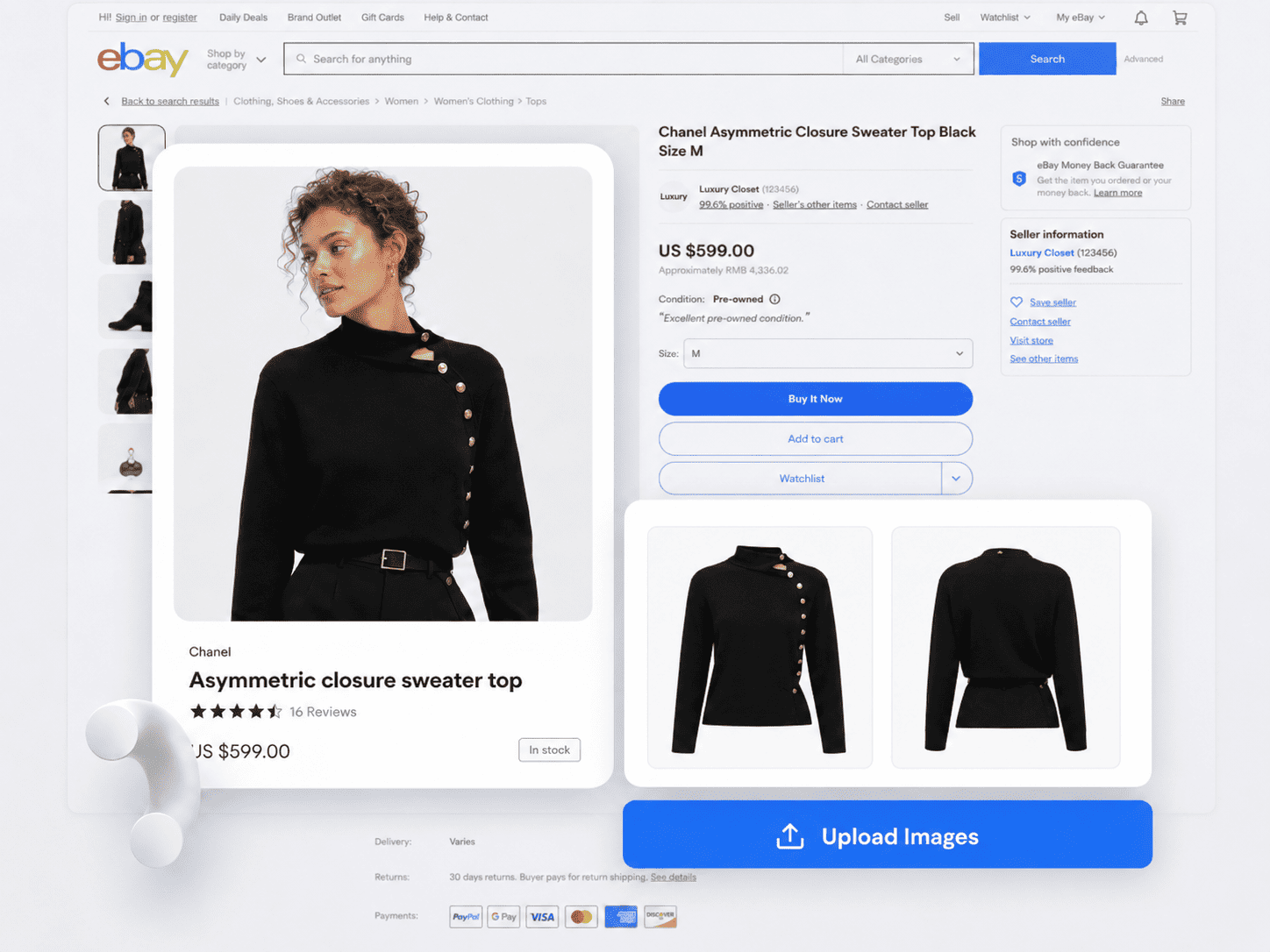
For the mug batch, feed each draft only the evidence for its own SKU. Add the relevant photo set, confirmed maker and pattern, measurements, condition findings, and included pieces. Shared category knowledge can speed up the work; shared item facts can corrupt it.
Keep the first run small. Generate a few representative items: one straightforward product, one with a visible defect, and one with an uncertain attribute. Review them carefully. If your intake notes or capture order leave gaps, fix the upstream process before generating the rest.
Step 4: Review Every Draft in Two Passes
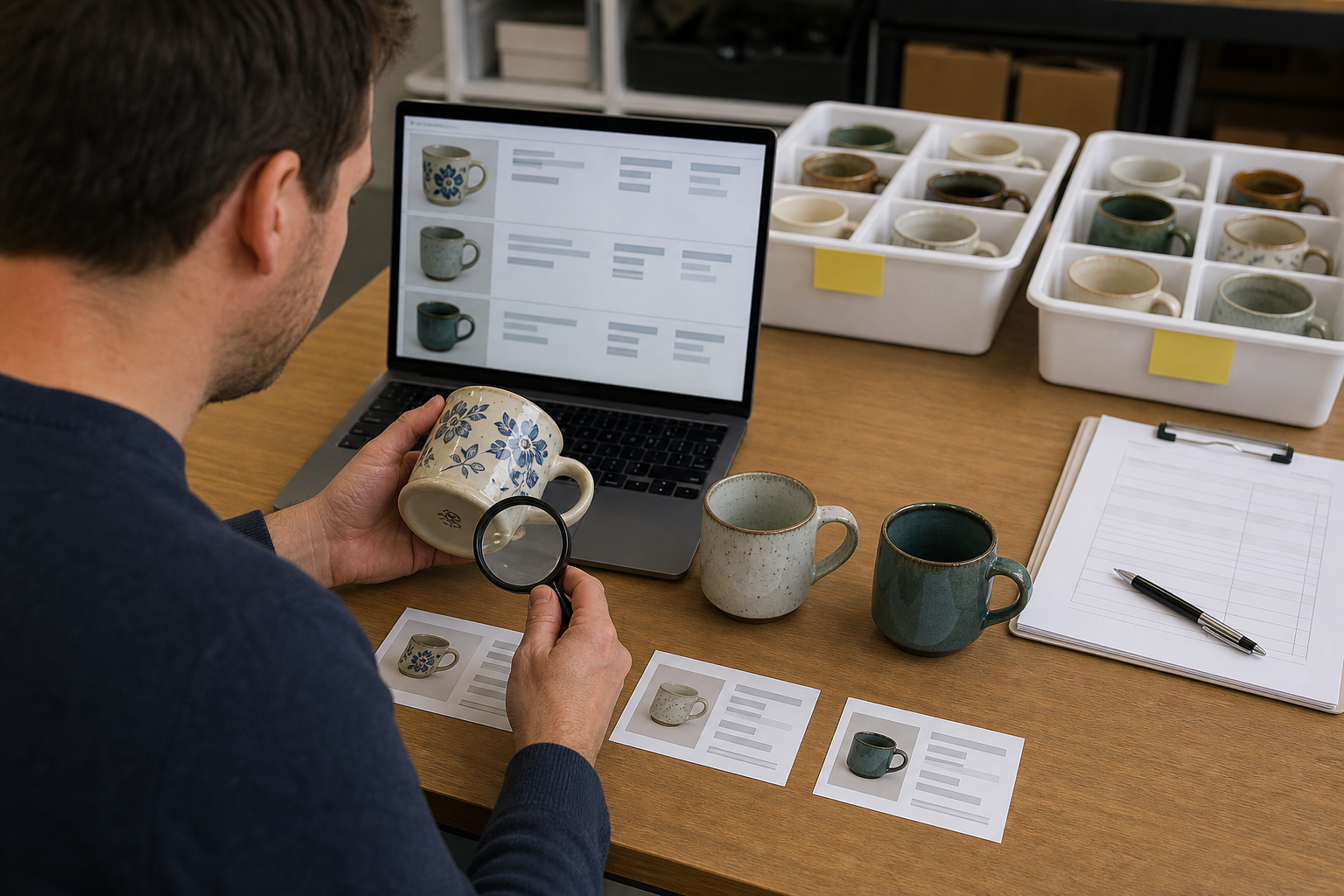
Pass A: Item identity
Ignore style and sales language at first. Ask whether the draft belongs to this physical item. Confirm the SKU, main photo, full photo sequence, product type, maker, model or pattern, dimensions, capacity, quantity, category, and item specifics. If one identity field is wrong, stop and inspect the entire draft for cross-SKU contamination.
Pass B: Buyer expectations
Now read the listing as the buyer. Does the condition note identify the actual wear? Are defects visible in photos and described in plain language? Does “included” match the box? Is the price attached to the right item? Are shipping weight and package dimensions based on the packed product rather than the bare mug?
eBay’s creating a listing guidance emphasizes an accurate description, honest condition, item specifics, and a clear statement of exactly what is included. Those are not secondary copy fields. They define the buyer’s expectation.
Step 5: Separate Ready, Needs Fact, and Hold
Do not let one uncertain item stall the entire batch, and do not let batch momentum push the uncertain item live. Move drafts into a simple review queue:
- Ready: identity and buyer-expectation checks both pass.
- Needs fact: one or more details can be resolved through measurement, another photo, or reliable research.
- Hold: a condition, authenticity, compatibility, or policy question needs a deliberate decision before listing.
Only Ready drafts enter the publish group. This keeps batch work moving without lowering the standard for difficult products.

Step 6: Publish in Controlled Waves
After the pilot passes, publish a manageable group rather than treating the entire queue as one irreversible action. Check the live listing page for image order, title, condition, price, quantity, shipping details, and item specifics. Then release the remaining Ready drafts.
This is especially important when a category has unfamiliar required fields or when the batch contains several condition grades. The goal is not to create more clicks. The goal is to keep a repeatable checkpoint between generated content and a buyer-facing offer.

Common Bulk eBay Listing Mistakes
Writing first and assigning SKUs later
A late SKU cannot reliably repair a mixed photo folder. Establish identity before content creation begins.
Copying condition language across used items
“Good used condition” is not a substitute for item-level evidence. Describe the specific wear a buyer will see.
Using a spot check as the only review
A spot check can test whether the workflow is functioning. It should not replace the final item-level check for unique used products.
Forcing every draft to completion
An unresolved maker, measurement, or hairline crack is a reason to pause one SKU, not a reason to guess.
Treating AI output as source evidence
Generated listing copy can organize facts, but it does not turn an assumption into a verified product attribute. The source remains the physical product, its documentation, and reliable research.
A 60-Second Pre-Publish Check for Each Draft
- Say the SKU aloud and match it to the physical item.
- Confirm the main image, maker-mark image, and defect images.
- Scan title, category, and item specifics for a wrong model, size, or material.
- Read condition and included pieces as a buyer would.
- Confirm quantity, price, shipping service, package weight, and dimensions.
- Check policy-sensitive wording and remove claims you cannot support.
- Mark the draft Ready, Needs fact, or Hold.
The “60-second” label is a working target, not a promise. A simple mug may take less time; a collectible, tested electronic, or regulated product deserves more. The point is to use the same sequence every time.
Frequently Asked Questions
What is a bulk eBay listing generator?
It is a tool that helps a seller create multiple listing drafts in one workflow. For unique products, the useful output is a queue of separate, reviewable drafts—not one generic description pasted across the batch.
Should unique used items have separate eBay drafts?
Usually, yes. When condition, measurements, pattern, included pieces, or photos differ, separate drafts make those differences easier to show accurately. Identical units may fit a multi-quantity listing instead.
How do I stop photos from landing on the wrong draft?
Assign the SKU first, isolate one item at the photography station, use the SKU in every filename, and complete an identity review that checks the main, maker-mark, and defect images.
Can Maxmerce create multiple eBay listing drafts?
Yes. Maxmerce says sellers can generate, review, and manage multiple eBay listing drafts in one workflow. The seller should still verify every product fact and buyer-facing field before publishing.
What should I review before publishing a batch?
Check photos, SKU, category, title, item specifics, quantity, condition, defects, measurements, included pieces, price, shipping details, and policy-sensitive language for each draft.
Generate Faster Without Giving Up the Final Check
Maxmerce is designed to help eBay sellers turn product photos and details into reviewable listing content and manage multiple drafts in one workflow. Start with a small pilot, keep one evidence trail per SKU, and publish only after each draft passes your review gate.
Explore the Maxmerce eBay AI Listing Tool or review the broader eBay listing tools.
Sources reviewed: eBay Seller Hub Reports, eBay Creating a Listing, eBay Photo Tips, and the current Maxmerce eBay AI Listing Tool page. Platform interfaces and requirements can change; confirm current eBay guidance before publishing.