Best eBay AI Listing Tool: What to Compare

The best eBay AI listing tool is not simply the tool with the loudest feature list. It is the tool that fits the part of your eBay workflow that is actually slowing you down: turning product photos into drafts, writing titles, filling item specifics, creating bulk drafts, handling variations, checking risky wording, cleaning up images, or reviewing listings before they go live.
That distinction matters. A solo reseller listing ten vintage jackets a week has a different problem from a small team processing hundreds of accessories. For sellers with messy product photos, background cleanup may be the priority. Repeat-inventory sellers often care more about bulk drafts and variation support. If titles are the bottleneck, keyword and title guidance may matter more than another dashboard.
This guide gives you a practical, brand-neutral way to compare eBay AI listing tools, including Maxmerce and other eBay seller tools you may encounter while researching options.
Quick Answer: What Should the Best eBay AI Listing Tool Help With?
A strong eBay AI listing tool should help sellers create accurate, review-ready listing drafts faster. It should reduce blank-page work, but it should not remove seller judgment from the publishing process.
For most sellers, the most useful capabilities to compare are:
- Creating eBay listing drafts from product photos and product details.
- Writing clear, buyer-friendly titles and descriptions.
- Suggesting categories, item specifics, product attributes, and condition notes.
- Preparing multiple drafts or multiple SKUs in a repeatable workflow.
- Supporting size, color, style, or product variations when relevant.
- Providing price suggestions that sellers can review against their own margins.
- Flagging prohibited terms, sensitive language, or potentially risky wording before publishing.
- Cleaning up distracting product-photo backgrounds.
- Keeping a clear review step before anything is published.
Practical rule: AI should help you get to a better first draft. It should not be treated as a final decision-maker for condition, price, policy language, shipping promises, category accuracy, or product facts.
Start With the Bottleneck, Not the Tool Name
Many sellers begin by searching for “best eBay AI listing tool” or “AI eBay listing generator.” That is a reasonable starting point, but it can lead to a noisy comparison if you do not first define the problem.
Before testing any tool, write down the one listing task that slows you down most often:
- Photos to draft: You already have product photos, but turning them into structured listings takes too long.
- Titles: You know the item, but you keep rewriting titles because they sound vague or keyword-stuffed.
- Descriptions: You need a clean description that covers condition, measurements, included items, and buyer expectations.
- Item specifics: You skip or rush attributes because they are tedious to fill out.
- Batch listing: You list multiple items at once and want fewer blank forms.
- Variations: You sell items with size, color, style, or similar options.
- Risk review: You worry about prohibited terms, sensitive wording, or claims that should be checked before publishing.
- Image cleanup: Your photos are usable, but the background distracts from the product.
Once you name the bottleneck, comparison becomes easier. You are no longer asking, “Which tool sounds best?” You are asking, “Which tool improves this part of my eBay workflow without creating new review problems?”
The Current Competitor Landscape Sellers May Compare
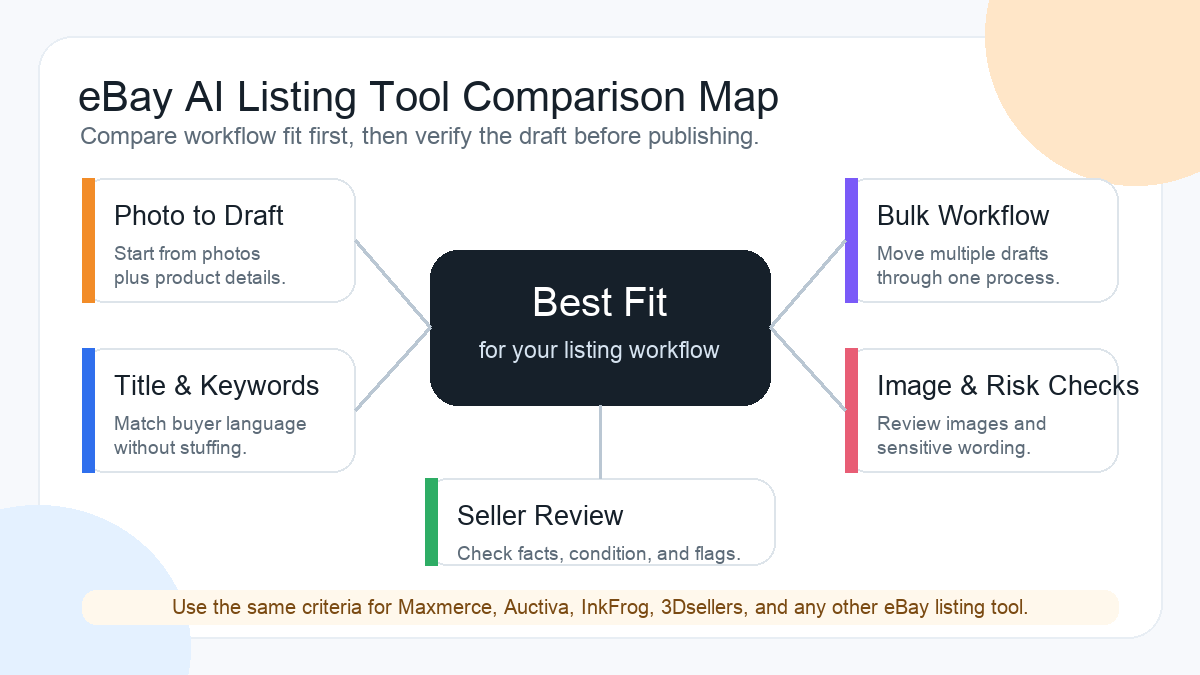
If you are researching eBay listing tools, you may see names such as Spadeberry, GetQuickList, 3Dsellers, WonderLister, PushAuction, SellerChamp, Folder Lister, Auctiva, and InkFrog. Those tools should not be compared by brand name alone. A useful comparison should focus on seller workflow, not unsupported claims about which tool is “best.”
Use the same questions for every option you evaluate:
| Evaluation area | What to check | Why it matters |
|---|---|---|
| eBay listing draft quality | Does the draft create a usable title, description, item specifics, attributes, and condition notes? | A weak draft still leaves you doing most of the work manually. |
| Photo-to-listing workflow | Can product photos and product details help start the listing instead of a blank form? | This matters for resellers who process many physical items. |
| Title and keyword support | Does the workflow help create buyer-friendly wording without stuffing repeated terms? | Titles need search relevance and readability. |
| Bulk workflow | Can the seller prepare multiple drafts or SKUs efficiently? | High-volume sellers need repeatable operations, not one-off generation. |
| Review controls | Can the seller inspect and edit output before publishing? | AI-assisted listings still require seller accountability. |
| Risk checks | Does the workflow help flag potentially sensitive wording before publishing? | Risk prompts help sellers slow down before problematic claims go live. |
| Image cleanup | Can distracting backgrounds be cleaned up when needed? | Clearer listing images can make product condition easier for buyers to understand. |
| Pricing support | Are price suggestions available for seller review? | Pricing support should inform decisions, not replace margin checks. |
This approach lets you compare Maxmerce against other tools without inventing facts about competitors or relying on vague marketing language.
Feature Scorecard: What to Compare Before Choosing
Use this scorecard when testing any AI tool for eBay sellers. You do not need every capability on day one, but the features should map to real seller work.
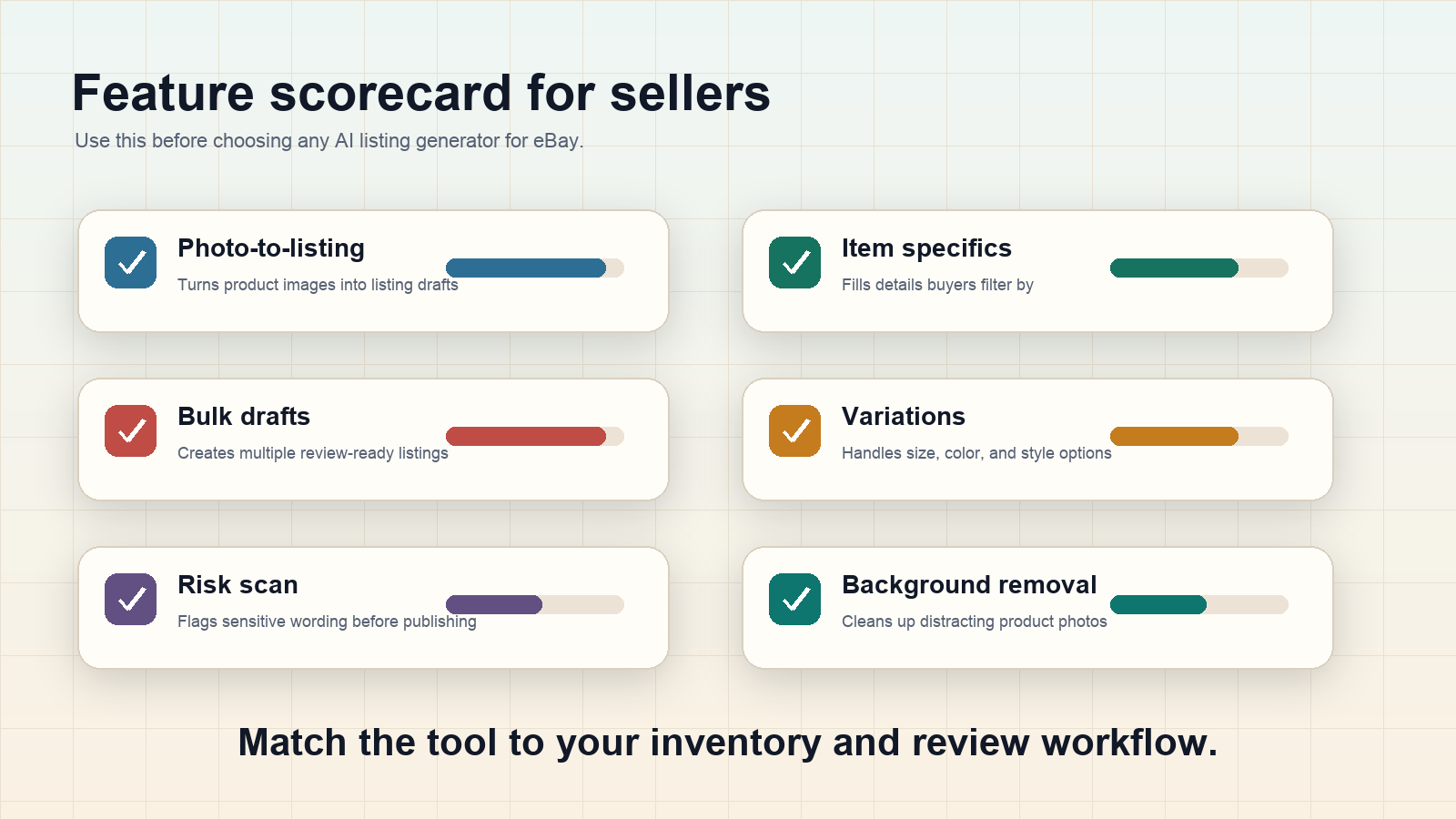
| Feature | Why sellers need it | What to check before trusting it |
|---|---|---|
| Photo-to-listing generation | Turns product photos and details into a first draft instead of starting from a blank listing form. | Check whether the draft captures visible facts correctly and avoids guessing hidden details. |
| Title generation | Helps sellers create readable, keyword-aware titles faster. | Make sure titles are not stuffed with repeated words or unsupported claims. |
| Description generation | Creates a structured description that answers buyer questions. | Review condition, measurements, included items, compatibility claims, and category-specific details. |
| Item specifics and attributes | Helps fill fields buyers use to filter and compare listings. | Confirm brand, model, size, color, material, and other facts from the item itself. |
| Bulk drafts | Supports sellers who prepare several listings in one sitting. | Check whether bulk speed still leaves room for individual review. |
| Variations | Helps with listings that have size, color, style, or similar options. | Verify that each variation has the correct details and does not mix inventory facts. |
| Risk scan | Flags wording that may need a closer look before publishing. | Treat flags as review prompts, not a guarantee of compliance. |
| Background removal | Helps clean distracting product-photo backgrounds. | Confirm the edited image does not hide flaws or misrepresent condition. |
Manual Listing vs AI-Assisted Listing
Manual listing still works. For a few high-value items, writing everything by hand may even be the right choice. The problem appears when the same listing work repeats across dozens or hundreds of items.
| Workflow | Best fit | Main risk |
|---|---|---|
| Manual listing | One-off items, unusual collectibles, high-value items, or sellers who want full control over every sentence. | Slow workflow, inconsistent structure, and skipped item specifics when listing volume increases. |
| Keyword tool first | Sellers who mainly struggle with title wording and buyer search phrases. | Good keywords can still become a poor title if the seller stuffs terms or ignores readability. |
| AI listing tool | Sellers who want faster first drafts from product photos, details, and repeatable listing inputs. | Publishing too quickly without checking facts, condition, category fit, or policy-sensitive wording. |
A practical workflow is often hybrid: use AI to create the first draft, use keyword research to improve title language, then use seller review to protect accuracy.
Where Maxmerce Fits
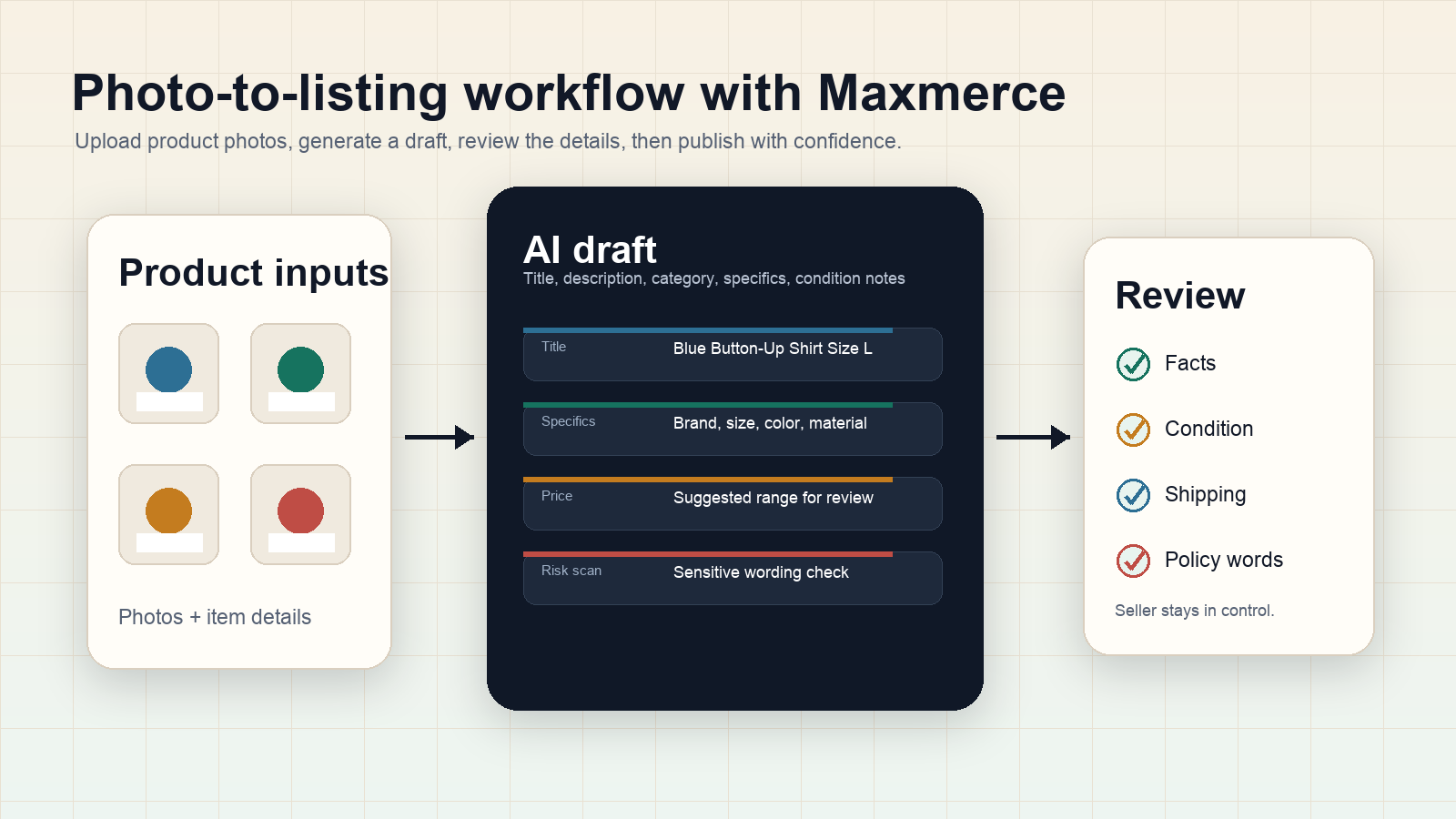
Maxmerce’s eBay AI listing tool is built for sellers who want to move faster from product photos and product details to a review-ready eBay listing draft.
Based on Maxmerce’s verified eBay AI Listing Tool scope, sellers can use it to help generate eBay listing content such as titles, descriptions, categories, item specifics, attributes, condition notes, and draft listings. It also supports bulk eBay listing creation, multiple drafts, multiple SKUs, size/color/product variations, AI price suggestions, risk scans for prohibited or sensitive language, background removal, and adapting listing drafts for more eBay sites and markets.
The important part is the review step. Maxmerce should be used as a faster starting point, not as a reason to skip seller responsibility. A good draft still needs human review before publishing.
What AI Can Help With From Product Photos
Photo-to-listing is useful because many sellers already start with photos. The photos may show color, visible condition, branding, shape, style, included accessories, and product type. AI can use that information, along with seller-provided details, to help prepare a draft.
But photos cannot reliably know everything. Sellers should still verify:
- Exact model numbers, sizes, measurements, or compatibility details.
- Material, year, edition, and any technical specifications.
- Condition issues that may not be obvious in the photo.
- Included and excluded accessories.
- Whether the category and item specifics match the actual item.
- Whether the title makes claims the seller cannot support.
This is why the best eBay AI listing tool is not the one that promises to remove all work. It is the one that helps sellers move faster while keeping review controls visible.
Red Flags When Comparing eBay AI Listing Tools
As you compare Maxmerce, Spadeberry, GetQuickList, 3Dsellers, WonderLister, PushAuction, SellerChamp, Folder Lister, Auctiva, InkFrog, or any other seller tool, watch for these red flags:
- No clear review step: The workflow pushes too quickly from generation to publishing.
- Unsupported accuracy claims: The tool implies sellers do not need to check facts.
- Generic titles: Drafts sound polished but miss item-specific buyer language.
- Weak condition handling: Used items need honest condition notes, not vague positive phrasing.
- Overbuilt workflow: The tool adds dashboards but does not improve your actual listing bottleneck.
- No fit for your category: Clothing, electronics, collectibles, parts, and home goods often need different listing details.
- Pricing treated as automatic: Price suggestions should support seller decisions, not replace margin and market checks.
Seller Review Checklist Before Publishing
Before publishing an AI-assisted eBay listing, check:
- The title is readable and does not repeat keywords awkwardly.
- The description matches the exact item in your possession.
- Condition notes mention flaws, wear, missing parts, or open-box status clearly.
- Item specifics are correct, not guessed.
- Category selection fits buyer expectations.
- Variation details are accurate for each size, color, or style.
- Photos show the real item and do not hide relevant condition issues.
- Pricing makes sense after shipping, fees, cost of goods, and target margin.
- Any flagged wording has been reviewed before publishing.
Example: A Better Way to Test a Tool
Do not test an eBay AI listing tool with one perfect product. Test it with the kind of item that usually slows you down.
For example, a clothing reseller might test three used jackets:
- One simple jacket with a visible brand and size tag.
- One jacket with wear, missing measurements, or unclear material.
- One jacket with color, style, or condition details that need careful wording.
Then compare the output against your real needs:
- Did the tool create a useful first draft?
- Were the right item specifics suggested or requested?
- Does the title sound like buyer search language?
- Is the condition clear in the description?
- Does the workflow make review easier or harder?
This test is more useful than reading a generic feature page because it shows how the tool behaves with the items you actually sell.
FAQ
What is the best eBay AI listing tool?
The best eBay AI listing tool depends on your workflow. Compare tools by photo-to-listing support, title and description quality, item specifics, bulk drafts, variation handling, review controls, risk checks, image cleanup, and whether the output helps you publish more accurate listings after review.
Can AI create eBay listings from photos?
Yes. AI can help create listing drafts from product photos and seller-provided details. Sellers should still verify facts that photos cannot fully prove, such as measurements, exact model, condition, compatibility, included items, and category fit.
Should I compare Maxmerce with Auctiva, InkFrog, 3Dsellers, or other tools?
Yes, if you are actively choosing a listing workflow. Compare tools with neutral criteria instead of brand assumptions: draft quality, photo-to-listing workflow, title and keyword support, bulk handling, review controls, risk checks, image cleanup, and fit for your category.
Is an AI eBay listing generator safe to use?
It can be useful when sellers treat AI output as a draft. The seller should still review final wording, item specifics, condition, price, shipping promises, and any policy-sensitive language before publishing.
Can AI help with bulk eBay listings?
Yes. AI can help prepare multiple listing drafts faster, especially when products share a repeatable structure. Bulk speed is helpful only if each draft still gets an individual accuracy check.
Where does Maxmerce fit in the workflow?
Maxmerce can help eBay sellers turn product photos and details into review-ready listing drafts, including titles, descriptions, item specifics, condition notes, variations, price suggestions, risk checks, and background cleanup. Sellers should review the draft before publishing.
Final Takeaway
The best eBay AI listing tool is the one that improves your real listing workflow without encouraging careless publishing. If your bottleneck is turning product photos and product details into a stronger first draft, Maxmerce can help you create review-ready eBay listing content faster. If your bottleneck is title wording, add keyword research to your workflow before finalizing the listing.
Use the same standard for every tool you evaluate: better drafts, clearer review, less repetitive work, and no unsupported claims. That is the comparison that actually helps sellers choose.