eBay Title Character Limit: What to Keep and Cut
eBay allows up to 80 characters in a listing title. Spaces and punctuation count, so the practical job is to keep the verified facts buyers compare and remove words that add no useful information. You do not need to fill every character. A clear 62-character title is better than an 80-character title padded with hype or irrelevant terms.
This guide gives you a repeatable edit order, three counted examples and a final review checklist. Always confirm the finished title in eBay’s listing form before publishing.
What Is the eBay Title Character Limit?
The maximum is 80 characters. eBay’s current listing guidance recommends using relevant details such as brand, model, product type, color, style and model number. The point is not to squeeze in the most words. It is to make the item recognizable without forcing the buyer to decode the title.
Count every visible character, including spaces, hyphens, apostrophes and other punctuation. Draft in plain text, then use the counter in eBay’s listing form as the final check. Avoid decorative punctuation because it consumes space and can make the title harder to scan.

Build a Verified Fact List Before You Edit
Do not begin by deleting random words from a long title. First create a short fact list from the item, its label and any reliable packaging. For most listings, start with the product type, verified brand and model, size or quantity, a major material or color, and a condition qualifier when it changes what the buyer is purchasing.
If the item has a model number, copy it exactly. For example, if the label genuinely says Canon PowerShot A2500, preserve both the brand and model before optional color words. Never add a recognizable brand merely to attract traffic. eBay’s search and browse manipulation policy prohibits irrelevant keywords and says not to use a question mark when you are unsure about a detail.
| Decision | What belongs here | Examples |
|---|---|---|
| Keep | Verified facts that identify or materially distinguish the item | Brand, model, product type, size, quantity, major condition qualifier |
| Move | Useful detail that fits better in item specifics or the description | Full measurements, minor features, care instructions, secondary materials |
| Delete | Words that add no verified product fact | “Wow,” “must see,” repeated nouns, unrelated search terms |
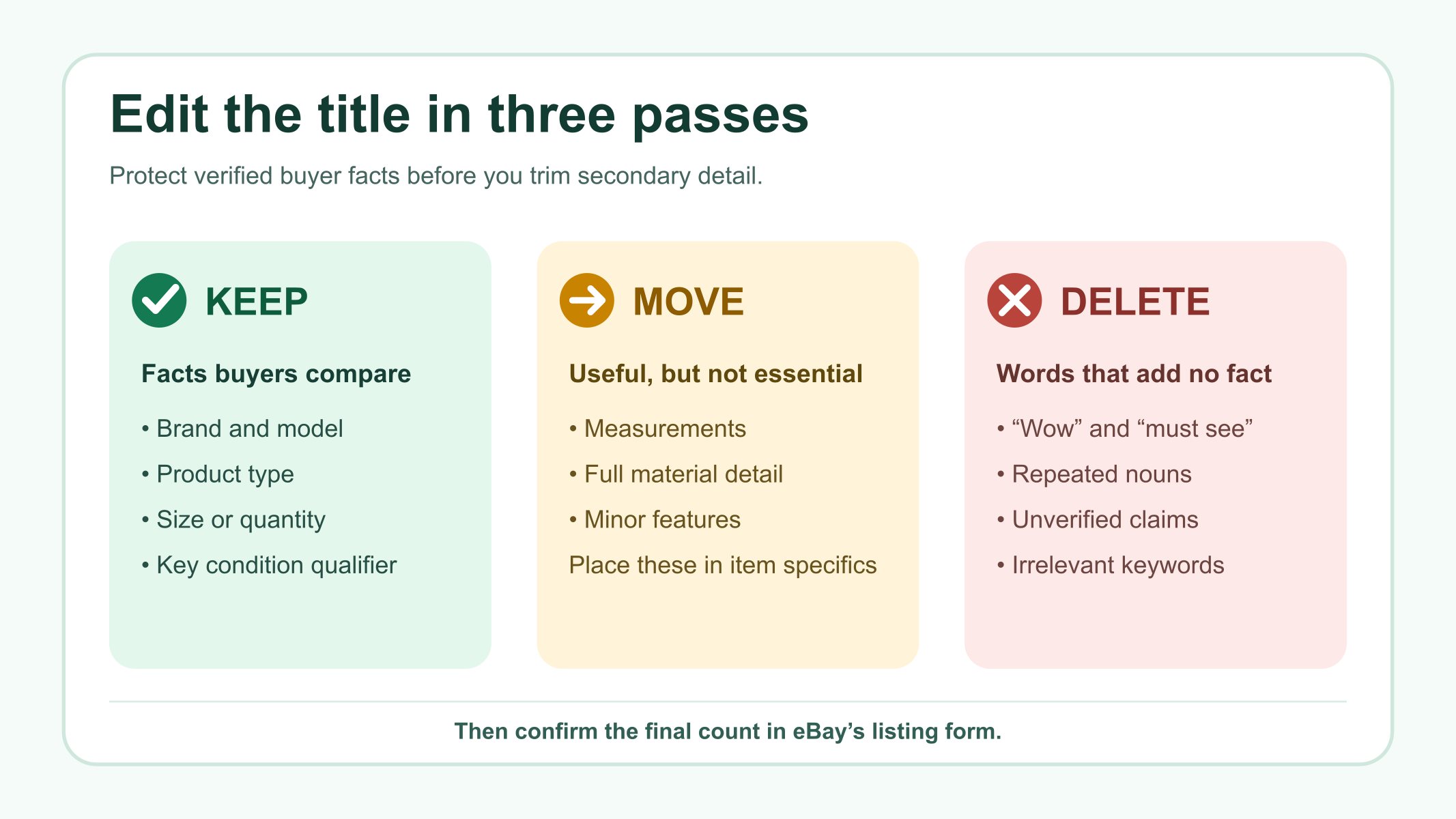
Moving a detail does not mean hiding it. Complete the relevant item specifics and describe condition details accurately. The title, item specifics, photos and description should agree with one another.
Three eBay Title Examples With Exact Character Counts
The examples below use plain ASCII punctuation so the counts are reproducible. They are editing demonstrations, not templates to copy onto an unrelated item.
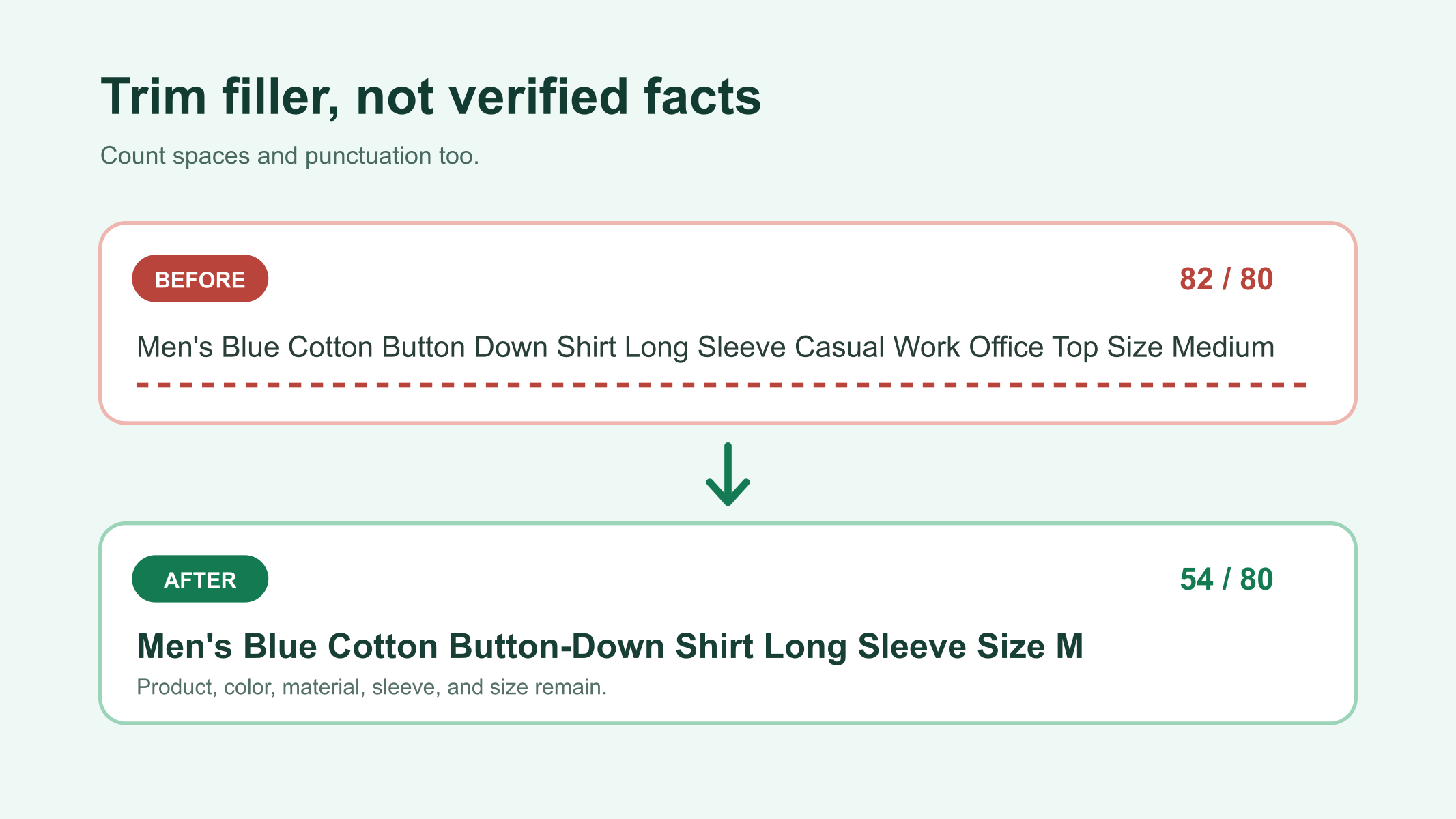
1. Clothing: remove hype and compress size wording
| Version | Title | Count |
|---|---|---|
| Before | Amazing Men’s Navy Blue Cotton Long Sleeve Button Front Shirt Size Medium Must See | 82 |
| After | Men’s Navy Cotton Long Sleeve Button Front Shirt Size M | 55 |
The shorter version keeps the item type, color, material, sleeve length and size. “Amazing” and “Must See” are subjective filler. “Blue” is removed because “Navy” is already more specific.
2. Camera: keep the fault that defines the item
| Version | Title | Count |
|---|---|---|
| Before | Silver Compact Digital Camera 12 MP Great Bargain Camera Does Not Power On For Parts | 84 |
| After | Compact Digital Camera 12 MP Silver For Parts Does Not Power On | 63 |
Delete the repeated “Camera” and the promotional phrase “Great Bargain,” but keep “For Parts” and “Does Not Power On.” The fault changes what the buyer is buying. If the camera has a verified brand and model, rewrite the title to include those identifiers rather than simply adding them to this generic example.
3. Container set: shorten units without losing quantity
| Version | Title | Count |
|---|---|---|
| Before | Clear Plastic Food Storage Containers With Lids Set Of 3 One Liter Each Kitchen Set | 83 |
| After | Clear Plastic Food Storage Containers With Lids Set of 3 1L Each | 64 |
The edited version keeps material, color, product type, lids, set quantity and capacity. It removes the repeated “Set” and compresses “One Liter” to “1L.” Use an abbreviation only when a typical buyer can understand it without guessing.
What to Cut First When the Title Exceeds 80 Characters
- Remove hype. Delete phrases such as “must see,” “best deal,” “wow” and “look.” They do not describe the item.
- Remove repeated meaning. If “navy” is present, “blue” may be unnecessary. If the item type already appears once, do not repeat it.
- Remove unsupported terms. Do not use “vintage,” “rare,” “authentic,” a brand name or a compatibility claim unless you can verify it.
- Compress familiar units and sizes. “Medium” can become “M,” and “one liter” can become “1L,” when the meaning remains clear.
- Move secondary detail. Put exact measurements, minor features and fuller material information in item specifics or the description.
Do not cut the fact that explains a defect or incomplete set. A buyer should not need to open the description to discover that a camera does not power on or that a game is missing pieces.
Choose Buyer Wording Without Adding Irrelevant Keywords
When two accurate phrases describe the same item, compare the wording buyers use. The free Maxmerce eBay Keyword Research Tool can help you evaluate relevant terms. Use that information to choose between accurate alternatives—not to insert unrelated popular phrases.
A useful title usually follows a recognizable order: brand or model, product type, defining attribute, size or quantity, then a material condition qualifier. This is a working pattern, not a platform rule. Change the order when another verified fact is more important for the category.
Review an AI-Generated Title Before Publishing
For sellers preparing many drafts, the Maxmerce eBay AI Listing Tool can turn product photos into an editable listing draft. Treat the generated title as a starting point. Confirm the item, brand, model, variation, quantity and condition against the product before the listing goes live.
A practical review takes three passes: compare the title with the physical item, check the 80-character counter, and compare the title with item specifics. If any field conflicts, correct the source detail instead of forcing the wording to fit.
Final 80-Character Title Checklist
- The title is 80 characters or fewer in eBay’s listing form.
- Brand and model are included only when verified.
- The product type is clear without opening the listing.
- Size, quantity or a major compatibility detail is present when it affects the purchase.
- A material defect or “for parts” condition is not buried.
- No word is repeated only to capture extra searches.
- No hype, unsupported claim, unrelated brand or question-mark guess remains.
- The title agrees with photos, item specifics and the description.

Frequently Asked Questions
Do spaces and punctuation count toward the eBay title limit?
Yes. Spaces, hyphens, apostrophes and other punctuation are characters. Confirm the final number in eBay’s listing form.
Should every eBay title use all 80 characters?
No. Use the available space for relevant, verified facts, but do not add filler simply to reach 80. A shorter clear title can be complete.
What should I remove first from a long eBay title?
Remove hype, repeated meaning and unsupported terms first. Move secondary measurements or minor features to item specifics or the description before deleting brand, model, size, quantity or a major condition qualifier.
Can I use another brand name to attract buyers?
No. Use a brand only when it accurately identifies the listed item or an explicitly supported compatibility relationship. Unrelated brand names can violate eBay’s search manipulation policy.
Can AI create an eBay title automatically?
AI can prepare an editable draft from product information or photos, but the seller must verify every fact and confirm the final character count before publishing.
A strong title is not the one with the most words. It is the one that identifies the item quickly, preserves the facts that affect a buying decision and stays within the 80-character field. For a broader drafting workflow, review the Maxmerce eBay listing tools and keep the final seller check in place.
Policy and product information reviewed September 9, 2026. Always check the current eBay listing form and policy pages before publishing.