eBay Listing Risk Checker: Pre-Publish Review
An eBay listing risk checker can flag wording that deserves attention before a draft goes live. It cannot decide whether the physical item is legal to sell, authenticate a branded product, prove a claim, or guarantee that eBay will approve the listing. Use every alert as a question to investigate—not a word to delete blindly.
The strongest review starts with the actual item and your evidence. Then it checks the title, item specifics, condition, description, photos, links, and category against the current rules for the eBay site where you plan to list.
Quick answer: Run six passes before publishing: item eligibility, source-of-truth facts, intellectual property, accuracy and condition, search and contact wording, and a final cross-field consistency check. If a tool flags a term, find the underlying reason. A cleaner sentence cannot fix a prohibited item or an authenticity problem.
Why a “Prohibited Words List” Is Not Enough
Sellers often search for one master list of words to avoid on eBay. That is the wrong mental model. The same word may be accurate in one listing, misleading in another, restricted in a particular category, or acceptable only when the seller can support it with evidence.
For example, a brand name can correctly identify a genuine product, but the same name can become an unrelated search keyword on an unbranded item. “Compatible with” can be useful in some accessory categories, while eBay’s current search manipulation policy places specific limits on how compatibility and brand terms are used. Context matters.
Policy scope also changes by product and destination. eBay’s prohibited and restricted items overview directs sellers to category-specific rules and notes that local law and international restrictions may apply. That is why a scanner should start a review, not end it.
Do not “wordsmith” around a product problem. If the item is prohibited, recalled, unsafe, counterfeit, or of uncertain authenticity, replacing a flagged term with a softer synonym does not make the listing acceptable.
What Should an eBay Listing Risk Checker Flag?
A practical checker should help the seller notice several different risk classes. They are not all “bad words,” and they do not all have the same remedy.
| Risk class | What the alert should prompt you to ask | Correct response |
|---|---|---|
| Item eligibility | Is this product allowed, restricted, recalled, or subject to category-specific conditions? | Read the applicable policy before editing copy. |
| Brand and authenticity | Is the brand accurate, and am I certain the item is genuine? | Verify the item and evidence; do not list if authenticity is uncertain. |
| Unsupported claim | Can I prove the origin, material, condition, performance, certification, or approval claim? | Replace it with a narrower verified fact or remove it. |
| Search manipulation | Does every keyword refer directly to the item for sale? | Remove unrelated brands, comparisons, and speculative keywords. |
| Off-eBay contact or links | Does the listing include a phone number, email, external sales URL, or request to pay elsewhere? | Keep communication and checkout within permitted eBay flows. |
| Cross-field conflict | Do the title, condition, item specifics, description, and photos tell the same story? | Fix the source fact, then update every affected field. |
Pass 1: Decide Whether the Item Can Be Listed
Start with the product, not the draft. Identify the item, category, condition, location, destination markets, and any safety or regulatory status that may matter. Search the current policy for that product type. If the item is recalled or falls within a restricted category, the right next step may be additional documentation, a specific listing format, a geographic limit, or no listing at all.
A wording scanner cannot inspect a recall database, test a battery, identify a controlled substance, or know whether a local restriction applies unless the workflow explicitly connects to that source. Even then, the seller remains responsible for the decision.
Pass 2: Build a Source-of-Truth Sheet
Write down the facts you can support before reviewing the prose. For a pair of pre-owned athletic shoes, record the label size, measured insole if useful, upper and outsole materials when known, color, visible wear, odor or staining, repairs, included box, and every mark or identifier you can verify.
Photograph the actual item from several angles, including the size label, outsole, heel wear, insoles, stitching, and defects. Do not copy another seller’s photos or description. eBay’s intellectual property policy specifically warns against using third-party images or text without permission.
Pass 3: Review Brand, Authenticity, and Rights
Brand wording is not a shortcut to visibility. If the item is unbranded, do not place a popular brand in the title or description to attract searches. If it is branded, use the correct brand only when it genuinely identifies the item.
For branded inventory, the threshold is stronger than “it looks real.” eBay’s current counterfeit policy says sellers may list an item only if they are certain it is genuine. Removing words such as “replica,” “dupe,” or “style” cannot authenticate the product. Keep invoices, serial numbers, accepted authentication records, or other appropriate evidence where relevant.
Also check the content itself. Product photos you took, accurate brand references, and original description text are safer starting points than copied catalog material. A scan may catch a brand term; it cannot determine that you have permission to use a third-party image.
Pass 4: Test Every Claim Against Evidence
eBay’s item description policy requires accurate descriptions and consistency among the selected condition, title, description, and item specifics. Read the draft one claim at a time and ask: “What proves this?”
- Replace “like new” with observable wear and the correct eBay condition.
- Replace “never worn” unless you have reliable evidence, not just a clean outsole.
- Remove a material claim if the label does not support it.
- Do not call an item “certified,” “approved,” or “clinically proven” without applicable, valid evidence.
- Do not use “100% authentic” as a substitute for actually verifying authenticity.
Some risky wording can be corrected with a more precise sentence. Other wording reveals that the seller lacks a fact required to list responsibly. Know the difference.
Pass 5: Remove Search Manipulation and Off-eBay Language
Read the title as a buyer would. Every word should identify or accurately describe the item. eBay does not allow unrelated popular keywords, misleading question marks, product comparisons, or promotion of other listings under its search manipulation rules.
Then inspect the description for contact and link risks. eBay’s links policy generally does not allow listing links that direct buyers outside eBay. Its off-eBay transactions policy also prohibits sharing contact information before a transaction to facilitate a sale elsewhere.
Check copied templates carefully. Old footer blocks may still contain an email address, phone number, social handle, external store URL, or alternative payment instruction that no longer belongs in an eBay listing.
Before-and-After Listing Example
Suppose the actual item is a pre-owned pair of white athletic shoes with no verified brand, a size 10 label, light heel wear, clean laces, and no original box. Here is a risky draft:
Risky title
FamousBrand? Style White Running Shoes Size 10 100% Authentic Best Deal
Risky description
Looks just like the famous designer model. Guaranteed authentic and like new. Message us at the number below for a better direct price.
The draft has multiple problems: an unrelated placeholder brand, a question mark standing in for uncertainty, an unsupported authenticity guarantee, vague condition language, a comparison, promotional wording, and an off-platform contact invitation. The rewrite should return to verified facts:
Reviewed title
Unbranded White Athletic Shoes Men’s US Size 10 Pre-Owned
Reviewed description
Pre-owned unbranded white athletic shoes. Interior label shows men’s US size 10. White mesh upper with rubber outsole. Light wear is visible at both heels, with minor marks near the outer midsoles. Laces are included. No original box. Review all actual-item photos for condition.
This rewrite is not “compliant because the risky words disappeared.” It is stronger because every material statement now traces back to the actual pair. If the shoes carried a brand mark of uncertain authenticity, the correct action would be not to list them—not to call them unbranded.
How Maxmerce Fits the Pre-Publish Review
The Maxmerce eBay AI Listing Tool can create a review-ready eBay draft from product photos and details. Maxmerce also states that it can scan listings for prohibited terms, sensitive language, and potential compliance issues before publishing.
- Photograph the actual item and prepare a source-of-truth sheet.
- Generate the title, description, category, item specifics, attributes, and condition notes.
- Verify the generated identity and product facts.
- Run the pre-publish risk scan.
- Investigate each alert against the item and relevant eBay policy.
- Edit the draft and complete the six-pass manual review.
- Publish only when the item and the listing are supportable.
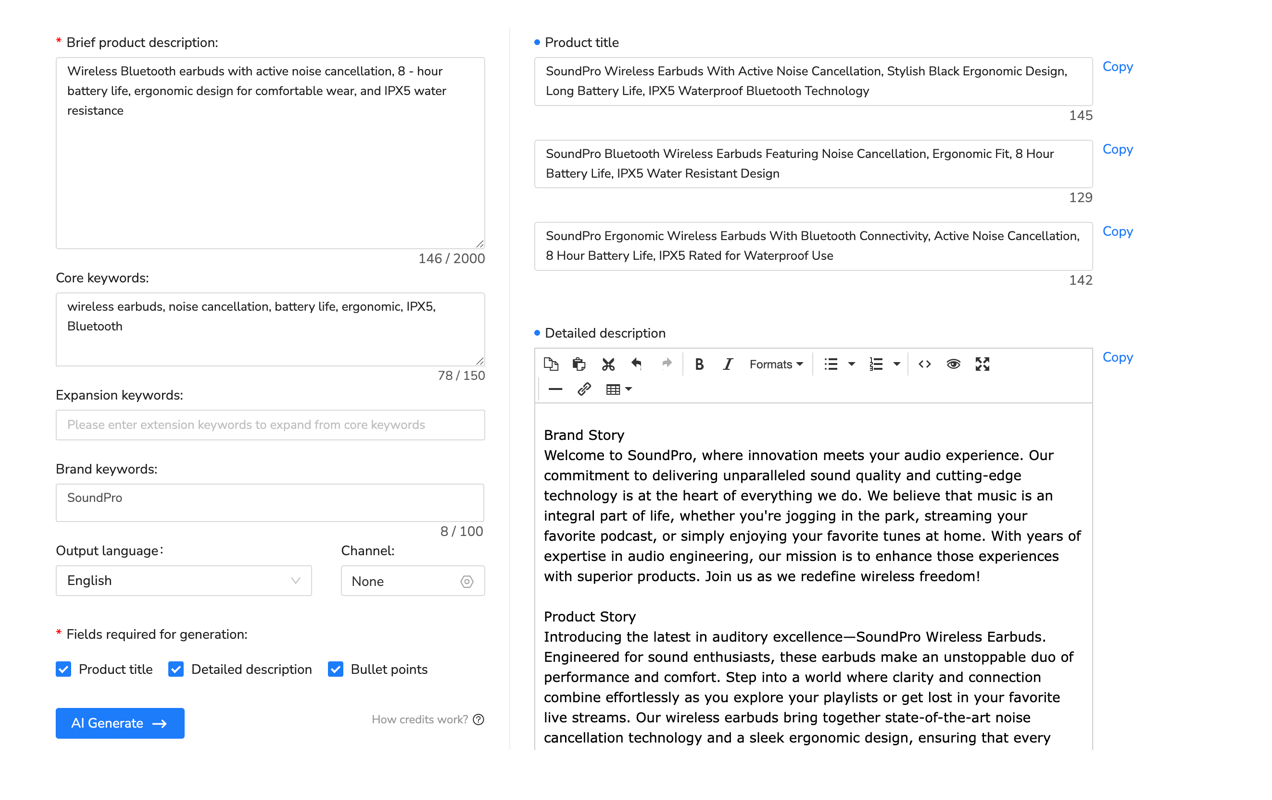
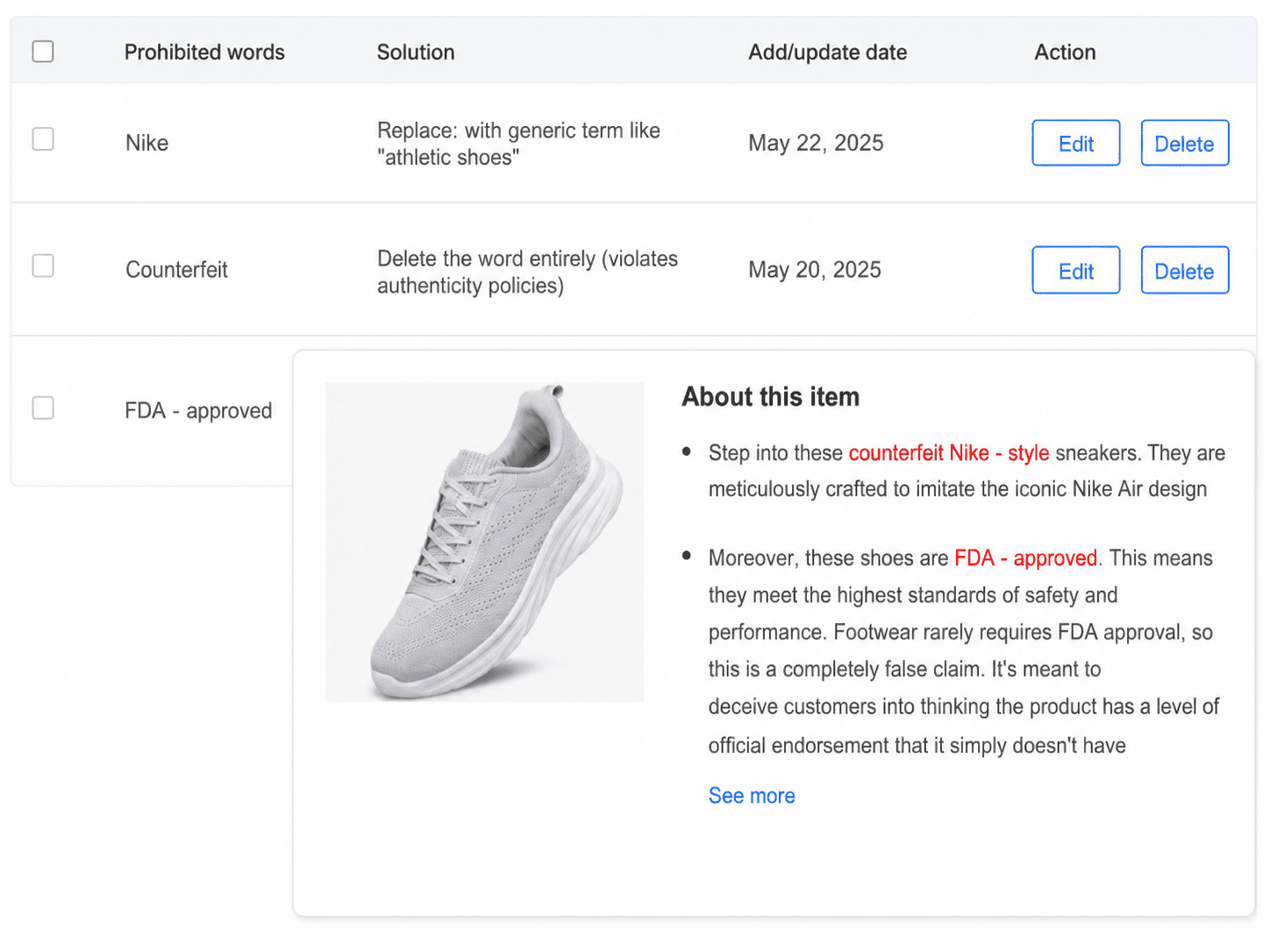
Do not interpret a clean scan as legal advice, authentication, policy approval, or proof that the product is allowed. Automated checks are best at surfacing review prompts. They cannot see every hidden fact, changing rule, jurisdiction, or third-party right.
Seven Mistakes a Clean Scan May Not Catch
- The wrong item is being listed. A polished description cannot fix a prohibited or recalled product.
- The photos show a different unit. Reused photos may hide wear, labels, or authenticity details.
- The category is wrong. Category-specific conditions may never appear in the prose.
- A required item specific is inaccurate. “N/A” or a guessed value can conflict with the product label.
- The brand is uncertain. Neutral wording does not authenticate an item.
- A claim is implied rather than stated. Images, packaging, or layout can still mislead.
- The policy changed. A saved template or static word list may be out of date.
Final eBay Listing Risk Checklist
- The product is allowed on the intended eBay site and in the selected category.
- Recall, safety, legal, and location-specific questions have been checked where relevant.
- Brand, model, size, material, origin, and condition claims are supported.
- You are certain any branded item is genuine before listing it.
- Photos show the actual item, labels, included parts, and defects.
- Title keywords refer directly to the item and contain no speculative brand terms.
- Item specifics use the correct field and do not contain guessed placeholders.
- The description contains no unsupported superlatives, approvals, certifications, or guarantees.
- No phone number, email, social handle, external sales URL, or off-eBay payment request remains.
- Title, condition, item specifics, description, price, and photos are consistent.
- Every automated alert was investigated rather than dismissed or replaced blindly.

Frequently Asked Questions
What does an eBay listing risk checker do?
It scans listing wording for terms or patterns that may need review before publishing. Each flag should send you back to the item, evidence, category, marketplace site, and relevant policy.
Does eBay have one universal prohibited words list?
Do not rely on one static list. Context, category, product eligibility, eBay site, law, intellectual property rights, and current policy can all change whether wording is appropriate.
Can I list a branded item if I am unsure it is authentic?
No. eBay says you may list an item only if you are certain it is genuine. Rewriting the title or removing a brand reference does not solve uncertain authenticity.
Can an eBay listing risk checker guarantee compliance?
No. It can provide review prompts, but the seller remains responsible for the product, claims, category, images, rights, destination, and applicable rules.
Can Maxmerce check an eBay draft before publishing?
Yes. Maxmerce states that its eBay AI Listing Tool scans listings for prohibited terms, sensitive language, and potential compliance issues before publishing. Sellers should investigate the alerts and still complete a manual review.
Use the Alert to Find the Real Problem
The safest reaction to a flag is not “What synonym can I use?” It is “Why was this wording risky, and what fact or rule should I verify?” Sometimes the answer is a precise edit. Sometimes it is better evidence. Sometimes it is a different category. And sometimes the item should not be listed.
Want a structured review point? Use the Maxmerce eBay AI Listing Tool to create and scan a review-ready draft, then apply the checklist above before publishing. Sellers who need a broader overview can also review the current eBay listing tools page.
This article provides general seller workflow information, not legal, regulatory, safety, authentication, intellectual-property, or marketplace-compliance advice. eBay policies and applicable laws can change; review the current rules for your item, category, account, location, and destination market.