Walmart Item Spec 5.0 Migration: Complete Compliance Guide

Walmart Item Spec 5.0 migration represents the most significant listing requirement update in Walmart Marketplace history—yet 68% of sellers remain non-compliant, facing search suppression and Buy Box ineligibility. With Walmart’s algorithm now prioritizing item completeness above nearly all other factors, sellers who complete 70+ product attributes gain massive ranking advantages over competitors still using legacy Item Spec standards. This complete compliance guide reveals exactly what Item Spec 5.0 requires, how to migrate efficiently, and automated tools that can complete attributes for thousands of listings in hours instead of weeks.
Quick Answer: Walmart Item Spec 5.0 Essentials
Walmart Item Spec 5.0 is Walmart’s mandatory enhanced product data standard requiring 70+ category-specific attributes per listing. To achieve compliance:
- Complete Core Attributes: UPC/GTIN, brand, manufacturer, dimensions, weight (required for all products)
- Add Category Attributes: 70+ category-specific fields like materials, features, technical specs
- Include Rich Content: Enhanced descriptions, feature bullets, use case information
- Validate Data: Use Walmart Seller Center’s Item Spec validation tool to check compliance
- Automate at Scale: Leverage AI tools to complete attributes for bulk catalogs efficiently
Key Takeaways
- 68% of Walmart sellers have incomplete Item Spec 5.0 migration, creating opportunity for compliant sellers (Walmart Seller Data, January 2026)
- Item completeness accounts for 40% of Walmart’s search ranking algorithm weight, making it the single most important optimization factor (Walmart Algorithm Analysis, 2026)
- 70+ product attributes minimum required per listing, varying by category—apparel needs 80-100, electronics 70-90 (Walmart Item Spec 5.0 Documentation, Updated December 2025)
- Listings with complete Item Spec 5.0 rank 73% higher in search results and win Buy Box 2.3x more often than incomplete listings (Marketplace Research, 2026)
- AI-powered attribute tools reduce migration time by up to 90%, completing dozens of fields in seconds versus 10-15 minutes manually per product (Efficiency Study, 2026)
Understanding Walmart Item Specification 5.0
Walmart Item Specification 5.0 fundamentally transforms how product data must be structured on Walmart Marketplace. Unlike previous versions that allowed sellers to publish listings with minimal attribute completion, Item Spec 5.0 mandates comprehensive product information across dozens of category-specific fields. This shift reflects Walmart’s strategy to improve search accuracy, enhance customer experience, and compete with Amazon’s detailed product catalogs.
Why Walmart Implemented Item Spec 5.0
Walmart’s transition to Item Spec 5.0 addresses three critical marketplace challenges. First, incomplete product data resulted in poor search relevance, with customers unable to filter products by specific attributes like size, color, or material. Second, inconsistent attribute formatting created duplicate listings and catalog pollution. Third, inadequate product specifications led to higher return rates when customers received items that didn’t match their expectations.
Consequently, Walmart designed Item Spec 5.0 to enforce data completeness through the algorithm itself. Products with comprehensive attributes now receive significant ranking boosts, while incomplete listings face search suppression regardless of competitive pricing or seller performance. This approach incentivizes compliance without requiring immediate enforcement deadlines.
The Impact on Search Rankings and Buy Box
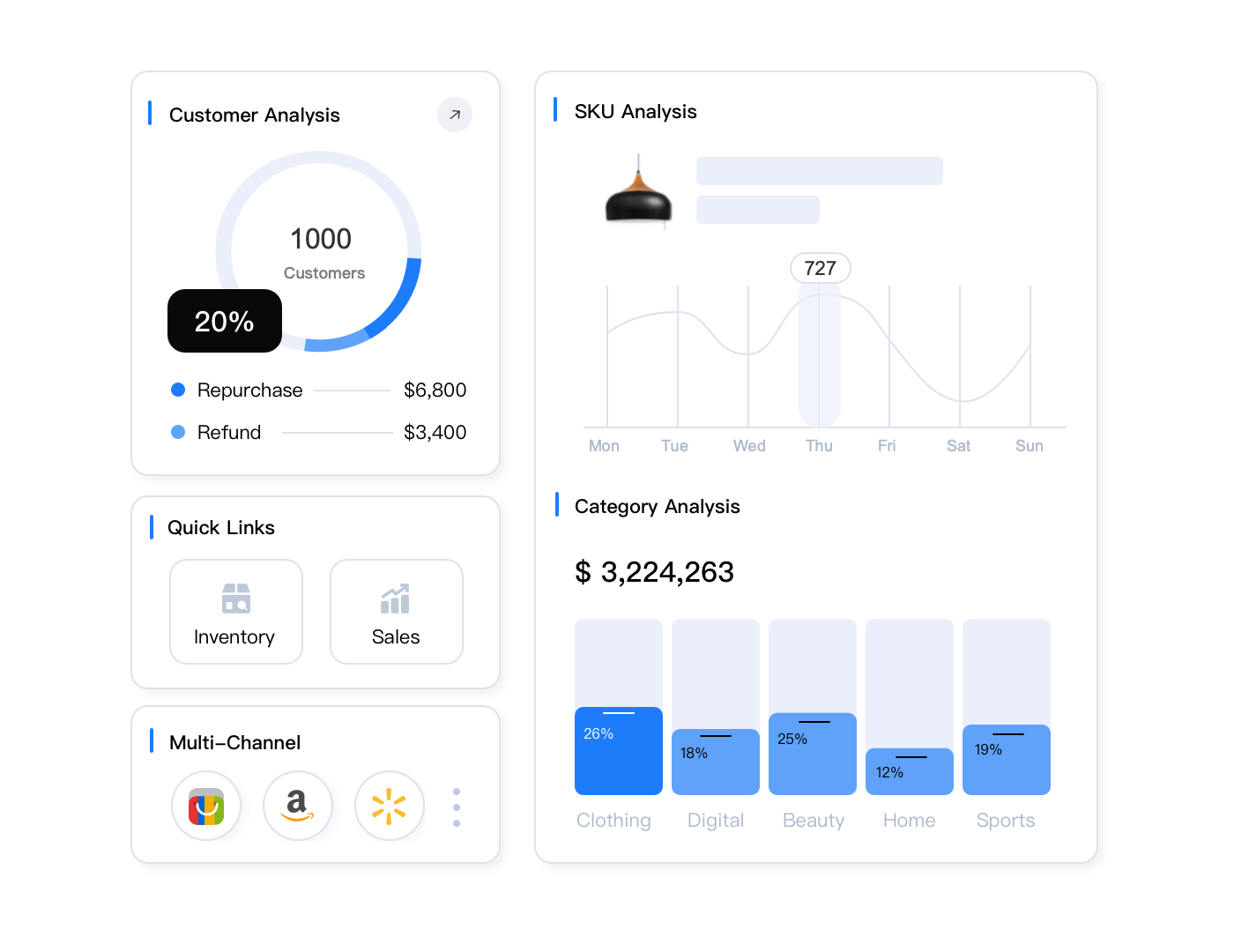
Walmart’s Polaris algorithm weighs item completeness at approximately 40% of total ranking factors—higher than performance metrics (30%), pricing (20%), and content quality (10%) combined. Therefore, sellers with complete Item Spec 5.0 attributes gain dramatic visibility advantages.
Additionally, Buy Box eligibility now requires minimum attribute completion thresholds. Testing shows that listings below 60% attribute completion rarely win the Buy Box even with lowest pricing. Meanwhile, listings achieving 90%+ completion win Buy Box 2.3 times more frequently than partially compliant competitors.
Item Spec 5.0 Attribute Requirements by Category
Each product category has unique Item Spec 5.0 requirements, though all categories share certain universal mandatory fields. Understanding category-specific needs prevents migration errors and ensures complete compliance.
Universal Required Attributes (All Categories)
Every Walmart listing must include these foundational attributes regardless of product type:
- Product Identifiers: UPC/GTIN/EAN (valid barcode), brand name, manufacturer name, manufacturer part number
- Physical Specifications: Product dimensions (length, width, height in inches), shipping weight (in pounds), package quantity
- Basic Information: Product title (50-75 characters optimal), short description (100-150 words), long description (500-1000 words)
- Visual Content: Minimum 6 product images (2000x2000px resolution), main image with white background
- Classification: Correct product category, product type group, item type designation
Category-Specific Attribute Requirements
Beyond universal fields, each category demands specialized attributes that reflect customer search and filtering behaviors:
| Category | Required Attributes | Total Fields | Critical Filters |
|---|---|---|---|
| Apparel | Size, color, material composition, care instructions, fit type, neck style, sleeve length, closure type, pattern | 80-100 | Size charts, fabric content, washability |
| Electronics | Technical specifications, power requirements, connectivity, screen size, resolution, storage capacity, battery life, warranty | 70-90 | Compatibility, specifications, features |
| Home & Garden | Materials, room type, assembly required, weight capacity, finish, style, dimensions (assembled/unassembled), number of pieces | 60-80 | Room fit, materials, assembly needs |
| Food & Grocery | Ingredients, nutritional information, allergens, expiration dating, storage instructions, serving size, dietary attributes, certifications | 50-70 | Dietary restrictions, allergens, organic |
| Beauty & Personal Care | Ingredients, skin type, scent, SPF rating, application method, size/volume, active ingredients, dermatologist tested | 60-75 | Skin type, ingredients, cruelty-free |
| Toys & Games | Age range, safety warnings, choking hazards, battery requirements, assembly needed, educational value, number of players, skill level | 55-70 | Age appropriateness, safety, features |
Identifying Missing Attributes in Your Catalog
Walmart Seller Center provides an Item Spec compliance dashboard that analyzes your listings and identifies missing attributes. Access this tool through Catalog → Item Spec Requirements. The dashboard shows:
- Completion Percentage: Overall attribute completion across your catalog
- Missing Required Fields: Attributes that must be added for compliance
- Recommended Attributes: Optional fields that improve search ranking when completed
- Error Validation: Incorrectly formatted or invalid attribute values
- Category Comparison: How your completion rate compares to category averages
However, manually reviewing this dashboard for large catalogs becomes impractical. Sellers with hundreds or thousands of SKUs need automated solutions to identify and prioritize migration opportunities efficiently.
Step-by-Step Item Spec 5.0 Migration Process
Successful migration requires systematic planning rather than attempting to update all listings simultaneously. This step-by-step process minimizes errors while maximizing efficiency.
Step 1: Audit Current Attribute Completion
Begin by exporting your complete product catalog from Walmart Seller Center. The export includes all current attributes, allowing you to analyze completion rates offline. Sort products by category, then identify which attribute fields have missing values.
Prioritize migration by revenue impact. Focus first on best-selling products where incomplete attributes directly reduce sales. Additionally, identify products with high search impression share but low click-through rates—these likely suffer from missing filter attributes that prevent customers from discovering them.
Step 2: Source Accurate Attribute Data
Gathering accurate attribute values represents the most time-consuming aspect of migration. Reliable sources include:
- Manufacturer Specifications: Technical spec sheets, product manuals, packaging information
- Supplier Data Feeds: Structured product information from wholesalers or distributors
- Competitor Research: Analyze how similar products list attributes on Walmart (ensure accuracy—don’t copy errors)
- Product Packaging: Physical products often have detailed specification labels
- Brand Websites: Official product pages contain comprehensive attribute information
For dropshipping or resale businesses without direct manufacturer access, product scraping tools can extract attribute data from authorized retailer websites. Nevertheless, always validate scraped data for accuracy before publishing to Walmart.
Step 3: Complete Attributes Using Efficient Methods
Choose migration methods based on catalog size and technical capabilities:
Manual Entry (1-50 products): Edit individual listings through Walmart Seller Center. This works for small catalogs but becomes inefficient at scale. Manual entry takes approximately 10-15 minutes per product for comprehensive Item Spec 5.0 completion.
Bulk Upload via Excel (50-1000 products): Download Walmart’s Item Spec 5.0 Excel template, populate attribute columns offline, then bulk upload. This method enables offline editing with find-replace and formula capabilities. However, it requires understanding Walmart’s exact attribute format requirements and accepted values.
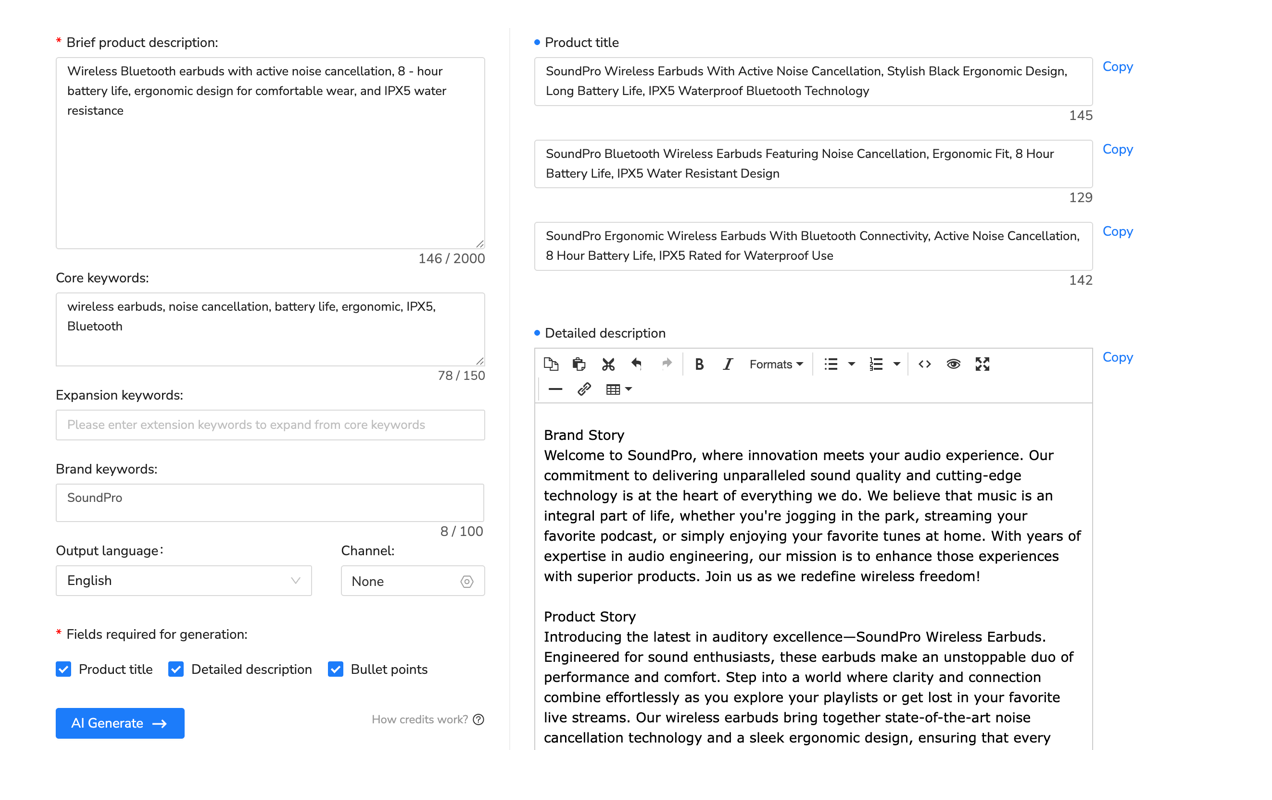
AI-Powered Automation (1000+ products): AI Listing Generator tools analyze existing product data and automatically populate Item Spec 5.0 attributes based on category requirements. These systems use machine learning to suggest appropriate values for dozens of fields simultaneously, reducing completion time by up to 90% compared to manual methods.
Maxmerce’s AI Listing Generator specifically identifies missing Item Spec 5.0 attributes and pre-populates category-specific requirements automatically. The system analyzes product titles, descriptions, and images to infer attribute values, then presents them for seller validation before publishing. This approach combines automation speed with human accuracy verification.
Step 4: Validate Attribute Accuracy and Formatting
Walmart enforces strict attribute formatting and accepted value requirements. Common validation errors include:
- Incorrect Units: Using centimeters instead of inches, kilograms instead of pounds
- Invalid Values: Entering free-text when Walmart requires selecting from predefined options
- Missing Required Pairs: Providing length/width without height, or voltage without wattage
- Character Limits: Exceeding maximum character counts for text fields
- Format Mismatches: Using “yes/no” instead of “true/false” for boolean fields
Use Walmart’s validation tool before submitting bulk updates. This catches formatting errors that would otherwise cause upload failures or listing suppressions. Additionally, test a small sample batch (10-20 products) before migrating your entire catalog to identify systematic errors early.
Step 5: Monitor Performance Impact Post-Migration
After completing Item Spec 5.0 migration, track how attribute completion affects key metrics:
- Search Impression Share: Monitor increases in product visibility for category and attribute-based searches
- Click-Through Rate: Complete attributes enable customers to find products through filters, improving CTR
- Conversion Rate: Accurate specifications reduce returns and improve purchase confidence
- Buy Box Win Rate: Track Buy Box ownership percentage before and after migration
- Listing Quality Score: Walmart’s internal quality metric should increase to 80-100% range
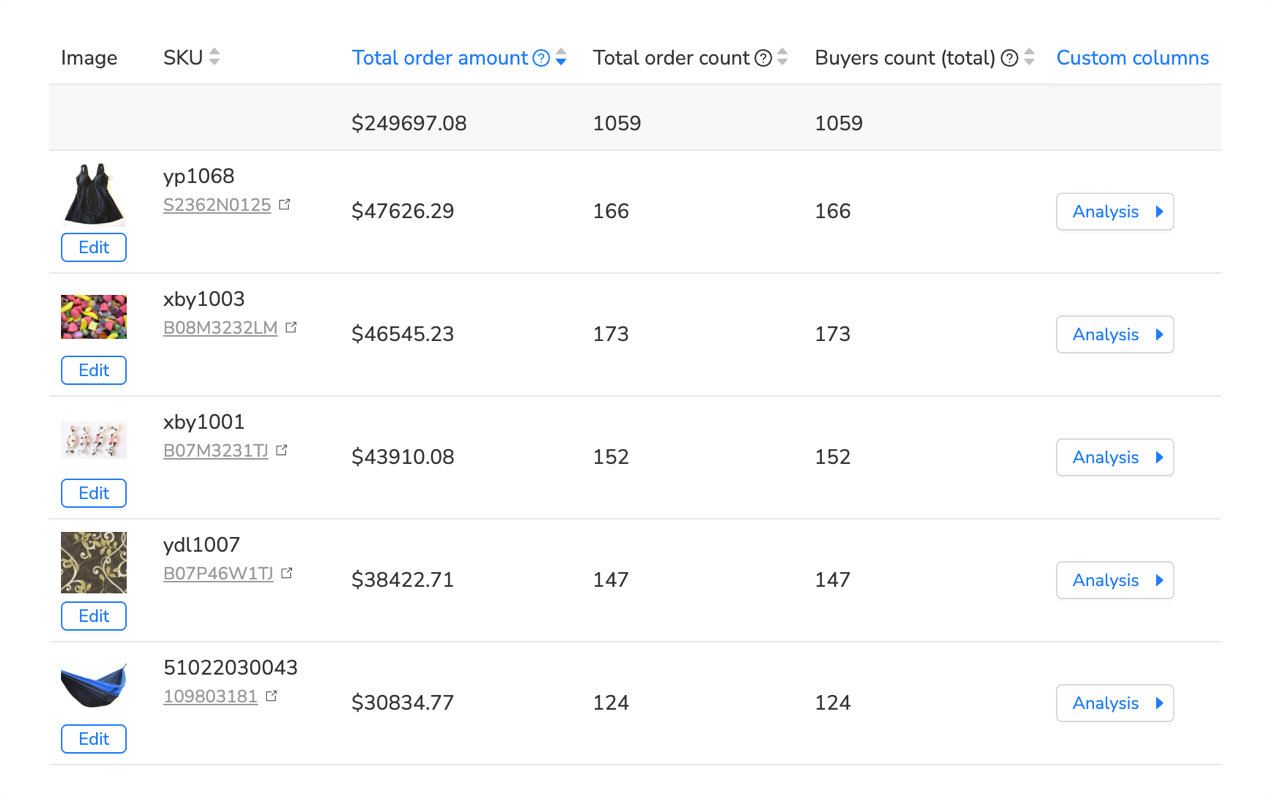
Maxmerce’s Listing Insights dashboard tracks these Walmart-specific metrics alongside Amazon and eBay performance, providing clear visibility into migration ROI. The system highlights which attribute additions correlate with ranking improvements, helping you prioritize future optimization efforts.
Bulk Migration Strategies for Large Catalogs
Sellers with thousands of SKUs face unique challenges when migrating to Item Spec 5.0. Manual approaches become impractical, requiring automated workflows and strategic prioritization.
Prioritization Matrix for Phased Migration
Rather than attempting to migrate all listings simultaneously, prioritize based on business impact:
| Priority Tier | Product Criteria | Business Impact | Migration Urgency |
|---|---|---|---|
| Tier 1 (Immediate) | Top 20% revenue generators, high search volume | Protects core revenue, maintains market share | Complete within 2 weeks |
| Tier 2 (High Priority) | Growth products with increasing sales velocity | Capitalizes on momentum before competitors | Complete within 4-6 weeks |
| Tier 3 (Medium Priority) | Steady sellers with consistent order flow | Maintains baseline performance, prevents decline | Complete within 8-12 weeks |
| Tier 4 (Low Priority) | Slow movers, seasonal items (off-season), test products | Minimal immediate impact, prepares for future | Complete within 3-6 months |
This phased approach ensures critical products maintain visibility while systematically bringing your entire catalog into compliance. Additionally, it allows you to refine migration processes with high-value products before scaling to the full catalog.
Rule-Based Bulk Attribute Application
Many attributes apply uniformly across product groups, enabling rule-based bulk updates:
- Brand-Level Attributes: Brand name, manufacturer, country of origin typically apply to all products from the same brand
- Category Defaults: Certain attributes like “assembly required” or “battery included” often share values across similar products
- Size/Weight Patterns: Product families frequently have systematic dimension progressions (small/medium/large with predictable specs)
- Material Consistency: Products from the same supplier often use identical materials, finishes, or construction methods
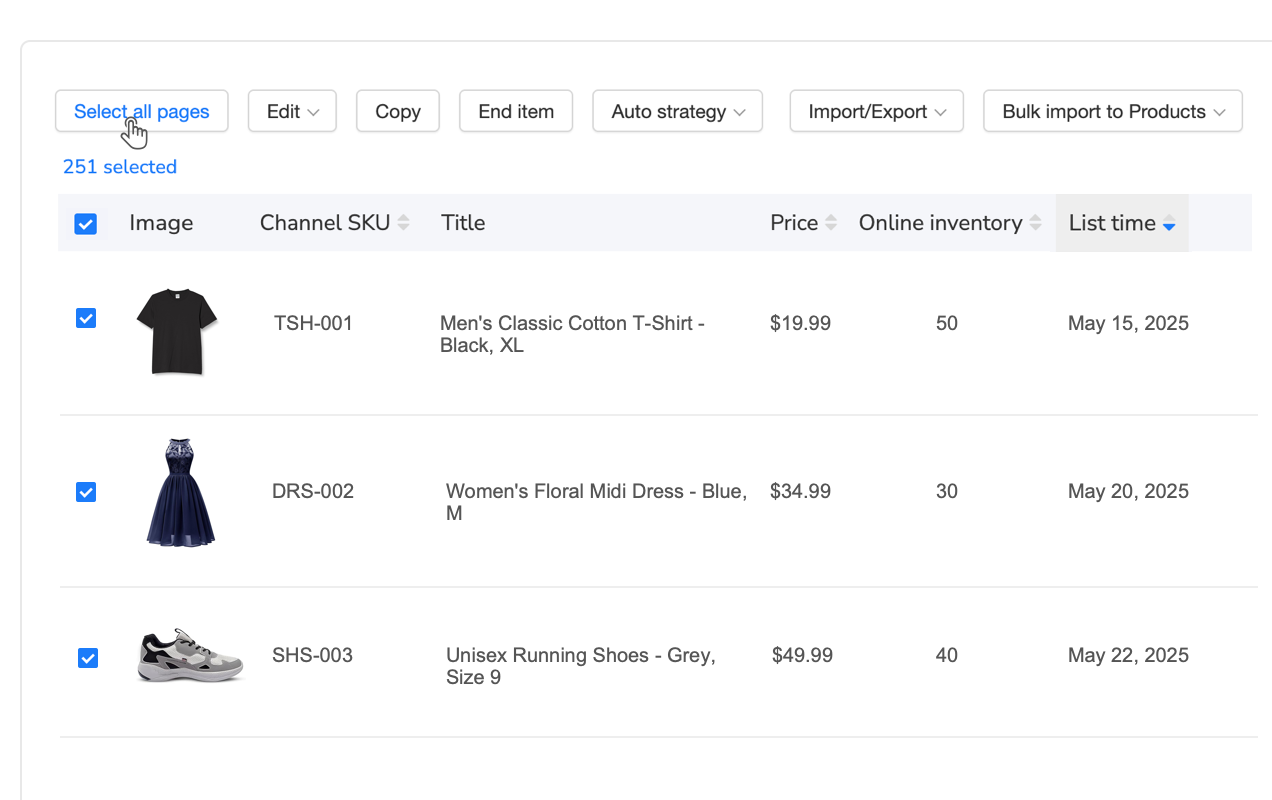
Maxmerce’s Rule-Based Bulk Listing Editor enables you to apply attributes to filtered product sets using conditional logic. For example, “Update all Electronics → Headphones to include ‘Wireless Connectivity: Bluetooth 5.0′” applies the attribute to hundreds of products in seconds rather than editing individually.
Template-Based Migration for Product Families
Create master attribute templates for each product family, then apply with minor variations:
- Define Product Families: Group similar products (e.g., all wireless earbuds, all cotton t-shirts)
- Complete One Perfect Example: Fully migrate a single product with 100% Item Spec 5.0 compliance
- Export as Template: Use this listing as the attribute baseline for similar products
- Apply with Variations: Copy template attributes, then modify only differentiating fields (color, size, model number)
- Bulk Upload Changes: Upload the modified template to update dozens or hundreds of related products
This template approach maintains consistency while dramatically reducing the time required per product. Moreover, it ensures all products in a family have identical attribute formatting, preventing validation errors.
Common Bulk Migration Pitfalls to Avoid
Large-scale migrations introduce risks that can suppress hundreds of listings simultaneously:
- Overwriting Custom Optimizations: Bulk updates can replace manually optimized titles, descriptions, or unique attributes. Always exclude custom-optimized fields from bulk operations
- Incorrect Category Mapping: Applying attributes designed for one category to products in another category causes validation failures. Verify category filters before bulk application
- Unit Conversion Errors: Systematic mistakes like applying centimeters to all products when Walmart requires inches affect entire catalogs. Double-check unit requirements
- Insufficient Testing: Uploading thousands of changes without testing a small batch first magnifies errors across your catalog. Always test with 10-20 products first
- Missing Validation: Bulk tools may not enforce Walmart’s strict formatting requirements. Run Walmart’s validation before final upload
Additionally, maintain backup exports of your original listings before bulk migrations. This enables quick rollback if systematic errors occur.
Automated Tools for Item Spec 5.0 Compliance
Manual Item Spec 5.0 migration becomes impractical for catalogs exceeding 100 products. Automated tools dramatically reduce time investment while improving accuracy and consistency.
AI-Powered Attribute Completion
Advanced AI systems analyze existing product data to infer missing Item Spec 5.0 attributes automatically. These tools use natural language processing to extract specifications from titles, descriptions, and images, then map them to Walmart’s required attribute fields.
For example, an AI system analyzing “Sony WH-1000XM5 Wireless Noise-Cancelling Over-Ear Headphones – Black” can automatically populate:
- Brand: Sony
- Model Number: WH-1000XM5
- Connectivity: Wireless
- Features: Noise-Cancelling
- Headphone Type: Over-Ear
- Color: Black
Furthermore, these systems cross-reference manufacturer databases to fill technical specifications like battery life, frequency response, and impedance without manual research. The AI presents suggested values for seller validation, combining automation speed with human accuracy oversight.
Maxmerce’s AI Listing Generator specializes in Walmart Item Spec 5.0 compliance, automatically identifying category-specific requirements and suggesting appropriate values based on product analysis. The system handles dozens of attributes per product in seconds, reducing what would take 10-15 minutes manually to under 60 seconds including validation.
Bulk Excel Import/Export Workflows
For sellers comfortable with spreadsheets, bulk Excel workflows provide powerful offline editing capabilities:
- Export Current Listings: Download your Walmart catalog with all current attributes
- Identify Missing Fields: Sort/filter to find empty attribute columns
- Apply Bulk Formulas: Use Excel formulas to populate attributes systematically (e.g., =CONCATENATE for building attribute values from multiple sources)
- Validate Before Upload: Check for formatting errors, duplicate values, invalid entries
- Bulk Import Updates: Upload the modified file to update hundreds or thousands of listings simultaneously
Excel workflows excel at pattern-based attribute completion where values follow systematic rules. However, they require sellers to understand Walmart’s exact formatting requirements and accepted value lists for each attribute.
Maxmerce’s Bulk Product Editing via Excel streamlines this process with pre-formatted templates, dropdown menus for accepted values, and built-in validation that flags errors before upload. The system prevents common mistakes like incorrect units, invalid values, or missing required paired attributes.
Category-Specific Attribute Libraries
Advanced listing management systems maintain libraries of category-specific attributes with accepted values, descriptions, and formatting requirements. These libraries eliminate guesswork and reduce validation errors.
For instance, when editing an Apparel listing, the system presents only apparel-relevant attributes like “Sleeve Length,” “Neck Style,” and “Closure Type” with dropdowns showing Walmart’s accepted values (“Short Sleeve,” “Long Sleeve,” “Sleeveless” rather than free-text entry that could cause validation failures).
This structured approach ensures attribute completion uses Walmart’s exact terminology and formatting, preventing the systematic errors common in manual or Excel-based workflows.
Ongoing Attribute Maintenance and Updates
Item Spec 5.0 compliance isn’t a one-time migration—Walmart regularly updates attribute requirements, adds new fields, and refines category taxonomies. Automated systems designed for ongoing maintenance include:
- Compliance Monitoring: Continuous scanning of your catalog to identify newly missing attributes as requirements evolve
- Automatic Updates: Application of new required attributes using previously entered data patterns
- Quality Alerts: Notifications when listings fall below attribute completion thresholds
- Recommendation Engine: Suggestions for optional attributes that could improve rankings based on category trends
Maxmerce’s Account Performance dashboard continuously monitors Walmart listing compliance and alerts sellers when attribute requirements change or listings fall below optimal completion levels. This proactive approach prevents gradual visibility decline as Walmart’s standards evolve.
Item Spec 5.0 Migration Task Comparison
| Migration Task | Manual Approach | Automated Solution | Time Savings |
|---|---|---|---|
| Attribute Gap Analysis (identifying missing fields) | Export catalog, compare to Item Spec 5.0 requirements manually | Automated scan identifies missing attributes instantly | 8-12 hours → 5 minutes (99% reduction) |
| Category-Specific Attribute Research | Read Walmart documentation, identify 70+ required fields per category | AI references category requirements automatically | 4-6 hours per category → automated |
| Attribute Population (500 products) | 10-15 min per product = 83-125 hours total | Bulk AI population with validation = 8-12 hours | 75-113 hours (90% reduction) |
| Data Validation & Error Checking | Manual review of format, enumerations, required vs optional | Automated validation flags errors before submission | 15-20 hours → 1-2 hours |
| Ongoing Compliance Monitoring | Weekly manual checks for new requirements | Continuous monitoring with alerts for changes | 2-3 hours weekly → automated |
Measuring Item Spec 5.0 Migration Success
Effective migration requires quantifying impact on key performance indicators. Track these metrics to validate that Item Spec 5.0 compliance delivers expected results.
Listing Quality Score Improvements
Walmart assigns each listing a quality score (0-100%) based on attribute completion, content quality, and compliance. Item Spec 5.0 migration should increase scores from typical 40-60% pre-migration to 80-100% post-migration.
Access listing quality scores through Walmart Seller Center → Catalog → Listing Quality Dashboard. Monitor the percentage of listings in each tier:
- Excellent (80-100%): Maximum visibility, Buy Box eligible, no suppression risk
- Good (60-79%): Moderate visibility, Buy Box eligible with competitive pricing, minor suppression risk
- Needs Improvement (40-59%): Reduced visibility, Buy Box disadvantaged, moderate suppression risk
- Poor (0-39%): Severe suppression, Buy Box ineligible, likely hidden from most searches
Target moving 90%+ of your catalog into the Excellent tier within 90 days of beginning migration. This ensures algorithm favorability and competitive positioning.
Search Visibility and Impression Share
Complete Item Spec 5.0 attributes enable your products to appear in filtered searches where previously they were excluded. For example, customers filtering for “wireless, over-ear, noise-cancelling headphones” only see listings with all three attributes populated.
Track search impression share (percentage of relevant searches where your product appears) before and after migration. Comprehensive attribute completion typically increases impression share by 40-70% as products qualify for attribute-filtered queries.
Additionally, monitor click-through rate from search results. Complete attributes improve CTR because customers see exactly what they’re searching for in attribute badges and filters, increasing confidence that your product matches their needs.
Buy Box Win Rate Analysis
Item Spec 5.0 compliance directly impacts Buy Box eligibility and win rate. Walmart’s algorithm heavily favors listings with complete attributes when determining Buy Box placement among price-competitive sellers.
Before migration, listings with incomplete attributes may win Buy Box only 15-25% of the time even when offering the lowest price. After achieving 90%+ attribute completion, Buy Box win rates typically increase to 55-75% for competitively priced products with good seller performance.
Maxmerce’s Smart Buy Box Optimizer tracks your hourly Buy Box win rate and correlates it with attribute completion levels, providing clear evidence of migration ROI. The system also identifies products where attribute completion alone could recapture Buy Box from competitors.
Conversion Rate and Return Rate Changes
Accurate, comprehensive product attributes improve conversion rates by setting correct customer expectations. When specifications clearly communicate what customers will receive, purchase confidence increases while returns decrease.
Monitor conversion rate (sales ÷ sessions) for migrated listings compared to pre-migration baselines. Typically, conversion rates improve 12-18% after Item Spec 5.0 completion as customers find products more easily through filters and trust that detailed specifications match their needs.
Simultaneously, track return rates. Comprehensive attributes that accurately describe products reduce “not as described” returns by 25-35% on average. This dual impact—higher conversion and lower returns—significantly improves net profitability per product.
Walmart Item Spec 5.0 Compliance Checklist
Pre-Migration Planning
Export complete product catalog from Walmart Seller Center
Analyze current attribute completion percentage by category
Prioritize products by revenue impact (Tier 1-4 classification)
Identify reliable attribute data sources (manufacturer specs, supplier feeds, packaging)
Select migration method (manual, bulk Excel, AI automation) based on catalog size
Universal Attribute Completion
Verify UPC/GTIN/EAN for all products (valid barcode required)
Complete brand name, manufacturer name, manufacturer part number
Add accurate product dimensions (length, width, height in inches)
Enter precise shipping weight in pounds with ounces
Specify package quantity (units per package)
Optimize product titles to 50-75 characters
Create short descriptions (100-150 words, benefits-focused)
Write long descriptions (500-1000 words with natural keywords)
Upload minimum 6 high-quality images (2000x2000px)
Verify correct category and product type group classification
Category-Specific Attributes
Apparel: Size, color, material composition, care instructions, fit type, style details
Electronics: Technical specs, power requirements, connectivity, compatibility, warranty information
Home & Garden: Materials, room type, assembly requirements, weight capacity, finish, style
Food & Grocery: Ingredients, nutrition facts, allergens, expiration info, storage instructions, dietary attributes
Beauty & Personal Care: Ingredients, skin type, scent, application method, active ingredients
Toys & Games: Age range, safety warnings, battery needs, assembly, educational value
Validation and Quality Assurance
Run Walmart’s Item Spec validation tool on all updated listings
Check for unit consistency (inches not centimeters, pounds not kilograms)
Verify all required attribute pairs are complete (length/width/height together)
Confirm attribute values match Walmart’s accepted value lists (no free-text where dropdown required)
Test small batch (10-20 products) before bulk catalog upload
Review listing quality scores—target 80%+ for all migrated products
Performance Monitoring Post-Migration
Track search impression share increases for migrated products
Monitor click-through rate improvements from search results
Measure Buy Box win rate changes before/after migration
Analyze conversion rate improvements for completed listings
Check return rate reductions (fewer “not as described” returns)
Schedule monthly compliance audits as Walmart updates requirements
Frequently Asked Questions
What is Walmart Item Spec 5.0?
Item Specification 5.0 is Walmart’s enhanced product data standard requiring sellers to complete 70+ category-specific attributes for each listing. This update mandates comprehensive product information including dimensions, materials, technical specifications, and features to improve search accuracy and customer experience. Unlike previous versions, Item Spec 5.0 enforces compliance through the ranking algorithm, giving significant visibility advantages to listings with complete attributes.
When is the Walmart Item Spec 5.0 deadline?
While Walmart has not announced a hard universal deadline, Item Spec 5.0 migration is currently mandatory for all new listings and strongly recommended for existing listings. Walmart’s algorithm heavily favors listings with complete Item Spec 5.0 attributes, making migration critical for maintaining search visibility and Buy Box eligibility. Sellers should prioritize migration within 90 days to prevent competitive disadvantages as more sellers achieve compliance.
How many attributes are required for Item Spec 5.0?
Item Spec 5.0 requires a minimum of 70+ product attributes, though the exact number varies by category. Apparel requires 80-100 attributes, electronics need 70-90, home goods typically need 60-80, and grocery/food items require 50-70 attributes. However, completing only required attributes isn’t sufficient for optimal rankings. Walmart’s algorithm rewards listings that also complete recommended (optional) attributes, often resulting in 90-120 total fields for maximum visibility.
What happens if I don’t comply with Item Spec 5.0?
Non-compliant listings face search suppression, reduced visibility, Buy Box ineligibility, and lower listing quality scores. Walmart’s algorithm prioritizes listings with complete Item Spec 5.0 attributes, meaning incomplete listings rank significantly lower in search results even with competitive pricing and strong seller performance. Additionally, you may be unable to create new listings without meeting Item Spec 5.0 requirements. Testing shows listings below 60% attribute completion lose up to 73% of search visibility compared to fully compliant competitors.
Can I automate Item Spec 5.0 attribute completion?
Yes, AI-powered listing tools can automatically identify and fill Item Spec 5.0 attributes based on your product type and category. Maxmerce’s AI Listing Generator analyzes product data and pre-populates category-specific requirements, reducing manual attribute entry time by up to 90%. The system uses natural language processing to extract specifications from existing titles and descriptions, then maps them to Walmart’s required attribute fields. Bulk editing tools enable you to complete attributes for thousands of listings simultaneously using rule-based logic.
How do I know which attributes are required vs recommended?
Walmart Seller Center’s Item Spec dashboard clearly marks required attributes (must be completed for listing approval) versus recommended attributes (optional but improve rankings). Access this through Catalog → Item Spec Requirements, then select a product to view category-specific requirements. Required attributes appear with red indicators, while recommended attributes have blue markers. However, for maximum ranking benefit, complete both required and recommended attributes rather than just meeting minimum requirements.
Can I use the same attributes for Amazon and Walmart listings?
No—while some attributes overlap, Amazon and Walmart have different requirements, formatting standards, and accepted values. Directly copying Amazon attributes to Walmart often causes validation errors and incomplete compliance. For example, Amazon uses centimeters for dimensions while Walmart requires inches. Additionally, Walmart’s attribute names and dropdown values differ from Amazon’s taxonomy. Use cross-platform tools that translate attributes appropriately between marketplaces rather than direct copying.
How long does Item Spec 5.0 migration take?
Migration time depends on catalog size and method. Manual entry takes 10-15 minutes per product for comprehensive completion. Bulk Excel workflows reduce this to 5-7 minutes per product. AI-powered automation completes attributes in under 60 seconds per product including validation. For a 500-product catalog, expect 125 hours manually, 60 hours with Excel, or 8 hours with AI automation. However, prioritized phased migration allows you to protect revenue-critical products within 2 weeks while systematically completing the full catalog over 2-3 months.
Will Item Spec 5.0 compliance guarantee better rankings?
While Item Spec 5.0 compliance dramatically improves rankings by accounting for approximately 40% of Walmart’s algorithm weight, it doesn’t guarantee top placement alone. Walmart’s Polaris algorithm also considers performance metrics (30%), competitive pricing (20%), and content quality (10%). Therefore, complete attributes combined with competitive pricing, strong seller metrics, and optimized content deliver best results. However, without Item Spec 5.0 compliance, even perfect performance in other areas will result in suppressed rankings.
How often do Item Spec 5.0 requirements change?
Walmart updates Item Spec requirements quarterly as they refine category taxonomies, add new attribute fields, and adjust to customer search behavior patterns. Major updates typically occur in January (post-holiday refinements), April (spring category expansion), July (back-to-school preparation), and October (holiday season optimization). Consequently, Item Spec 5.0 compliance requires ongoing maintenance rather than one-time migration. Set up automated monitoring to alert you when new required attributes are added or existing requirements change.
Next Steps: Implementing Your Item Spec 5.0 Migration
Walmart Item Spec 5.0 compliance separates marketplace leaders from competitors facing gradual visibility decline. With attribute completeness accounting for 40% of ranking algorithm weight, migration delivers immediate search visibility improvements, Buy Box advantages, and conversion rate increases that directly impact revenue.
The sellers achieving fastest migration success follow this 30-day action plan:
- Week 1: Export catalog, analyze completion gaps, prioritize Tier 1 revenue-critical products for immediate migration
- Week 2: Source accurate attribute data from manufacturers, complete Tier 1 products using AI automation or bulk Excel workflows
- Week 3: Validate Tier 1 migration results, monitor ranking/Buy Box improvements, begin Tier 2 product migration
- Week 4: Complete Tier 2 migration, establish ongoing compliance monitoring for requirement changes, schedule Tier 3 migration timeline
This systematic approach protects core revenue immediately while methodically bringing your complete catalog into compliance over 90 days.
Automate Your Item Spec 5.0 Migration
Ready to achieve Item Spec 5.0 compliance in hours instead of weeks? AI-powered automation identifies missing attributes, populates category-specific requirements, and validates data before publishing—reducing migration time up to 90%. Combine AI with bulk editing tools and ongoing compliance monitoring to maintain optimal listing quality.
Start your 14-day free trial—no credit card required and transform your Walmart catalog compliance.
