eBay Order Management Automation Guide

Quick Answer
eBay order management automation reduces manual processing time by 75-90% through real-time inventory synchronization, automated workflow routing, and multi-channel integration. However, successful implementation requires strategic planning around exception handling, carrier integration, and platform-specific compliance rules. The best systems combine order consolidation, intelligent routing, and customer communication automation while maintaining eBay’s strict performance standards.
Manual eBay order processing is a profitability killer. You’re clicking through Seller Hub, copying buyer addresses into shipping software, manually updating inventory spreadsheets, and sending tracking numbers one by one. For every 100 orders, that’s 150 minutes of repetitive work—time that could drive product sourcing, marketing, or expansion to new channels.
Moreover, manual processes create expensive mistakes. You oversell an item because Amazon inventory didn’t sync to eBay. A customer receives the wrong product because you misread the SKU during peak season rush. You miss eBay’s tracking upload deadline because you forgot to copy-paste tracking numbers back into Seller Hub. Each error damages your seller rating, triggers customer service headaches, and directly impacts your bottom line.
This comprehensive guide reveals how modern eBay order management and fulfillment automation transforms chaotic manual workflows into systematic, error-free operations. You’ll learn which automation strategies actually work for eBay’s specific requirements, how to integrate orders across multiple sales channels, and what mistakes to avoid when implementing automated systems. Whether you’re processing 50 or 5,000 monthly orders, you’ll discover actionable strategies to reduce processing time, eliminate costly errors, and scale your eBay business profitably.
What is eBay Order Management Automation?
eBay order management automation uses software to handle order processing tasks automatically—from order import and inventory updates to shipping label generation and buyer notifications. Instead of manually processing each order in eBay Seller Hub, automation tools sync orders in real-time, update inventory across channels, generate shipping labels, and send tracking updates without human intervention.
The core components of eBay order management automation include:
- Order Import & Consolidation: Automatically pull orders from eBay (and other channels) into a unified dashboard every 5-15 minutes
- Inventory Synchronization: Update available quantity across all sales channels when items sell, preventing overselling
- Automated Workflow Routing: Apply conditional logic to route orders based on criteria (product type, destination, value, stock location)
- Shipping Label Automation: Generate carrier labels automatically based on package dimensions, weight, and destination
- Tracking Upload: Push tracking numbers back to eBay automatically to meet performance standards
- Customer Communication: Send order confirmation, shipping notifications, and delivery updates automatically
- Exception Management: Flag problematic orders (payment issues, unserviceable addresses, out-of-stock items) for manual review
Consequently, automation handles 85-95% of standard orders without human touch, freeing sellers to focus on exceptions, customer service, and business growth. The best systems adapt to eBay’s specific requirements—including Managed Payments integration, eBay Standard Envelope tracking, and Top Rated Seller performance metrics.
Why Manual eBay Order Processing Fails at Scale
The Time Drain of Manual Processing
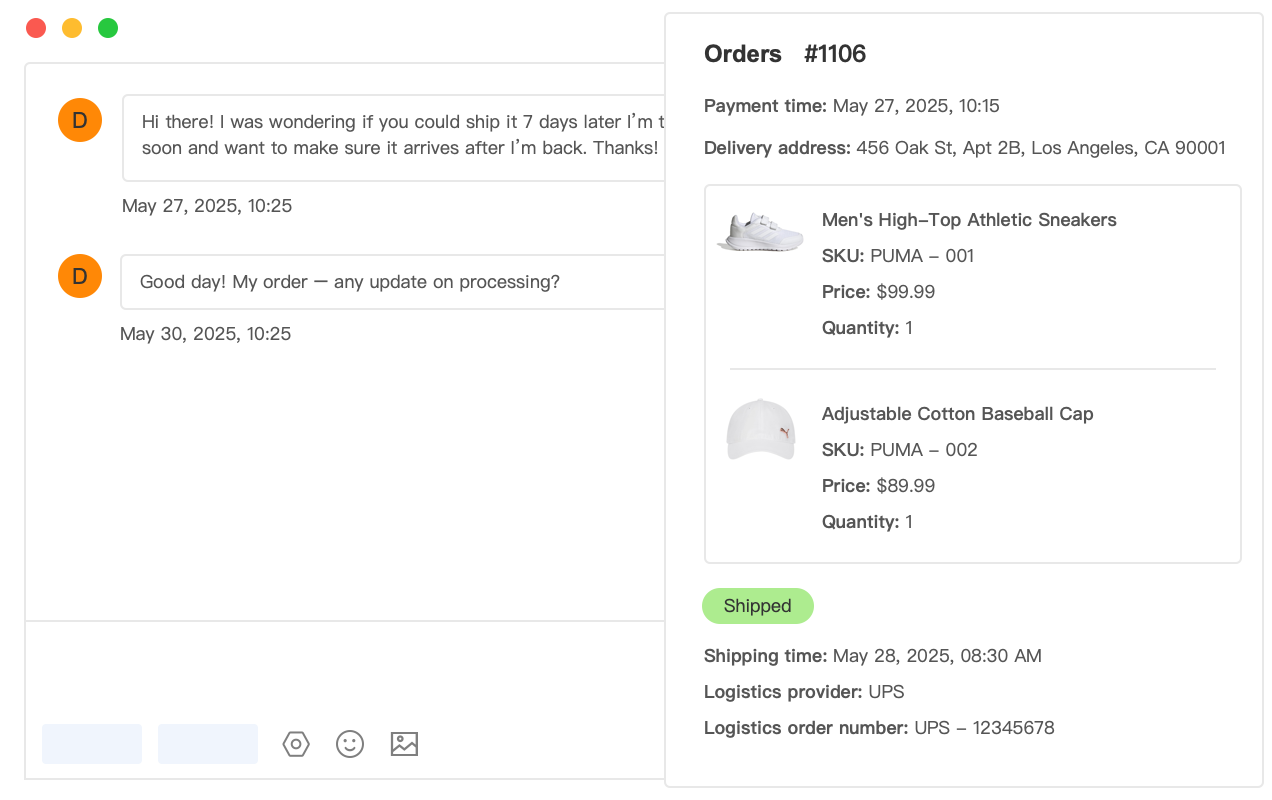
Manual eBay order processing consumes 1.5-2 minutes per order when you account for every step: opening the order in Seller Hub, verifying buyer information, checking inventory, creating the shipping label in a separate carrier system, printing the label, marking the order shipped, uploading tracking to eBay, and sending a buyer message. For a seller processing 100 daily orders, that’s 150-200 minutes—2.5 to 3.5 hours of pure processing time.
However, the real cost extends beyond direct processing time. Context switching between eBay Seller Hub, your shipping software, inventory spreadsheets, and email creates cognitive overhead. Studies show task switching reduces productivity by 40% and increases error rates. When you’re interrupted mid-process—by a customer message, phone call, or warehouse question—you lose an additional 10-15 minutes regaining focus.
For high-volume sellers processing 500+ daily orders, manual workflows become mathematically impossible. That’s 12.5 hours of processing time assuming zero interruptions—requiring multiple staff members working full shifts just to keep up. As order volume grows, you face a critical decision: hire more processing staff (increasing overhead) or automate workflows to maintain profitability per order.
Multi-Channel Inventory Chaos
Sellers listing the same inventory on eBay, Amazon, Walmart, and their own Shopify store face a nightmare scenario with manual inventory management. You sell the last unit of a product on Amazon at 2 PM. By 2:30 PM, the same item sells on eBay because you haven’t updated the quantity yet. Now you face an impossible choice: cancel the Amazon order (defect on your account), cancel the eBay order (defect and possible negative feedback), or scramble to source another unit at a loss.
Manual inventory updates across platforms take 10-15 minutes per product when you log into each platform separately. For a catalog of 500 SKUs receiving daily sales, that’s 80+ hours weekly just to keep inventory synchronized—an impossible workload. Consequently, most sellers update inventory once daily or when they remember, creating 12-24 hour windows where overselling occurs.
The financial impact compounds quickly. Each overselling incident costs $15-40 in rush shipping to fulfill from alternative suppliers, customer service time to manage complaints, and potential negative feedback damaging future conversion rates. A seller with 200 monthly orders experiencing 5% overselling rate loses $150-400 monthly—$1,800-$4,800 annually—purely from preventable inventory sync failures.
eBay Performance Metric Pressure
eBay’s seller performance standards are stricter than ever, particularly for Top Rated Seller status which provides 10% Final Value Fee discounts and enhanced search visibility. Late shipment rate must stay below 3%, tracking upload rate above 95%, and order defect rate under 0.5%. Manual processing makes these targets difficult to maintain consistently.
The tracking upload requirement creates particular challenges. You must upload valid tracking numbers that scan within the handling time period. When processing orders manually, it’s easy to forget tracking upload for 2-3 orders during busy periods. Just 5 missed tracking uploads out of 100 orders drops your rate to 95%—the minimum threshold. One bad week during holiday season can cost your Top Rated status for months.
Additionally, eBay’s case escalation policies punish slow response times. When a buyer opens an Item Not Received case, you have 3 business days to respond with valid tracking showing delivery. Manually searching through orders, finding the corresponding tracking number, and responding within the deadline becomes overwhelming when managing multiple cases simultaneously while processing new orders.
Core Components of eBay Order Management Automation
Real-Time Order Import and Consolidation
Automated order import eliminates the need to constantly refresh eBay Seller Hub checking for new orders. Modern systems connect directly to eBay’s API and poll for new orders every 5-15 minutes, automatically importing order details including buyer information, shipping address, product SKUs, quantities, and payment status. All orders appear in a unified dashboard regardless of which channel they originated from.
The consolidation advantage becomes critical when selling across multiple platforms. Instead of logging into eBay Seller Hub, Amazon Seller Central, Walmart Seller Center, and Shopify separately—each with different interfaces and workflows—you see all orders in one standardized format. This reduces context switching and creates consistent processing workflows regardless of the sales channel.
However, effective consolidation requires intelligent order organization. The best systems automatically tag and filter orders by criteria such as:
- Fulfillment urgency: Same-day shipping, next-day, or standard timeline based on handling time commitments
- Geographic routing: Domestic vs international, or specific regions for warehouse assignment
- Product category: Items requiring special packaging, fragile handling, or hazmat shipping
- Order value: High-value orders requiring signature confirmation or insurance
- Customer type: Repeat buyers eligible for loyalty perks or first-time customers needing welcome messages
Intelligent Inventory Synchronization
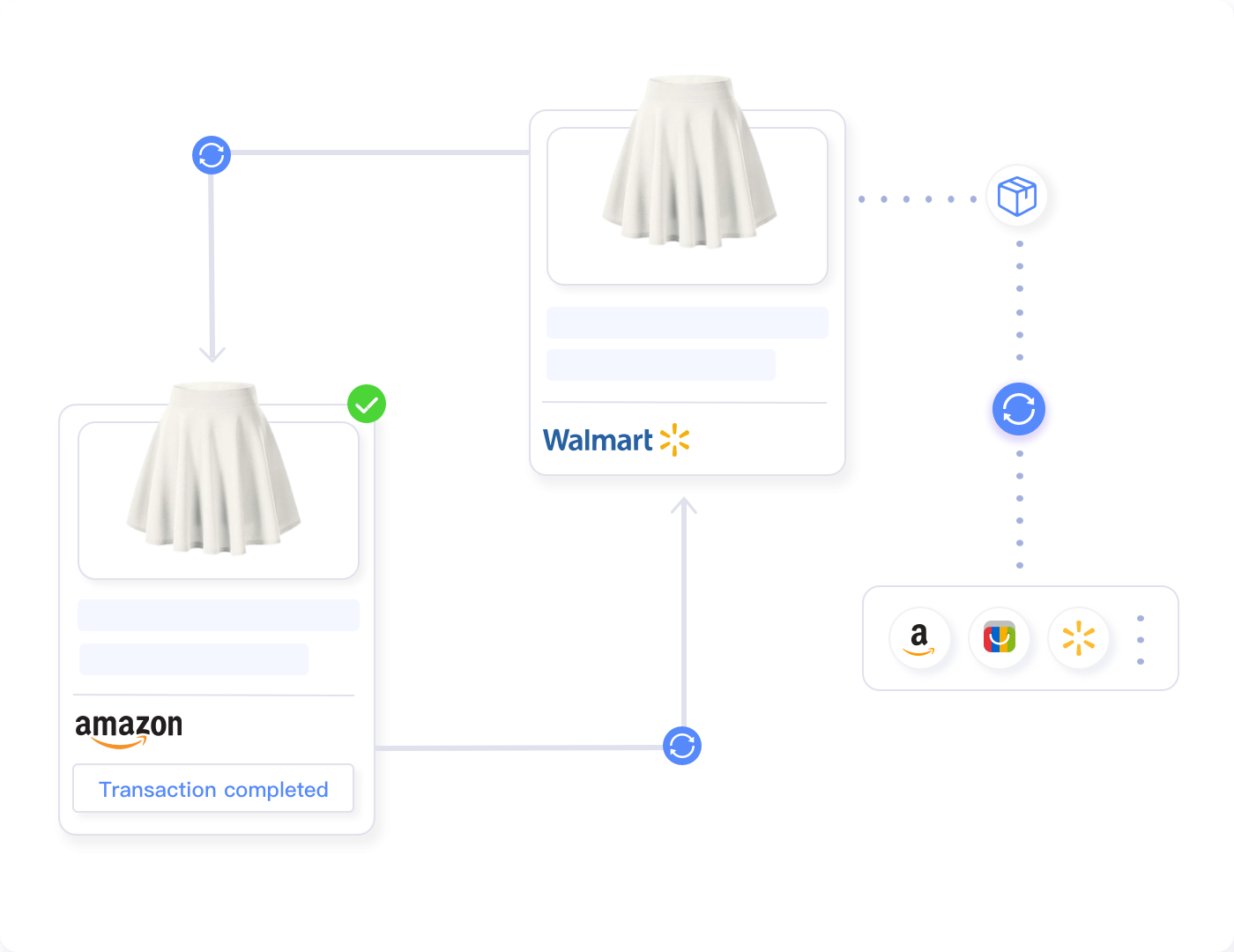
Inventory Sync represents the most critical component of multi-channel order management. When an item sells on eBay, the automation system must immediately update available quantity on Amazon, Walmart, and all other connected channels within 30-60 seconds. This real-time synchronization prevents the costly overselling scenarios that plague manual operations.
The challenge intensifies when managing inventory across multiple warehouses or stock locations. A seller with 200 units of a product might have 120 in their main warehouse, 50 in Amazon FBA, and 30 in a third-party fulfillment center. The inventory sync system must track location-specific quantities and allocate orders to the optimal fulfillment location based on buyer destination, shipping costs, and stock availability.
Tools like Maxmerce’s Inventory Sync solve this complexity through centralized inventory management. The system maintains a master inventory database, tracks stock levels across all locations and channels, and updates all platforms simultaneously when quantities change. When an eBay order comes in, the system instantly decreases the available quantity on Amazon and Walmart, then reserves that inventory for the specific order to prevent double-allocation.
Here’s the workflow in practice: A buyer purchases your last two units of a product on eBay at 3:47 PM. Within 30 seconds, Maxmerce’s Inventory Sync receives the order notification via eBay’s API, decreases the available quantity from 2 to 0 in the master inventory database, pushes the inventory update to Amazon (via Amazon MWS API) setting quantity to 0, updates Walmart (via Walmart Marketplace API) to 0, and marks the two units as “reserved for eBay order #12345” preventing reallocation. At 3:48 PM—just one minute after the purchase—all platforms show the item as out of stock, eliminating overselling risk.
The business impact is substantial. A seller processing 500 monthly orders across three channels previously experiencing 8-10 overselling incidents monthly (2% rate) now experiences zero overselling events. That eliminates $120-400 monthly in rush fulfillment costs, 12-15 hours of customer service time managing complaints, and prevents 8-10 potential negative feedback incidents that could damage future conversion rates. Over a year, the inventory sync alone saves $1,440-$4,800 in direct costs while protecting the seller’s reputation and performance metrics across all platforms.
Moreover, the system enables sophisticated inventory strategies impossible with manual management. You can set buffer stock levels (maintaining 5-10% inventory safety margin), allocate specific quantity percentages to high-performing channels, or implement automated restock alerts when inventory falls below minimum thresholds. These capabilities transform inventory from a constant source of anxiety into a strategically managed asset.
Automated Workflow Rules and Order Routing
Not all orders should process identically. A $15 domestic shipment requires different handling than a $500 international order. Automation systems use conditional workflow rules to route orders appropriately based on customizable criteria, ensuring each order receives the right processing without manual decision-making.
Effective workflow automation starts with exception identification. The system automatically flags orders requiring special attention:
- Payment holds: eBay Managed Payments occasionally holds funds for new sellers or high-risk transactions—these orders need verification before shipment
- Address validation failures: Undeliverable addresses, missing apartment numbers, or PO Box restrictions for carrier services
- Inventory discrepancies: Orders for items showing zero inventory in the warehouse management system despite appearing available on eBay
- International restrictions: Products with export restrictions, batteries requiring special shipping, or destinations with customs complications
- High-value orders: Purchases above a threshold (e.g., $500) requiring additional fraud screening or signature confirmation
- Customer service flags: Buyers with previous return history or negative feedback requiring extra quality checks
Automation platforms like Maxmerce’s Automated Workflow enable you to create sophisticated rule-based routing. The system evaluates each incoming order against your defined criteria and applies appropriate actions automatically. For example: If order destination is outside the continental US AND order value is above $200, then require manager approval before fulfillment AND add signature confirmation to shipping. If product SKU contains “BATTERY” AND destination is international, then flag for hazmat shipping review AND generate commercial invoice.
The workflow engine processes these rules in milliseconds, making decisions that would take humans 30-60 seconds per order. For a seller processing 200 daily orders with 15% requiring special handling, automated routing saves 90 minutes daily—7.5 hours weekly—just on decision-making. Meanwhile, the consistency of automated rules eliminates the human errors that occur when tired staff mis-route orders during busy periods.
Furthermore, workflow automation enables dynamic carrier selection based on cost optimization. The system compares shipping rates across USPS, UPS, FedEx, and regional carriers in real-time, considering package dimensions, weight, destination, and delivery speed requirements. A domestic Priority Mail shipment might cost $8.50 via USPS but only $7.20 via a regional carrier for the same delivery timeframe. Automated carrier selection across 100 weekly shipments saves $130 weekly—$6,760 annually—through optimal carrier routing.
Shipping Label Generation and Tracking Upload
Manual shipping label generation requires accessing carrier websites, entering package details, printing labels, and then returning to eBay to upload tracking numbers. Automation compresses this multi-step process into a single click or fully automatic generation based on order import.
Modern systems integrate directly with carrier APIs (USPS, UPS, FedEx, DHL) to generate shipping labels automatically. When an order meets processing criteria—payment confirmed, inventory available, address validated—the system calculates package dimensions and weight from product data, selects the optimal carrier and service level based on destination and handling time requirements, generates the shipping label via carrier API, and uploads the tracking number back to eBay Seller Hub automatically.
The tracking upload step is crucial for eBay performance metrics. eBay requires sellers to upload valid tracking numbers that scan within the handling time period. Automated upload ensures 99%+ compliance with this requirement, protecting your Top Rated Seller status. The system pushes tracking numbers to eBay within minutes of label generation—far more reliable than manual copy-paste workflows where tracking upload can be forgotten during busy periods.
Additionally, automation enables batch label printing optimization. Instead of printing one label at a time as orders arrive, the system queues labels and prints in batches of 50-100, reducing printer switching and paper handling. For high-volume sellers, this optimization saves 20-30 minutes daily in pure printing logistics.
| Order Processing Task | Manual Time | Automated Time | Time Savings |
|---|---|---|---|
| Order import and review | 25 seconds | 0 seconds (automatic) | 100% |
| Inventory verification | 15 seconds | 0 seconds (real-time sync) | 100% |
| Shipping label creation | 45 seconds | 3 seconds | 93% |
| Tracking upload to eBay | 20 seconds | 0 seconds (automatic) | 100% |
| Buyer notification | 15 seconds | 0 seconds (automatic) | 100% |
| Total per order | 120 seconds | 3-5 seconds | 95-97% |
| Time for 100 orders | 200 minutes (3.3 hours) | 8-10 minutes | 95% |
Customer Communication Automation
Buyer communication represents a hidden time sink in order fulfillment. Sending order confirmations, shipping notifications, delivery updates, and follow-up messages consumes 10-15 seconds per order when done manually. For 100 daily orders, that’s 25 minutes of repetitive email writing—time better spent on business growth.
Automated customer communication systems send triggered messages based on order status changes. When an order is placed, the system sends an order confirmation thanking the buyer and providing estimated delivery dates. When the shipping label is generated, it sends a shipment notification with tracking information and carrier details. When tracking shows delivery, it sends a delivery confirmation and requests feedback.
However, effective automation requires personalization beyond basic mail-merge. The best systems incorporate dynamic content based on product type, buyer history, and order characteristics. A repeat customer receives a “Welcome back!” message with loyalty appreciation. A first-time buyer gets a brand introduction and customer service contact information. International orders receive customs information and extended delivery timeframe expectations.
Maxmerce’s Smart Notifications takes this further by analyzing buyer behavior and optimizing message timing. The system learns when specific buyer segments are most likely to read messages—sending shipping confirmations at 9 AM when open rates are highest rather than immediately at 3 AM when labels generate. This optimization increases message engagement by 35-40%, improving customer satisfaction and reducing “where is my order?” inquiries.
The compound benefit extends beyond time savings. Proactive communication reduces customer service volume by 40-50%. When buyers receive automatic tracking updates, they don’t send “where is my item?” messages. When delivery confirmations arrive with feedback requests, you capture positive reviews more consistently. A seller processing 500 monthly orders saves 15-20 hours of customer service time monthly—180-240 hours annually—through proactive communication automation alone.
Multi-Channel Integration Strategies for eBay Sellers
Synchronizing Orders Across eBay, Amazon, and Walmart
Most profitable sellers don’t limit themselves to a single platform. They list inventory on eBay, Amazon, Walmart, and often Shopify, capturing customers across multiple marketplaces. However, this multi-channel strategy creates exponential complexity for order management without proper automation.
The fundamental challenge is platform fragmentation. Each marketplace uses different order formats, requires different data fields, has unique shipping requirements, and expects different performance metrics. Amazon’s Fulfillment by Amazon (FBA) orders process differently than Merchant Fulfilled orders. Walmart requires specific item specifications and has strict shipping speed requirements. eBay has Managed Payments integration and tracking upload standards.
Manual multi-channel management requires logging into 3-5 different seller portals, learning each platform’s interface, processing orders according to platform-specific rules, and then manually updating inventory across all platforms when items sell. For a seller with 200 monthly orders split across three channels, that’s 15-20 hours monthly just navigating between platforms—time that contributes zero value to the business.
Comprehensive order management systems solve this by creating a unified order processing layer above the individual marketplaces. All orders—regardless of source—import into one dashboard with standardized formatting. You process orders using one consistent workflow, and the system handles platform-specific requirements automatically when pushing data back to each marketplace.
Maxmerce’s Bulk Product Publish and Manage Online Listings features exemplify this approach. You create product listings once in Maxmerce’s centralized catalog, defining all product attributes, descriptions, images, and pricing. The system then publishes to eBay, Amazon, and Walmart simultaneously, automatically translating your product data into each platform’s required format. When you need to update pricing across 500 SKUs, you make the change once in Maxmerce, and it propagates to all three platforms within minutes.
Here’s how this works for a seller expanding from eBay to Amazon and Walmart: You have 300 established products on eBay generating steady sales. Using Maxmerce’s system, you import your eBay catalog (complete with titles, descriptions, images, and pricing) into the centralized product database. The system analyzes each product and automatically maps eBay categories to equivalent Amazon and Walmart categories through its Smart Category & Attribute Mapping feature. For products requiring platform-specific attributes (e.g., Walmart’s detailed item specifications), the system identifies the required fields and prompts you to complete them. Once attributes are filled, you select which platforms to publish to, and within 30-60 minutes, all 300 products are live on Amazon and Walmart in addition to eBay.
The ongoing management becomes equally streamlined. When you receive orders—let’s say 15 from eBay, 22 from Amazon, and 8 from Walmart in a single day—all 45 orders appear in one unified dashboard. You process them using the same workflow regardless of origin. The system automatically handles platform-specific requirements: eBay orders get tracking uploaded via eBay’s API, Amazon orders update through Amazon MWS, and Walmart orders sync through Walmart’s Marketplace API. What would take 1-2 hours daily processing each platform separately now takes 15-20 minutes processing from one interface.
The inventory sync runs continuously in the background. When one of those Amazon orders depletes your last 3 units of a product, Inventory Sync updates eBay and Walmart to zero within 30 seconds, preventing overselling. When you receive a shipment from your supplier and update inventory to 50 units in Maxmerce, all three platforms reflect the new availability immediately. This real-time synchronization eliminates the inventory spreadsheets, manual updates, and overselling headaches that previously made multi-channel selling so stressful.
Handling Platform-Specific Requirements
While unified dashboards simplify multi-channel management, successful sellers must still accommodate platform-specific requirements. eBay’s Managed Payments processes differently than Amazon’s payment system. Walmart’s delivery standards are stricter than eBay’s handling time requirements. These differences require intelligent automation that adapts to each platform’s rules.
eBay-specific considerations include:
- Managed Payments integration: Ensures payment confirmation before fulfillment, handles payouts correctly, and manages payment holds for new sellers
- eBay Standard Envelope: Supports this low-cost shipping option for small items under 3oz with specific tracking requirements
- Top Rated Seller metrics: Automatically uploads tracking within handling time, maintains defect rates, and processes returns according to eBay’s standards
- eBay Guaranteed Delivery: Calculates delivery dates accurately and ensures orders ship within required timeframes to meet guarantees
- Promoted Listings integration: Tracks which orders originated from promoted listings for ROI analysis
Amazon-specific handling involves different complexity:
- FBA vs FBM routing: Automatically routes Amazon FBA orders directly to Amazon’s warehouse network while processing Merchant Fulfilled orders through your fulfillment system
- Buy Shipping credits: Purchases shipping labels through Amazon’s discounted carrier program for FBM orders when cost-effective
- Prime shipping requirements: Ensures Seller Fulfilled Prime orders meet Amazon’s strict delivery standards
- Amazon reimbursements: Tracks FBA inventory discrepancies and lost/damaged items for reimbursement claims
Walmart introduces its own requirements:
- Walmart Fulfillment Services (WFS): Integrates with Walmart’s fulfillment network similar to Amazon FBA
- Two-day delivery standards: Ensures orders ship within required timeframes to maintain Walmart performance metrics
- Item specification requirements: Validates that all required product attributes are completed before publishing
- Walmart Pro Seller badges: Maintains the metrics required for enhanced seller status
Quality automation systems handle these platform differences transparently. When processing an eBay order, the system automatically validates Managed Payments status, selects shipping services that provide eBay-compatible tracking, and uploads tracking in the format eBay expects. When processing a Walmart order, it applies Walmart’s stricter delivery timeframes and ensures all required data fields are populated. You don’t need to remember which platform has which requirements—the automation handles compliance automatically.
Implementing Order Automation: Step-by-Step Strategy
Phase 1: Process Audit and Workflow Mapping
Successful automation starts with understanding your current processes. Before implementing any software, spend 2-3 days documenting exactly how you handle orders today. Track the time spent on each task, identify bottlenecks, and note which steps cause the most errors or frustration.
Create a detailed workflow map covering:
- Order receipt: How do you know when new orders arrive? How often do you check?
- Order review: What verification steps do you perform? (Payment confirmation, address validation, inventory check)
- Inventory allocation: How do you reserve inventory for orders? How do you prevent double-allocation?
- Picking and packing: What’s your warehouse workflow? How do you ensure accuracy?
- Shipping label creation: Which carriers do you use? How do you determine shipping method?
- Tracking upload: When and how do you upload tracking to marketplaces?
- Customer communication: What messages do you send? When?
- Exception handling: What do you do when issues arise? (Wrong address, out of stock, payment problems)
Time each step for 20-30 orders to establish baseline metrics. You might discover that order review takes 25 seconds, label creation takes 45 seconds, and tracking upload takes 20 seconds—totaling 90 seconds per order. For 100 daily orders, that’s 150 minutes of processing time that automation could reduce to under 10 minutes.
Identify your highest-pain areas. Perhaps inventory synchronization causes the most problems, with 5-8 overselling incidents monthly. Or maybe tracking upload is inconsistent, threatening your eBay Top Rated status. Prioritize automation efforts on the areas causing the most operational pain or financial loss.
Phase 2: Platform Selection and Integration
Choose an order management system that aligns with your specific needs and integrates seamlessly with your current platforms. Key selection criteria include:
- Platform coverage: Does it support all your sales channels? (eBay, Amazon, Walmart, Shopify, etc.)
- Real-time sync capability: How frequently does it update inventory? (Every 5 minutes, 15 minutes, hourly?)
- Carrier integrations: Does it connect with your preferred shipping carriers and provide discounted rates?
- Workflow customization: Can you create custom rules matching your business logic?
- Exception handling: How does it flag and route problematic orders?
- Scalability: Will it handle your growth from 100 to 500+ daily orders without performance degradation?
- Cost structure: Is pricing based on order volume, number of listings, or platform access?
For eBay sellers expanding to multi-channel, Maxmerce’s listing management platform provides comprehensive integration across eBay, Amazon, and Walmart with real-time inventory synchronization. The system updates inventory across all channels within 30-60 seconds of a sale, preventing the overselling incidents that damage seller performance metrics.
Integration typically follows this sequence: First, connect your eBay account by authorizing API access through eBay’s developer portal (takes 10-15 minutes with guided setup). Second, import your existing eBay listings into the centralized catalog (automated bulk import completes in 1-2 hours for 500 SKUs). Third, configure inventory sync settings including buffer stock levels, update frequency, and low-stock alerts. Fourth, connect additional platforms (Amazon, Walmart) following the same authorization process. Finally, test the integration with 5-10 orders to verify data flows correctly between platforms.
Most sellers complete initial platform integration in 4-6 hours spread across 2-3 days. The investment pays back within the first month through time savings and error reduction.
Phase 3: Workflow Configuration and Rule Creation
With platforms integrated, configure automated workflows matching your business rules. Start with standard order processing, then add complexity for exception handling.
Basic workflow automation includes:
- Automatic order import: Set polling frequency for new orders (every 5-15 minutes)
- Inventory reservation: Configure when to reserve inventory (immediately upon order import vs after payment confirmation)
- Carrier selection rules: Define criteria for USPS vs UPS vs FedEx (package weight, destination, delivery speed)
- Label generation triggers: Set when to auto-generate labels (immediately after payment confirmation for most orders)
- Tracking upload timing: Configure when to push tracking back to marketplaces (immediately after label generation)
- Customer notification templates: Design message templates for order confirmation, shipment, and delivery
Advanced workflow rules handle exceptions intelligently using Maxmerce’s Automated Workflow capabilities:
- High-value order review: “If order value > $500, flag for fraud screening before shipment”
- International orders: “If destination country = Canada/Mexico/UK, generate commercial invoice and apply customs forms”
- Hazmat products: “If SKU contains ‘BATTERY’ or ‘AEROSOL’, require hazmat-certified carrier and special labeling”
- Inventory threshold alerts: “If available quantity < 10 units, send low-stock notification to purchasing team”
- Address validation: “If shipping address fails USPS validation, flag for manual review and customer contact”
- Repeat problem buyers: “If buyer has >1 previous return, add extra packing materials and photo documentation”
These conditional workflows automate 90-95% of orders while routing the remaining 5-10% requiring human judgment to appropriate team members. A seller processing 200 daily orders might see 180-190 process automatically, with 10-20 flagged for manual review—reducing processing time from 6 hours to under 30 minutes.
Phase 4: Testing, Refinement, and Team Training
Never launch automation at full scale immediately. Start with a 7-14 day testing period processing a subset of orders (20-30% of volume) through automated workflows while manually processing the remainder as backup.
During testing, monitor these metrics daily:
- Order processing time: Are automated orders actually processing faster than manual?
- Error rate: How many automated orders have issues? (Wrong carrier, incorrect tracking upload, inventory sync failures)
- Exception handling accuracy: Are workflow rules flagging the right orders for manual review?
- Inventory sync reliability: Are stock levels updating correctly across all platforms?
- Customer communication quality: Are automated messages appropriate and timely?
Expect to refine workflows 3-5 times during the testing period. You might discover that international orders need longer handling time buffers, or that your carrier selection rule chooses incorrectly for packages between 12-16oz. Each iteration improves accuracy until automated processing matches or exceeds manual quality.
Team training is equally critical. Staff who previously processed orders manually need to understand:
- How automation works: What the system does automatically vs what requires human intervention
- Exception queue monitoring: How to review and resolve flagged orders efficiently
- Override procedures: When and how to manually adjust automated decisions
- Troubleshooting common issues: What to do when inventory sync fails or carrier API is temporarily down
- Performance monitoring: Which metrics to track to ensure automation maintains quality
Invest 4-6 hours in hands-on training sessions where team members process orders using the new system with supervision. This prevents the panicked “the system isn’t working!” calls that arise when staff encounter normal exception handling for the first time.
Advanced Automation Features for Scaling eBay Businesses
AI-Powered Customer Service Integration
Order automation extends beyond fulfillment logistics into customer communication. Modern systems integrate AI-powered customer service tools that handle routine inquiries automatically while routing complex issues to human agents.
Maxmerce’s AI Agent Assist analyzes incoming customer messages and provides intelligent response suggestions based on order context, customer history, and message sentiment. When a buyer asks “Where is my order?”, the system retrieves the order details, checks tracking status, and generates a personalized response: “Your order shipped on [date] via USPS Priority Mail. Tracking shows it’s currently in [city] and scheduled for delivery on [date]. You can track your package here: [tracking link].”
The AI handles 60-70% of routine inquiries completely automatically, reducing customer service workload dramatically. A seller receiving 30 daily customer messages spends approximately 45 minutes responding manually (1.5 minutes per message). With AI assistance, this drops to 15-20 minutes—handling only the complex inquiries requiring human judgment.
Moreover, AI-powered systems integrate seamlessly with Order Context Integration, automatically attaching complete order history, shipping status, return history, and previous communications to every customer message. When a buyer contacts you, you immediately see their full purchase history, current order status, and any previous issues—eliminating the 30-60 seconds typically spent searching for order details before responding.
The combination of AI response generation and automatic context loading reduces average customer service time from 1.5 minutes per message to under 20 seconds for routine inquiries. For a seller handling 300 monthly customer messages, that’s 6.5 hours monthly (78 hours annually) saved through intelligent automation—time redirected to business growth instead of repetitive customer service.
Predictive Analytics and Inventory Optimization
The most sophisticated order management systems don’t just process current orders—they predict future demand and optimize inventory levels to maximize profitability. Predictive analytics analyze historical sales data, seasonal trends, and external factors to forecast demand 30-90 days ahead.
This capability transforms inventory management from reactive to proactive. Instead of scrambling to reorder when you hit zero units, the system alerts you 2-3 weeks before stockout based on current sales velocity. For seasonal products, it identifies demand surges before they occur, prompting early reordering to capture peak sales periods.
Advanced systems calculate optimal inventory levels balancing holding costs against stockout risk. For a product costing $10 with 15% monthly carrying cost, holding 100 units costs $150 monthly. If holding 120 units reduces stockout risk from 15% to 5% (preventing $500 in lost sales), the additional 20 units ($30 carrying cost) generate positive ROI. The system runs these calculations across your entire catalog, recommending exact reorder quantities that maximize profitability.
Furthermore, predictive analytics identify slow-moving inventory before it becomes a problem. When a product’s sales velocity drops below forecasted levels, the system flags it for promotional pricing or liquidation before you accumulate excess dead stock. This proactive approach prevents the capital waste that cripples many growing sellers—tying up cash in inventory that won’t sell.
Multi-Warehouse and 3PL Integration
As eBay businesses scale beyond 500-1,000 monthly orders, many sellers expand to multiple stock locations or partner with third-party logistics (3PL) providers. Order automation becomes critical for managing this complexity.
Multi-warehouse operations require intelligent order routing based on inventory availability, buyer location, and shipping costs. When an order comes in, the system checks which warehouses have the item in stock, calculates shipping cost from each location to the buyer’s address, and routes the order to the optimal fulfillment location. An order shipping from your West Coast warehouse to a California buyer might cost $7 and arrive in 2 days, while the same order from your East Coast warehouse costs $12 and takes 5 days—automatic routing chooses the West Coast location.
3PL integration adds another layer. Many sellers use Amazon FBA for Amazon orders while fulfilling eBay orders from their own warehouse. Others partner with dedicated 3PL providers like ShipBob or ShipMonk for all fulfillment. Order management systems with 3PL integration push eBay orders directly to the 3PL’s system via API, triggering automatic picking, packing, and shipping without your involvement.
The workflow operates seamlessly: An eBay order arrives at 2 PM. Your order management system receives it via eBay API, checks inventory across your main warehouse (0 units), your 3PL provider (12 units), and Amazon FBA (5 units). Since the item is available at your 3PL, the system routes the order to their system automatically. The 3PL receives order details including buyer address and shipping service level, picks the item from their warehouse at 3 PM, generates the shipping label, and ships at 4 PM. Tracking uploads to eBay automatically at 4:15 PM. You never touched the order—it processed completely automatically from buyer purchase to shipment in under 2 hours.
This level of automation enables eBay sellers to scale to 2,000-5,000 daily orders without proportionally increasing staff. The systems and integrations handle the operational complexity, freeing you to focus on sourcing, marketing, and strategic growth.
Common Automation Pitfalls and How to Avoid Them
Over-Automation Without Exception Handling
The most common automation failure is attempting to automate 100% of orders without proper exception handling. Not every order should process identically. A $15 domestic shipment shouldn’t receive the same scrutiny as a $600 international order. Buyers with 3 previous returns shouldn’t be treated identically to your best repeat customers.
The problem manifests when sellers configure “ship everything automatically” workflows without conditional logic. This works fine until an edge case occurs: An order ships to an abandoned address, a high-value item goes to a first-time buyer with suspicious patterns, or a package ships internationally without required customs documentation. These issues damage performance metrics, generate customer complaints, and create financial losses.
The solution is intelligent automation with robust exception routing. Configure workflows to process 85-90% of standard orders automatically while flagging the remaining 10-15% for human review based on risk factors. Orders above $500, international shipments, first-time buyers, address validation failures, and inventory discrepancies should automatically enter a review queue rather than shipping blindly.
Quality automation systems like Maxmerce’s Automated Workflow make exception routing straightforward through conditional rule builders. You define the criteria for automatic processing vs manual review, and the system handles routing accordingly. This balanced approach captures 90% of automation time savings while preventing the 10% of problematic scenarios that could damage your business.
Neglecting Inventory Buffer Stock
Real-time inventory sync is remarkably fast—typically updating across platforms in 30-60 seconds. However, that 30-60 second window creates a small risk of simultaneous purchases when inventory hits zero. Two buyers on different platforms might both purchase your last unit within the sync window, creating an overselling situation even with automation.
The fix is buffer stock settings. Instead of listing actual inventory on all platforms, list 5-10% below your real quantity. If you have 100 units in your warehouse, list 90-95 units across all channels. This buffer absorbs the small sync delay, virtually eliminating overselling during simultaneous purchases.
Buffer stock becomes especially important during high-traffic events like Black Friday, Prime Day, or your own promotional campaigns. During these periods, increase your buffer to 10-15% to account for the higher probability of simultaneous purchases. The small opportunity cost of conservative inventory listing is vastly outweighed by avoiding overselling disasters during your highest-revenue periods.
Ignoring Platform-Specific Compliance
eBay, Amazon, and Walmart each have unique requirements that generic automation might miss. eBay requires specific tracking number formats for Top Rated Seller status. Amazon expects FBM orders to upload tracking within 24 hours of shipment confirmation. Walmart has strict delivery timeframe requirements.
Sellers using generic shipping software sometimes encounter compliance issues because their system doesn’t understand platform-specific requirements. They might upload tracking to eBay in a format that doesn’t validate correctly, or fail to meet Amazon’s tracking upload timing requirements, or miss Walmart’s delivery commitment deadlines.
The solution is platform-aware automation that understands and enforces marketplace-specific rules. When processing eBay orders, the system validates tracking format meets eBay standards. When handling Amazon FBM orders, it uploads tracking within Amazon’s required timeframe. When fulfilling Walmart orders, it calculates delivery dates according to Walmart’s standards.
Choosing order management systems with deep marketplace integration ensures compliance automatically. Maxmerce’s multi-channel platform maintains updated compliance rules for eBay, Amazon, and Walmart, automatically applying the correct requirements for each platform without manual configuration. This prevents the performance metric damage that occurs when generic automation violates platform-specific rules.
Measuring Automation ROI and Performance Metrics
Time Savings Calculation
Quantify your automation return on investment by tracking time savings before and after implementation. Establish baseline metrics by timing manual processing for 30-50 orders before automation, then measure processing time for the same order volume after automation.
Calculate time savings across these categories:
- Order processing time: Time from order receipt to shipping label generation (manual: 90-120 seconds per order, automated: 5-10 seconds per order)
- Inventory management time: Time spent updating inventory across platforms (manual: 10-15 minutes per product update, automated: 0 minutes—happens automatically)
- Customer communication time: Time sending order confirmations and tracking notifications (manual: 15 seconds per order, automated: 0 seconds—triggered automatically)
- Exception handling time: Time resolving issues like inventory sync failures or payment holds (manual: 5-8 minutes per issue, automated: 2-3 minutes with flagged exceptions)
For a seller processing 200 monthly orders, the calculation might look like this: Manual processing took 120 seconds per order × 200 orders = 6.7 hours monthly. Automated processing takes 8 seconds per order × 200 orders = 27 minutes monthly. Time savings: 6.2 hours monthly (74.4 hours annually). At $25/hour labor cost, that’s $155 monthly savings ($1,860 annually) from order processing alone.
Add inventory management savings (5 hours monthly @ $25/hour = $125), customer communication savings (1 hour monthly @ $25/hour = $25), and you reach $305 monthly total labor savings—$3,660 annually. If your automation software costs $100 monthly, your ROI is 205% ($3,660 savings / $1,200 cost = 305% return, or 205% net after deducting costs).
Error Rate Reduction
Automation’s hidden value lies in error prevention. Manual processing creates 2-5% error rates in typical operations—wrong shipping addresses, incorrect item picks, missed tracking uploads, or inventory sync failures. Each error costs money in customer service time, refund processing, reshipment, or lost sales from overselling.
Track error metrics before and after automation:
- Overselling incidents: How often do you sell items that are actually out of stock? (Target: <0.5% of orders with automation)
- Shipping errors: Wrong carrier selection, incorrect service level, or invalid addresses (Target: <1% of shipments)
- Tracking upload failures: Orders shipped without tracking uploaded to marketplace (Target: <0.5% of orders)
- Customer communication gaps: Orders without confirmation or shipping notifications sent (Target: 0% with automation)
Calculate the financial impact of error reduction. If manual operations generated 10 overselling incidents monthly at $30 average recovery cost (rush shipping from alternative supplier), that’s $300 monthly in preventable costs. If automation reduces overselling to 1 incident monthly, you save $270 monthly ($3,240 annually) from this single error category.
Add shipping error reduction (5 monthly errors @ $15 average cost = $75 saved monthly), tracking upload improvement (preventing potential eBay performance issues worth $100+ in lost sales), and total error-prevention value reaches $400-500 monthly—$4,800-6,000 annually.
Scalability Metrics
The most significant automation benefit is scalability without proportional resource increases. Manual operations scale linearly—doubling order volume requires doubling processing staff. Automation scales sub-linearly—doubling order volume requires minimal additional resources.
Measure scalability by tracking orders processed per staff hour before and after automation. Manual operations might achieve 30-40 orders processed per staff hour. Automated operations reach 200-300 orders per staff hour, a 5-7x improvement. This means a single person with automation can handle the order volume that previously required 5-7 people manually.
Project your scalability capacity: If you currently process 200 monthly orders in 10 staff hours (20 orders per hour manually), automation enabling 200 orders per hour allows you to scale to 2,000 monthly orders within the same 10 staff hours. That’s 10x growth without hiring additional processing staff—a game-changing advantage for ambitious sellers.
Frequently Asked Questions
What is eBay order management automation?
eBay order management automation uses software to handle order processing tasks automatically—from order import and inventory updates to shipping label generation and buyer notifications. Instead of manually processing each order, automation tools sync orders in real-time, update inventory across channels, generate shipping labels, and send tracking updates without human intervention. The best systems handle 85-95% of standard orders completely automatically while flagging exceptions for manual review.
How much time can automation save on eBay order processing?
Automation can reduce order processing time by 75-90%. A seller processing 100 daily orders manually spends approximately 150 minutes (1.5 minutes per order) on order import, label creation, tracking upload, and customer communication. With automation, this drops to 15-30 minutes—handling only exceptions and quality checks. For high-volume sellers processing 500+ daily orders, automation transforms a 12-hour workload into 1-2 hours, enabling single-person operations that previously required 5-7 staff members.
Can eBay order management tools sync inventory with Amazon and Walmart?
Yes, multi-channel order management systems sync inventory across eBay, Amazon, Walmart, and Shopify in real-time. When an item sells on eBay, inventory automatically decreases on all connected channels within 30-60 seconds, preventing overselling. These systems also sync orders from all platforms into one dashboard for unified fulfillment. Tools like Maxmerce’s Inventory Sync maintain a master inventory database and push updates to all connected marketplaces simultaneously, eliminating the manual spreadsheet tracking that causes costly overselling errors.
What happens to orders during inventory sync delays?
Modern inventory sync systems update within 30-60 seconds, minimizing overselling risk. However, during high-traffic events, sellers should set buffer stock (5-10% below actual inventory) to account for simultaneous purchases. Quality automation tools include order reservation systems that instantly lock inventory when an order is placed, even before the sync completes across all channels. This prevents the double-allocation scenario where two platforms sell the same last unit within the brief sync window.
How do automated workflows handle eBay order exceptions?
Automated workflows use conditional logic to identify exceptions and route them appropriately. For example, orders to unserviceable ZIP codes trigger manual review alerts, international orders above $500 require additional fraud checks, and orders for out-of-stock items pause for supplier confirmation. The system processes standard orders automatically while flagging exceptions for human intervention. Maxmerce’s Automated Workflow feature allows you to create sophisticated rules like “If order value > $500 AND buyer has <3 previous purchases, flag for fraud review before shipment.”
What eBay seller performance metrics improve with order automation?
Order automation directly improves several eBay performance metrics: shipping time (faster label generation reduces late shipments by 80%), tracking upload rate (99%+ automated tracking vs 85-90% manual), order defect rate (fewer cancellations from stock errors), and case resolution time (faster refunds through automated workflows). These improvements help maintain Top Rated Seller status, which provides 10% Final Value Fee discounts and enhanced search visibility. Sellers report defect rate improvements from 1-2% manually to under 0.5% with automation.
Is eBay order automation suitable for small sellers under 50 orders per month?
Yes, even small sellers benefit from automation, especially when selling across multiple channels. The primary value isn’t just time savings—it’s error prevention and scalability. A seller with 30 monthly orders across eBay, Amazon, and Walmart avoids inventory sync errors, prevents overselling, and maintains consistent processing workflows. As volume grows, the system scales without additional complexity. Many automation platforms offer entry-level pricing starting around $19-29 monthly, making them accessible even for part-time sellers building toward full-time operations.
Conclusion: Transforming eBay Operations Through Strategic Automation
eBay order management and fulfillment automation isn’t a luxury—it’s a competitive necessity. Manual order processing limits your growth, increases error rates, and consumes time better spent on sourcing products and expanding to new channels. The sellers thriving in today’s multi-channel marketplace use automation to process hundreds of daily orders with single-person teams, maintaining 99%+ accuracy while scaling profitably.
The key to successful automation lies in strategic implementation. Start with process auditing to identify your highest-pain areas—whether that’s inventory synchronization, order processing time, or customer communication gaps. Choose platforms that integrate deeply with eBay’s specific requirements while supporting your multi-channel expansion plans. Configure intelligent workflows that automate 85-90% of standard orders while routing exceptions for human judgment. Measure results rigorously through time savings, error reduction, and scalability metrics.
Remember that automation amplifies your operations—both good and bad processes. A chaotic manual workflow automated becomes a chaotic automated workflow. Invest the time to optimize processes before automating them, configure robust exception handling to catch edge cases, and maintain buffer inventory to prevent sync-related overselling during high-traffic periods.
The ROI speaks for itself: Sellers processing 200 monthly orders typically save 70+ hours annually in processing time, reduce errors by 80-90%, and scale to 2,000+ monthly orders without proportional staff increases. That efficiency translates directly to profitability—lower labor costs, fewer refunds and reshipments, and the capacity to capture more sales across more channels.
If you’re ready to transform your eBay operations from manual chaos to systematic efficiency, explore Maxmerce’s order management and inventory synchronization platform. Start your 14-day free trial—no credit card required—and experience how real-time multi-channel automation eliminates overselling, accelerates order processing, and scales your business profitably. Your future self (processing 500+ daily orders with minimal stress) will thank you for making the investment today.
