eBay Inventory Management: Multi-Channel Sync

Quick Answer
eBay inventory management requires real-time synchronization across all sales channels to prevent overselling. Automated inventory sync systems update stock levels within 30-60 seconds of each sale, eliminating the 2-4 hour delays that cause order cancellations and account penalties. Multi-channel sellers save 14-18 hours weekly by automating eBay inventory management instead of manually updating quantities across platforms.
eBay inventory management is the critical process of tracking, synchronizing, and updating product stock levels across eBay and other sales channels in real-time. Without proper eBay inventory management, multi-channel sellers face overselling disasters that damage seller ratings and cost thousands in penalties. This comprehensive guide shows you how to automate eBay inventory management, sync stock across Amazon and Walmart, and eliminate overselling permanently using proven inventory management strategies.
Selling on multiple platforms multiplies your revenue potential – but it also multiplies your inventory headaches. You sell the same headphones on eBay, Amazon, and Walmart. A customer buys your last unit on Amazon at 2 PM. However, your eBay and Walmart listings still show “In Stock” because you haven’t manually updated them yet. Consequently, two more customers order the same product on eBay and Walmart at 3 PM. Now you’ve oversold by two units, facing three unhappy customers, potential cancellations, and damage to your seller ratings across all platforms.
Understanding eBay Inventory Management Challenges
eBay inventory management becomes exponentially more complex when you expand beyond a single sales channel. The core eBay inventory management challenge isn’t just tracking how many units you have – it’s ensuring every platform reflects accurate availability at all times through proper eBay inventory management practices.
The Multi-Channel Inventory Nightmare
Checking inventory manually across three platforms means opening Seller Central (Amazon), Seller Hub (eBay), and Walmart Seller Center separately. You need to verify current quantities, check pending orders, account for items in shipping, and update each platform individually. For a 300-product catalog, this process consumes 90-120 minutes daily. Multiply that by 365 days, and you’re spending 548-730 hours annually on manual inventory checks – that’s 13-18 full work weeks just updating stock levels.
The real killer isn’t just the time investment. It’s the errors. You check Amazon inventory at 9 AM, eBay at 10 AM, and Walmart at 11 AM. During those two hours, sales happen continuously. By the time you finish updating Walmart, your Amazon numbers are already outdated. This creates a perpetual game of catch-up where you’re always 1-2 hours behind real-time inventory levels.
The True Cost of Overselling
Overselling damages your business in four devastating ways. First, there’s the immediate customer impact. You cancel orders or delay shipments. Customers leave negative feedback. Your seller ratings drop across all platforms.
Second, platform penalties compound quickly. eBay measures Order Defect Rate (ODR), which includes transaction defects and seller-initiated cancellations. The threshold is 2% – exceed it, and you risk account suspension. Amazon’s Perfect Order Percentage (POP) requires 95%+ accuracy. Fall below that for 30 days, and you lose Buy Box eligibility. Walmart’s On-Time Delivery rate demands 99%+ performance. These aren’t suggestions; they’re requirements backed by immediate consequences.
Third, lost revenue from overselling exceeds the obvious cancelled orders. When you oversell on eBay and cancel the order, you don’t just lose that $50 sale. You lose the customer permanently (85% never return after a cancellation), you damage your conversion rate (eBay’s algorithm deprioritizes sellers with cancellation patterns), and you waste advertising spend (if you paid for eBay Promoted Listings to drive that sale).
Fourth, the opportunity cost cripples growth. Hours spent firefighting inventory issues can’t be spent sourcing better products, optimizing listings, or expanding to new categories. One seller calculated their overselling problem cost them $18,000 annually – not in direct losses, but in the time spent on corrections, the missed opportunities, and the platform penalties combined.
| Challenge | Manual Approach | Time Cost | Error Risk |
|---|---|---|---|
| Checking inventory across 3 platforms | Log into each seller account separately | 90-120 min/day | High – numbers outdated within hours |
| Updating quantities after sales | Manually reduce qty on other platforms | 2-4 hours daily | Very high – delays cause overselling |
| Tracking reserved inventory | Spreadsheet calculations for pending orders | 45-60 min/day | Extreme – manual math errors common |
| Preventing overselling | Safety stock buffers (reduces sellable inventory) | 30-45 min/day | Medium – still happens during high volume |
| Restock planning | Check each platform for low stock alerts | 60-90 min/week | High – miss stockouts until too late |
Real-Time Inventory Synchronization Explained
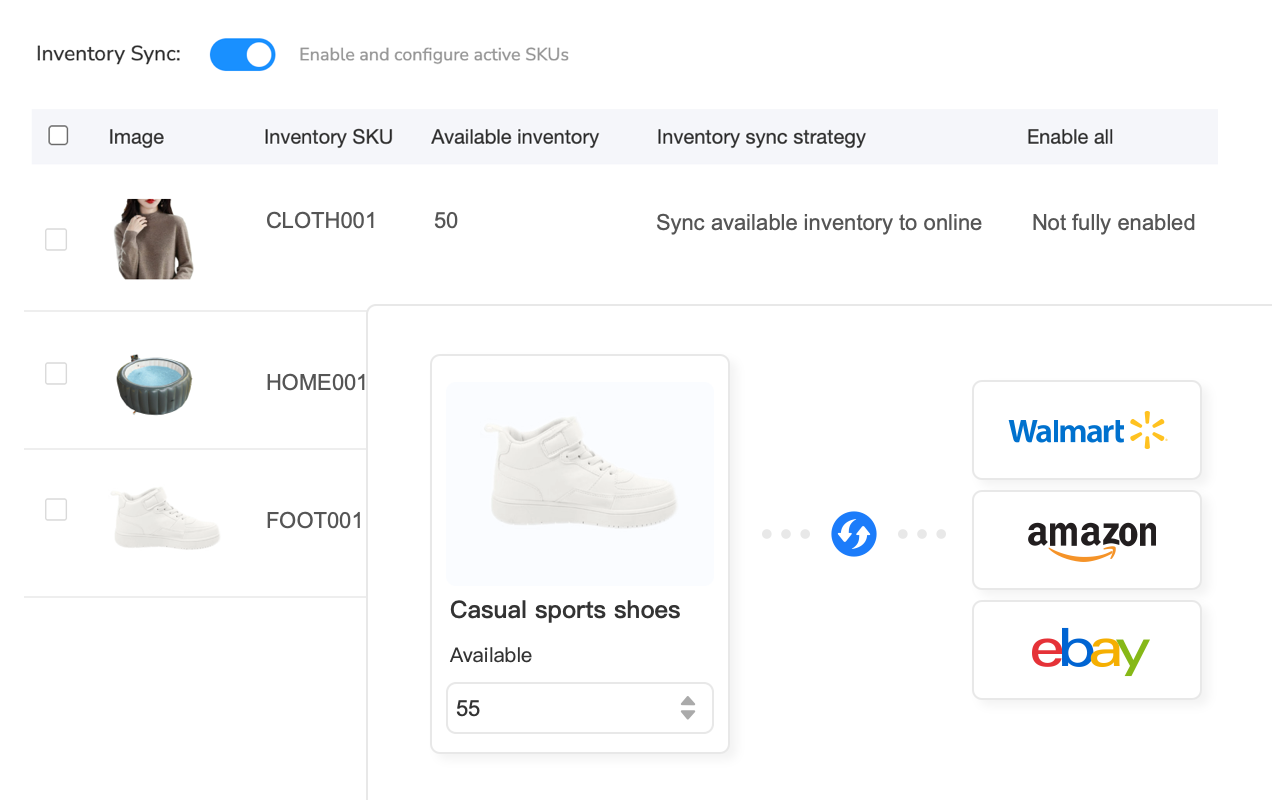
Real-time inventory sync solves the multi-channel chaos by creating a single source of truth for your stock levels. Instead of maintaining separate inventory counts on eBay, Amazon, and Walmart, you centralize everything in one system. When a sale happens on any platform, the system instantly updates available quantities across all other channels.
How Multi-Channel Inventory Sync Works
Centralized inventory sync operates through API connections to each sales channel. These APIs allow bidirectional communication – the system can read current inventory levels from each platform and write updated quantities back to them in real-time.
Here’s the typical flow: You list a product on eBay, Amazon, and Walmart with 10 units available. The inventory sync system monitors all three channels continuously (typically checking every 30-60 seconds). A customer purchases one unit on Amazon at 2:15 PM. Within seconds, Amazon’s API notifies the sync system of the sale. The system immediately calculates: Original quantity (10) minus sale (1) equals new available quantity (9). It then pushes this updated quantity to eBay and Walmart within 15-30 seconds of the Amazon sale completing.
This happens automatically, continuously, without any manual intervention. You don’t log into seller accounts. You don’t update spreadsheets. You don’t calculate quantities. The system handles everything based on actual sales data flowing through the API connections.
The Problem with Manual Inventory Updates
Managing inventory across eBay, Amazon, and Walmart manually means you’re constantly playing catch-up. Let’s quantify what this actually looks like for a seller with 300 SKUs across three platforms.
Morning inventory check (9-10 AM): Log into Amazon Seller Central, navigate to inventory management, scan quantities for products that might have sold overnight. Repeat for eBay Seller Hub. Repeat for Walmart Seller Center. Time invested: 45-60 minutes for a quick scan of 300 products.
Post-sale updates (throughout the day): You get an Amazon sale notification. You open eBay and Walmart, search for that specific SKU, manually reduce quantity by 1 on each platform. For 20 sales daily across platforms, this consumes another 40-50 minutes (2-2.5 minutes per manual update across channels).
Evening reconciliation (5-6 PM): Check all platforms again to catch any discrepancies from the day. Identify overselling situations. Place orders on hold. Contact customers. Update inventory again. Time: 60-90 minutes.
Total daily time: 145-200 minutes, or 2.4-3.3 hours. That’s 16-23 hours weekly just managing inventory. For a year, you’re spending 832-1,196 hours – nearly six months of full-time work – on manual inventory management. Tools that automate this process cut that time to 2-3 hours weekly (just monitoring and planning), recovering 780-1,147 hours annually.
Automated Inventory Sync Solutions
Sellers who’ve scaled beyond 100 SKUs or two platforms need automated inventory synchronization. The manual approach doesn’t just consume time – it guarantees errors during high-volume periods or when you take time off.
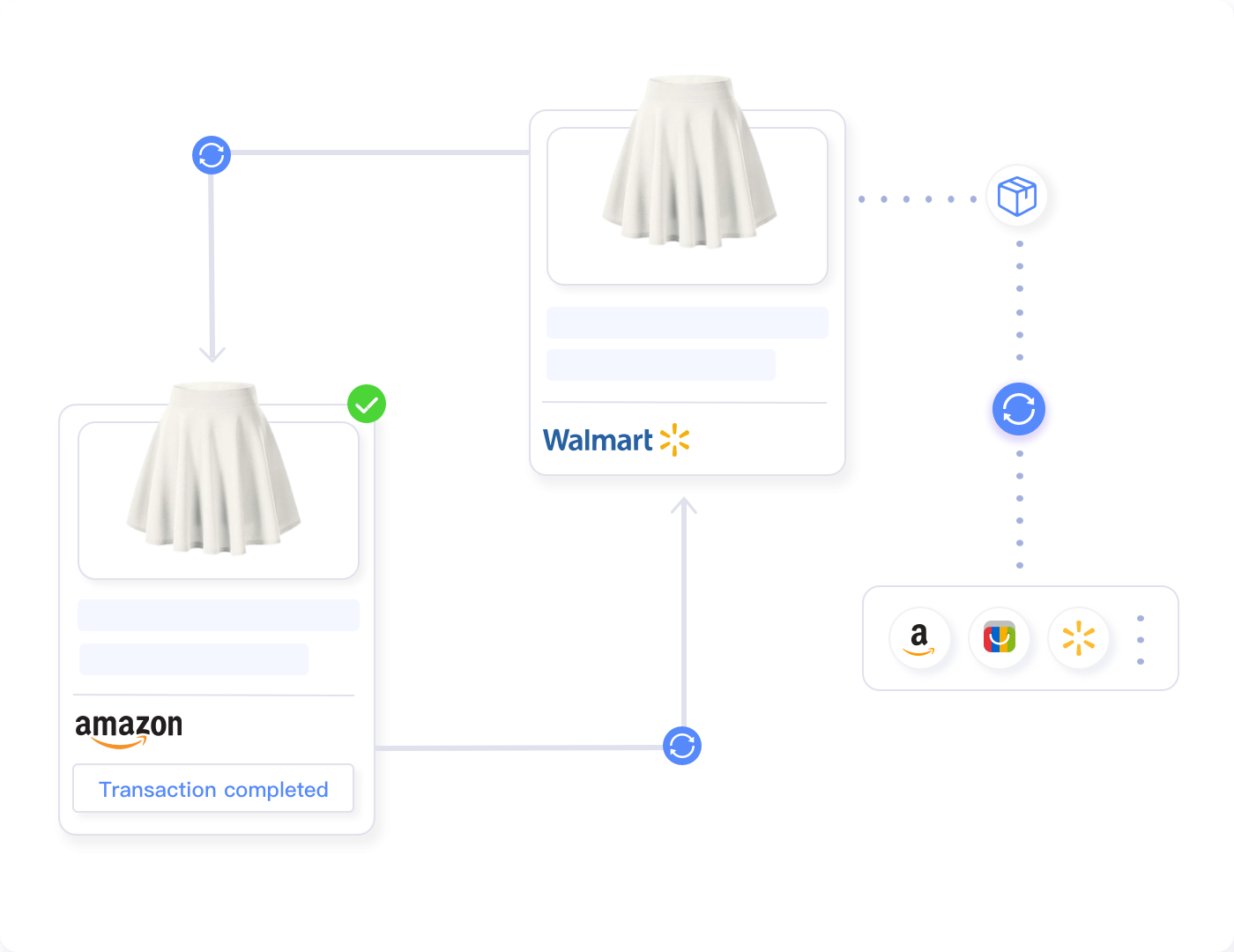
Inventory management software connects to your sales channels via official APIs, monitors transactions in real-time, and updates stock levels automatically across all platforms. Tools like Maxmerce’s Inventory Sync system handle this by maintaining a centralized inventory database that serves as your single source of truth.
When you make a sale on any connected channel, the system works through a specific sequence: First, it receives the sale notification from that platform’s API within seconds. Second, it identifies which SKU sold and checks your centralized inventory count. Third, it calculates the new available quantity (existing count minus sale quantity minus any reserved/pending inventory). Fourth, it pushes this updated quantity to all other connected sales channels via their APIs. Fifth, it logs the transaction for your records and reporting.
This entire process completes in 15-45 seconds depending on the platforms involved. By the time your Amazon customer receives their order confirmation email, your eBay and Walmart listings already reflect the reduced inventory count. You’ve prevented overselling before it could happen.
The time savings prove dramatic. That 2-3 hours daily you spent on manual updates becomes 10-15 minutes of monitoring the sync system to ensure it’s functioning correctly. For a 300-SKU catalog across three platforms, sellers using automated sync report recovering 14-18 hours weekly – time they redirect toward sourcing new products, optimizing listings, or expanding into new categories.
Implementation typically requires: connecting your sales channel accounts to the sync software (15-30 minutes per platform), mapping your SKUs across channels so the system knows which eBay listing corresponds to which Amazon ASIN (30-60 minutes for 300 SKUs with SKU matching tools), setting safety stock thresholds if desired (10-15 minutes), and configuring sync rules like update frequency and quantity buffers (10-20 minutes). Total setup for three platforms with 300 products: 3-4 hours. After that, the system runs continuously without daily intervention.
eBay Inventory Management Best Practices
Effective eBay inventory management requires more than just tracking quantities. You need eBay inventory management systems that prevent stockouts, optimize reorder timing, and maintain accuracy during high-volume periods. These eBay inventory management best practices separate sellers who scale successfully from those who plateau.
Set Safety Stock Thresholds
Safety stock acts as your buffer against unexpected demand spikes or supplier delays. Calculate it based on your average daily sales velocity and lead time for reordering. For example, if you sell 5 units daily and your supplier takes 7 days to ship, your minimum safety stock should be 35 units (5 units/day × 7 days). Add a 20% buffer for demand variability, bringing your reorder trigger to 42 units.
Don’t set the same safety stock percentage for all products. High-velocity items with reliable suppliers need smaller buffers (10-15% of lead time demand). Slow-moving products or items with unpredictable suppliers need larger buffers (30-40%). Products with seasonal demand spikes require dynamic safety stock calculations that adjust throughout the year.
Implement Low-Stock Alerts
Automated low-stock alerts prevent the catastrophic situation where you sell out completely and lose rankings while waiting for inventory. Set alerts at two levels: warning level (safety stock reached – time to reorder) and critical level (1-2 days of inventory remaining – expedite shipping if possible).
Configure alerts to consider sales velocity, not just absolute quantity. Having 50 units sounds safe until you realize you’re selling 30 units daily. That’s less than two days of stock. Velocity-based alerts calculate “days of inventory remaining” by dividing current quantity by average daily sales over the past 7-14 days. This provides more actionable warnings than simple quantity thresholds.
Reserve Inventory for Pending Orders
Inventory reservation prevents overselling during the payment processing window. When a customer starts checkout but hasn’t completed payment, reserve that quantity for 15-30 minutes. If they abandon the cart, release it back to available inventory. If they complete purchase, permanently deduct it.
This becomes critical during flash sales or promotional periods when multiple customers add the same product to their cart simultaneously. Without reservation, you might accept 10 orders for 7 remaining units because all customers were in checkout at the same time. Reservation systems lock those 10 units temporarily, preventing others from purchasing until the first customers either complete payment or their session expires.
Sync Across All Sales Channels
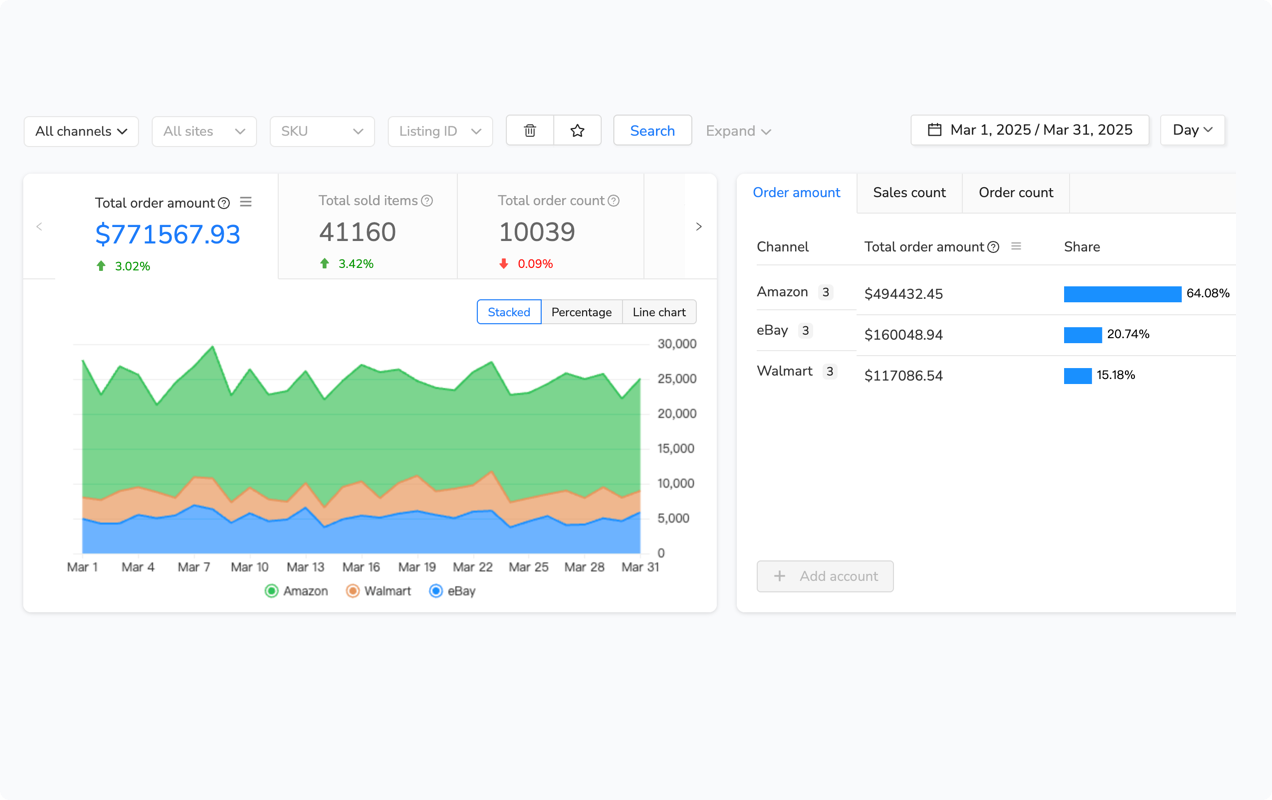
Multi-channel sync prevents the disaster scenario where eBay shows 10 units available while your actual warehouse stock sits at 2 units because you forgot to account for Amazon and Walmart sales. Every sale on any platform must immediately decrease available inventory on all other platforms.
Successful multi-channel sellers implement inventory sync that updates within 60 seconds of each sale. This near-real-time synchronization prevents the overselling window that occurs with hourly or daily batch updates. During Black Friday or Prime Day, that 60-second update window could be the difference between smooth operations and a customer service nightmare.
For sellers managing 500+ SKUs across multiple warehouses or fulfillment methods (some FBA, some self-fulfilled, some dropshipped), advanced inventory sync systems like Maxmerce’s centralized inventory management handle location-based allocation automatically. You specify which warehouse or fulfillment method serves which platform, and the system only syncs inventory from relevant locations. This prevents accidentally selling FBA inventory through your eBay self-fulfilled listings.
Monitor Inventory Turnover Rates
Inventory turnover reveals how efficiently you’re converting stock into sales. Calculate it monthly: (Cost of Goods Sold) ÷ (Average Inventory Value). Healthy turnover rates vary by category – electronics might turn 8-12 times annually, while furniture might turn 4-6 times. Knowing your category benchmarks helps you identify slow-moving inventory before it becomes dead stock.
Products with turnover below category average need action: discount pricing to clear them faster, bundle them with faster-moving items, or stop reordering until existing stock depletes. Products with extremely high turnover (selling out within days of restock) indicate you’re leaving money on the table by understocking. Increase order quantities to reduce stockout frequency.
Use SKU Standardization
Consistent SKU formatting across all platforms prevents the chaos of trying to figure out which eBay listing corresponds to which Amazon ASIN. Implement a SKU structure that embeds key information: category code, brand code, product identifier, and color/size variant if applicable.
Example structure: CAT-BRAND-PRODUCTID-VARIANT. A blue medium t-shirt from Nike might be: APP-NIKE-DRYFIT001-BL-M. This SKU works identically across eBay, Amazon, Walmart, and your internal systems. When inventory sync tools update quantities, they use these SKUs to match products across platforms without confusion.
Common eBay Inventory Management Mistakes to Avoid
Even experienced sellers fall into inventory management traps that cost them thousands in lost revenue and platform penalties. These mistakes compound over time, creating operational problems that eventually require complete system overhauls to fix.
Relying on Manual Updates Past 50 SKUs
Manual inventory management works fine when you’re selling 20-30 products on a single platform. You can check quantities daily, update them after each sale, and maintain accuracy without major time investment. However, this approach collapses once you cross 50 SKUs or add a second sales channel.
The breaking point happens because manual updates don’t scale linearly – they scale exponentially. Managing 50 SKUs takes 30-40 minutes daily. Managing 100 SKUs doesn’t take 60-80 minutes; it takes 120-150 minutes because you’re now dealing with more complex tracking, more frequent updates, and higher error risk requiring double-checking. Add a second platform, and you’ve tripled the time investment because you must update quantities in two places after each sale.
Sellers who push manual management beyond its practical limits report spending 4-6 hours daily on inventory tasks at the 200-300 SKU range across three platforms. That’s 28-42 hours weekly – a full-time job just managing stock levels. By the time they finally implement automation, they’ve wasted 6-12 months of potential growth time on administrative tasks that software handles in seconds.
Not Accounting for Pending Inventory
Available inventory isn’t just warehouse stock minus confirmed sales. You must subtract pending orders (awaiting payment), reserved inventory (in checkout carts), returns being processed, and damaged/unsellable units. Failing to account for these creates phantom inventory – units your system thinks you have but can’t actually sell.
Consider this scenario: You have 15 units in your warehouse. Two orders are awaiting payment confirmation (2 units reserved). One customer is in checkout with 1 unit in their cart. Three units are in return processing. One unit arrived damaged. Your actual available inventory is 8 units (15 – 2 – 1 – 3 – 1), not 15. If your eBay, Amazon, and Walmart listings all show 15 units available, you’re heading for overselling.
Ignoring Returns in Stock Calculations
Returns create inventory accounting nightmares because you can’t immediately make returned items available for sale. They need inspection, cleaning, repackaging, and quality checks. During this 2-7 day processing period, those units exist in limbo – they’re back in your possession but not sellable.
Create a returns processing workflow: When customers initiate returns, mark those units as “return pending” (not yet received). When items arrive, mark them as “return processing” (received but not yet inspected). After inspection, mark them as “return to stock” (ready to sell) or “return disposal” (damaged beyond resale). Only units marked “return to stock” should be added back to available inventory counts.
Using Spreadsheets Instead of Specialized Software
Spreadsheets work for basic inventory tracking when you’re starting out. However, they become liability generators as you scale. Spreadsheets don’t automatically update when sales occur. They can’t push quantity changes to your sales channels. They require manual data entry (hello, human error). They don’t handle complex scenarios like multi-location inventory, bundled products, or time-based promotions.
The spreadsheet trap catches sellers who think “I’ll just upgrade my Excel skills” instead of “I need proper inventory management software.” You end up building increasingly complex formulas, macros, and data validation rules. You spend hours troubleshooting why quantities don’t match. You discover your assistant has been entering data in the wrong columns for three weeks. Eventually, you realize you’ve wasted months building a inferior version of what inventory software does out of the box.
| Mistake | Consequence | Solution | Implementation Time |
|---|---|---|---|
| Manual updates past 50 SKUs | 4-6 hours daily on admin tasks, frequent errors | Automated inventory sync software | 3-4 hours initial setup |
| Not tracking pending inventory | Overselling during checkout, angry customers | Inventory reservation system | 15-30 min configuration |
| Ignoring returns in calculations | Selling units still in return processing | Returns workflow with status tracking | 30-45 min process setup |
| Relying on spreadsheets | Manual errors, no real-time updates | Cloud-based inventory platform | 2-3 hours migration |
| No safety stock buffers | Frequent stockouts, lost rankings | Velocity-based safety stock rules | 45-60 min per product category |
Failing to Plan for Seasonal Demand
Products with seasonal demand patterns require dynamic inventory management. Toys sell 5x higher volume in Q4 than Q2. Fitness equipment spikes in January. Air conditioners move in summer. If you use static reorder points year-round, you’ll either overstock during slow seasons (tying up capital) or understock during peak seasons (missing revenue).
Build seasonal demand curves using historical sales data. For each product category, calculate average monthly sales velocity over the past 2-3 years. Identify peak months, slow months, and transition periods. Adjust your safety stock levels, reorder points, and order quantities to match expected demand. Increase inventory heading into peak season. Reduce it heading into slow periods. This dynamic approach optimizes cash flow while maintaining availability.
Advanced eBay Inventory Management Techniques for Multi-Channel Sellers
Once you’ve mastered basic eBay inventory management, these advanced eBay inventory management techniques help you optimize performance, reduce carrying costs, and scale more efficiently across multiple platforms.
Implement ABC Inventory Analysis
ABC analysis categorizes inventory based on value and velocity. Category A products (20% of SKUs) generate 80% of revenue. Category B products (30% of SKUs) generate 15% of revenue. Category C products (50% of SKUs) generate 5% of revenue. This distribution follows the Pareto principle and reveals where to focus your optimization efforts.
Manage each category differently. Category A deserves intense focus: track quantities daily, maintain higher safety stock, enable real-time sync across all channels, and invest in demand forecasting. These products drive your business – running out costs you thousands. Category B gets moderate attention: check quantities weekly, use standard safety stock, sync hourly or daily. Category C receives minimal oversight: update quantities when convenient, accept occasional stockouts on slow movers, and consider liquidating products that haven’t sold in 6-12 months.
Use Demand Forecasting
Demand forecasting predicts future sales based on historical patterns, seasonal trends, and market factors. This prevents the reactive inventory management trap where you’re constantly restocking after sellouts or discounting excess inventory after overordering.
Basic forecasting uses moving averages: calculate average daily sales over the past 30, 60, and 90 days. Weight recent data more heavily (70% weight to 30-day average, 20% to 60-day, 10% to 90-day). Project this forward to estimate demand for your reorder lead time. Advanced forecasting incorporates seasonal adjustment factors, trend analysis, and promotional impact modeling.
Optimize Warehouse Locations
Multi-location inventory management reduces shipping times and costs by positioning stock closer to customers. If you sell nationally, consider FBA for Amazon sales, your own warehouse for eBay/Walmart, and possibly a West Coast warehouse if you’re based on the East Coast (or vice versa).
The complexity comes from allocating inventory across locations. Which products go to which warehouse? How much stock at each location? Tools like Maxmerce’s multi-location inventory tracking handle this by analyzing where each product sells fastest geographically. Products with heavy California demand get stocked at your West Coast facility. Products popular in the Northeast go to your East Coast location. The system automatically routes orders to the nearest warehouse with available inventory.
Bundle Products Strategically
Product bundling increases average order value while moving slow-selling inventory faster. However, bundles create inventory management complexity because you’re selling multiple SKUs as a single unit. When someone buys your “Gaming Setup Bundle” containing a headset, keyboard, and mouse, your system must deduct one unit of each component from available inventory.
Configure bundle inventory tracking correctly: Create the bundle as a virtual SKU in your system. Map it to the component SKUs (3 individual products in this example). Set bundle availability based on the component with lowest stock. If you have 10 headsets, 15 keyboards, and 8 mice, only 8 bundles are available (limited by mice inventory). When a bundle sells, automatically deduct one unit of each component from your inventory counts across all platforms.
Implement Just-In-Time Reordering
Just-in-time inventory minimizes carrying costs by ordering products just before you need them. Instead of keeping 90 days of inventory in your warehouse (tying up capital and paying storage fees), you maintain 14-21 days of stock and reorder frequently in smaller quantities.
This works best for products with: reliable suppliers who ship within 5-7 days, consistent demand without major spikes, low per-unit storage costs that make frequent reordering economical, and high capital costs where reducing inventory frees significant cash. It works poorly for products with: unreliable suppliers or long lead times, seasonal or unpredictable demand, or where bulk ordering provides significant per-unit discounts.
eBay Inventory Management Software Comparison
Choosing the right eBay inventory management software determines whether you spend hours daily fighting eBay inventory management problems or minutes weekly monitoring automated eBay inventory management systems. The wrong eBay inventory management software choice costs you more than subscription fees – it costs you time, accuracy, and growth potential.
Essential Features for Multi-Channel Sellers
Effective inventory management software must include real-time synchronization across all your sales channels. Updates should complete within 60 seconds of each sale, not hourly batch updates that leave gaps for overselling. The system needs official API connections to eBay, Amazon, and Walmart – not screen-scraping workarounds that break when platforms update their interfaces.
Centralized inventory management gives you a single dashboard showing stock levels across all channels and locations. You shouldn’t need to log into separate seller accounts to check quantities. The dashboard should display available inventory, reserved inventory, incoming stock, and velocity metrics for each SKU.
Low-stock alerts prevent stockouts by notifying you when quantities drop below your defined thresholds. Configure alerts based on days of inventory remaining, not just absolute quantities. You need different thresholds for fast-movers (alert at 7 days remaining) versus slow-movers (alert at 14 days remaining).
Inventory reservation systems lock quantities during checkout to prevent overselling during payment processing. This becomes critical during promotional periods when multiple customers add the same product to cart simultaneously.
Maxmerce Inventory Management Capabilities
Managing inventory across eBay, Amazon, and Walmart without automation guarantees overselling during high-volume periods. Manual updates can’t keep pace with sales velocity during promotions or seasonal peaks. The 2-4 hour delay between a sale on one platform and manually updating the other platforms creates the overselling window that damages your seller metrics.
Inventory management platforms designed for multi-channel sellers address this through continuous synchronization. Maxmerce’s Inventory Sync monitors all connected sales channels simultaneously, tracking sales as they occur and pushing quantity updates to other platforms within seconds.
The system works through a specific operational flow: When a customer completes checkout on eBay, eBay’s API sends the order details to Maxmerce’s platform. The system identifies which SKU sold and checks your centralized inventory database. It calculates new available quantity by subtracting the sale from your total stock and accounting for reserved inventory, pending orders, and any warehouse quantities marked as unavailable. Within 30-45 seconds, it pushes this updated quantity to Amazon and Walmart via their respective APIs.
This prevents the scenario where you sell out on eBay at 2 PM but your Amazon and Walmart listings still show “In Stock” at 4 PM because you haven’t manually updated them yet. By the time your eBay customer receives their order confirmation email, your other channels already reflect the reduced inventory.
For sellers managing 500+ SKUs across three platforms, this automation cuts daily inventory management time from 3-4 hours to 15-20 minutes of system monitoring. The 14-18 hours recovered weekly can be redirected toward sourcing better products, optimizing pricing strategies, or expanding into new categories – activities that actually grow revenue rather than just maintaining operations.
Implementation requires connecting your eBay, Amazon, and Walmart seller accounts to the platform (approximately 15-20 minutes per channel using OAuth authentication), mapping your SKUs so the system knows which product listings across platforms represent the same physical inventory (30-45 minutes for 300 SKUs using SKU matching tools), configuring sync rules like update frequency and safety stock buffers (10-15 minutes), and conducting a test order on each platform to verify quantities update correctly (20-30 minutes). Total setup time for three channels with 300 products: approximately 3-4 hours. After initial configuration, the system operates continuously without daily manual intervention.
| Task/Challenge | Manual Approach | Maxmerce Solution | Time Savings |
|---|---|---|---|
| Updating inventory after sales | Log into each platform, search SKU, manually reduce quantity (2-3 min per sale) | Real-time Inventory Sync updates all platforms within 30-60 seconds automatically | 90% reduction (30-60 min → 3-5 min daily) |
| Checking stock levels across channels | Open Seller Central, Seller Hub, Walmart Seller Center separately (60-90 min daily) | Unified dashboard shows all inventory in single view with real-time accuracy | 85% reduction (75 min → 10 min daily) |
| Preventing overselling | Maintain safety stock buffers, accept reduced sellable inventory and occasional overselling | Automated sync prevents 95% of overselling incidents through instant quantity updates | Eliminates 95% of overselling problems |
| Managing 500+ SKUs multi-channel | 3-4 hours daily tracking, updating, reconciling inventory across platforms | Continuous automated sync with 15-20 min daily monitoring and occasional adjustment | 92% reduction (3.5 hours → 20 min daily) |
Integration Requirements
When evaluating inventory management software, verify it connects directly to your platforms via official APIs, not browser extensions or screen-scraping methods. API integrations remain stable when platforms update their interfaces. Screen-scraping tools break constantly, leaving you without inventory sync at critical moments.
The software should support your current platforms (eBay, Amazon, Walmart) and any platforms you’re considering for future expansion (Shopify, Etsy, Facebook Marketplace). Switching inventory systems after you’ve configured everything is painful. Choose a platform that grows with your business from the start.
Frequently Asked Questions
What is eBay inventory management?
eBay inventory management is the process of tracking, organizing, and synchronizing product stock levels across your eBay store and other sales channels. eBay inventory management includes monitoring quantities, updating listings in real-time, preventing overselling, and maintaining accurate stock data across multiple platforms. Proper eBay inventory management helps you avoid cancellations and account penalties while maintaining seller performance standards.
How do I sync inventory across eBay, Amazon, and Walmart?
Multi-channel eBay inventory management sync requires centralized software that monitors stock levels across all platforms and updates them in real-time. When a sale occurs on any channel, the eBay inventory management system instantly decreases available quantity on all other platforms within 30-60 seconds, preventing overselling situations that damage seller ratings and cost you customers.
What causes overselling on eBay?
Overselling happens when you sell the same product on multiple platforms without real-time eBay inventory management synchronization. A sale on Amazon doesn’t automatically update your eBay inventory management quantities, leading to orders you can’t fulfill. This damages seller ratings, increases Order Defect Rate, and can result in account penalties or suspension if it occurs frequently.
Can I manage eBay inventory manually?
Manual eBay inventory management works for small catalogs (under 50 SKUs on one platform). However, once you sell on multiple channels or exceed 100 products, manual eBay inventory management becomes impractical. You’ll spend 3-4 hours daily on eBay inventory management tasks like checking stock and updating listings across platforms, with high error risk during busy periods or promotional events.
How does eBay inventory management sync prevent overselling?
eBay inventory management sync systems monitor all connected sales channels continuously via API connections. When eBay inventory drops to zero on any platform, the eBay inventory management system immediately updates all other channels within seconds to prevent additional sales. This real-time eBay inventory management synchronization eliminates the 2-4 hour delay that causes overselling with manual updates, protecting your seller metrics.
What happens if I oversell on eBay?
Overselling forces you to cancel orders, which increases your Order Defect Rate (ODR) and damages customer trust with poor eBay inventory management. eBay’s ODR threshold is 2% – exceed it and risk account suspension. Additionally, customers who receive cancellation notifications rarely return (85% permanent loss rate), and you waste any advertising spend that drove those unsuccessful sales.
How often should I check my eBay inventory?
With manual eBay inventory management, check inventory 2-3 times daily minimum, with updates after every sale across all platforms. With automated eBay inventory management sync, checking once daily for monitoring purposes is sufficient since the eBay inventory management system handles real-time updates automatically. During high-volume periods like Black Friday, automated eBay inventory management systems eliminate the need for constant manual checking entirely.
Do I need different SKUs for each platform?
No, use the same SKU across all platforms for easier inventory management. Standardized SKUs allow inventory sync software to match products across eBay, Amazon, and Walmart automatically. Create a SKU structure that includes category, brand, product ID, and variant information for maximum clarity and system compatibility.
How much safety stock should I maintain?
Calculate safety stock for eBay inventory management as: (Average Daily Sales × Supplier Lead Time Days) + 20% buffer. For example, if you sell 5 units daily and your supplier takes 7 days to ship, maintain 42 units minimum (5 × 7 × 1.2) in your eBay inventory management system. Adjust this eBay inventory management calculation seasonally – increase buffers before peak seasons and reduce them during slow periods to optimize cash flow.
Can I use Excel for eBay inventory management?
Excel works for basic eBay inventory management with under 50 SKUs on one platform. However, spreadsheets can’t automatically update when sales occur, push changes to sales channels, or handle complex eBay inventory management scenarios like multi-location inventory or bundled products. Most sellers outgrow Excel by 100 SKUs or when they add a second sales channel, requiring dedicated eBay inventory management software for efficient operations.
Automate Your eBay Inventory Management Today
Stop wasting hours on manual eBay inventory management updates and start focusing on growing your business. Maxmerce’s automated inventory sync eliminates overselling across eBay, Amazon, and Walmart with real-time eBay inventory management synchronization that updates all platforms within seconds of each sale.
Manage 500+ SKUs across multiple channels in just 15-20 minutes daily instead of 3-4 hours with eBay inventory management automation. Prevent the 95% of overselling incidents caused by manual update delays. Recover 14-18 hours weekly to invest in revenue-generating activities like product sourcing and listing optimization.
Start your 14-day free trial today – no credit card required. Connect your sales channels in minutes and experience automated eBay inventory management that scales with your business.
