Amazon Vacation Mode: Plan the Work That Continues
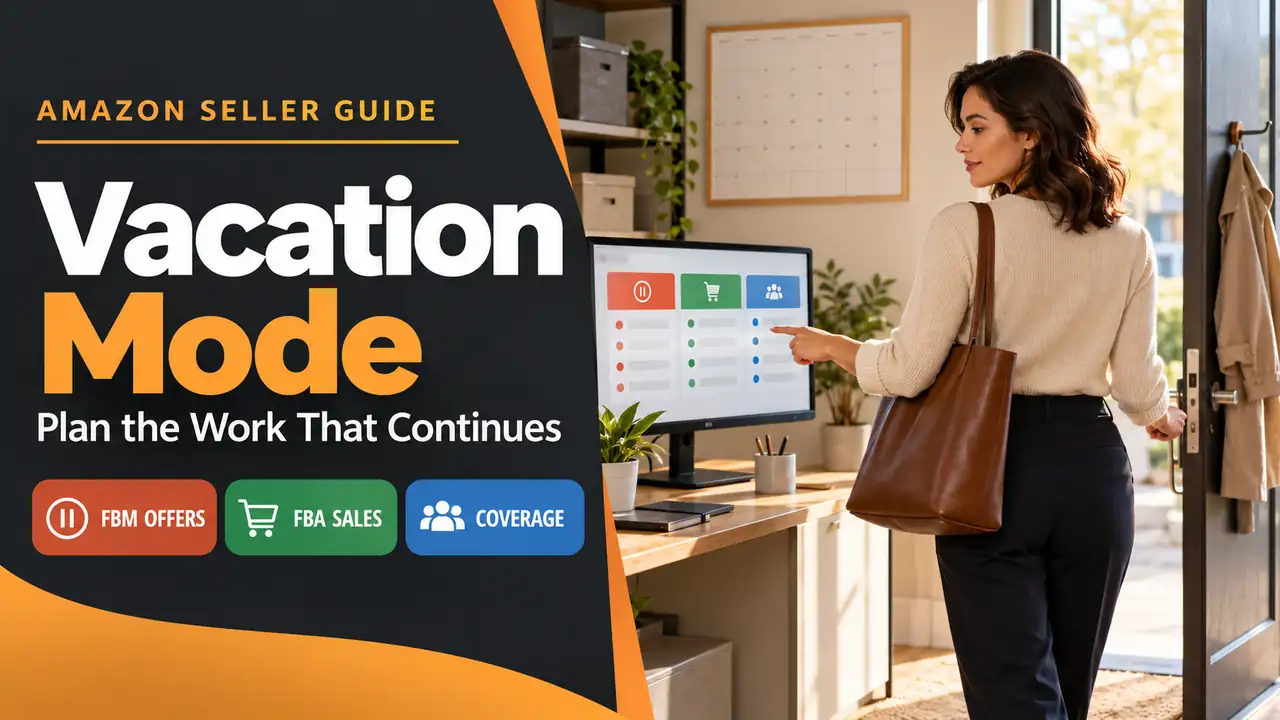
Amazon vacation mode makes seller-fulfilled listings inactive for the selected marketplace; Amazon says they leave product detail pages and search results within one hour. FBA offers stay active, pending orders are not canceled automatically, and messages and return requests still need attention. Check the live setting and assign those continuing tasks before you leave.
Use the setting before you lose the ability to fulfill orders. Then give the work that remains to someone who can actually do it. A seller leaving a packing bench unattended needs both a marketplace-status check and a coverage plan.
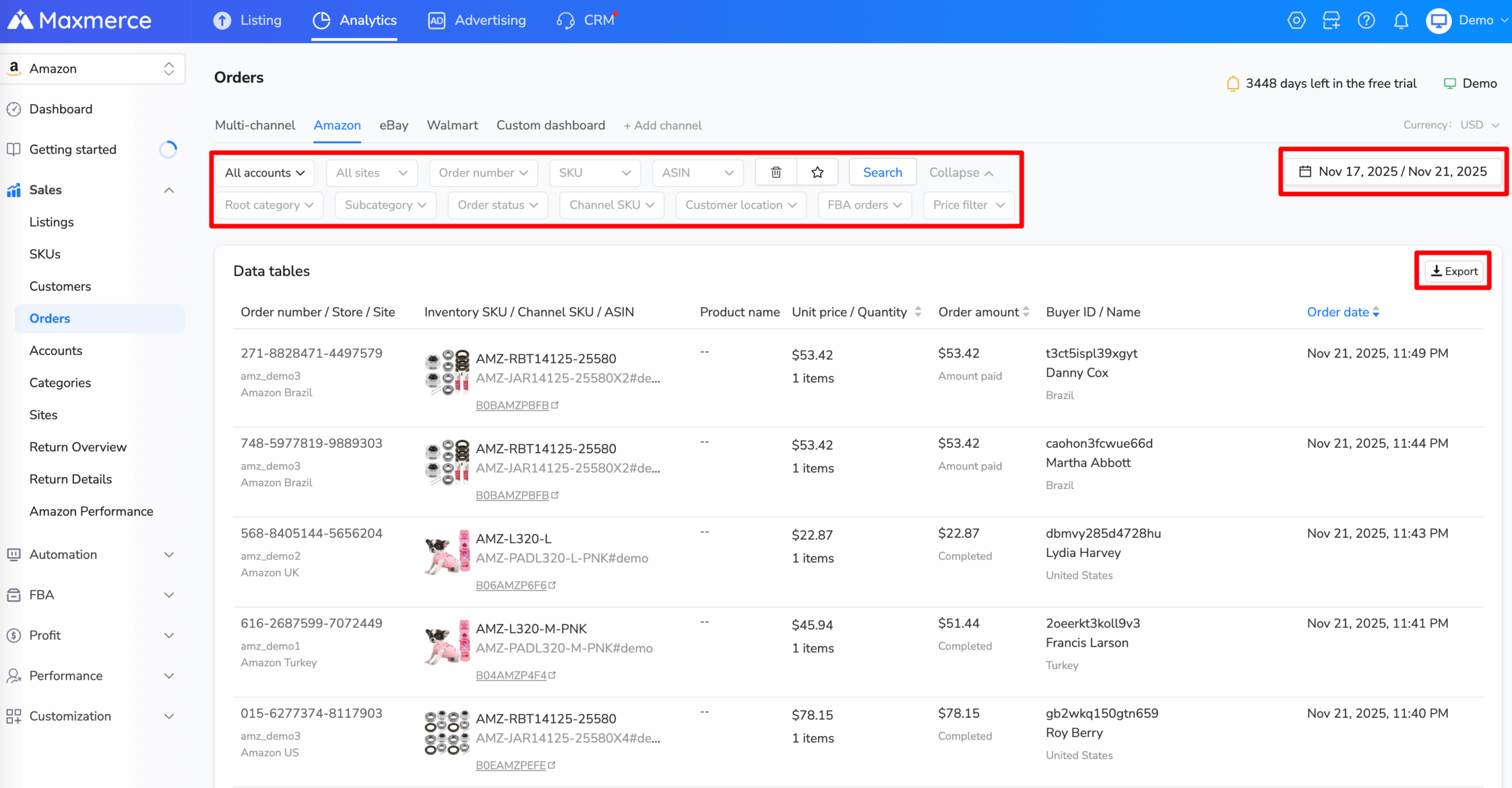
Maxmerce Analytics includes an Amazon Orders report with account, order, status and FBA filters. It can help a team locate open work before departure; confirm every action in Seller Central, which remains the source for the vacation setting and order status.
Make a roster for before, during and after the absence
Seller best practice: use the following handover table as an internal planning aid. Amazon documents the setting and continuing obligations; the roster is an original way to connect them to an owner and an observed result. It is not an Amazon form or an account-health guarantee.
| Stage | Work to assign | Evidence to keep privately |
|---|---|---|
| Before leaving | Check pending orders, choose the intended marketplace scope and set seller-fulfilled listings inactive. | The actual order status, chosen marketplace, saved setting and time checked. |
| While away | Process return requests and respond to customer messages within 24 hours, as the US help requires. Assign someone with suitable account access. | A named coverage owner, a backup and a way to catch requests that still need action. |
| Before reopening | Confirm that stock, packing staff and the carrier handoff are ready; resolve outstanding work. | A readiness check for the items you will fulfill yourself. |
| After reopening | Set the intended marketplace back to Active and check the saved setting and offer visibility. | What changed, when it was checked and any mismatch still requiring investigation. |
Give the owner of each continuing task access before the handover. A written roster is useful only if the named person can open the right account area and knows which cases still need a response.
Do not put customer names, order details or account-access information into a public checklist or product listing. Keep operational records in your approved private workspace. The absence plan should tell a colleague where to find the authorized record, rather than copy sensitive data into another tool.
Turn on vacation mode for the right marketplace
Amazon’s Seller Central guidance on vacation mode describes changing the listing status from Active to Inactive in Vacation Settings. Its interface may show a per-marketplace toggle. Use the labels in your own account and verify the marketplace scope before saving.
The current US help describes an Active/Inactive interface. Follow the labels and help shown in your own Seller Central account:
- Open Settings > Account Info. In Store Status, choose Vacation Settings.
- Check whether you are changing one marketplace or all listed marketplaces. Amazon documents both individual and all-marketplace controls for sellers with multiple marketplaces.
- Select Inactive for the intended scope, then Save.
- Allow the documented one-hour change window, then check the saved status and affected self-fulfilled offers. Keep an unexpected result open for investigation.
Check pending orders before changing the setting. Amazon says they will not automatically be canceled and may take time to resolve, so it suggests making listings inactive ahead of the date you will be away. Do not invent one universal departure buffer: use your real pending work and the documented change window.
If the account uses the toggle wording, reconcile the selected marketplace and saved vacation status rather than looking for a radio button that is not there. This guide does not claim to have tested a signed-in Seller Central screen or provide a reconstructed screenshot.
Separate two fulfillment methods and the orders already placed
Consider a fictional US seller with two offers: a notebook shipped from the seller’s own packing room and a mug fulfilled through FBA. The seller turns on vacation mode for the US marketplace before leaving.
| Item or work | What the setting does | What the seller still checks |
|---|---|---|
| Self-fulfilled notebook offer | The US help says self-fulfilled listings are removed within one hour of becoming inactive. | The intended marketplace and offer reflect the saved setting. Do not treat label creation or a travel date as proof. |
| FBA mug offer | FBA listings remain active. | Do not interpret vacation mode as a stop-sales control for FBA. Follow the applicable FBA process if a different action is needed. |
| Notebook order already pending | The setting does not automatically cancel it. | Resolve the actual order through the supported workflow and arrange fulfillment where required. Do not assume it disappeared with the offer. |

The example is about offer status and existing work, not a recommendation to switch fulfillment methods immediately before a trip. Moving a product to FBA is a separate inventory and fulfillment decision; this setting does not make that transfer.
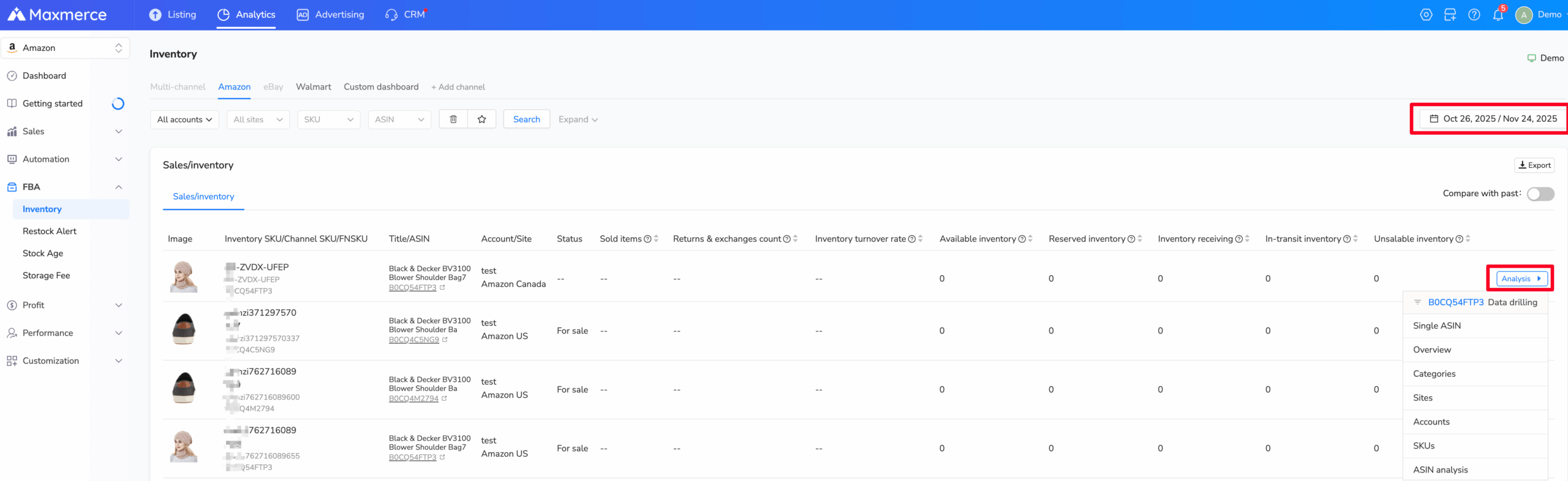
The Maxmerce Amazon FBA inventory report can help the team review available and reserved FBA units while away. This is a reporting view; it does not pause FBA sales or change Amazon’s vacation setting. Check the current Seller Central record before making a fulfillment decision.
Arrange coverage for messages and return requests
Required by the US help: even when listings are inactive, you must process return requests and respond to customer messages within 24 hours. An empty packing room, an out-of-office note or a saved vacation setting does not replace that work.

Amazon also describes return-request emails containing Authorize, Close or Reply links and the option for Amazon to authorize returns automatically. Review the applicable settings and case requirements before relying on automation. An authorization is not proof that every remaining return task has been completed.
Seller best practice: name a primary owner and a backup before leaving. Check that they can reach the right account areas, understand which cases need escalation and know when the coverage period ends. A colleague’s name in a spreadsheet is not evidence that access works.
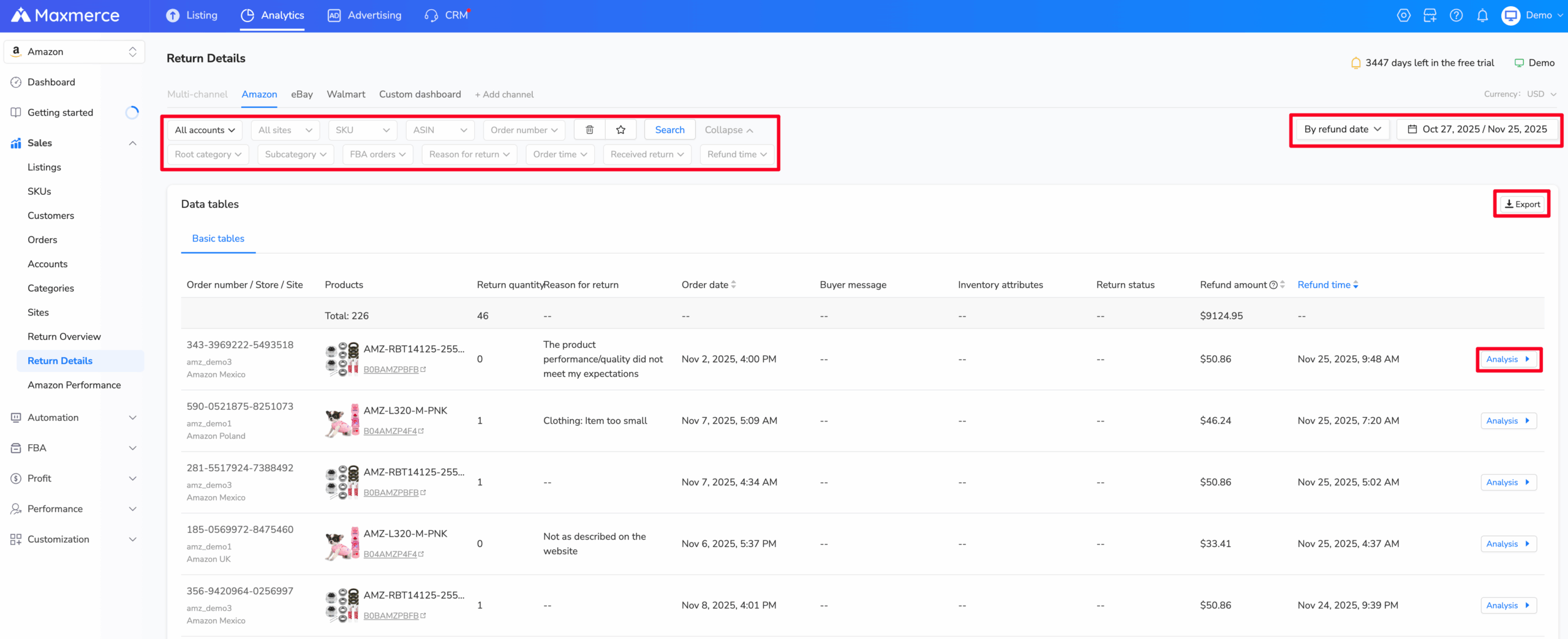
Maxmerce Amazon Return Details can help a coverage owner find returns by order number, SKU, return reason and date. Use it to review the queue; the assigned person must still handle the actual request and buyer message in the authorized Amazon workflow.
Use the quieter period for review, after coverage is assigned
Amazon says sellers can still create and edit listings while seller-fulfilled offers are inactive; those changes appear when the offers return to Active. Treat catalog work as optional. First resolve orders already placed and give customer messages and returns an owner.
Use a quiet period to check product facts, stock counts and draft copy for planned offers. Any change to a listing should be reviewed against the item and current marketplace requirements before the team reactivates seller-fulfilled sales.
Keep the vacation setting in Seller Central and the handover record with the responsible seller. A separate analytics report or catalog edit does not turn vacation mode on, close a pending order or answer a customer message.
Reopen only when the fulfillment team is ready
Before returning the marketplace to Active, check the physical stock, packing coverage and carrier handoff for the self-fulfilled offers you intend to sell. Review any catalog changes made during the pause. These readiness checks are editorial best practice, not additional settings documented by Amazon.
Then return to Vacation Settings, choose Active for the intended scope and save. Amazon says listings will reappear within one hour. Record the observed result rather than promising immediate visibility or a particular sales recovery.
A compact handover record can contain five fields: marketplace scope, saved status, time checked, continuing-duty owner and unresolved work. Complete the same record when reopening. If the saved setting and observed offers disagree, investigate that discrepancy instead of assuming a second toggle will fix it.
Frequently asked questions
Does Amazon vacation mode stop monthly subscription fees?
No. The US help says applicable monthly subscription fees continue while listings are inactive. It discusses changing selling plans separately; do not treat vacation mode as closing an account or canceling a subscription.
Why can I not edit the vacation setting?
Check that you are in the correct seller account and marketplace, then ask the account administrator to review your permissions. If the control is still unavailable, use Seller Central support rather than sharing another user’s credentials.
Does this setting fix a suppressed or unsearchable ASIN?
It is intended for an absence when you cannot fulfill orders. The help points sellers with unrelated unsearchable, blocked or pricing-error listings to separate troubleshooting pages. Identify the actual cause rather than using vacation mode as a general listing repair.
Do FBA listings stop selling during vacation mode?
No. Amazon says FBA offers remain active when seller-fulfilled listings are set to Inactive. Plan separate FBA inventory and customer-service coverage if those offers continue to receive orders.
Amazon Seller Central vacation guidance reviewed October 29, 2026. The roster and mixed-fulfillment example are original editorial aids; verify the live account before acting.