Amazon Brand Analytics: Choose the Right Report

Amazon Brand Analytics is a set of Seller Central dashboards for reviewing aggregate customer search, purchase and brand-performance data. Start with the business question, then choose the report that measures it. Search activity, repeat purchases and products bought together are different observations; one dashboard cannot answer every question.
Before opening a report, confirm access: Amazon requires a Professional selling account and the Brand Representative selling role for a brand enrolled in Brand Registry. Then record the marketplace, period and product or brand scope before using the result to propose a change.

Check the access requirements separately
The official Amazon Brand Analytics tool page lists the Professional account and Brand Representative requirements. It explains that a Rights Owner can enroll the brand, while an employee of an enrolled brand can ask the Rights Owner or another Administrator to assign the Brand Representative selling role.
Do not assume that paying for a Professional plan, selling a branded product or having a general account permission establishes all of those conditions. Verify the plan, the brand’s enrollment and the actual role. Amazon’s entry route is Brands → Brand Analytics in Seller Central.
This is a public guidance review, not a check of your account. If access is missing, establish which requirement or account permission needs attention through the appropriate administrator or support process. A keyword research tool is not a substitute for a required Amazon role.
Choose the dashboard from the question
Amazon’s Brand Analytics guide describes several search and customer-behavior reports. The following original routing table adds a decision boundary to each use: what the observation can help investigate, and what it cannot establish on its own.
| Question to investigate | Report to start with | Boundary before acting |
|---|---|---|
| How do shoppers interact with our products in search? | Search Catalog Performance: impressions, clicks, cart adds, purchases and related funnel metrics. | A drop-off locates a question; it does not identify a single cause. |
| Which queries lead customers to our products? | Search Query Performance: query activity and the brand or ASIN view offered in the report. | Preserve the exact query, scope and selected period before comparing. |
| Which search terms and clicked products are prominent? | Top Search Terms: search-frequency rank and leading clicked products, brands or categories. | Relative search popularity is not an exact monthly search count. |
| Which products or brand activity show repeat buying? | Repeat Purchase Behavior: repeat orders, sales and customer measures in the available view. | A count and a percentage can move differently; keep their comparison groups. |
| What aggregate audience information is available? | Demographics: audience characteristics for qualifying US-store ASINs. | Eligibility and display thresholds matter; a missing row is not zero customers. |
| What products are frequently purchased together? | Market Basket Analysis: frequently co-purchased products. | Association does not prove demand for a new bundle or permission to create one. |
| How are our brand audience segments changing? | Customer Loyalty Analytics: the audience segments and trends provided. | Do not treat an aggregate segment as an individual customer diagnosis. |
The current tool page also names Customer Journey Analytics. Treat this table as a routing aid for the documented questions above, not an exhaustive or permanently fixed list of available dashboards. Inspect the current account’s report descriptions before relying on additional metrics or controls; this article does not reconstruct a dashboard from marketing copy.
Keep four comparison gates with every report
- Same question. “Why did repeat revenue change?” and “Which query brings clicks?” require different evidence. Do not select a dashboard merely because it contains a favorable number.
- Same scope. Preserve the Amazon store, brand or ASIN view and exact product configuration where applicable. A brand-wide pattern does not automatically describe every ASIN.
- Same period. Keep the selected dates and the observation time. Do not present a partial current window as directly equivalent to a completed prior period without explaining that limitation.
- Same metric. Preserve the displayed unit and definition. A rank, count, percentage and modeled estimate are different inputs.
For a separate keyword-discovery workflow, use the Maxmerce Amazon keyword research tool. Keep its estimates and suggestions labeled separately from Amazon-owned Brand Analytics metrics rather than turning every number into “search volume.”
Separate the observation from the proposed change
Seller best practice: complete the following record before changing a listing, price, catalog plan or campaign. It is an original editorial template, not an Amazon-required file. Use authorized aggregate data and keep account evidence private.
| Record | What to write | Release check |
|---|---|---|
| Business question | One concrete question and the decision it may affect. | The selected report measures the relevant behavior. |
| Report and scope | Dashboard, store, brand/ASIN view, selected period and retrieval time. | The comparison uses compatible records and definitions. |
| Observation | What the report actually shows, including blanks or display limits. | No missing value has been converted to zero or an individual customer claim. |
| Hypothesis | One possible explanation and credible alternatives. | The wording distinguishes a hypothesis from a demonstrated cause. |
| Next check or test | Additional evidence, permitted change, owner and review time. | The test can answer the question without unsupported promises. |
| Result | A fresh observation and what remains unresolved. | A submitted edit is not recorded as a proven performance improvement. |
Use the report without overreading it: three fictional cases
A search problem. A seller sees fewer purchases for a particular product over two selected periods. Search Catalog Performance is a starting point for locating changes in its search funnel. Search Query Performance can then help investigate relevant queries. The team still checks compatible periods, product availability and other dated changes before attributing the result to copy. A weaker purchase result alone does not prove that a keyword caused it.
A repeat-business question. A brand sees lower repeat-order revenue and assumes that every customer has become less loyal. The team checks Repeat Purchase Behavior for the available view and compares counts with rates in the same period. Customer Loyalty Analytics may provide a separate segment trend. Neither report, by itself, proves why a particular person did or did not reorder.
A possible product combination. Market Basket Analysis shows a product frequently bought with a related accessory. The team records this as a combination worth investigating. It still checks product compatibility, economics and the rules of any intended bundle program before making an offer. Co-purchase is evidence of an association, not a pre-approved bundle or a sales guarantee.

These cases illustrate report selection and reasoning. They contain no customer records or observed account results.
Keep Amazon Brand Analytics separate from operational dashboards
Amazon Brand Analytics is an Amazon-owned set of Seller Central reports. A team may also use operational analytics for listings, keyword monitoring and customer trends, but those views have different sources, scopes and definitions. Label the source beside every exported metric before combining evidence in a decision record.
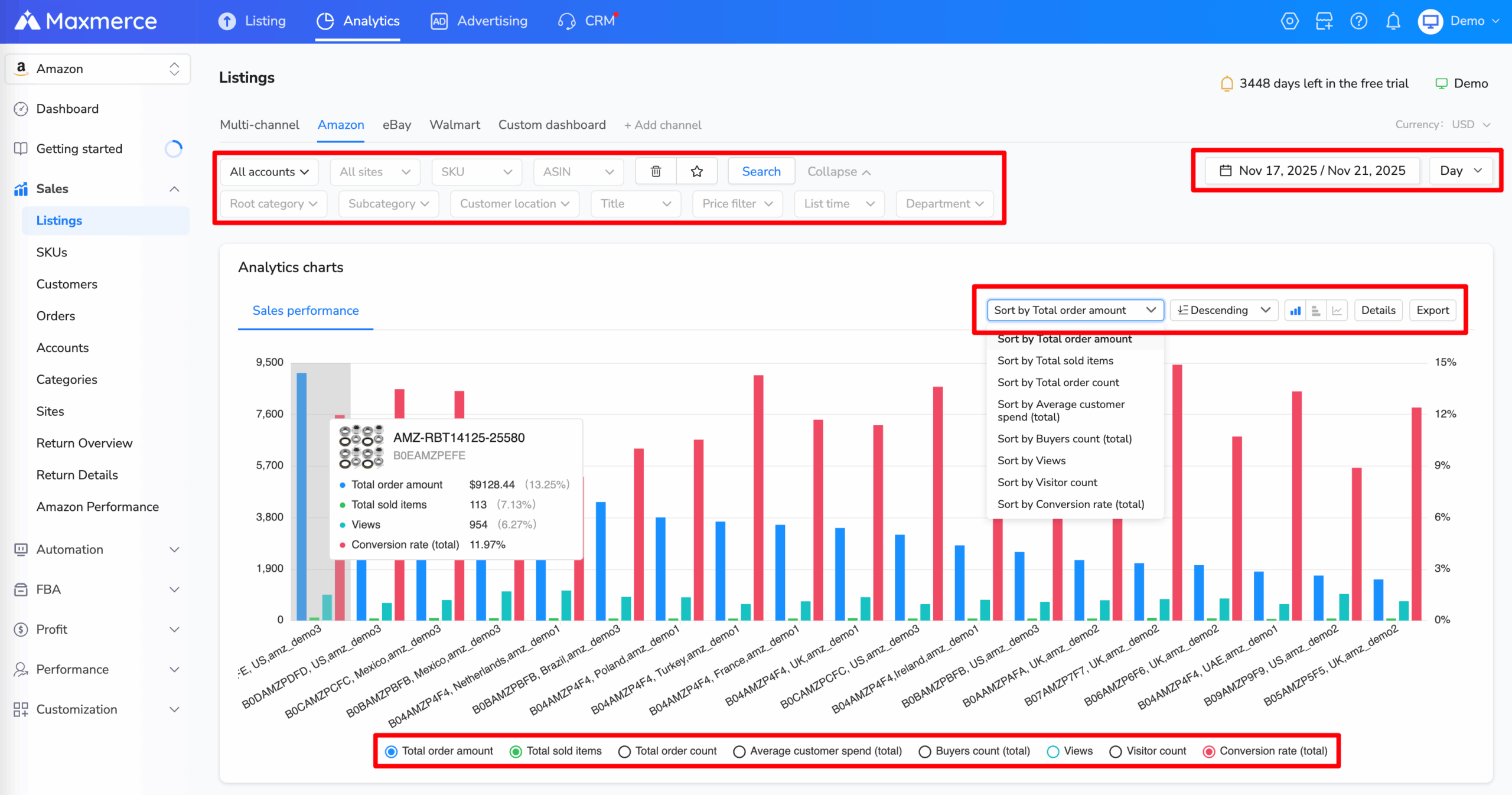
For example, Maxmerce Listing Analytics can filter listing performance by account, site, ASIN and time range. Keyword Rank Tracking records selected ASIN and keyword positions over time, while Customers Analytics summarizes operational customer measures such as new, repeat and refunded orders. These views can support a broader investigation, but they are not copies of Amazon Brand Analytics and should not be presented as Amazon-issued Brand Analytics data.
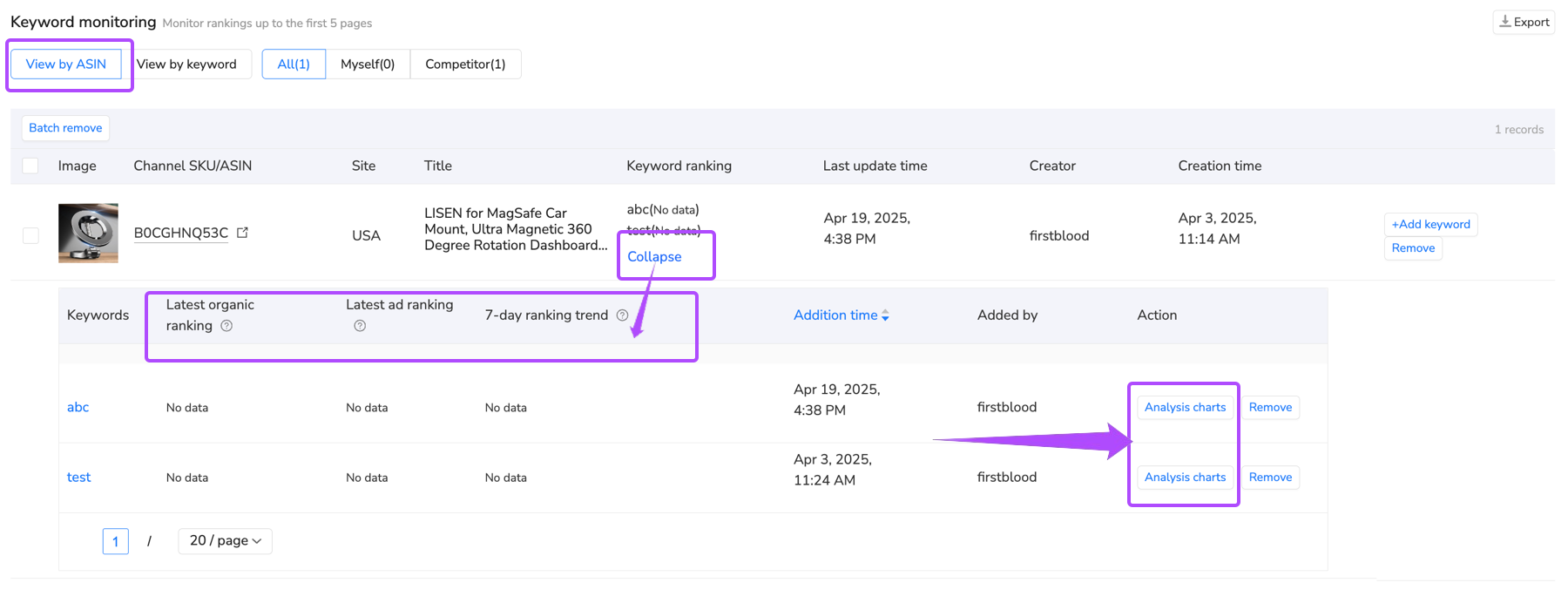
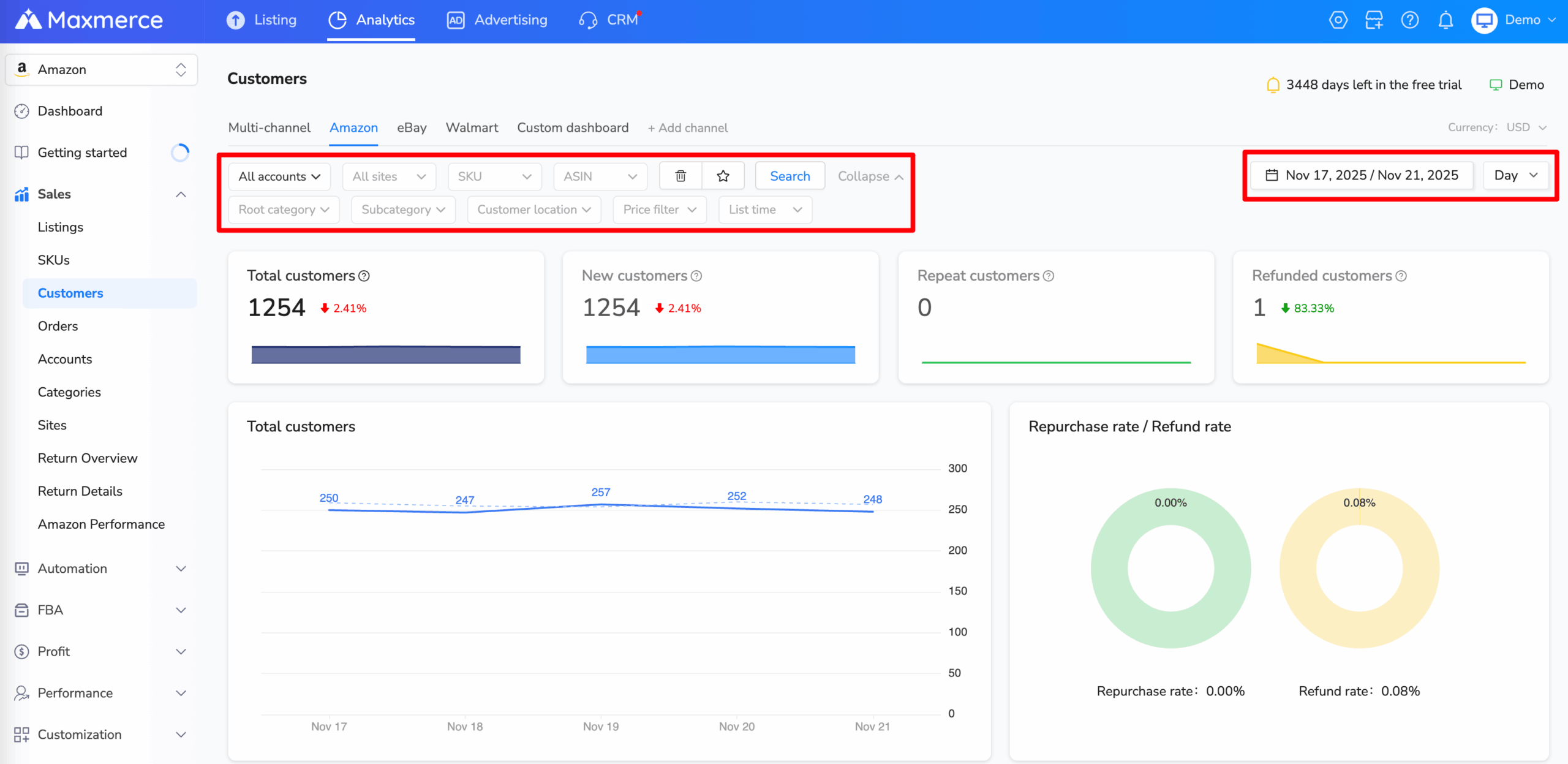
If your team uses Maxmerce Analytics alongside Seller Central, keep a source label, marketplace, date range and metric definition with each screenshot or export. Use the additional operational view to form a follow-up question—not to overwrite an Amazon report definition or claim a cause that the data does not establish.
Treat missing data and display rules explicitly
Amazon’s guide says the Demographics dashboard is US-store-only and requires an ASIN to have at least 100 unique customers in the selected time range to be displayed. That threshold belongs to this report; it should not be applied as a universal Brand Analytics access requirement.
If a row is missing, record that fact before choosing an explanation. Check the report’s store, dates, filters and applicable display conditions. “Not shown” is different from “no purchases,” and neither establishes a person’s characteristics. Do not attempt to identify individuals from aggregate audience information.
Use the current report’s data-availability guidance for the window being examined. Avoid promising a universal refresh delay or complete coverage for every ASIN and dashboard.
Frequently asked questions
Does a Professional selling plan alone give me Brand Analytics access?
No. Amazon also requires the Brand Representative selling role for a brand enrolled in Brand Registry. Confirm each requirement rather than assuming that plan payment or ordinary selling access supplies the role.
Should I open Search Catalog Performance or Search Query Performance?
Start with the question. Search Catalog Performance helps examine how the brand’s products perform through search interactions. Search Query Performance helps examine queries leading customers to those products, using the scope and views offered by that report.
Does a missing Demographics row mean the product has no customers?
No. Amazon specifies a US-store scope and a minimum of 100 unique customers for an ASIN in the selected period. Check the report conditions and filters; do not convert absence into zero.
Does Market Basket Analysis prove a bundle will sell?
No. It reports frequently co-purchased products. Use that association as a research input, then independently check the proposed combination, applicable program rules and commercial assumptions.
English-language Amazon official sources reviewed October 22, 2026. The routing matrix, review record and fictional cases are original editorial aids.