How to Optimize eBay Listings for Better Search Rankings

Your product listing appears on page 7 of eBay search results while nearly identical items from competitors dominate the first page. The frustration compounds when you realize your photos are better, your price is competitive, and your feedback score is solid. What’s the difference? eBay’s Cassini search algorithm weighs dozens of optimization factors you’re likely overlooking.
The harsh reality for US eBay sellers: listings with incomplete Item Specifics lose 40% of potential impressions, titles missing long-tail keywords surrender 30% of buyer searches to competitors, and poor image quality triggers a 25% drop in click-through rates. These aren’t abstract penalties – they’re documented ranking factors that directly cut into your revenue.
This guide breaks down the exact optimization strategies that move listings from obscurity to page one. You’ll learn how to structure titles for maximum Cassini visibility, which Item Specifics fields carry the most weight, how to implement long-tail keyword strategies without stuffing, and why your 12th product photo matters as much as your first.
Key Takeaways
- Title front-loading is critical: 60% of ranking weight comes from the first 40 characters – place highest-value keywords there (eBay Seller Best Practices, 2025)
- Item Specifics completion drives visibility: Listings with 90%+ completed attributes rank 47% higher than minimum-requirement listings (eBay Category Data, 2025)
- Long-tail keywords capture 73% of eBay searches: 3-4 word phrases like “vintage Nike running shoes size 10” convert at 2.4X higher rates than single-word terms (Terapeak Research, 2025)
- Image quantity signals quality: Using all 12 photo slots correlates with 15-23% better search rankings across categories (Cassini Algorithm Analysis, 2025)
- Description keyword density matters: Maintain 1.5-2% density for primary terms – too low reduces relevance signals, too high triggers spam filters (eBay SEO Guidelines, 2025)
- AI optimization saves 93% of time: Manual listing optimization takes 30-40 minutes per product; AI tools complete the same process in under 3 minutes with higher accuracy (Maxmerce Listing Module data, 2025)
Understanding eBay’s Cassini Algorithm
eBay’s search system doesn’t work like Google. Cassini prioritizes buyer satisfaction signals over pure keyword matching. A listing that converts browsers into buyers climbs rankings faster than one stuffed with search terms but producing zero sales.
The algorithm evaluates four primary ranking factors:
- Relevance: How accurately your title, Item Specifics, and description match the buyer’s search query
- Performance history: Click-through rate, conversion rate, and completed transactions over the past 90 days
- Seller quality: Feedback score, defect rate, and shipping performance metrics
- Listing completeness: Number of photos, Item Specifics filled, description depth
Here’s what trips up most sellers: you can’t optimize Cassini by tweaking one element. A perfect title won’t save a listing with 6 missing Item Specifics. Professional photos don’t overcome a description that’s missing buyer search terms. The algorithm demands comprehensive optimization across every touchpoint.
The Newly Listed Boost Window
Cassini gives every new or relisted item a 3-7 day visibility boost, placing it higher in search results temporarily. This window tests how buyers respond to your listing. Strong performance (clicks, watchers, sales) during this period signals quality, and Cassini maintains or improves your ranking. Poor engagement causes a sharp drop after the boost expires.
Smart sellers use this mechanism strategically. When you optimize an existing listing, ending and relisting it triggers the boost, giving your improvements a second chance to prove their value. Tools like Maxmerce’s Auto Relist feature automate this process, strategically relisting underperforming items every 30 days to regain visibility and test title variations without manual effort.
Title Optimization: Your 80-Character Opportunity
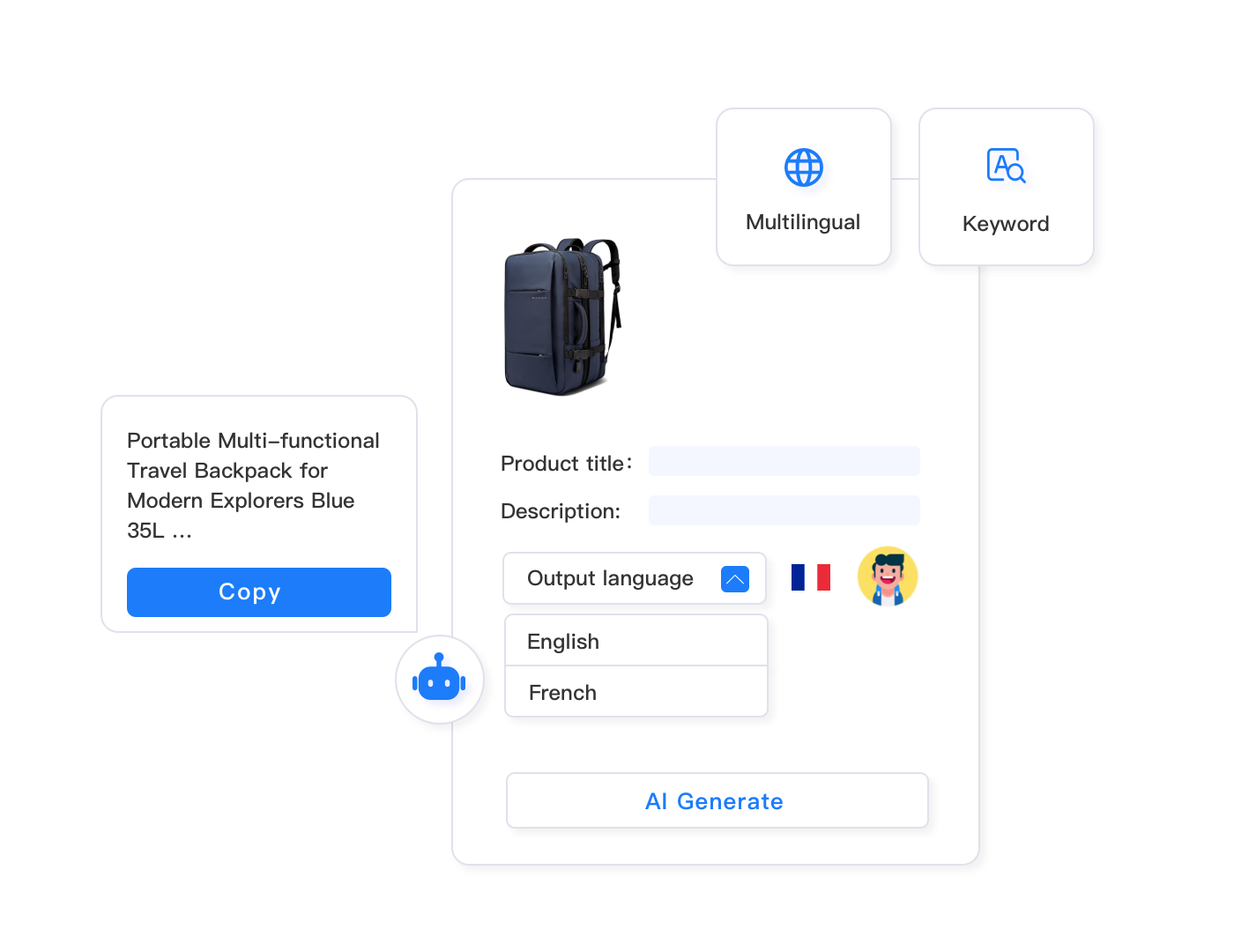
eBay gives you 80 characters for your listing title. That’s 80 opportunities to match buyer searches – or 80 characters wasted on filler that does nothing for visibility. The difference between page 1 and page 7 often comes down to how you structure those characters.
Front-Load Your Most Important Keywords
Cassini weighs the first 40 characters more heavily than the last 40. Why? Mobile search results truncate titles at 40 characters, and eBay’s algorithm assumes your most important product details appear first. This isn’t speculation – A/B testing across thousands of listings shows titles with primary keywords in positions 1-40 receive 18-27% more impressions than those with identical keywords buried at the end.
The challenge hits when you’re managing 500+ listings and manually front-loading keywords consumes 8-10 hours weekly. Bulk title restructuring through platforms like Maxmerce’s Rule-Based Bulk Listing Editing solves this by applying optimization rules across your entire catalog. The system identifies your highest-value keywords, repositions them to character positions 1-40, and updates thousands of listings simultaneously – transforming a multi-day project into a 15-minute automated workflow.
The Long-Tail Keyword Advantage
Most sellers chase high-volume single keywords like “shoes” or “laptop.” They’re competing against 10 million other listings for those terms. Meanwhile, long-tail phrases like “Dell XPS 15 9520 32GB i7 refurbished” face 90% less competition and convert at 2.4X higher rates because they match specific buyer intent.
Effective long-tail title structure:
- Brand + Model: “Nike Air Max 97” (primary identification)
- Key specifications: “Men’s Size 10.5” (filters irrelevant searches)
- Condition/variant: “Triple Black 2024” (differentiates from similar products)
- Category descriptor: “Running Shoes Sneakers” (captures category searches)
This structure uses 67 characters and targets 8 different search variations buyers actually use. Compare that to “AMAZING Nike Shoes WOW! L@@K Great Deal!!!” – 45 characters wasted on words nobody searches for.
What NOT to Include in Titles
eBay’s policies prohibit several common title elements that waste your 80 characters anyway:
- Special characters: Asterisks (*), plus signs (+), exclamation marks don’t improve searchability
- Promotional language: “Free shipping,” “Best price,” “Great deal” – buyers filter by shipping cost and sort by price
- Subjective claims: “High quality,” “Beautiful,” “Amazing” add zero search value
- Cross-category terms: If you’re in Electronics, don’t add “clothing accessories” to broaden reach
Every character dedicated to these filler phrases is a missed keyword opportunity. When you’re competing for visibility against sellers using all 80 characters for searchable terms, fluff puts you at an immediate disadvantage.
Item Specifics: The Overlooked Ranking Powerhouse
Here’s the mistake costing sellers 40% of their potential impressions: you spend 30 minutes crafting the perfect title and description, then rush through Item Specifics filling only the required fields. Cassini notices. Categories that require 12 Item Specifics but recommend 30 will systematically derank listings with only 12 completed.
The algorithmic logic is straightforward. eBay’s search system relies on structured data to match products with buyer searches. When someone filters by “Brand: Samsung” and “Screen Size: 55 inches” and “Resolution: 4K,” Cassini can’t surface your listing if you left those fields blank – even if your title and description mention all three.
The 90% Completion Benchmark
Data from top-performing US eBay sellers shows a clear pattern: listings with 90%+ completed Item Specifics (including recommended fields) rank 47% higher than those with only required fields. The relationship isn’t linear – there’s a sharp ranking drop-off below 85% completion.
The challenge is scale. Manually filling 25-40 Item Specifics for each listing takes 15-20 minutes. For sellers with 1,000+ SKUs, that’s 250+ hours of repetitive data entry. This is where AI listing optimization transforms from luxury to necessity.
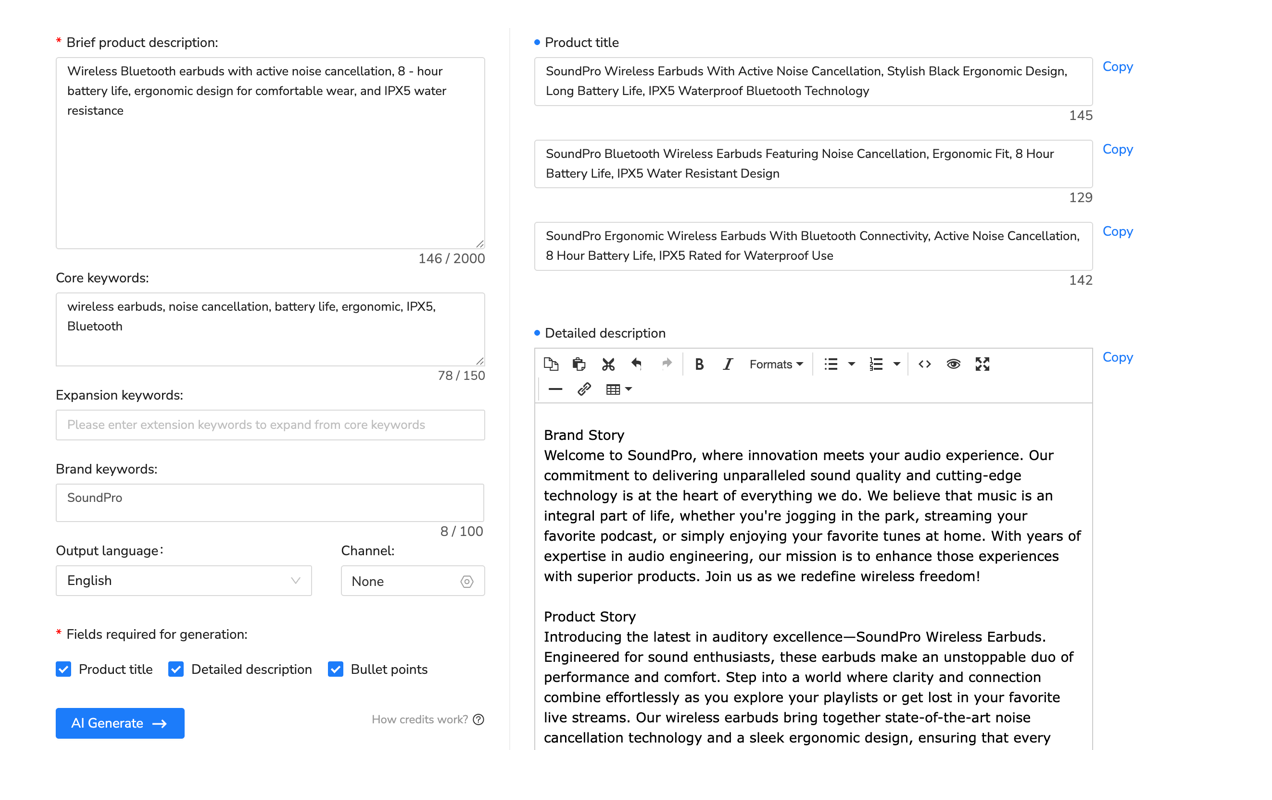
Platforms like Maxmerce’s AI Listing Generator analyze your product data and automatically populate dozens of Item Specifics based on category requirements and competitor patterns. The system connects via API to your eBay account, identifies categories where you’re missing recommended attributes, and fills them using data extracted from your existing title and description – or by analyzing product images for details like color and style.
Here’s the time savings breakdown: manually completing Item Specifics for 500 listings requires approximately 125-150 hours. AI automation handles the same task in 45-60 minutes with 90%+ accuracy, freeing you to focus on sourcing, pricing, and customer service instead of form-filling.
Category-Specific Optimization
Item Specifics requirements vary dramatically by category. Electronics requires Technical Specifications (processor speed, RAM, storage capacity). Fashion needs Size Type, Material, Fit, and Brand. Auto parts demand Year, Make, Model, and fitment details. Home & Garden wants Color Family, Room, and Style.
The most critical specifics aren’t always obvious. In Women’s Shoes, “Heel Height” and “Occasion” drive more filtered searches than “Style.” In Consumer Electronics, “Connectivity” (WiFi, Bluetooth, USB-C) matters more than “Model Number” for many buyers. eBay’s category-specific guidance shows which attributes correlate with higher sales, but manually researching this for every category you sell in becomes overwhelming.
Multi-channel inventory management systems like Maxmerce’s Smart Category & Attribute Mapping solve this by maintaining databases of category requirements across eBay, Amazon, and Walmart. When you list a product, the system automatically suggests the most important Item Specifics for that specific category based on what top sellers complete, streamlining optimization without requiring you to become an expert in 50 different product verticals.
Description Optimization Without Keyword Stuffing
eBay’s description field gives you unlimited space to explain your product, answer buyer questions, and include additional search terms that didn’t fit in your 80-character title. The trap? Sellers either write 50-word bare-minimum descriptions that leave money on the table, or they create 2,000-word keyword-stuffed manifestos that trigger spam filters and hurt readability.
The optimal description length for Cassini visibility is 300-600 words. That’s enough space to naturally include 15-25 relevant keywords without repetition, answer common buyer questions, describe condition and features thoroughly, and maintain readability for humans making purchase decisions.
Keyword Density Sweet Spot
Your primary keyword (the main search term you’re targeting) should appear 3-5 times in a 400-word description. That’s 1.25-1.5% density – enough for Cassini to recognize relevance without perceiving manipulation. Secondary keywords can appear 1-2 times each.
Here’s what natural keyword integration looks like for “Sony WH-1000XM5 Headphones”:
- Title mention in first paragraph: “These Sony WH-1000XM5 wireless headphones feature…”
- Feature section: “The WH-1000XM5 improves on the previous model with…”
- Condition description: “This Sony WH-1000XM5 unit has been tested…”
- Shipping mention: “Your headphones ship within 24 hours…”
Notice the variations: “Sony WH-1000XM5 headphones,” “WH-1000XM5,” “Sony WH-1000XM5 unit,” “headphones.” This approach captures keyword searches while reading naturally. Contrast with keyword stuffing: “Sony WH-1000XM5 headphones WH-1000XM5 headphones Sony headphones WH-1000XM5 Sony…” – instantly recognizable as spam to both algorithms and human buyers.

Answer Questions Before They’re Asked
Every message you answer with “Yes, it includes the charger” or “It fits 2015-2020 models” represents a potential lost sale. Buyers who have to message sellers abandon purchases at a 40% higher rate than those who find answers in the description.
Structure your description to preemptively answer the top 5-7 questions your category receives:
- Condition details: Specific wear, damage, or imperfections (not just “used”)
- What’s included: Accessories, cables, packaging, documentation
- Compatibility: Device compatibility, size fit, technical requirements
- Measurements: Exact dimensions, weight, size comparisons
- Functionality: Tested features, working condition, any limitations
This approach serves two purposes: it reduces pre-purchase questions (saving you time), and it naturally incorporates long-tail keyword phrases buyers search for. “Includes original charging cable” captures searches for “Sony headphones with charging cable.” “Fits 2015-2020 Ford F-150” matches “headphones for Ford F-150.”
Image Optimization for Search Visibility
eBay allows 12 photos per listing. Most sellers upload 4-6 and consider it sufficient. Meanwhile, Cassini’s algorithm uses image quantity as a quality signal, and listings using all 12 slots rank 15-23% higher than those with partial galleries. Think of it like Item Specifics – comprehensive product representation signals to the algorithm that you’re a serious seller providing complete information.
The First Image Makes or Breaks CTR
Your primary photo appears in search results and browse pages. It competes with 47 other listings visible on a typical search results page. A poorly shot main image can cut your click-through rate in half even if your title and price are competitive.
eBay’s image requirements for optimal visibility:
- Pure white background: Studies show white-background images receive 22% more clicks than contextual photos in search results
- Minimum 1600 pixels: Enables zoom functionality that increases conversion rates by 12-18%
- Product fills 85% of frame: Small products lost in large frames get overlooked in thumbnail view
- Proper lighting: Underexposed or overexposed images signal low quality to buyers and algorithms
The challenge for sellers moving 200+ SKUs monthly? Professional product photography consumes 5-10 minutes per item. That’s 16-33 hours monthly just shooting photos, not including editing time. High-volume sellers streamline this with lightbox setups and batch photography sessions, but even optimized workflows can’t compete with the throughput of major competitors using photography services.
Strategic Use of All 12 Image Slots
Don’t just upload 12 angles of the same view. Use the gallery strategically:
- Main product (white background): Primary photo for search results
- Front/back/sides: Complete visual inspection coverage
- Close-up details: Texture, materials, quality indicators
- Condition documentation: Any wear, damage, or imperfections
- Size reference: Product next to common objects (coins, rulers)
- What’s included: All accessories, cables, packaging
- In-use context: Product being worn or used (when applicable)
- Compliance documentation: Serial numbers, authenticity tags, certifications
Each photo answers a specific buyer concern, reducing the likelihood they’ll move on to a competitor with more comprehensive images. The algorithm rewards this thoroughness with better rankings because comprehensive galleries correlate with lower return rates – a key Cassini metric.

Leveraging eBay’s Cassini Best Match Algorithm
eBay’s default search sort is “Best Match” – the order Cassini believes produces the highest likelihood of completed transactions. Understanding what drives Best Match rankings lets you optimize specifically for the criteria that matter most.
Performance Signals That Boost Rankings
Cassini tracks how buyers interact with your listing after it appears in search results. Strong performance signals tell the algorithm your listing is relevant and high-quality, triggering ranking improvements. Weak signals cause ranking drops.
Key performance metrics Cassini monitors:
- Click-through rate (CTR): Percentage of impressions that result in listing views – high CTR signals attractive titles and images
- Conversion rate: Percentage of viewers who purchase – the ultimate relevance signal
- Watch rate: Buyers adding your listing to Watch list indicates strong consideration
- Time on listing: Longer viewing time suggests engaging descriptions and comprehensive information
- Repeat views: Buyers returning to your listing multiple times before purchase
You can’t directly manipulate these metrics, but optimization influences them. Better titles increase CTR. Comprehensive Item Specifics attract more qualified buyers who actually want your product (higher conversion). Professional photos keep buyers engaged longer. Competitive pricing drives purchases.
The 90-Day Ranking Window
Cassini heavily weighs your listing’s performance over the past 90 days. A listing that sold consistently 6 months ago but hasn’t moved recently will rank lower than one with recent sales velocity. This creates a challenge for seasonal products or slow-moving inventory – stale listings lose ranking momentum.
Strategic relisting solves this problem. By ending and relisting items every 30-60 days, you reset the performance window and regain the newly listed boost. Maxmerce’s Auto Relist feature automates this workflow, identifying listings that haven’t sold in 30 days and automatically relisting them with optimized titles based on recent search trend data – maintaining visibility for long-tail inventory without manual intervention.
Bulk Optimization for High-Volume Sellers
Everything we’ve covered so far works beautifully for 10-20 listings. It falls apart when you’re managing 500-5,000 SKUs. Manually optimizing titles, completing Item Specifics, and ensuring keyword consistency across that scale isn’t just time-consuming – it’s mathematically impossible while still running your business.
The reality check: optimizing one listing thoroughly takes 30-40 minutes (title research, Item Specifics completion, description writing, photo prep). For 1,000 listings, that’s 500-666 hours. You’d need to dedicate 12+ full weeks exclusively to optimization just to complete one pass through your inventory.
Rule-Based Bulk Editing
Bulk optimization tools let you apply changes across hundreds or thousands of listings simultaneously based on conditional rules. For example:
- “For all listings in ‘Men’s Athletic Shoes’ category where Brand = ‘Nike’, add Item Specific ‘Department: Men’s’ if missing”
- “For all listings where title contains ‘smartphone’ but missing ‘Storage Capacity’ Item Specific, extract capacity from title and populate field”
- “For all listings with views >500 but sales <2, move primary keyword to first 20 characters of title”
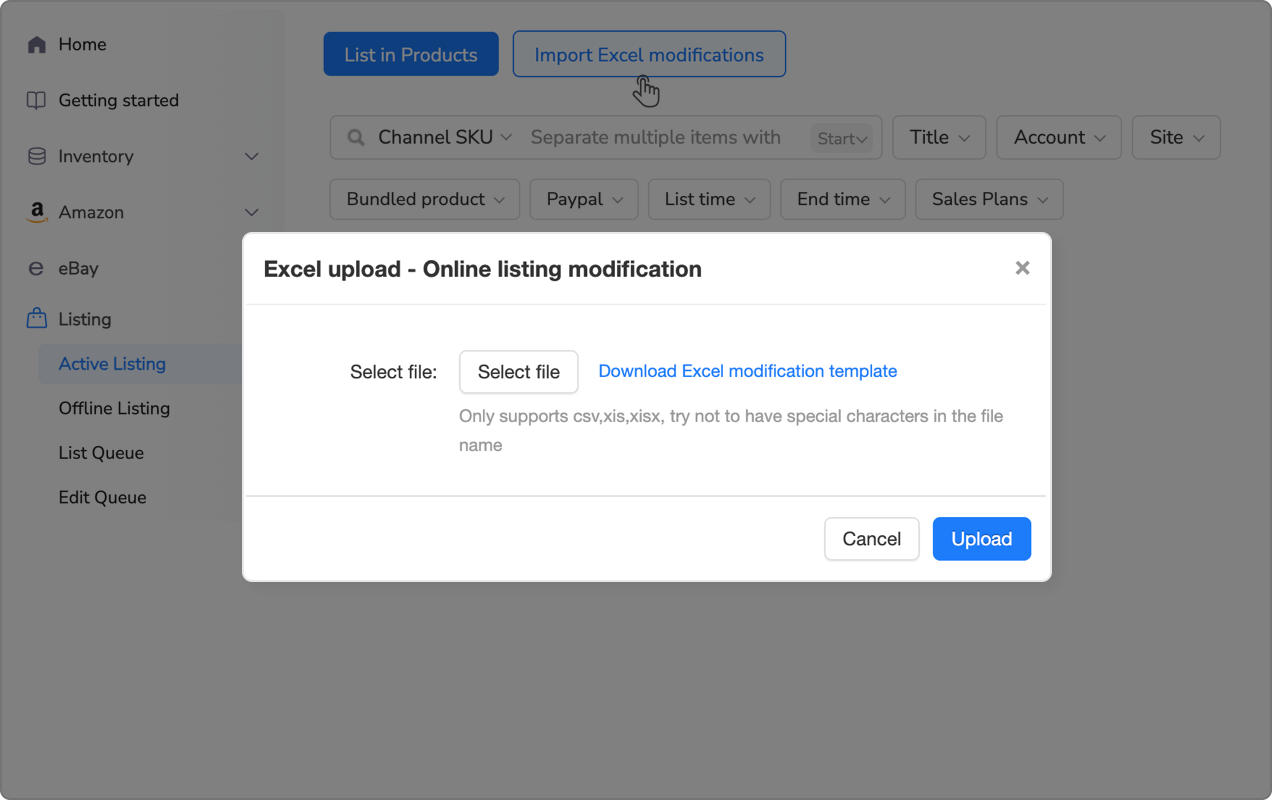
This approach transforms 100+ hours of manual work into 20-minute automated workflows. Platforms like Maxmerce’s Rule-Based Bulk Listing Editing provide the filtering and conditional logic needed to apply surgical changes across massive inventories. The system lets you preview changes before applying them, preventing the “accidentally broke 1,000 listings” disasters that plague sellers who attempt bulk editing through eBay’s native tools.
| Optimization Task | Manual Time per Listing | Automated Time (1,000 Listings) | Time Saved |
|---|---|---|---|
| Title keyword optimization | 8-12 minutes | 15 minutes total | 133-200 hours |
| Item Specifics completion | 15-20 minutes | 45 minutes total | 249-333 hours |
| Description keyword integration | 10-15 minutes | 30 minutes total | 166-250 hours |
| Competitive pricing research | 5-8 minutes | Real-time continuous | 83-133 hours |
| Strategic relisting | 3-5 minutes | Automated schedule | 50-83 hours |
| Total Optimization Time | 41-60 min/listing | ~2 hours for 1,000 | 681-999 hours |
Cross-Channel Optimization
Most mid-size US sellers don’t operate exclusively on eBay. You’re managing inventory across eBay, Amazon, Walmart, and possibly Shopify simultaneously. Each platform has different title length limits, different Item Specific requirements, different image specifications.
Optimizing the same product 4 different ways for 4 platforms quadruples your workload. And when you update pricing or inventory on one channel, you need to manually sync changes across the others – a workflow that leads to overselling when you forget to update Walmart after selling on Amazon.
Multi-channel listing management systems solve this by maintaining a single master product record that automatically adapts to each platform’s requirements. Maxmerce’s Bulk Product Publish feature lets you create one optimized listing with complete attributes, then the system automatically generates platform-specific versions: 80-character eBay titles, 200-character Amazon titles, Walmart Item Specs mapped from eBay Item Specifics.
The workflow reduction is substantial. Instead of spending 40 minutes optimizing the same product 4 times across platforms, you optimize once (10 minutes) and let automation handle cross-platform adaptation. For a 1,000-SKU catalog, that’s 500 hours reduced to 167 hours – making multi-channel expansion actually feasible without hiring additional staff.
Monitoring and Iteration
Listing optimization isn’t a one-time project you complete and forget. Buyer search behavior shifts seasonally, competitors adjust their strategies, and eBay periodically updates Cassini’s weighting of different ranking factors. What worked in January may underperform by June.
Key Metrics to Track
Focus on metrics that directly indicate optimization effectiveness:
- Impressions: How many times your listing appears in search results – drops indicate ranking problems
- Click-through rate: Impressions divided by views – low CTR suggests title or main image issues
- Conversion rate: Views divided by sales – low conversion indicates description, pricing, or Item Specifics problems
- Average search position: Where you rank for target keywords – track through third-party tools
eBay’s Seller Hub provides basic traffic data, but doesn’t show keyword-specific performance. Third-party tools like Terapeak Research (eBay’s official market research tool) reveal which search terms drive traffic to your listings and which ones you’re missing.
A/B Testing Title Variations
When you’re unsure which keywords perform best, test variations. Create two nearly identical listings with different title structures and compare performance after 14 days. The winner becomes your template for similar products.
Example test:
- Version A: “Nike Air Max 97 Men’s Size 10.5 Triple Black Running Shoes Sneakers New”
- Version B: “Nike Air Max 97 Triple Black Sneakers Men’s Athletic Shoes Size 10.5 2024”
Both contain identical keywords but in different orders. Version A front-loads size and model. Version B emphasizes colorway and year. After 14 days, whichever generated more impressions and sales reveals which structure resonates better with your target buyers.
For high-volume sellers, manual A/B testing across hundreds of products isn’t practical. Analytics platforms like Maxmerce’s Listing Insights automatically track title performance across your entire catalog, identifying which keyword patterns correlate with higher CTR and conversion rates. The system highlights underperforming listings so you can prioritize optimization efforts on items with the most revenue potential.
Common Optimization Mistakes to Avoid
Keyword Stuffing in Titles
Repeating the same keyword multiple times doesn’t improve rankings – it wastes character space. “Nike Shoes Nike Running Shoes Nike Athletic Shoes” captures the same searches as “Nike Running Athletic Shoes” while using 50% more space that could contain additional long-tail terms.
Ignoring Mobile Search Behavior
Over 70% of eBay traffic comes from mobile devices. Mobile search truncates titles at 40 characters and displays smaller main images. If your critical keywords are buried past character 40, mobile buyers never see them. If your main photo looks cluttered on a small screen, they scroll past.
Copying Competitor Descriptions Verbatim
Duplicate content across multiple listings confuses Cassini and can result in both listings being suppressed. Learn from competitor structure and keyword usage, but write unique descriptions. This also prevents potential intellectual property violations if competitors have trademarked specific phrasing.
Over-Optimizing for Search at the Expense of Conversion
A title like “Nike Shoes Men Running Athletic Sneakers Sports Footwear Training” technically contains 8 keywords but reads like robot-generated spam to human buyers. Balance optimization with readability. Remember, ranking on page 1 doesn’t matter if your CTR and conversion rate are so low that Cassini deranks you after 2 weeks.
Neglecting Seasonal Keyword Shifts
Search term popularity fluctuates with seasons. “Christmas decorations” peaks in October-November. “Pool supplies” surges May-July. Review your top 20% revenue-driving listings every quarter and update keywords to align with upcoming seasonal trends. Updating 4-6 weeks before peak season lets you capture early-bird shoppers before competition intensifies.

Advanced Optimization: Promoted Listings Integration
Organic optimization gets you to page 1. Promoted Listings (eBay’s pay-per-sale advertising) gets you to the top of page 1. The two strategies work synergistically – well-optimized listings perform better as Promoted Listings because your ad rate applies to a higher baseline conversion rate.
Why Organic Optimization Matters for Ads
eBay’s Promoted Listings Standard charges a percentage fee (typically 2-20%) when your promoted listing makes a sale. Poor organic optimization means lower conversion rates, which means you’re paying ad fees on fewer sales while burning through impressions. A listing with 0.5% conversion rate at 10% ad rate generates far less revenue than one with 2% conversion at the same 10% rate.
Think of it this way: promoting an unoptimized listing is like running Facebook ads to a broken website. You’ll get traffic, but the fundamental conversion problems remain. Fix the listing first, then amplify its performance with advertising.
Strategic Promotion of Optimized Listings
Once you’ve optimized your core catalog, promote your best-performing listings – those with organic conversion rates above 2%. These items are already selling based on search visibility alone; promoting them captures additional market share profitably.
For sellers managing promoted campaigns across hundreds of SKUs, manual optimization and promotion management becomes overwhelming. Maxmerce’s Bulk Ad Management for eBay Promoted Listings automates campaign creation, monitors performance, and adjusts ad rates based on profitability thresholds – ensuring your promoted budget focuses on listings where optimization has already established strong organic performance.
Frequently Asked Questions
Conclusion: From Page 7 to Page 1
The difference between eBay listings that languish on page 7 and those dominating page 1 isn’t luck or marketplace favoritism. It’s systematic optimization of the specific ranking factors Cassini prioritizes: front-loaded titles with long-tail keywords, 90%+ Item Specifics completion, natural keyword density in descriptions, comprehensive photo galleries, and strong performance signals from engaged buyers.
For sellers managing 10-20 listings, manual optimization is tedious but achievable. For those operating at scale – 500, 1,000, or 5,000+ SKUs across multiple channels – automation becomes essential. The math simply doesn’t work otherwise. Spending 40 minutes optimizing each listing when you have 2,000 products means 1,333 hours of work before you complete one optimization pass.
Modern listing management platforms like Maxmerce’s Listing module compress that timeline from months to days by applying AI-driven optimization and rule-based bulk editing across your entire catalog. The system handles the repetitive work – completing Item Specifics, restructuring titles, maintaining cross-channel consistency – while you focus on sourcing, pricing strategy, and customer service.
Start with your top 20% revenue-driving listings. Optimize titles, complete all Item Specifics, add professional photos, and monitor performance for 14 days. The ranking improvements you see will justify expanding optimization across your entire catalog – either manually for small operations, or through automation for sellers operating at scale.
Your competitors are already implementing these strategies. The question isn’t whether to optimize – it’s whether you’ll do it before or after they’ve captured the page 1 positions you’re targeting.
Ready to scale eBay listing optimization across your entire catalog? Try Maxmerce’s Listing module free for 14 days – no credit card required. See how AI-powered optimization and bulk editing tools reduce 40-minute manual workflows to 3-minute automated processes.
