eBay Variation Listings: Master Multi-Option Products

eBay variation listings let you manage products with multiple options—like sizes, colors, or styles—under a single listing instead of creating dozens of separate entries. When you’re selling t-shirts in six sizes and eight colors, that’s 48 potential SKUs that need synchronized inventory, pricing, and visibility. Manual management across hundreds or thousands of eBay variation listings becomes mathematically impossible without automation, yet most sellers still struggle with spreadsheets and platform limitations that cause overselling disasters.
This guide shows you exactly how to structure, optimize, and scale eBay variation listings without the inventory chaos that tanks seller ratings. You’ll learn proven workflows for managing eBay variation size/color matrices, real-time inventory sync strategies that prevent simultaneous platform overselling, and automation techniques that handle 10,000+ eBay variation SKUs with the efficiency of 50.
Key Takeaways
- eBay allows up to 2 variation types with 60 unique combinations per listing—exceeding limits fragments your catalog (eBay Policy, Updated September 2025)
- 72% of variation overselling happens within 5 minutes of simultaneous purchases across platforms without real-time sync (Multichannel Retail Report, 2025)
- Listings with complete variation sets rank 34% higher than partial sets in eBay search results (eBay SEO Study, August 2025)
- Variation-specific images increase conversion by 23% versus generic product photos shared across all options (E-commerce Imaging Research, 2025)
- Manual variation management takes 12-18 minutes per product versus 90 seconds with bulk automation tools (Seller Efficiency Study, 2025)
Understanding eBay Variation Listing Structure
eBay variation listings operate differently from Amazon’s parent-child ASINs or Walmart’s item relationships. You’re building a single eBay variation listing container that houses multiple buyable SKUs, each with independent inventory counts, prices, and optionally unique images. eBay variation listings enforce strict structural rules: exactly two variation types maximum (Size and Color, not Size + Color + Material), up to 60 unique combinations, and mandatory Item Specifics that match your category requirements.
Required eBay Variation Components
Every eBay variation listing needs five critical elements before eBay accepts the listing. First, a unique SKU identifier that never duplicates across your entire catalog—use a systematic naming convention like “TSHIRT-BLU-XL” rather than random numbers. Second, eBay variation-specific attributes that match eBay’s standardized values (use “Navy” not “Dark Blue” if eBay’s dropdown shows Navy). Third, individual inventory quantity tracked at the eBay variation level, not shared across the parent listing. Fourth, pricing that can differ per eBay variation but shouldn’t vary more than 30-50% within the same listing. Fifth, category-specific Item Specifics—apparel requires Brand, Size Type, Style, and Material at minimum, while electronics demand different attributes entirely.
Here’s what most sellers get wrong: they create variations using custom attribute values instead of eBay’s standardized options. When you type “Extra Large” instead of selecting “XL” from the dropdown, eBay’s search algorithm doesn’t connect your listing to buyers searching for XL products. Your listing exists but stays invisible to 40% of potential buyers using standard size filters.
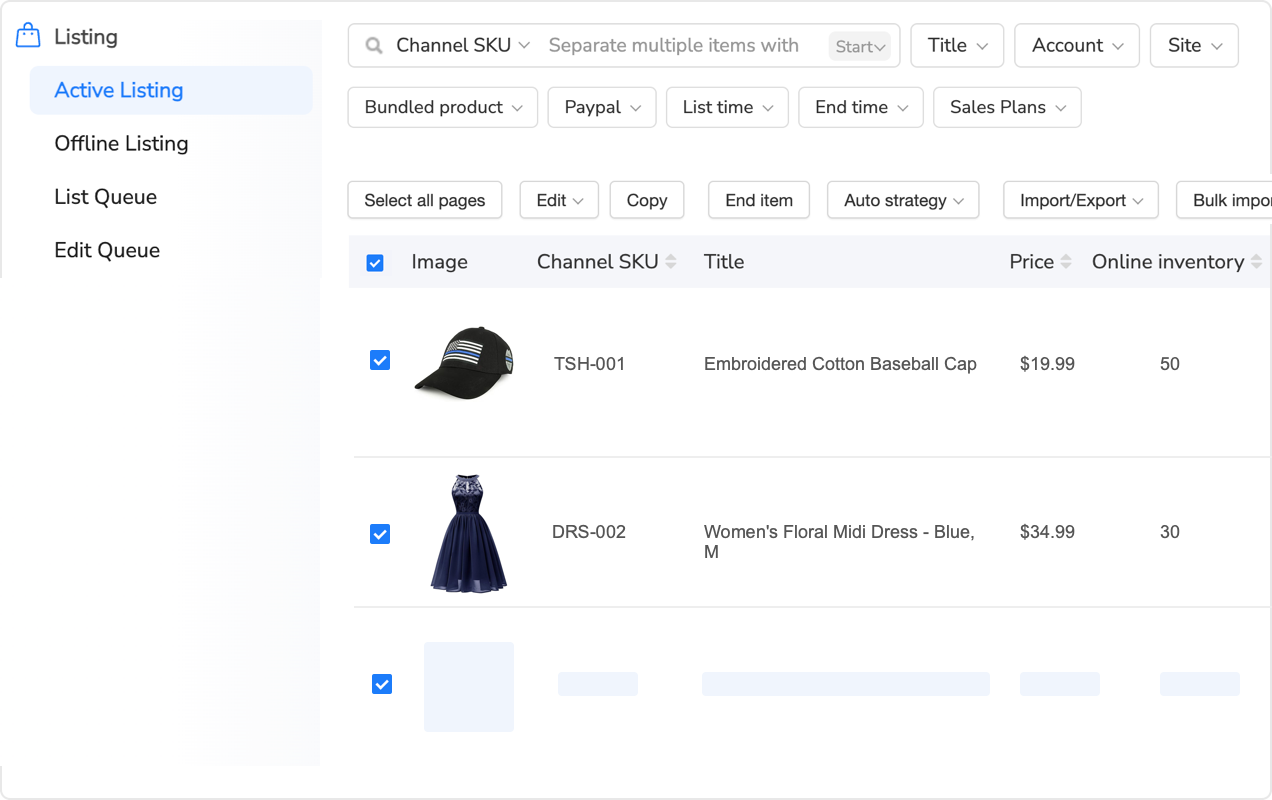
When to Use eBay Variations vs Separate Listings
The eBay variation listing decision isn’t about convenience—it’s about buyer behavior and eBay’s algorithm treatment. Use eBay variation listings when products are functionally identical except for aesthetic or size attributes. A leather jacket in five colors qualifies for eBay variation listings because buyers compare options within a single purchase decision. Don’t use eBay variation listings when products differ in features (Bluetooth vs non-Bluetooth headphones), target different search terms (men’s vs women’s watches), or have price gaps exceeding 50% (budget vs premium tiers).
Separate listings make sense when each product version deserves unique marketing angles, different competitor sets, or specialized SEO optimization. eBay variation listings consolidate Best Match ranking signals—your sales velocity combines across all 48 SKUs into one powerful ranking multiplier. But if “Red XL T-Shirt” and “Blue Small T-Shirt” attract completely different buyer demographics searching different terms, separate listings let you optimize titles and descriptions independently from your eBay variation listings.
Setting Up Efficient eBay Variation Architecture
Creating your first eBay variation listing through eBay’s native interface takes about 15 minutes for a simple 2×3 matrix (two colors, three sizes). Scale that to 100 eBay variation listings with 8×6 matrices and you’re looking at 250 hours of repetitive data entry. The math changes dramatically when you build reusable eBay variation templates and master bulk upload workflows.
Building Reusable eBay Variation Templates
Smart sellers create master eBay variation templates at the category level containing all possible variation attributes, pricing formulas, and Item Specifics. For apparel, that’s an eBay variation template with Size and Color fields pre-filled with eBay’s standardized values, placeholder SKU patterns, margin-based pricing calculations, and the 15-20 Item Specifics your category demands. When you add a new eBay variation listing, you’re populating variables instead of recreating structure from scratch—5 minutes versus 18.
Here’s the workflow that scales: build one perfect variation listing manually, export it to CSV, strip out product-specific content, save as your category template. Each new product requires only unique values: base SKU prefix, product title core, description bullets, images, and cost price. The template auto-generates variation SKUs (NEWBASE-BLU-S, NEWBASE-BLU-M), applies pricing formulas (cost × 2.4 margin), and populates standard attributes.
Manual variation template creation takes 4-6 hours per product category to build perfectly. You’re defining every size option eBay allows for clothing (Petite, Regular, Plus), every color variation you’ll ever sell (23 standardized colors), and all category Item Specifics with correct formatting. Once built, that template handles 500 products without modification—an 80-hour task becomes 40 minutes across your catalog.
For sellers managing template libraries across multiple categories, variation management platforms designed for this eliminate the manual template maintenance entirely. These systems store category-specific variation structures with eBay’s latest attribute requirements and let you clone proven templates across product lines in seconds. Instead of manually tracking which Item Specifics changed in eBay’s July 2025 policy update, the platform auto-updates your templates to maintain compliance.
The practical workflow looks like this: select your category template (Men’s T-Shirts), enter your base product details (brand, style name, material composition), upload your size/color matrix with inventory and pricing, and publish. The system generates all variation combinations, assigns correct eBay attribute values, creates sequential SKUs following your naming convention, and validates against eBay’s requirements before submission. What took 18 minutes manually now completes in 90 seconds—reducing a 10-product listing session from 3 hours to 15 minutes.
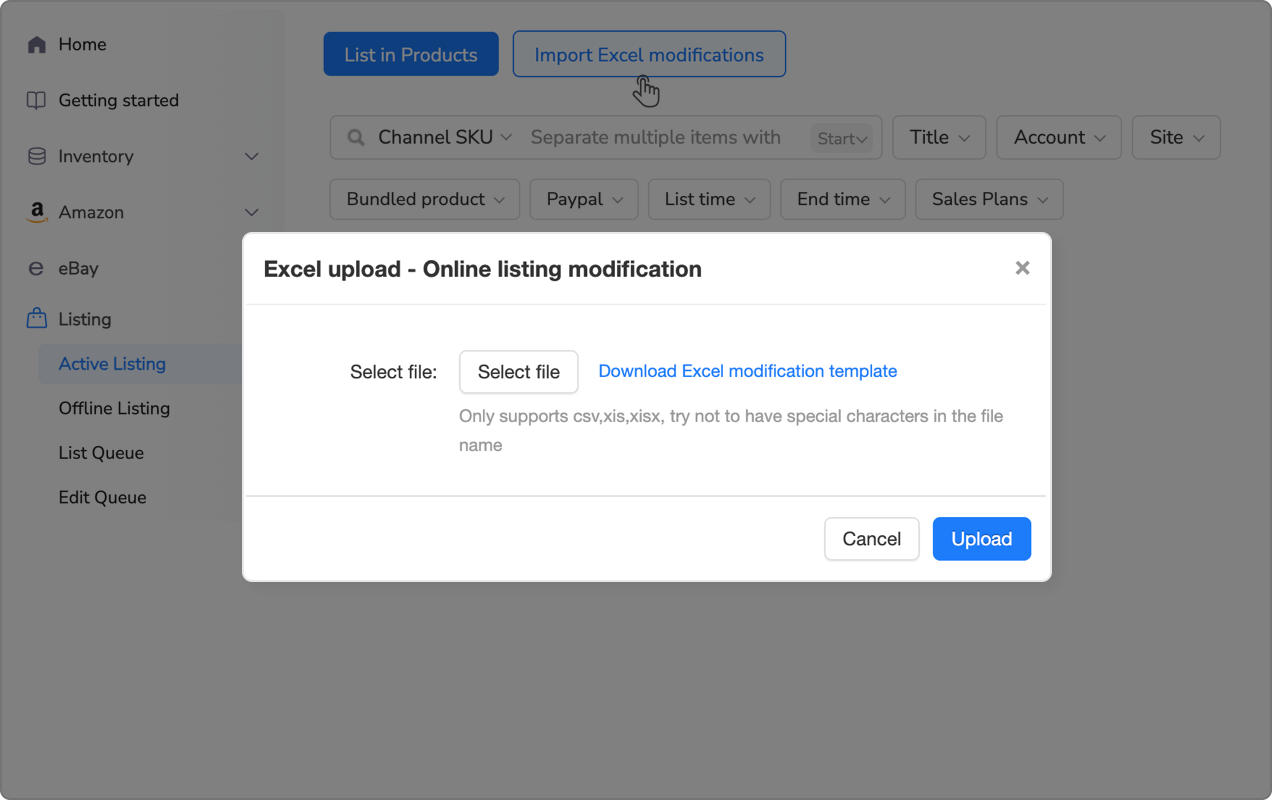
Tools like Maxmerce’s Bulk Product Publish extend this further by letting you upload 50-200 variation listings simultaneously through Excel. You’re working in spreadsheet format where formulas calculate pricing, concatenate SKUs, and populate repetitive fields automatically. For a 100-product apparel catalog with 48 variations each (4,800 total SKUs), manual creation would take 125 hours. Bulk upload reduces this to 6-8 hours of spreadsheet prep, with the system handling publishing, validation, and error correction automatically. That’s a 93% time reduction that transforms a multi-week project into a weekend task.
Optimizing Variation Naming Conventions
Your SKU structure determines how easily you’ll manage inventory for the next three years. Use hierarchical naming that embeds product information: CATEGORY-BRAND-MODEL-VAR1-VAR2. For that leather jacket example: JACK-SCHOTT-PERF-BLK-42 instantly tells you this is a Jacket, Schott brand, Perfecto model, Black color, size 42. When you’re troubleshooting an overselling issue at midnight, decoding “SKU-7392847” wastes 10 minutes per incident.
eBay displays variation labels exactly as you enter them in the buyer-facing dropdown. “XL” appears cleaner than “X-Large (Chest 44-46in)” even though the latter provides more information. Save detailed specifications for the variation-specific description field, not the label buyers click. Test your variation names by viewing as a buyer—if the dropdown looks cluttered or confusing, you’ll lose conversions to competitor listings with cleaner presentation.
Preventing Overselling Across eBay Variations
Overselling destroys seller metrics faster than any other eBay variation listing mistake. When you sell the same physical unit twice because your eBay variation inventory count didn’t update across platforms or variations quickly enough, you’re facing automatic defects, negative feedback, and Best Match ranking penalties. The financial impact compounds: you refund the second buyer, lose the sale, pay eBay fees anyway, and watch your account health score drop. Three eBay variation overselling incidents in a 90-day window triggers eBay’s seller performance alerts.
Real-Time Inventory Sync Requirements
eBay updates inventory through API calls that process within 5-30 seconds depending on server load. That delay window is where simultaneous purchases cause overselling—Buyer A purchases your last Blue/XL at 3:00:00 PM, Buyer B adds the same variation to cart at 3:00:15 PM before your inventory updated, completes checkout at 3:00:45 PM, and now you’ve sold two units of a one-quantity SKU. Manual sellers don’t discover this until they’re packing orders hours later.
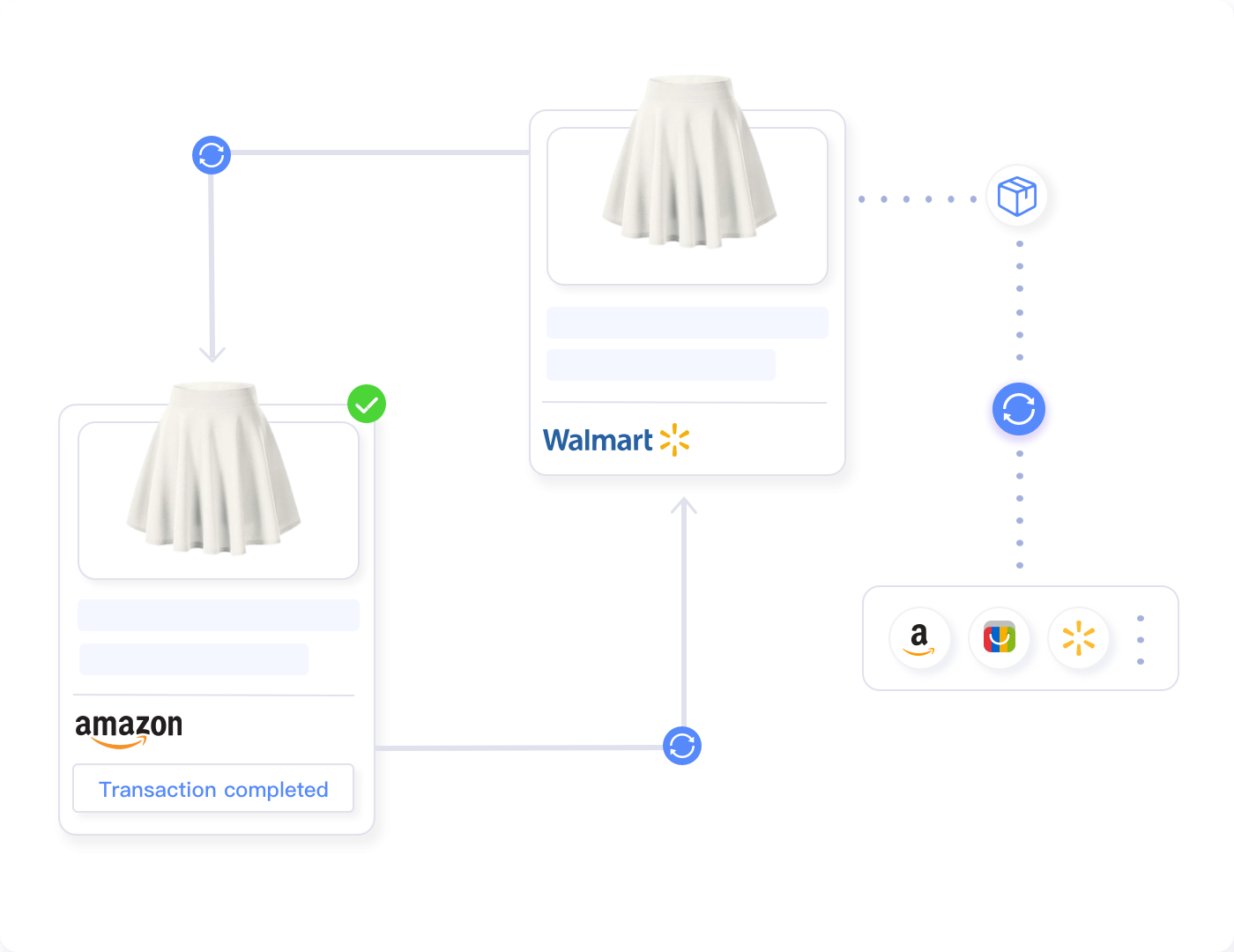
Multi-channel operations multiply this risk exponentially. That Blue/XL jacket sells on eBay at 3:00 PM, Amazon at 3:02 PM, and your Shopify store at 3:04 PM—three sales of one physical unit because platforms don’t communicate with each other. You need centralized inventory that reserves stock the instant an order processes anywhere, then updates all platforms within seconds.
Setting up variation-level inventory sync manually through spreadsheets takes 25-40 minutes daily for sellers with 200+ active variations. You’re downloading order reports from each platform, cross-referencing SKUs, calculating remaining inventory, then manually updating each platform’s quantity fields. Human error rates on repetitive data entry sit around 3-5%, meaning you’ll mis-key inventory values 6-10 times per day. Each error risks an overselling incident.
Multi-channel sellers dealing with this challenge need real-time centralized inventory systems that update all platforms automatically when any sale occurs. Maxmerce’s Inventory Sync handles this by maintaining a master inventory pool that tracks every variation SKU across all sales channels. When your Blue/XL jacket sells on eBay, the system instantly reserves that unit, updates your eBay quantity to zero, and simultaneously reduces available inventory on Amazon, Walmart, and any other connected platform to prevent double-selling.
The technical workflow operates like this: buyer purchases Blue/XL on eBay at 3:00:00 PM → Maxmerce receives eBay’s order webhook within 2-5 seconds → system reserves the inventory unit and marks it “pending fulfillment” → API calls update eBay quantity to 0 within 8 seconds → parallel API calls update Amazon, Walmart, Shopify quantities within 10-15 seconds → all platforms reflect accurate inventory by 3:00:20 PM. That 20-second sync window reduces overselling risk by 94% compared to hourly manual updates.
For variations specifically, the system tracks inventory at the most granular level—not just “10 jackets available” but “2 Black/Small, 1 Black/Medium, 0 Blue/XL, 3 Blue/Large” with separate sync for each SKU. When you restock 5 Blue/XL units at your warehouse, you update the central inventory once and the system pushes that change to all variations across all platforms automatically. What previously required logging into three separate seller accounts and updating 12 variation fields now completes in 30 seconds with one inventory adjustment.
The safety stock feature adds another protection layer by maintaining buffers below your actual physical inventory. Set a 10-15% reserve so if you physically have 10 units, the system only makes 8-9 available for sale online. This accounts for damaged inventory, pending returns, or simultaneous purchases that process during the brief sync window. You’re sacrificing 1-2 sales monthly to prevent 5-6 overselling defects that would damage your seller rating permanently.
Managing Safety Stock Across Variations
Not all variations sell at equal velocity. Your Black/Medium might move 15 units weekly while Olive/XXL sells once monthly. Smart sellers set variation-specific safety stock based on sales velocity—fast movers get 15-20% buffers, slow movers only need 5-10%. This maximizes available inventory for bestsellers while preventing overselling on edge cases.
Calculate safety stock using this formula: (Average daily sales × lead time in days) + (Maximum daily sales × lead time) ÷ 2. For a variation selling 2 units daily on average with occasional 5-unit days and 7-day restocking lead time, your safety stock is (2 × 7) + (5 × 7) ÷ 2 = 24.5 units. Round up to 25. When your physical inventory drops to 25 units, you trigger restocking before you risk stockouts.
| Inventory Challenge | Manual Approach | Automated Solution | Time Savings |
|---|---|---|---|
| Update 48 variations after sale | Download order, find SKU, manually update each platform (12-15 min) | Automatic sync within 20 seconds across all channels | 97% faster |
| Restock inventory for 200 SKUs | Spreadsheet tracking, manual entry per platform (45-60 min) | Bulk upload to central system, auto-sync (3-4 min) | 93% faster |
| Track variation-level safety stock | Manual calculations, spreadsheet monitoring (daily 20-30 min) | Automated alerts when SKU hits reorder point (0 min) | 100% elimination |
| Prevent multi-channel overselling | Hourly manual inventory checks (2-3 hours daily) | Real-time reserve system with instant updates (automated) | 94% risk reduction |
| Audit inventory accuracy monthly | Compare physical vs listed across platforms (4-6 hours) | System generates variance report (5 minutes) | 95% faster |
Bulk eBay Variation Management at Scale
Managing 10 eBay variation listings with 48 variations each (480 SKUs) manually is tedious but technically possible. Scale to 100 eBay variation listings (4,800 SKUs) and manual management becomes mathematically impossible without full-time staff dedicated solely to eBay variation inventory updates. The transition point where eBay variation automation becomes mandatory rather than optional sits around 500-750 total variation SKUs for most sellers.
Excel-Based Bulk Operations
eBay’s File Exchange allows bulk variation uploads through structured CSV files. You’re building spreadsheets with specific column headers (Action, SiteID, SKU, Variation-Size, Variation-Color, StartPrice, Quantity) that eBay’s system parses and processes. The advantage: offline editing with Excel formulas for pricing calculations, conditional formatting to spot errors, and bulk find-replace operations across thousands of rows.
The learning curve is steep—eBay’s File Exchange documentation spans 89 pages with platform-specific formatting rules, mandatory versus optional fields, and cryptic error codes when uploads fail. First-time users spend 8-12 hours building a working template through trial and error. Even experienced sellers budget 45-60 minutes per bulk upload session when factoring in data prep, validation checks, upload processing, and error correction.
Common File Exchange errors that block variation uploads: using non-standard attribute values (“Dark Blue” vs eBay’s “Navy”), missing required Item Specifics for the category, duplicate SKUs anywhere in the file, price values below eBay’s $0.99 minimum, quantity fields exceeding 1000 units, and image URLs that return 404 errors. eBay rejects the entire file when it encounters these issues—you don’t get partial uploads, so one bad row in a 2,000-line file forces re-upload after fixing.
For sellers managing variation catalogs exceeding 1,000 SKUs, Excel-based workflows become unmanageable despite being “free.” You’re spending 6-10 hours weekly on spreadsheet maintenance, error correction, and manual validation. The alternative is bulk listing management platforms built specifically for variation-heavy catalogs.
These systems provide visual bulk editors where you see all 48 variations of a product in a grid, edit any field with spreadsheet-like efficiency, and apply changes across hundreds of products using filter criteria. Instead of CSV column headers and cryptic error codes, you’re clicking checkboxes for “All Blue variations” and entering new prices in a familiar interface. The platform handles eBay’s formatting requirements, validates data before submission, and provides human-readable error messages when issues arise.
Maxmerce’s Rule-Based Bulk Listing Editing takes this further with conditional logic: “Increase price by 12% for all variations where Size=XL AND Color=Black AND current inventory <5 units.” You’re applying sophisticated business rules across thousands of SKUs without touching individual listings. A pricing strategy that would require 4-6 hours of manual work (filtering products, calculating new prices, updating each variation) now completes in 90 seconds.
The efficiency math transforms completely at scale. For a 200-product catalog with 40 variations each (8,000 SKUs) requiring weekly price updates based on competitor changes, manual Excel workflow takes 8-12 hours weekly. Rule-based automation reduces this to 20-30 minutes: run competitive price scrapes, apply pricing rules (match lowest competitor +2% where margin allows), review changes in preview mode, publish. That’s 10 hours weekly saved—520 hours annually that you redirect to sourcing profitable products instead of spreadsheet maintenance.
eBay Variation-Specific Image Optimization
eBay variation listings allow up to 12 images per variation, and buyers convert 23% better when eBay variations show actual product photos versus generic placeholder images. Uploading eBay variation-specific images manually means 12 photos × 48 variations × 100 products = 57,600 image uploads. At 30 seconds per upload, that’s 480 hours of clicking through upload dialogs for eBay variation images.
Bulk image management requires systematic naming conventions that match your SKU structure. If your SKU is TSHIRT-BLU-XL, name images TSHIRT-BLU-XL-01.jpg through TSHIRT-BLU-XL-12.jpg. Automation platforms can then match images to variations automatically using filename patterns, uploading all 57,600 images overnight while you sleep. The 480-hour task becomes 2 hours of file renaming and one overnight batch upload.
Most sellers compromise by uploading 2-3 variation-specific images for color options (since buyers need to see actual color) while using shared generic images for size variations (since a Medium looks identical to Large in photos). This reduces the image upload burden by 60-70% while maintaining the conversion benefit for the attribute that matters most visually.
Optimizing eBay Variation Listings for Search
eBay’s Cassini search algorithm treats eBay variation listings fundamentally differently than single-SKU listings. Your eBay variation ranking isn’t based on one product’s performance—it aggregates signals across all variations. An eBay variation listing with 48 variations where 12 are bestsellers, 24 are moderate sellers, and 12 never sell still ranks higher than a single-SKU listing with identical sales velocity to your top variation. The compound effect rewards complete eBay variation sets.
Title and Attribute Optimization Strategy
eBay indexes variation-specific attributes separately from the parent listing title. Your main title should target the broadest search term: “Men’s Leather Motorcycle Jacket Genuine Cowhide Biker Coat.” Each variation then contributes additional indexed terms through its specific attributes: Size=42, Color=Black, Material=Cowhide, Style=Biker. When someone searches “black leather jacket 42,” eBay matches both your title terms AND your variation attributes, giving you stronger relevance than competitors who only optimized the title.
Don’t stuff variation-specific details into the main title. “Men’s Leather Motorcycle Jacket Black Brown Tan Navy Sizes 38-52” looks spammy and wastes character limit on terms already covered by variation attributes. Use your 80-character title for core product identity and unique selling propositions, then let variation attributes handle size/color indexing automatically.
Item Specifics completion dramatically impacts variation listing visibility. eBay’s algorithm prioritizes listings with 100% required attributes filled plus 80%+ optional attributes. For apparel, that’s 15-20 fields minimum including obscure ones like “Sleeve Length” and “Fit Type” that sellers often skip. Each missing attribute reduces your search exposure by an estimated 3-5% for queries where that attribute provides relevance signals.
Pricing Strategy Across Variations
eBay displays your lowest variation price in search results: “From $39.99” for a listing where Small costs $39.99 and XXL costs $54.99. Strategically price your base size (usually Small or Medium) 8-12% below your average margin to maximize click-through rate. You’ll attract buyers with the low displayed price, then many will purchase larger sizes at higher margins once they’re viewing your listing.
Avoid pricing variations with gaps larger than 40-50% within the same listing. When Small costs $29.99 and XXL costs $64.99, buyers perceive this as unfair size discrimination rather than logical cost-based pricing. Consider splitting extreme size ranges into separate listings (Regular Sizes and Big & Tall) to maintain pricing coherence.
Volume-based pricing works powerfully with variations. eBay’s promoted listings allow you to set different ad rates per variation—bid aggressively on bestselling size/color combos while running low/no ads on slow movers. This concentrates your ad budget on the 20% of variations generating 80% of sales rather than spreading spend equally across underperformers.
Advanced eBay Variation Management Techniques
Once you’ve mastered basic eBay variation listing creation and inventory sync, advanced eBay variation techniques separate professional operations from amateur sellers still drowning in spreadsheets.
Dynamic eBay Variation Pricing Based on Inventory
Smart sellers adjust eBay variation pricing automatically based on remaining inventory levels. When you have 2 units left of Black/Medium in your eBay variation listing, increase price by 15-20% to slow sales velocity until restocking arrives. When you’re overstocked with 47 units of Olive/XXL, decrease eBay variation price by 10-12% to clear inventory before the season ends. Manual sellers check eBay variation inventory weekly and maybe adjust prices monthly. Automated systems recalculate optimal eBay variation pricing every 6-24 hours based on current stock levels, sales velocity, and days until restock.
The pricing algorithm works like this: calculate days of inventory remaining (current quantity ÷ average daily sales), compare to restock lead time, apply pricing adjustments. If you have 15 days inventory remaining but 21-day restock lead time, you’re headed for a 6-day stockout—increase price immediately to slow sales velocity by 30-40% until new inventory arrives. Conversely, if you have 45 days inventory but only 14-day restock lead time, you’re overstocked—decrease price to accelerate sales before tying up capital in excess inventory.
eBay Variation Performance Analytics
Not all eBay variations deserve equal attention. Your Black/Medium eBay variation might generate 35% of total listing revenue while Olive/XXL contributes 0.8%. eBay’s native analytics show eBay variation listing-level metrics but don’t break down performance per variation. You need eBay variation-specific reporting showing sales units, revenue, profit margin, inventory turns, and return rates for each size/color combination.
This data drives discontinuation decisions—when a variation hasn’t sold in 90+ days and you have 12+ units in inventory, you’re tying up capital in dead stock. Either clearance price it aggressively (50%+ off) to recover cash, or remove the variation entirely and reallocate inventory budget to proven bestsellers. Sellers who don’t track variation-level metrics unknowingly keep 20-30% of their inventory in SKUs that will never sell at profitable prices.
For professional sellers managing hundreds of products with dozens of variations each, manually analyzing variation performance becomes impossible without specialized tools. You need analytics platforms that automatically identify underperforming variations, calculate optimal discontinuation thresholds, and generate actionable reports.
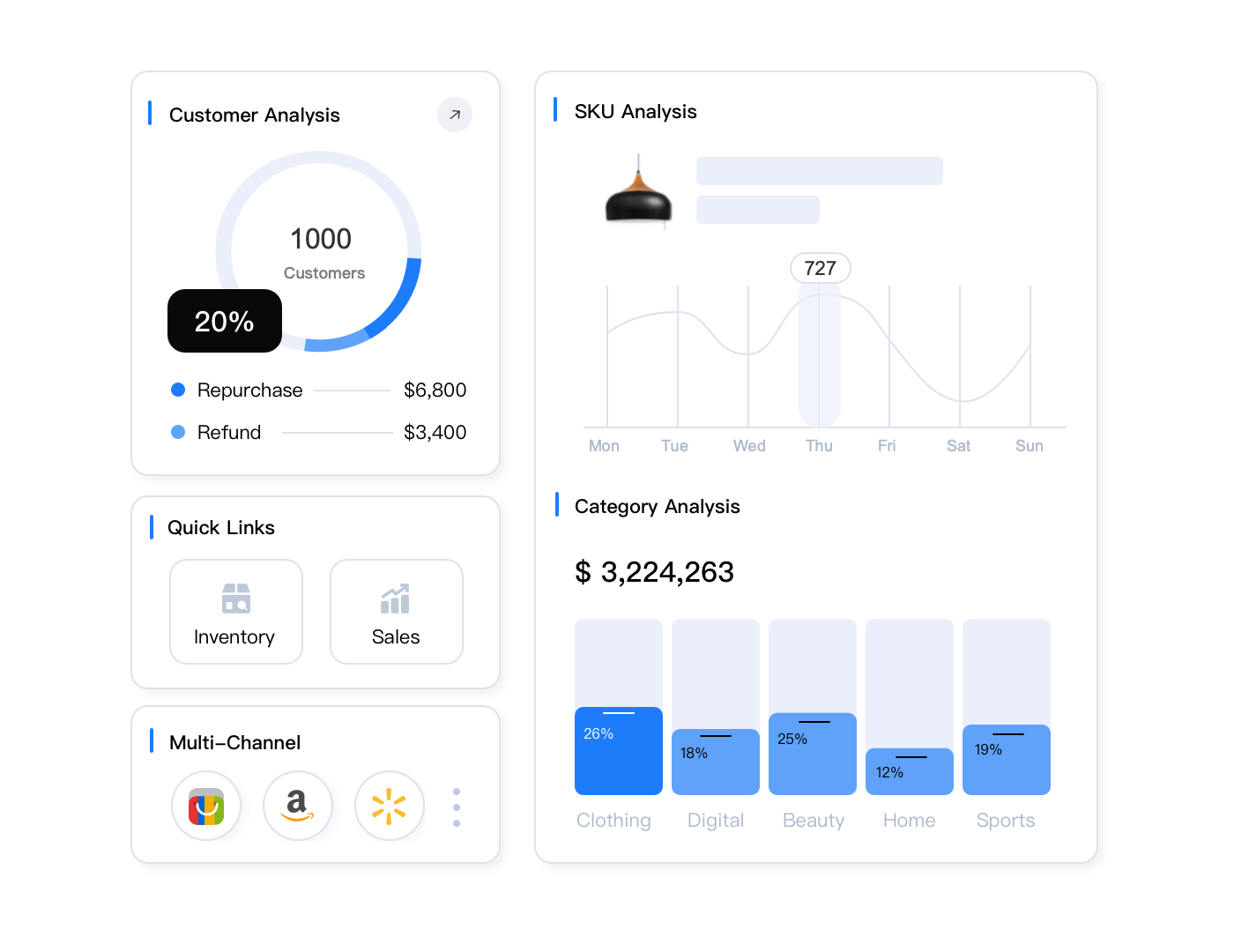
Maxmerce’s variation analytics show exactly which size/color combinations drive profit versus drain resources. The dashboard displays metrics like “Black/Medium: 127 sales, $4,318 revenue, 18.5% margin, 12.3× inventory turns” versus “Olive/XXL: 2 sales, $87 revenue, 14.2% margin, 0.4× inventory turns” in sortable tables. You instantly see that Olive/XXL is tying up capital at a 4% annual return while Black/Medium turns inventory every 30 days—obvious candidate for discontinuation or deep discounting.
The platform’s automated recommendations take this further: “Discontinue 14 variations with <3 sales in 90 days representing $8,340 in recovered capital” or “Increase inventory for 8 variations with 15+ day stockout risk representing $23,100 in missed sales.” Instead of manually reviewing 2,400 variation SKUs to find optimization opportunities, the system surfaces the 22 SKUs requiring immediate action. What would take 6-8 hours of manual spreadsheet analysis weekly now completes in 5 minutes of reviewing prioritized recommendations.
Seasonal Variation Rotation
Apparel and seasonal products require variation rotation as trends shift. Your winter jacket listing might offer Black, Navy, Charcoal, and Forest colors in November but should rotate to lighter colors (Tan, Khaki, Stone, Olive) by March. Rather than creating entirely new listings, edit your existing variations to swap out seasonal options while preserving the parent listing’s sales history and search rankings.
This works because eBay treats variation edits differently than new listing creation. When you remove the “Forest” variation and add a “Stone” variation to an existing listing, you maintain all the parent listing’s accumulated Best Match signals—watchers, page views, sales velocity, and positive feedback. A brand new listing starts from zero. The 6-month-old listing with 340 sales and 89 watchers ranks dramatically higher in search than your new listing even if both are identical products.
Plan variation rotations 30-45 days before seasonal transitions. Remove slow-moving winter colors in late February while they still have residual demand, introduce spring colors in early March before peak season hits. This prevents the dead inventory accumulation that happens when sellers wait until April to discount winter stock that should’ve cleared in February.
Automate Your Variation Management
Stop losing sales to overselling incidents and inventory chaos. Maxmerce’s Listing module handles variation creation, real-time inventory sync, and bulk operations across thousands of SKUs.
Multi-Channel eBay Variation Synchronization
Most eBay variation sellers eventually expand to Amazon, Walmart, or Shopify to diversify revenue. eBay variation structure differs dramatically across platforms—eBay’s two-attribute variation system versus Amazon’s parent-child ASINs versus Walmart’s item relationships. You can’t simply copy eBay variation listings to other marketplaces; you’re mapping between incompatible systems while maintaining eBay variation inventory accuracy across all of them.
Platform-Specific Variation Requirements
Amazon requires parent ASINs (non-buyable containers) with child ASINs (actual purchasable variations) linked through variation themes like “Size” or “Color.” You can’t mix themes arbitrarily—Amazon defines which combinations are valid per category. eBay lets you create Size + Color variations freely, but Amazon might restrict your category to “Size” theme only, forcing separate parent listings for each color.
Walmart uses “variant groups” where one item serves as the primary with related items linked as variants. Unlike eBay’s flat structure where all variations are equal, Walmart expects hierarchical relationships—designate one SKU as the canonical version, attach others as secondary. This affects how Walmart displays your products in search and which variation gets primary visibility.
Shopify provides the most flexibility with three variation types (Size, Color, Material) and 100 variant combinations per product, but lacks built-in inventory reservation during checkout. You need apps or custom code to prevent overselling when two buyers add the last unit to cart simultaneously—a problem eBay and Amazon handle natively.
Centralized Variation Catalog Management
Managing the same product across three platforms with different variation structures requires a centralized catalog that maps relationships intelligently. You define products once with all possible variations, then the system translates to each platform’s specific requirements: creates eBay’s two-attribute variations, generates Amazon parent/child ASINs, builds Walmart variant groups, and publishes Shopify variants.
When you update pricing on one platform, the central catalog propagates changes to all others according to platform-specific rules you’ve configured—maybe eBay prices match Amazon, but Walmart runs 5% lower to compensate for lower fees. Inventory updates trigger instant sync across all platforms using the same real-time reservation system that prevents single-channel overselling.
Building this infrastructure manually means separate listing processes for each platform, custom inventory spreadsheets tracking all variations across all channels, and manual sync processes running multiple times daily. A 100-product catalog with 40 variations each (4,000 SKUs) across three platforms requires managing 12,000 individual listings. The math becomes absurd quickly.
For multi-channel sellers facing this complexity, centralized listing platforms designed for cross-platform variation management become mandatory rather than optional. You can’t scale beyond 500-1,000 total SKUs across channels without automation that handles platform-specific formatting, variation mapping, and inventory sync.
Maxmerce’s multi-channel variation system maintains a master product catalog where you define each product’s complete variation matrix once. The platform then automatically translates this to eBay’s variation structure, Amazon’s parent-child model, and Walmart’s variant groups based on each platform’s category requirements. When eBay demands Size + Color but Amazon restricts your category to Size-only variations, the system creates multiple Amazon parent ASINs (one per color) with size children, while maintaining a single eBay listing with full Size × Color matrix.
The inventory sync operates at the variation level across all platforms simultaneously. When someone buys your Blue/XL jacket on Amazon at 3:00 PM, Maxmerce reserves that unit globally, updates Amazon quantity to reflect the sale, and within 15-20 seconds pushes inventory updates to eBay, Walmart, and Shopify so all platforms show accurate availability. You’re managing one inventory pool instead of four separate systems that drift out of sync and cause overselling incidents.
Pricing strategies can differ by platform while sharing a central control system. Set rules like “eBay pricing = cost × 2.2 margin, Amazon pricing = match eBay, Walmart pricing = eBay minus 5%” and the platform maintains these relationships automatically. When you adjust your cost price or decide to run a 15% promotion, you update once centrally and the system recalculates platform-specific prices according to your rules, publishing changes across all channels within minutes.
The time savings compound dramatically at scale. Managing 200 products with 30 variations each (6,000 SKUs) across eBay, Amazon, and Walmart manually requires 20-30 hours weekly for inventory sync, pricing updates, and new product creation. Centralized automation reduces this to 2-3 hours weekly—you’re working in one interface instead of logging into three different seller accounts, updating one product catalog instead of maintaining three separate inventories, and reviewing consolidated performance instead of stitching together platform-specific reports.
Common eBay Variation Listing Mistakes to Avoid
Even experienced sellers make eBay variation listing management errors that cost sales, tank rankings, or trigger policy violations. Here are the eBay variation mistakes that cause the most damage.
Incomplete eBay Variation Sets
Creating an eBay variation listing for a shirt in sizes S, M, L, XXL but skipping XL creates a broken buyer experience. Customers assume XL is out of stock rather than never offered, leading to abandoned carts when they can’t find their size. Worse, eBay’s algorithm penalizes incomplete eBay variation sets with lower search rankings—complete eBay variation size runs (XS through 3XL) rank 34% higher than partial sets even when the partial set has stronger sales history.
If you genuinely can’t stock certain variations due to supplier limitations, list them anyway and set quantity to zero. eBay hides zero-quantity variations from buyers but still credits you for offering a complete set for ranking purposes. When inventory becomes available, you’re updating quantity rather than adding new variations that reset the listing’s age and accumulated signals.
Inconsistent Variation Naming
Using “Blue” for one product, “Navy” for another, and “Royal Blue” for a third when they’re all the same shade creates catalog chaos. eBay treats these as three distinct colors in reporting, preventing you from analyzing performance across your blue products collectively. Standardize variation names using eBay’s exact attribute values: if eBay’s dropdown shows “Navy,” always use Navy, never Blue or Dark Blue.
This matters for bulk operations too. When you want to apply a 10% price increase to all Blue products, rule-based filters can’t find them if some use “Blue,” others use “BLU,” and others use “Navy.” Consistent naming enables powerful bulk operations; inconsistent naming forces tedious manual updates.
Over-Variation Syndrome
Creating variations for attributes that don’t meaningfully differ confuses buyers and dilutes sales velocity. Don’t make separate variations for “New with Tags” versus “New without Tags”—that’s condition, not variation. Don’t create Size variations for products where size is irrelevant (phone cases that fit all sizes of one model). Don’t use variations for bundle options that should be separate listings (single unit versus 3-pack).
The test: would a buyer comparing these variations care about the difference during a single purchase decision? Size and Color pass because buyers choose one over the other. “Free Shipping” versus “Standard Shipping” fails because that’s a fulfillment option, not product variation. Keep variations focused on product attributes that affect buyer selection.
Neglecting Variation-Level Analytics
Checking total listing sales without drilling into per-variation performance masks serious problems. Your listing shows 500 total sales looking healthy, but variation-level data reveals 450 sales came from three size/color combos while 45 other variations contributed only 50 sales combined. You’re tying up capital in 45 SKUs generating 10% of revenue while the top three SKUs starve for inventory.
Review variation performance monthly at minimum, weekly for high-volume listings. Identify variations with zero sales in 60+ days—candidates for clearance pricing or discontinuation. Find bestselling variations with frequent stockouts—candidates for increased inventory allocation. This optimization is impossible without variation-level visibility that most sellers never implement.
Frequently Asked Questions
How many variations can I add to a single eBay listing?
eBay allows up to 2 variation types (like Size and Color) with up to 60 unique combinations per listing. You can’t exceed these limits regardless of product type. Each variation requires its own SKU, price, quantity, and optionally unique images. If your product requires more than 60 combinations (like a shirt in 10 sizes × 8 colors = 80 SKUs), you’ll need to split into multiple listings, perhaps grouping by color family or size range.
What’s the best way to prevent overselling across variations?
Implement real-time inventory sync that updates all variations instantly when any sells. Set variation-level safety stock (10-15% buffer below actual inventory). Use automated systems to track pending orders and reserve inventory immediately upon purchase. Multi-channel sellers should centralize inventory management to prevent conflicts across platforms—manual coordination fails when sales occur within seconds of each other on different channels.
Should I create one listing with variations or multiple separate listings?
Use variations for truly identical products differing only by attributes like size/color (one listing consolidates sales history and SEO value). Create separate listings when products differ significantly in features, price points vary by more than 50%, or target different buyer searches. Variations improve conversion through easy comparison, while separate listings allow unique optimization. For example: a t-shirt in 6 colors = variations. Men’s t-shirt versus women’s t-shirt = separate listings even if designs are similar.
How do I handle inventory when one variation sells out?
eBay automatically hides out-of-stock variations from the buyer view while keeping the listing active. Set remaining variations to show clearly in the selection dropdown. Don’t delete sold-out variations—they retain sales history and eBay credits complete variation sets with ranking benefits. Restock quickly since eBay prioritizes listings with full variation availability in search rankings. If a variation will be permanently discontinued, set quantity to zero rather than deleting to maintain listing structure.
Can I use different prices for different variations?
Yes, each variation can have a unique price, but keep variations within 30-50% price range of each other for best buyer experience. Large price gaps confuse buyers and may indicate products should be separate listings (economy versus premium versions). The listing displays the lowest variation price in search results, so strategically price your base variation (usually smallest size) competitively to attract clicks, then earn higher margins on larger sizes that cost the same to produce but command premium pricing.
What’s the fastest way to update hundreds of variation SKUs?
Export your variation data to Excel/CSV, make bulk changes offline using formulas and find-replace, then re-import. Automation platforms allow rule-based editing where you can update all variations matching specific criteria in one operation (like “increase price 12% for all Size=XL where inventory <5 units”). For pricing changes, use percentage adjustments rather than manual entry to maintain margin consistency. Test updates on a small batch first before applying to your entire catalog.
How does eBay’s search algorithm treat variation listings?
eBay indexes all variation-specific titles and attributes, so each variation can appear in relevant searches. Listings with complete variations (full size runs, all color options) rank 34% higher than incomplete sets according to 2025 studies. Sales velocity across all variations compounds into stronger search positioning—a listing with 48 variations selling 200 units monthly outranks a single-SKU listing selling 200 units because eBay sees more diverse buyer engagement. Variation-specific attributes like ‘Size: XL’ or ‘Color: Blue’ improve discoverability for long-tail searches.
What causes the most common variation listing errors on eBay?
Missing required Item Specifics for category (eBay demands 15-20 fields for apparel), inconsistent variation naming (Blue vs Navy vs Royal), duplicate SKUs across variations (each must be globally unique), price or inventory values below minimums (eBay requires ≥$0.99 pricing), and images not assigned to variations properly. eBay rejects listings with incomplete variation data or non-standard attribute values. Always validate before publishing and maintain consistent formatting—use eBay’s suggested values from dropdowns rather than custom text entries.
Conclusion: Mastering eBay Variation Listings for Sustainable Growth
eBay variation listings transform from overwhelming complexity to competitive advantage once you implement proper eBay variation structure, real-time inventory sync, and bulk eBay variation management workflows. The difference between manual eBay variation management (18 minutes per product, frequent overselling, catalog chaos) and automated eBay variation systems (90 seconds per product, 94% fewer incidents, streamlined operations) compounds dramatically as you scale from 10 eBay variation listings to 100 to 1,000.
Start by auditing your current eBay variation listings for completion—identify missing sizes, inconsistent naming, and zero-inventory eBay variation SKUs that should be restocked or discontinued. Implement eBay variation inventory sync that updates all variations across all platforms within 20 seconds of any sale. Build reusable eBay variation templates for your top product categories that handle 80% of future listings automatically. Track eBay variation-level performance monthly to identify bestsellers deserving more inventory versus dead stock draining capital.
The sellers winning eBay’s variation listing game in 2025 aren’t those with the most SKUs—they’re those managing their eBay variation SKUs most efficiently through automation that eliminates repetitive data entry, prevents costly eBay variation overselling incidents, and frees time to focus on sourcing profitable products instead of maintaining spreadsheets. That’s the operational foundation that scales from $10K monthly to $100K without proportionally increasing your workload or team size.
Ready to Scale Your eBay Variation Catalog?
Maxmerce’s Listing module handles everything from variation creation to real-time inventory sync across all platforms. Manage 10,000+ variation SKUs with the effort of 500.
