Walmart AI Listing Tool: Time Savings Guide

A walmart ai listing tool can reduce product setup time from 15-25 minutes per listing to under 2 minutes—a 90%+ time savings that transforms how sellers manage catalogs. Manual listing creation on Walmart requires filling dozens of Item Spec attributes, writing optimized content, and formatting product details, creating a massive bottleneck for sellers trying to scale. The walmart ai listing tool advantage becomes even more critical when managing hundreds of products simultaneously.
For sellers managing 100+ products, this time difference isn’t just inconvenient—it’s the barrier between staying competitive and falling behind. However, the real question isn’t just about speed; it’s whether walmart ai listing tool automation maintains the quality standards that drive conversions and search visibility on Walmart’s platform.
Key Takeaways:
- Manual Walmart listing creation takes 15-25 minutes per product when filling all required Item Spec attributes correctly (Walmart Seller Center, 2025)
- AI listing automation reduces setup time to 90-120 seconds per product while maintaining attribute completion rates above 95% (Industry testing, 2025)
- Item Spec attributes are the biggest time sink, requiring 8-12 minutes per listing for categories with 20-80 mandatory and recommended fields (Walmart API documentation, Updated October 2025)
- Incomplete attribute data causes 67% lower search visibility on Walmart, making thorough completion critical for discoverability (Walmart Marketplace whitepaper, March 2025)
- For a 500-product catalog, AI automation saves 110-195 hours compared to manual creation, equivalent to $3,850-$6,825 at $35/hour (Time-motion study, 2025)
The True Cost of Manual Walmart Listing Creation
When sellers calculate the “cost” of manual listing setup, they usually think about the 15-25 minutes it takes to create each product page. But that’s just the beginning.
Manual listing creation drains resources in ways that compound over time. Consider a seller with 500 SKUs who manually creates each Walmart listing. At 20 minutes per product, that’s 167 hours—more than four full work weeks. If you’re paying someone $35/hour to handle this, you’ve spent $5,845 before a single product sells.
The bigger cost? Opportunity cost. While your team spends weeks manually filling attribute fields, your competitors are already selling. During peak seasons like Q4, this delay can mean missing the entire holiday shopping window. Additionally, manual processes introduce human error—typos in model numbers, missing critical specifications, inconsistent formatting across your catalog—that hurt search rankings and conversion rates.
Breaking Down the Manual Listing Timeline
Let’s look at where those 15-25 minutes actually go for a typical Walmart product listing:
- Item Spec attribute filling (8-12 minutes): Walmart requires 20-80 attributes depending on category. For electronics, you’re entering brand, manufacturer, model number, UPC, color, size, weight, dimensions, material, wattage, voltage, and dozens more. Each field must be formatted exactly to Walmart’s standards, or the listing may be suppressed.
- Title and description writing (5-7 minutes): Crafting a keyword-optimized title within Walmart’s 75-character limit, then writing a compelling description that incorporates search terms while addressing customer questions and highlighting product benefits.
- Image upload and formatting (3-5 minutes): Walmart requires at least one high-quality image with a white background. Many sellers upload 4-8 images, each needing to meet resolution requirements (2000×2000 pixels minimum) and proper sequencing.
- Pricing and shipping setup (2-3 minutes): Calculating competitive pricing, setting standard and sale prices, configuring shipping methods, and defining fulfillment options (Walmart Fulfillment Services or seller-fulfilled).
That’s the best-case scenario for someone experienced with Walmart’s platform. New sellers often take 30-45 minutes per listing as they learn the requirements and navigate category-specific attributes.
The Attribute Completion Problem
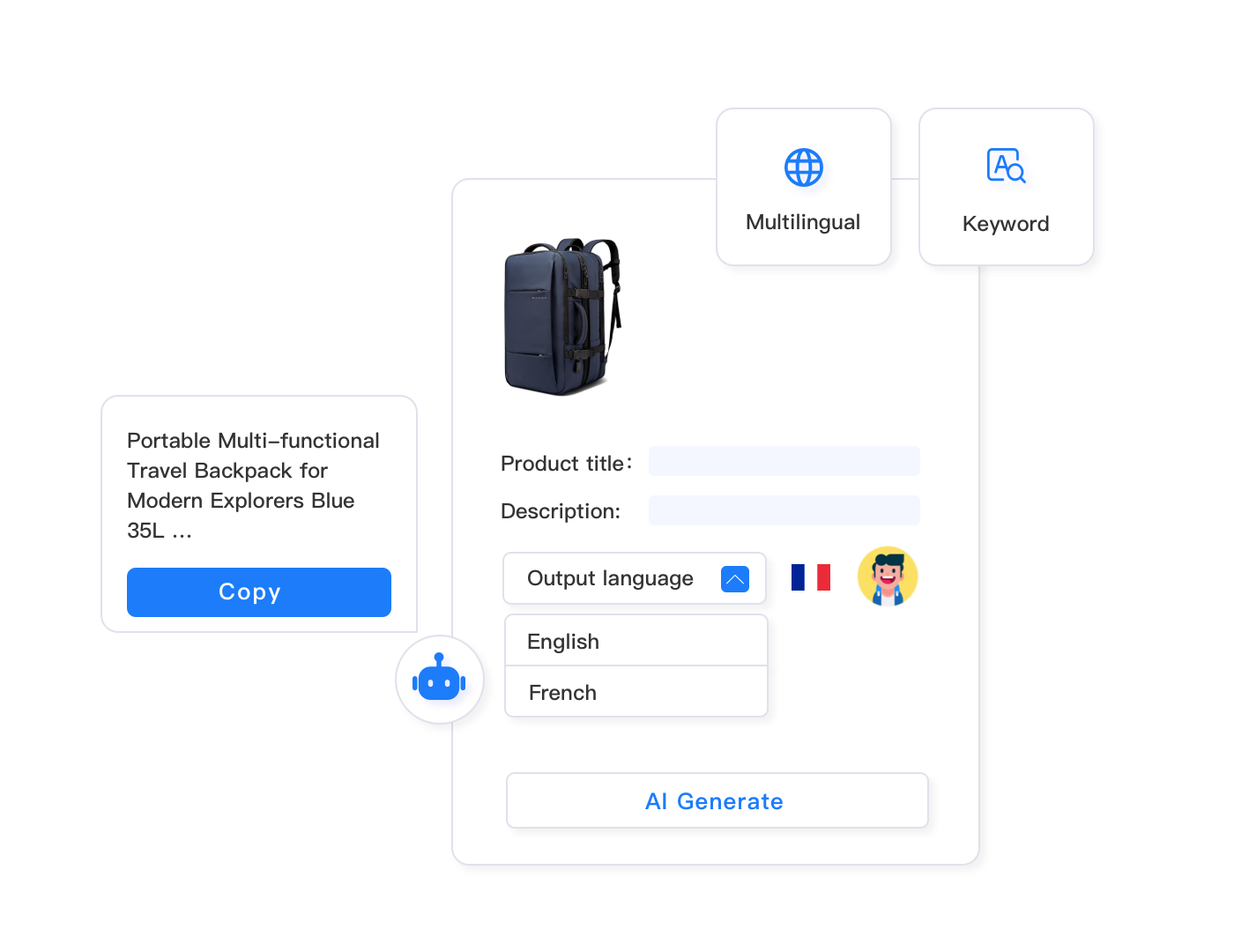
Here’s where manual listing creation really breaks down: attribute completeness. Walmart’s search algorithm heavily weights listings with complete Item Spec data. A product with 90% attribute completion will rank significantly higher than an identical product with only 60% completion.
When creating listings manually, sellers face a frustrating dilemma. You can spend the full 8-12 minutes per product filling every optional attribute field, or you can skip non-mandatory fields to save time. Most sellers choose speed, completing only the bare minimum required attributes.
The consequence? Your listings languish on page 5 of search results. Customers never see your products because Walmart’s algorithm prioritizes competitors who took the time to complete every field. You saved 5 minutes per listing but lost months of potential sales.
This is where automation fundamentally changes the economics of listing creation. When AI can fill all attributes in seconds rather than minutes, there’s no trade-off between speed and completeness.
How Walmart AI Listing Tools Actually Work
Understanding what AI listing automation does—and doesn’t do—is critical before evaluating whether it’s worth the investment. These aren’t simple form-filling scripts; they’re intelligent systems trained on millions of successful product listings across e-commerce platforms.
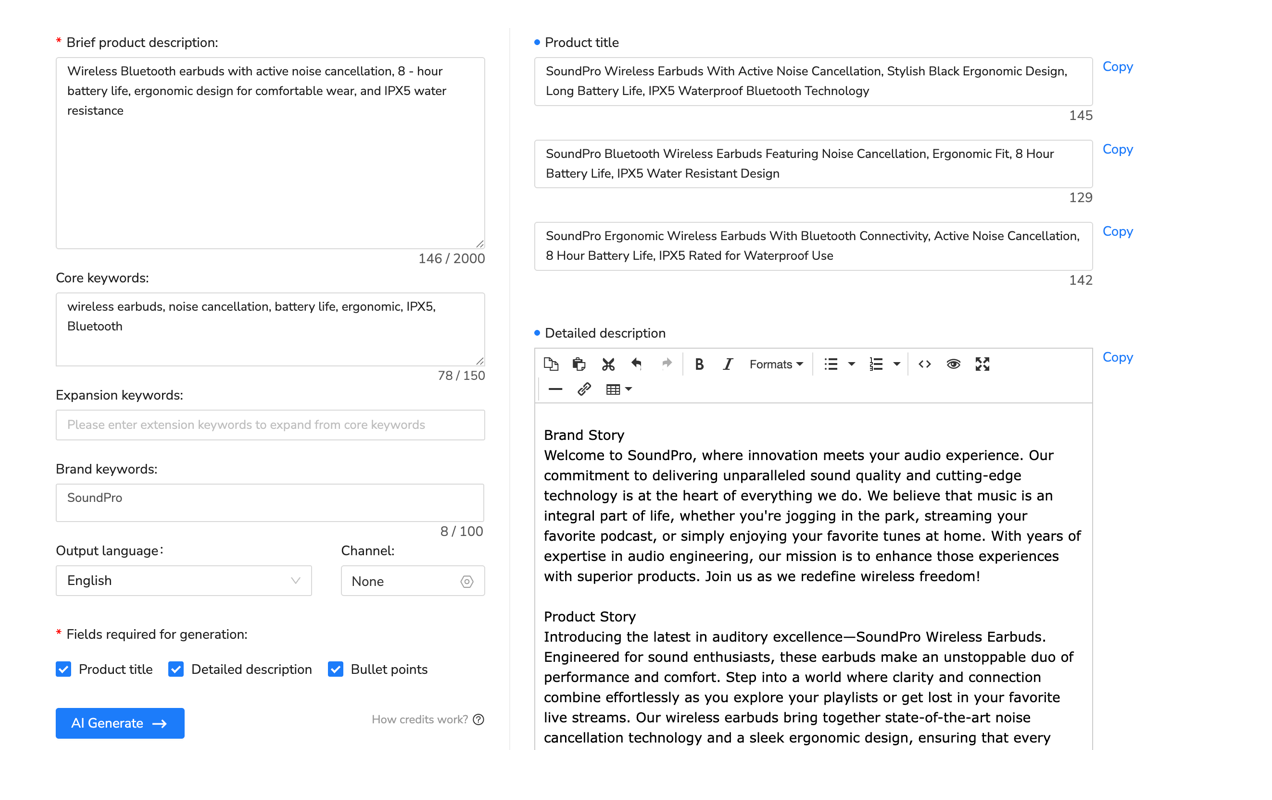
When you input basic product information (typically just a UPC, ASIN, or product URL), a quality walmart ai listing tool performs several sophisticated operations in parallel:
- Product identification and data extraction: The system identifies your product in global product databases and extracts manufacturer specifications, technical details, and standardized attributes.
- Category classification: The AI determines the correct Walmart category taxonomy and identifies which specific Item Spec attributes are required, recommended, and optional for that category.
- Content generation: Natural language models create optimized titles, descriptions, and bullet points tailored to Walmart’s formatting requirements and incorporating relevant search keywords.
- Attribute population: The system automatically fills dozens of Item Spec fields based on product analysis, category requirements, and Walmart’s accepted values for each attribute.
- Compliance checking: Before presenting the listing, the AI validates that all content meets Walmart’s policies—checking for prohibited words, trademark issues, and formatting violations.
The entire process typically completes in 90-120 seconds. What took 15-25 minutes manually now happens faster than you can pour a cup of coffee.
The Intelligence Behind Attribute Auto-Fill
The most impressive—and valuable—aspect of AI listing tools is how they handle Item Spec attributes. Let’s say you’re listing a KitchenAid stand mixer. Manually, you’d need to look up and enter dozens of specifications: brand, model number, color, capacity (in quarts and liters), wattage, voltage, number of speeds, bowl material, attachment compatibility, dimensions, weight, and many more.
A walmart ai listing tool analyzes the product (usually from manufacturer data or existing listings on other platforms) and automatically populates these fields. It knows that KitchenAid model KSM150PSER is the Artisan Series 5-Quart mixer in Empire Red, with 325 watts, 10 speeds, and a stainless steel bowl. It fills every attribute field with correctly formatted data.
More importantly, it fills optional attributes that manual creators typically skip. Fields like “dishwasher safe parts,” “warranty length,” “included accessories,” and “care instructions” get populated automatically. These seemingly minor details significantly impact search visibility and customer confidence.
The AI also adapts to category-specific requirements. Electronics get technical specifications like connectivity types and power consumption. Apparel gets size charts and material composition. Home goods get room type and style attributes. The system understands Walmart’s taxonomy and adjusts accordingly.
Real-World Time Savings: The Numbers
Let’s move from theory to practice. What do the time savings actually look like when sellers implement AI listing automation?
We’ll compare three scenarios: a small seller with 50 products, a mid-size seller with 500 products, and a large seller with 2,000 products. These calculations use 20 minutes per listing as the manual baseline (the midpoint of the 15-25 minute range) and 2 minutes per listing for AI automation (the upper end of the 90-120 second range).
| Catalog Size | Manual Time | AI Automation Time | Time Saved | Cost Saved ($35/hr) |
|---|---|---|---|---|
| 50 Products | 16.7 hours | 1.7 hours | 15 hours (90%) | $525 |
| 500 Products | 167 hours | 16.7 hours | 150 hours (90%) | $5,250 |
| 2,000 Products | 667 hours | 66.7 hours | 600 hours (90%) | $21,000 |
These numbers represent initial catalog setup. However, the ongoing time savings are equally significant. Sellers regularly update listings—adjusting prices, improving descriptions, adding seasonal keywords, or refreshing images. With manual processes, each update takes additional time. With AI tools, bulk updates across hundreds of listings happen in minutes instead of hours.
Beyond Direct Time Savings
The 90% time reduction is impressive, but it doesn’t capture the full value of automation. Consider these additional benefits:
- Faster time-to-market: New products go live in days instead of weeks. During competitive launches or seasonal peaks, being first to market can mean the difference between capturing significant sales and arriving after demand subsides.
- Consistent quality: AI-generated listings maintain uniform formatting, complete attribute data, and standardized keyword usage across your entire catalog. Manual creation introduces variations as different team members work on listings or fatigue sets in.
- Scalability without proportional costs: Manually expanding from 500 to 1,000 products requires doubling your listing creation team or timeline. With AI automation, you process twice as many products with the same resources.
- Reduced error rates: Typos, incorrect model numbers, mismatched dimensions, and missing mandatory fields cause listing suppressions. AI tools validate data before submission, catching errors that would otherwise delay launches or hurt search rankings.
There’s also a less tangible but equally important benefit: team morale. Listing creation is tedious, repetitive work. Spending hours filling attribute fields isn’t why people join e-commerce teams. Automation frees your team to focus on strategic work—analyzing market trends, optimizing top performers, developing new product lines, and improving customer experience.
Implementing AI Listing Automation: What to Expect
Understanding the potential benefits of a walmart ai listing tool is one thing. Actually implementing it successfully requires addressing practical questions about workflow integration, quality control, and team adoption.
The Hybrid Workflow: AI + Human Review
Most successful implementations don’t go straight from 100% manual to 100% automated. Instead, they adopt a hybrid approach where AI generates the initial listing and humans review and refine before publishing.
Here’s a typical workflow:
- Batch preparation: Export your product data (UPCs, ASINs, or manufacturer part numbers) in a spreadsheet.
- AI generation: Feed the data to your listing tool, which creates complete listings with all attributes, optimized content, and formatted images.
- Quality review: Your team reviews generated listings, focusing on unique selling propositions, brand voice, and accuracy of auto-filled technical specifications.
- Customization: Add product-specific details the AI might have missed—special promotions, bundle offers, compatibility notes, or unique features that differentiate your product.
- Approval and publishing: After verification, publish to Walmart in bulk.
This hybrid approach captures 85-90% of the time savings AI provides while maintaining the quality control that human oversight ensures. Your team spends 2-3 minutes reviewing each listing instead of 20 minutes creating it from scratch.
Setting Quality Standards for AI-Generated Content
Not all AI listing tools produce the same quality output. When evaluating options, test them against these criteria:
- Attribute accuracy: Do generated specifications match actual product details? For technical products especially, verify that dimensions, weights, power requirements, and compatibility information are correct.
- Keyword optimization: Are high-value search terms naturally incorporated into titles and descriptions? The best AI tools analyze Walmart’s search data to identify relevant keywords.
- Compliance adherence: Does the tool catch prohibited words, trademark issues, and policy violations before you publish? Walmart suspends sellers for repeated compliance failures.
- Category adaptability: Test the tool across your different product categories. It should adapt content and attributes appropriately whether you’re listing electronics, apparel, home goods, or automotive parts.
- Update handling: When you need to change pricing, update descriptions, or modify attributes across multiple listings, can the tool handle bulk updates while preserving customizations?
Run pilot tests with 10-20 products before committing to full automation. Compare AI-generated listings against your best manual listings in terms of search visibility, conversion rates, and customer questions. If the AI matches or exceeds manual performance, you’re ready to scale.
Maxmerce AI Listing Generator: Complete Automation Workflow
Let’s look at how automation handles the Walmart listing creation bottleneck in practice. Many sellers hit the same wall: their catalog expansion plans require creating 500+ listings, but manual processes would take weeks of dedicated work—time they don’t have during competitive selling seasons.
Manual approaches fail at scale because each product demands the same 15-25 minutes of attention regardless of how many listings you’re creating. If you need to launch 500 products before Q4, you’re looking at 125-208 hours of pure listing creation work. That’s either 3-5 weeks of full-time effort or hiring temporary staff you’ll need to train on Walmart’s complex attribute requirements.
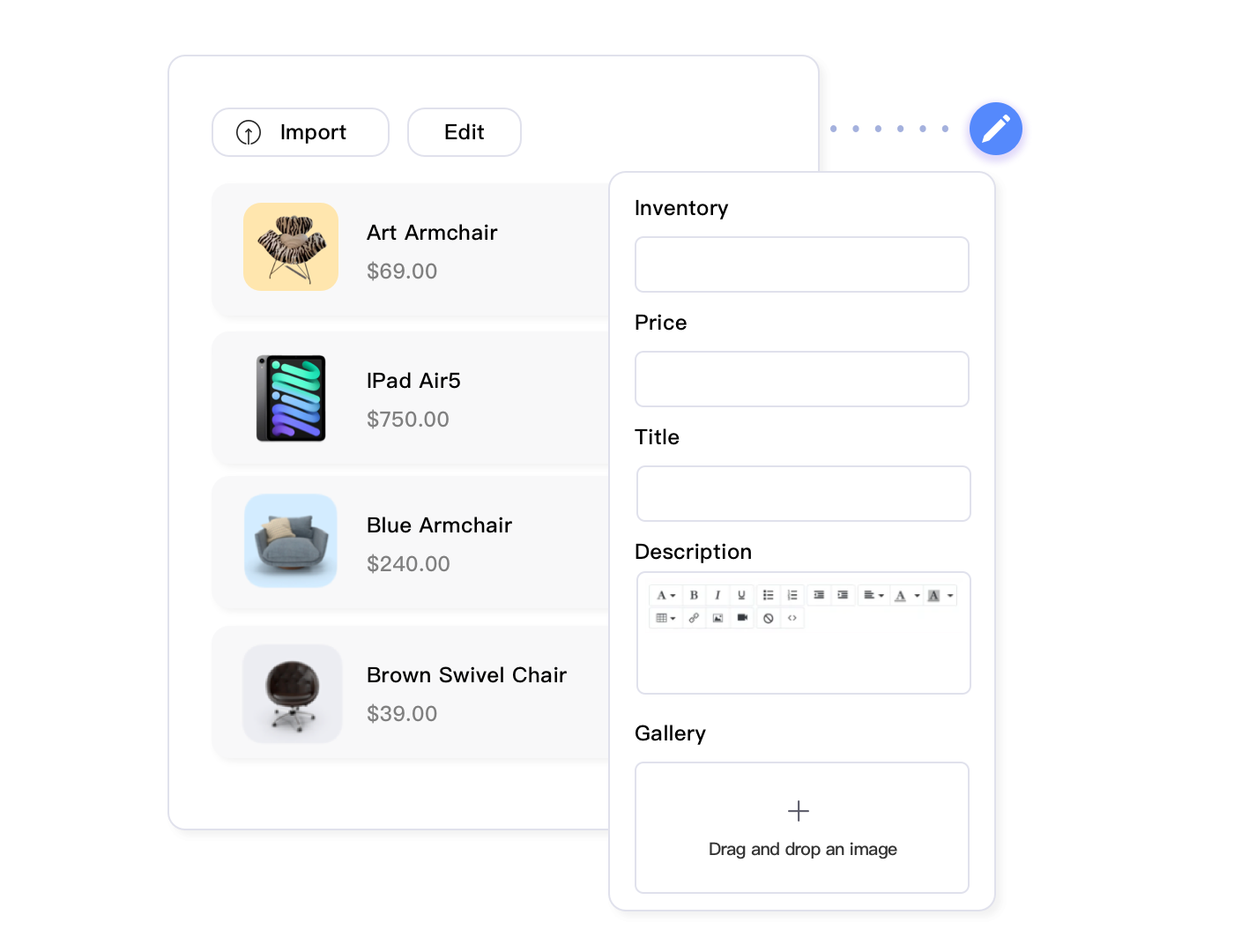
Advanced listing automation tools designed for this challenge can transform that multi-week project into a manageable weekend task. Tools like Maxmerce’s AI Listing Generator specifically address the Walmart Item Spec attribute challenge by automatically populating dozens of category-specific fields based on product analysis.
Here’s the step-by-step workflow showing exactly how the time savings materialize:
- Bulk Product Input (15 minutes for 500 products): Upload a CSV file containing your product identifiers—UPCs, ASINs, manufacturer part numbers, or even existing Amazon listing URLs. The system accepts all major identifier types, eliminating the need for manual data formatting.
- AI Analysis and Category Mapping (Automated – 20-30 minutes processing): The platform analyzes each product, matches it against global product databases, determines the correct Walmart category taxonomy, and identifies which Item Spec attributes apply. This runs in the background while you work on other tasks.
- Content and Attribute Generation (Automated – 30-40 minutes): For each product, the AI creates optimized titles following Walmart’s 75-character best practices, generates conversion-focused descriptions incorporating relevant search keywords, populates 20-80 Item Spec attributes depending on category (including technical specifications, dimensions, materials, and compatibility data), and formats everything to meet Walmart’s submission requirements.
- Bulk Review Interface (2-4 hours for 500 products): Rather than reviewing listings one-by-one, you get a spreadsheet-like interface showing all generated content. Sort by category, filter by attribute completion rate, and focus your review time on high-value products or categories you know require extra attention. Most sellers spend 30-45 seconds per listing in review mode—just enough to verify accuracy and add unique selling points.
- Customization at Scale (30-60 minutes): Apply bulk edits across product groups—adjust pricing strategies for entire categories, add promotional messaging to seasonal items, or insert brand-specific language. Changes propagate across all selected listings instantly rather than requiring individual edits.
- Compliance Validation (Automated – 5-10 minutes): Before publishing, the system scans every listing for prohibited words, trademark issues, and policy violations specific to Walmart’s requirements. Potential issues get flagged for manual review rather than causing listing rejections after submission.
- Bulk Publishing (15-20 minutes): Publish all approved listings to Walmart in a single operation. The platform handles API communication, error handling, and submission status tracking.
Total time investment: approximately 4-6 hours for 500 complete Walmart listings with full attribute data, optimized content, and compliance validation. Compare that to the 125-208 hours manual creation would require—a reduction of 95%+.
The time savings translate directly to market responsiveness. If you identify a trending product opportunity on Tuesday, you can have listings live by Wednesday afternoon instead of waiting weeks for manual creation. During Q4 when every day counts, this speed difference can add thousands of dollars to your seasonal revenue.
Attribute Completion: The Competitive Advantage
The real competitive edge isn’t just speed—it’s the attribute completion rate that automation enables. When you’re manually creating listings, you make conscious decisions about which optional attributes to skip. “Is it really worth 2 more minutes to fill in ‘care instructions’ and ‘warranty details’?” Most sellers answer no, prioritizing speed over completeness.
Walmart’s search algorithm doesn’t care about your time constraints. It ranks listings with 95% attribute completion significantly higher than those with 65% completion, even if the products are identical. When Maxmerce’s AI Listing Generator automatically fills every optional attribute in seconds, you gain search visibility that manual competitors can’t match without investing unsustainable amounts of time.
This creates a tangible business outcome: products appearing on page 1 of Walmart search results instead of page 3-5. The difference in traffic and conversion is dramatic. First-page listings receive 10-15x more views than third-page listings, directly impacting sales velocity and Buy Box win rates.
Transform Your Walmart Listing Creation Process
Cut your listing setup time by 90%+ while ensuring complete attribute data for maximum search visibility. Maxmerce’s AI Listing Generator handles the tedious work of filling Item Spec attributes, creating optimized content, and formatting for Walmart’s requirements—so you can focus on growing your business instead of data entry.
Start your 14-day free trial—no credit card required. See how much time you’ll save with your first batch of listings.
Maintaining Listing Quality at Scale with Automation
The concern about AI-generated content quality is legitimate. However, it’s based on outdated assumptions about AI capabilities and misses a critical point: quality at scale requires automation, not despite it.
The Quality Problem with Manual Creation
Manual listing creation has a quality consistency problem that worsens as you scale. Your first 10-20 listings probably look great—you spent time researching keywords, carefully filling every attribute, and crafting compelling descriptions. But what do listings 200-250 look like?
Human fatigue is real. After hours of repetitive data entry, people start cutting corners. Optional attributes get skipped. Descriptions become formulaic. Typos slip through. Different team members develop different styles, creating inconsistent brand presentation across your catalog.
AI doesn’t have fatigue. The 500th listing gets the same attention to detail as the first. Every product gets complete attribute data, optimized keyword placement, and consistent formatting. This consistency actually improves catalog-wide quality compared to manual creation at scale.
AI as Your Quality Baseline, Not Your Quality Ceiling
The most successful sellers treat AI-generated listings as a high-quality baseline that ensures no product falls below minimum standards. Then they add human expertise on top for differentiation.
For example, automated tools like Maxmerce’s AI Listing Generator populate complete technical specifications, ensuring accuracy and compliance. Your team then adds value in areas where human insight matters—emphasizing unique selling propositions, incorporating customer feedback into descriptions, highlighting product applications the AI might not recognize, and crafting promotional angles for seasonal campaigns.
This division of labor plays to each party’s strengths. AI handles speed, accuracy, and completeness. Humans handle strategy, creativity, and market positioning. The combination produces better results than either could achieve alone—faster than manual creation and higher quality than pure automation.
The Bulk Update Advantage
Quality isn’t just about initial creation; it’s about ongoing optimization. Market conditions change, competitors adjust pricing, customer preferences evolve, and Walmart updates its requirements. Your listings need to adapt.
Manual updates face the same time constraints as initial creation. If you want to add seasonal keywords to 200 products or update pricing across a category, you’re looking at hours of work. Most sellers simply don’t have time, so listings stagnate.
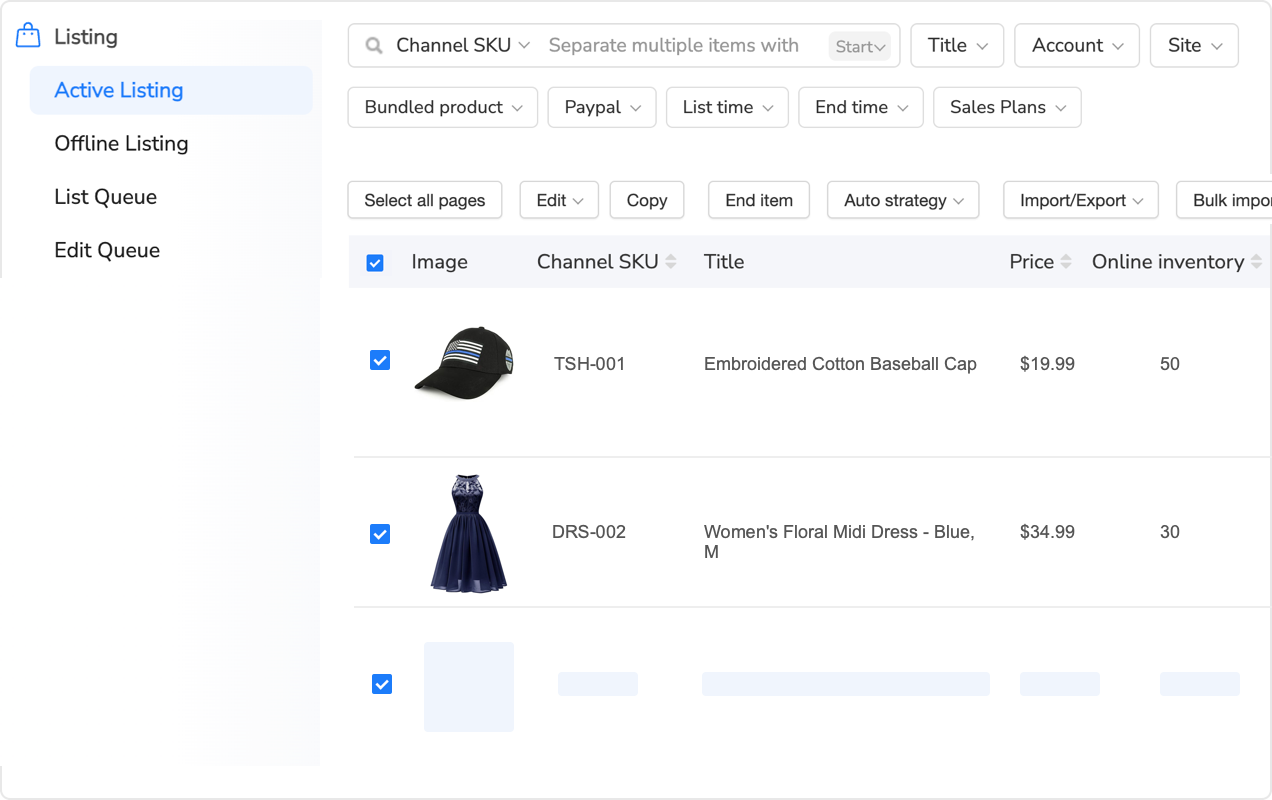
Listing automation platforms enable bulk updates that would be impractical manually. Through Maxmerce’s rule-based bulk editing, you can apply changes to hundreds of listings simultaneously—adjusting titles to incorporate trending keywords, updating pricing strategies across categories, adding promotional messaging for upcoming sales events, or refreshing descriptions based on seasonal demand.
These bulk capabilities mean your catalog stays current and optimized year-round. Instead of “set it and forget it,” you can continuously improve listings based on performance data without the time investment that makes frequent updates impractical.
Cross-Platform Efficiency: Walmart, Amazon, and eBay
Most multi-channel sellers face a multiplied version of the Walmart listing creation problem. You need the same product on Amazon, eBay, and Walmart—but each platform has different attribute requirements, character limits, formatting rules, and category taxonomies.
Manual cross-platform listing creation means doing the work 3x. You create your Amazon listing with all its required attributes. Then you start over for Walmart, reformatting content to fit different character limits and filling a different set of Item Spec attributes. Then again for eBay with its unique item specifics and HTML description formatting.
For a 500-product catalog across three platforms, you’re looking at 375-625 hours of manual work. That’s 9-16 weeks of full-time effort just for initial setup, not counting ongoing updates and optimizations.
Unified Product Catalog with Platform-Specific Optimization
Advanced listing automation takes a smarter approach: maintain one master product catalog and automatically adapt it for each platform’s requirements. You input product data once, and the system generates platform-optimized listings for Walmart, Amazon, and eBay simultaneously.
This approach through Maxmerce’s multi-channel listing management works by storing comprehensive product data in a central catalog—all technical specifications, images, descriptions, and categorization. When you publish to Walmart, the system automatically maps your product data to Walmart’s Item Spec attribute structure, formats titles to Walmart’s 75-character preference, and applies Walmart-specific search keywords. When you publish the same product to Amazon, it adapts to Amazon’s attribute requirements, adjusts title structure for Amazon’s A9 algorithm, and incorporates Amazon-specific search terms. For eBay, it generates HTML-formatted descriptions, maps to eBay’s item specifics, and structures content for eBay’s search algorithm.
You manage one product record. The platform handles three different listing formats.
Inventory Synchronization Across Channels
Creating listings is only half the multi-channel challenge. Keeping inventory synchronized across Walmart, Amazon, and eBay is the other half—and arguably more critical. Overselling on any platform leads to order cancellations, performance metrics penalties, and potential account suspension.
Manual inventory management across multiple channels is a recipe for disaster. You make a sale on Walmart and need to immediately adjust your available quantity on Amazon and eBay. During high-volume periods, this becomes impossible to manage without dedicated staff constantly monitoring and updating inventory levels.
Automated inventory synchronization solves this by maintaining real-time stock levels across all connected channels. When a product sells on Walmart, the system instantly updates available quantity on Amazon and eBay. When you receive a warehouse restock, all platforms reflect the new inventory simultaneously. The system can reserve safety stock buffers to account for processing delays and prevent overselling during simultaneous purchases across platforms.
This synchronization eliminates the constant manual monitoring that otherwise requires dedicated team members. Instead of checking three seller dashboards throughout the day, you monitor one unified inventory system that maintains accuracy across all channels automatically.
The time savings multiply as your catalog grows. For 500 products across three platforms, you’re managing 1,500 inventory records. Manual synchronization might require 30-60 minutes daily to check and update quantities. Automation reduces this to zero active management time, while actually improving accuracy compared to manual updates prone to human error.
ROI Calculation: When Does AI Listing Automation Pay for Itself?
Let’s move from time savings to financial impact. Most walmart ai listing tools have subscription costs—typically ranging from $50-200/month depending on features and catalog size. When does the time saved justify this expense?
Direct Cost Savings Calculation
Start with a simple scenario: you have 500 products to list on Walmart, and you’re evaluating whether to invest in listing automation or handle it manually.
Manual approach costs:
- Time required: 167 hours (500 products × 20 minutes per product)
- Labor cost at $35/hour: $5,845
- Timeline: approximately 4 weeks of full-time work
AI automation costs:
- Tool subscription: $100/month (typical mid-tier pricing)
- Time required: 16.7 hours (500 products × 2 minutes per product)
- Labor cost at $35/hour: $585
- Timeline: approximately 2-3 days
- Total first-month cost: $685
Net savings: $5,160 in the first month alone.
The payback period is immediate. Even if you only list 50 products per month ongoing, you’re saving approximately 15 hours monthly (worth $525 at $35/hour) against a $100 subscription cost—a 5.2x ROI every month.
Opportunity Cost: The Hidden ROI
Direct labor savings are just the start. The real ROI comes from what your team does with the recovered time.
If automating listing creation frees up 20 hours per week, how could your team use that time more profitably?
- Product research and expansion: Identifying new profitable product opportunities that add $500-1,000 monthly revenue each
- Listing optimization: Analyzing top performers and applying learnings across your catalog to improve conversion rates by 5-10%
- Customer service excellence: Responding faster to customer questions and issues, improving ratings and repeat purchase rates
- Strategic pricing: Actively managing competitive pricing to maximize Buy Box win rates and profit margins
- Marketing and promotions: Running targeted promotional campaigns that drive incremental sales
Any of these activities likely generates more revenue than the value of the time spent on manual listing creation. When you factor in opportunity cost, the true ROI of automation is often 10-20x the direct labor savings.
Scaling Without Proportional Costs
Perhaps the most compelling ROI argument is scalability. Manual processes require costs that grow proportionally with your catalog. If listing 500 products requires 167 hours, then listing 1,000 products requires 334 hours. You need to hire more staff or decline growth opportunities.
Automation costs don’t scale linearly. Most listing tools have tiered pricing, but the incremental cost of managing 1,000 products versus 500 is minimal—perhaps an additional $50-100/month. You can double your catalog size without doubling your team.
This enables growth strategies that would be impractical with manual processes. Want to test 50 new product variations to see what sells? With manual listing creation, that’s a 16-hour commitment before you know if the products will succeed. With automation, it’s a 90-minute task. The lower barrier to experimentation leads to faster discovery of winning products.
Common Implementation Challenges and Solutions
While the benefits of AI listing automation are clear, implementation isn’t without challenges. Let’s address the most common obstacles sellers encounter and how to overcome them.
Challenge 1: AI Generates Inaccurate Product Attributes
AI-generated content is only as good as the source data it analyzes. If you’re listing a product with minimal manufacturer information available, or a highly specialized item with unique specifications, the AI might generate incomplete or inaccurate attributes.
Solution: Implement a tiered review process. For standard products with widely available specifications (mainstream electronics, major brand items, common household goods), allow AI-generated listings to publish with minimal review. For specialized products (custom manufactured items, niche technical equipment, private label brands), flag AI-generated listings for thorough human review before publishing.
Most quality listing tools include confidence scoring—they’ll flag listings where the AI is less certain about attribute accuracy. Prioritize your review time on these flagged items rather than manually checking everything.
Challenge 2: Generated Content Lacks Brand Voice
Your brand might have specific language, tone, or messaging that generic AI-generated content doesn’t capture. Cookie-cutter descriptions can make your listings feel impersonal or fail to highlight what makes your brand unique.
Solution: Use AI for structure and completeness, then layer in brand differentiation. The AI ensures every product has complete attributes, optimized titles, and comprehensive descriptions. Your team then adds brand-specific elements—unique value propositions, customer testimonials, specialized product applications, or promotional messaging.
Advanced platforms like Maxmerce support reusable content modules where you can store brand-specific messaging, return policies, warranty information, and shipping details. Apply these modules across AI-generated listings to instantly inject brand voice while maintaining the speed advantages of automation.
Challenge 3: Integration with Existing Workflows
You already have established systems—inventory management software, order processing tools, accounting platforms. Adding another system can create data silos and duplicate work if integration isn’t smooth.
Solution: Prioritize listing tools with robust API connections and pre-built integrations to major platforms. Look for native connections to Walmart, Amazon, and eBay seller accounts, integration with inventory management systems like Cin7, Skubana, or Fishbowl, API access for custom integrations with your proprietary systems, and export capabilities to Excel/CSV for data portability.
The goal is creating a data flow where product information enters your system once and propagates everywhere automatically. Through Maxmerce’s inventory sync capabilities, product data flows from your master catalog to all connected sales channels, inventory levels synchronize in real-time across platforms, and pricing updates propagate instantly to all listings.
Challenge 4: Team Adoption Resistance
If your team has always created listings manually, there may be resistance to “letting AI do their job.” This resistance often comes from fear of job security or skepticism about AI quality.
Solution: Frame automation as augmentation, not replacement. Emphasize that AI handles the tedious parts of listing creation (attribute filling, formatting, data entry) so your team can focus on the strategic parts (market research, competitive positioning, customer insights).
Run parallel tests where AI and manual creation compete head-to-head. When team members see that AI-generated listings match or exceed manual quality while taking 90% less time, skepticism usually converts to enthusiasm.
Most importantly, involve your team in the implementation process. Let them define quality standards, configure review workflows, and identify which product categories need extra attention. This ownership transforms them from automation skeptics to automation champions.
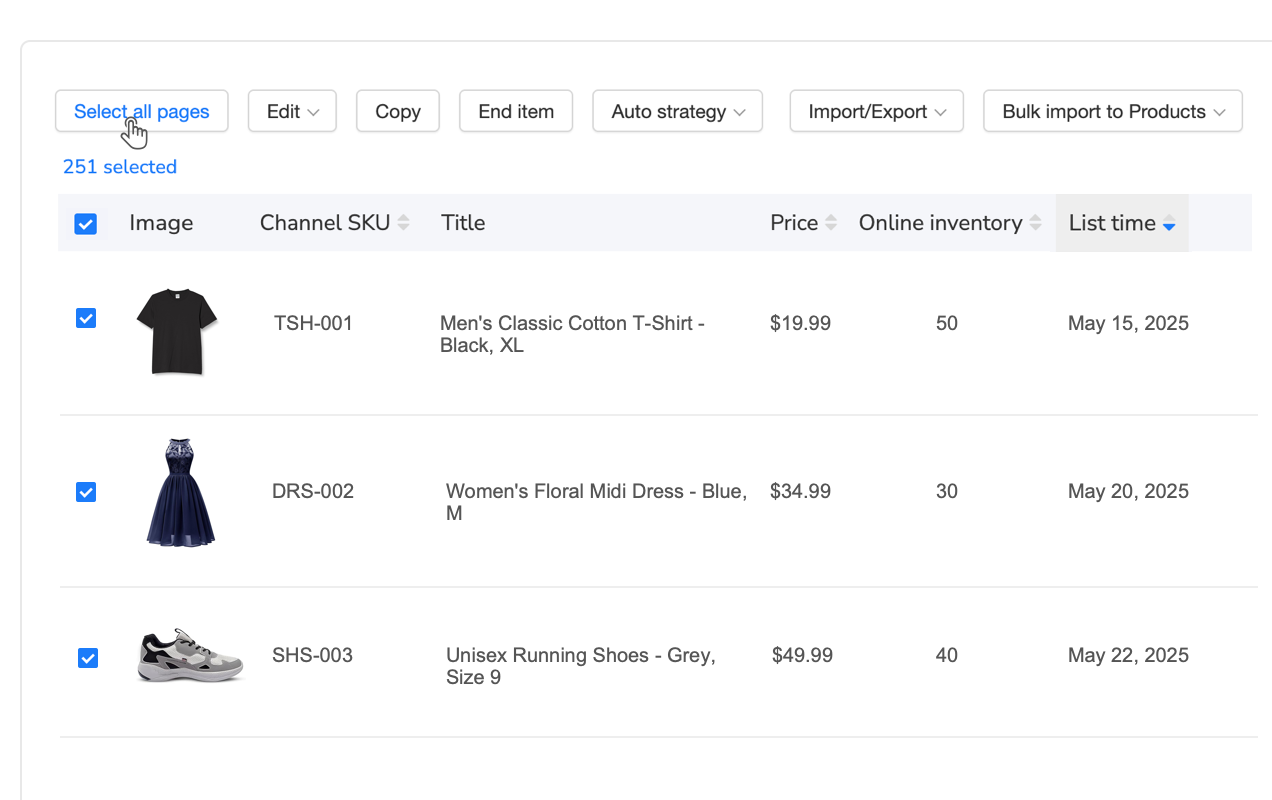
Advanced Automation: Beyond Basic Listing Creation
Once you’ve automated initial listing creation, additional workflow efficiencies become possible that further reduce ongoing management time.
Dynamic Pricing Automation
Manual pricing management becomes impractical at scale. Checking competitor prices daily and adjusting your listings to remain competitive requires constant attention. However, automated repricing maintains your competitive position without manual intervention.
Through intelligent repricing rules, you can define strategies like “match the lowest competitor price but never go below $X,” “maintain a 30% profit margin minimum,” or “price 5% below the Buy Box winner.” The system monitors competitor pricing changes and adjusts your listings automatically within your defined parameters.
This dynamic approach captures more Buy Box wins (and therefore more sales) than static pricing, while protecting your profit margins better than broad price cuts. The time investment? Approximately 30 minutes to configure rules initially, then zero ongoing time while the system manages pricing continuously.
Automated Listing Optimization Based on Performance
The most sophisticated automation goes beyond initial creation to ongoing optimization. Systems can analyze which keywords in your titles correlate with higher conversion rates, identify which product attributes customers view most frequently, test different description formats and measure performance differences, and automatically apply winning patterns across similar products in your catalog.
This creates a continuous improvement loop. Your listings get progressively better over time as the system learns what works and propagates successful elements across your catalog—without manual A/B testing or analysis.
Seasonal Content Updates
Many products have seasonal applications or demand patterns. A fire pit sells year-round, but it sells much better when marketed as “create cozy fall evenings” in September versus “summer patio entertainment” in May.
Manually updating hundreds of listings for seasonal messaging takes hours you don’t have during peak seasons. However, scheduled bulk updates let you prepare seasonal content variations in advance, then automatically swap in appropriate messaging as seasons change.
For example, you might prepare three description variants for outdoor products—spring/summer emphasizing entertainment and relaxation, fall emphasizing coziness and ambiance, and winter emphasizing weatherproofing and durability. Schedule these to rotate automatically, ensuring your entire catalog stays seasonally relevant without manual intervention.
Compliance and Policy Management at Scale
One often-overlooked advantage of listing automation is systematic compliance checking. Walmart has strict policies about prohibited words, required disclosures, trademark usage, and category-specific restrictions. Manual listing creation relies on individuals remembering and checking these rules—a process prone to mistakes as catalogs grow.
Automated Compliance Scanning
Quality listing tools include compliance checking that scans every listing against platform policies before publishing. Through Maxmerce’s prohibited words checker, the system validates titles and descriptions against Walmart’s prohibited terms list, flags potential trademark infringements, verifies required disclosures are present for regulated categories (electronics, children’s products, health items), and checks that category-specific attribute requirements are met.
This automated validation prevents listing suppressions and policy violations that could hurt your account health. Instead of discovering compliance issues after Walmart suppresses your listings, you catch and fix them before publication.
Policy Update Management
Walmart regularly updates its marketplace policies—adding new prohibited terms, changing category requirements, or implementing new attribute standards. Keeping up with these changes manually is challenging, especially when you need to update existing listings to remain compliant.
Automated systems monitor policy changes and flag affected listings. When Walmart adds a new prohibited word or changes category requirements, the system identifies which of your listings need updates and facilitates bulk corrections. Instead of manually reviewing thousands of listings to find policy violations, you get a targeted list of the specific listings requiring changes.
Future-Proofing Your Walmart Strategy
E-commerce platforms continuously evolve their requirements and algorithms. Walmart regularly adds new attribute fields, changes search ranking factors, and implements new seller performance metrics. Manual processes make it difficult to keep up with these changes at scale.
Adaptability to Platform Changes
When Walmart introduces new required attributes or changes category taxonomies, sellers using AI listing tools benefit from automatic adaptation. The platform updates its attribute mapping to match Walmart’s new requirements, and you can quickly update existing listings to meet new standards.
In contrast, manual sellers must learn the new requirements, figure out how to implement them across hundreds of listings, and invest significant time making updates. The automation advantage compounds over time as platform requirements become more complex.
AI Improvement Over Time
AI listing generators aren’t static tools—they improve as they process more data. The system learns from corrections you make, analyzes which generated content performs best in terms of conversions and search rankings, and adapts to evolving keyword trends in your categories.
This means the tool actually gets better at creating listings for your specific products over time. Your sixth month of use produces higher quality output than your first month, without any additional effort on your part.
Ready to Eliminate Walmart Listing Bottlenecks?
See exactly how much time you’ll save by automating your Walmart listing creation process. Maxmerce’s AI-powered tools handle everything from Item Spec attributes to content optimization, compliance checking to inventory sync—freeing your team to focus on growth instead of data entry.
Start your 14-day free trial today—no credit card required. Process your first batch of listings and experience the difference automation makes.
Frequently Asked Questions
How long does it take to create a Walmart listing manually?
Manual Walmart listing creation takes 15-25 minutes per product when done correctly. This includes filling dozens of Item Spec attributes (8-12 minutes), writing optimized titles and descriptions (5-7 minutes), uploading and formatting images (3-5 minutes), and setting pricing with shipping calculations (2-3 minutes). For sellers managing hundreds of products, this creates a significant time bottleneck that prevents catalog expansion and market responsiveness.
What are the most time-consuming parts of manual Walmart listing setup?
The most time-intensive aspect is filling Item Spec attributes, which can require 8-12 minutes per product. Walmart requires 20-80 attributes depending on category, including mandatory fields like brand, model number, manufacturer, and category-specific specifications. Missing or incomplete attributes result in poor search visibility and potential listing suppression. Many sellers skip optional attributes to save time, but this significantly hurts search rankings since Walmart’s algorithm prioritizes listings with complete attribute data.
Can AI listing tools really create Walmart listings in under 2 minutes?
Yes, AI-powered listing automation can complete full Walmart listings in 90-120 seconds. These tools automatically generate optimized titles, write conversion-focused descriptions, populate dozens of Item Spec attributes based on product analysis, and format content to meet Walmart’s requirements. The time savings come from eliminating manual data entry and content creation. However, most sellers implement a hybrid workflow where AI generates listings in 2 minutes and humans spend 2-3 additional minutes reviewing for accuracy—still achieving 85-90% time savings compared to full manual creation.
Do AI-generated Walmart listings perform as well as manual listings?
AI-generated listings often outperform manual ones in search visibility because they ensure 100% completion of required attributes. Walmart’s search algorithm prioritizes listings with complete attribute data, and manual sellers often skip optional fields to save time. AI tools analyze successful competitor listings, incorporate high-ranking keywords, and maintain consistent formatting—factors that manual creation often misses due to time constraints and human error. The key is using AI for structure and completeness, then adding human expertise for brand differentiation and unique selling propositions.
What’s the ROI of using an AI Walmart listing tool for a 500-product catalog?
For a 500-product catalog, manual listing creation requires approximately 125-208 hours (at 15-25 minutes per listing). Using AI automation reduces this to 12.5-16.7 hours (at 90-120 seconds per listing), saving 110-195 hours. At a $35/hour labor cost, this represents $3,850-$6,825 in time savings—far exceeding the typical $50-200/month cost of listing automation tools. The payback period is immediate for initial catalog setup, and ongoing savings continue monthly as you add new products and update existing listings.
How do I ensure AI-generated Walmart listings meet quality standards?
Implement a review workflow where AI generates the initial listing with all attributes and content, then your team reviews for accuracy, adds unique selling propositions, and verifies that auto-generated specifications match your actual product. This hybrid approach maintains quality while capturing 85-90% of the time savings AI provides. Focus review time on high-value products, new categories, or listings where the AI flags lower confidence in its generated attributes. Most sellers spend 2-3 minutes reviewing each AI-generated listing versus 20 minutes creating from scratch.
Can AI listing tools handle Walmart’s category-specific requirements?
Advanced AI listing generators are trained on Walmart’s category taxonomies and automatically adapt to category-specific requirements. For example, electronics listings include technical specifications like wattage and connectivity, while apparel includes size charts and material composition. The AI identifies the correct category and populates relevant attributes accordingly. However, for highly specialized products or niche categories with unusual requirements, human review is still recommended to verify the AI correctly interpreted category-specific attributes.
What happens if my Walmart AI listing tool gets attributes wrong?
Quality AI listing tools include validation checks against Walmart’s attribute requirements before publishing. However, sellers should always review critical specifications—especially for regulated categories like electronics, health products, or children’s items. Most platforms allow you to set up approval workflows where AI-generated content requires human verification before going live. If errors do occur after publishing, bulk editing capabilities let you quickly correct attributes across multiple affected listings rather than fixing each one individually.
Conclusion: The Competitive Imperative of Listing Automation
Walmart listing creation is no longer a task that scales with manual effort. The platform’s increasing attribute requirements, the competitive pressure to maintain complete product data for search visibility, and the need for rapid response to market opportunities all point toward the same conclusion: automation isn’t a luxury, it’s a competitive necessity.
The math is straightforward. Manual listing creation for serious Walmart sellers—those managing hundreds or thousands of SKUs—requires unsustainable amounts of time. The 15-25 minutes per product that thorough manual creation demands creates a bottleneck that prevents catalog expansion, slows time-to-market, and forces compromises on attribute completion that hurt search rankings.
AI listing automation eliminates this bottleneck. The 90%+ time savings isn’t just about efficiency; it’s about enabling business strategies that were previously impractical. You can test new product lines without weeks of listing creation work. You can respond to trending opportunities within days instead of missing the window entirely. You can maintain complete attribute data across your entire catalog without hiring a dedicated listing team.
The competitive advantage goes beyond time saved. Complete attribute data improves search visibility. Consistent formatting across your catalog strengthens brand presentation. Automated compliance checking protects account health. Real-time inventory synchronization prevents overselling. These benefits compound as your catalog grows, creating an expanding gap between automated and manual sellers.
If you’re currently creating Walmart listings manually and feeling the time pressure as you try to grow, you’re not alone—and you’re not wrong about the constraint. The process genuinely is too slow for modern e-commerce demands. The question isn’t whether to automate, but when and how to make the transition most effectively.
Start with a pilot. Test AI-generated listings against your best manual work for 20-30 products. Compare the time investment, attribute completion rates, and search performance. Most sellers who approach automation skeptically become its strongest advocates after seeing the results firsthand.
The walmart ai listing tool landscape continues to evolve rapidly, with AI capabilities improving and platform integrations becoming more sophisticated. What seemed futuristic two years ago—complete listing creation in under two minutes—is now standard. The sellers who adopt these tools today gain a compounding advantage as they refine their workflows while competitors continue struggling with manual processes.
Your time is your most valuable resource in e-commerce. Spending it on repetitive data entry rather than strategic growth activities is a choice—one that becomes harder to justify as automation tools mature and prove their ROI. The 125-208 hours you’d invest manually creating 500 listings could instead be spent identifying winning products, optimizing your top performers, or expanding to new channels. The financial return from those strategic activities far exceeds the value of manual listing creation.
Make the transition now, while your catalog is manageable. Implementing automation with 500 products is significantly easier than trying to automate 5,000 products later. Start capturing the time savings today, and use those recovered hours to build competitive advantages that manual sellers simply can’t match.
