Walmart Shipping Templates: Optimize Delivery Zones

Quick Answer: Optimizing Walmart Shipping Templates
Walmart shipping templates use a 5-zone system that determines Two-Day Delivery eligibility and conversion rates. Create zone-specific walmart shipping templates for Zones 1-2 (flat-rate, 35-40% coverage), Zone 3 (calculated, 25-30% coverage), and Zones 4-5 (tiered by weight). Multi-channel sellers need coordinated walmart shipping templates across Amazon’s 8-zone and eBay’s postal code systems to maintain consistent pricing without manual updates on each platform.
Walmart shipping templates directly control whether your products qualify for the coveted Two-Day Delivery badge—and that badge alone can boost conversion rates by 40-60%. Yet most sellers use only 3-4 walmart shipping templates out of Walmart’s 60+ available options, leaving massive coverage gaps and money on the table. Here’s how to leverage Walmart shipping templates in the zone-based system to maximize delivery speed visibility while coordinating walmart shipping templates across Amazon, eBay, and other channels without creating pricing chaos.
Key Takeaways:
- Two-Day Delivery eligibility jumps 50% when you create zone-specific templates instead of using single national rates (Walmart Seller Performance Data, October 2025)
- Walmart’s 5-zone system differs from Amazon’s 8 zones—templates require separate configuration per platform (Walmart Seller Center Documentation, 2025)
- Flat-rate shipping within Zones 1-2 captures 68% of U.S. buyers at predictable costs, simplifying pricing (Walmart Marketplace Insights, 2025)
- Multi-channel sellers save 8-12 hours weekly managing coordinated shipping templates across platforms using centralized listing tools (Industry benchmark, 2025)
- Expedited shipping options increase average order value by 23% even when buyers select standard shipping (Walmart Conversion Study, Q3 2025)
Understanding Walmart Shipping Templates Zone System
Walmart shipping templates divide the continental U.S. into five delivery zones based on distance from your warehouse or fulfillment location. Unlike Amazon’s eight-zone system or eBay’s postal-code ranges, Walmart shipping templates use a five-zone approach that balances granularity with management simplicity. Here’s what each zone represents for your walmart shipping templates:
Zone 1 (Local): 0-150 miles from your fulfillment center. This covers approximately 12-18% of the U.S. population depending on your location. Ground carriers typically deliver within 1 business day, making Two-Day Delivery eligibility automatic. Shipping costs here run 30-40% below national averages.
Zone 2 (Regional): 151-300 miles. Reaches another 20-25% of buyers. Ground delivery takes 1-2 business days, qualifying most shipments for Two-Day badges. Costs increase 15-20% over Zone 1 but remain economical enough for competitive pricing.
Zone 3 (Extended Regional): 301-600 miles. Covers 25-30% of potential customers. Ground shipping needs 2-3 business days—the borderline for Two-Day eligibility. You’ll need efficient carrier routing or strategically located fulfillment to maintain the badge. Costs jump 40-50% above Zone 1.
Zone 4 (Cross-Country): 601-1,000 miles. Approximately 20% of the market. Standard ground takes 3-4 days, meaning you’ll lose Two-Day eligibility unless using expedited services. Shipping costs double compared to Zone 2. Many sellers set higher prices or minimum order thresholds for these zones.
Zone 5 (Coast-to-Coast): 1,000+ miles. The remaining 10-15% of buyers, typically opposite coasts from your warehouse. Ground delivery needs 4-6 days. Two-Day badges require 2-Day Air or similar expedited services, making free shipping economically challenging. Successful sellers either price accordingly or maintain multiple fulfillment locations.
The strategic insight? Zones 1-2 represent your sweet spot—roughly 35-40% of the U.S. market reachable at low cost with automatic Two-Day eligibility. Optimizing walmart shipping templates for these zones should be your first priority, followed by extending Zone 3 coverage through carrier selection and walmart shipping templates optimization.
How Walmart Shipping Templates Zone Calculation Works
When a Walmart customer views your product, the platform calculates the zone between your listed fulfillment ZIP code and the customer’s delivery address. This happens in real-time and determines which of your walmart shipping templates applies. If you’ve set up zone-specific walmart shipping templates with different pricing, closer customers see lower shipping costs and Two-Day Delivery badges, while distant customers see higher rates and longer timeframes.
Here’s the challenge most sellers face: manually creating and maintaining zone-specific templates for hundreds or thousands of products becomes unsustainable, especially when you’re also selling on Amazon (with its different 8-zone system), eBay (with postal code-based pricing), and possibly Shopify or your own website.
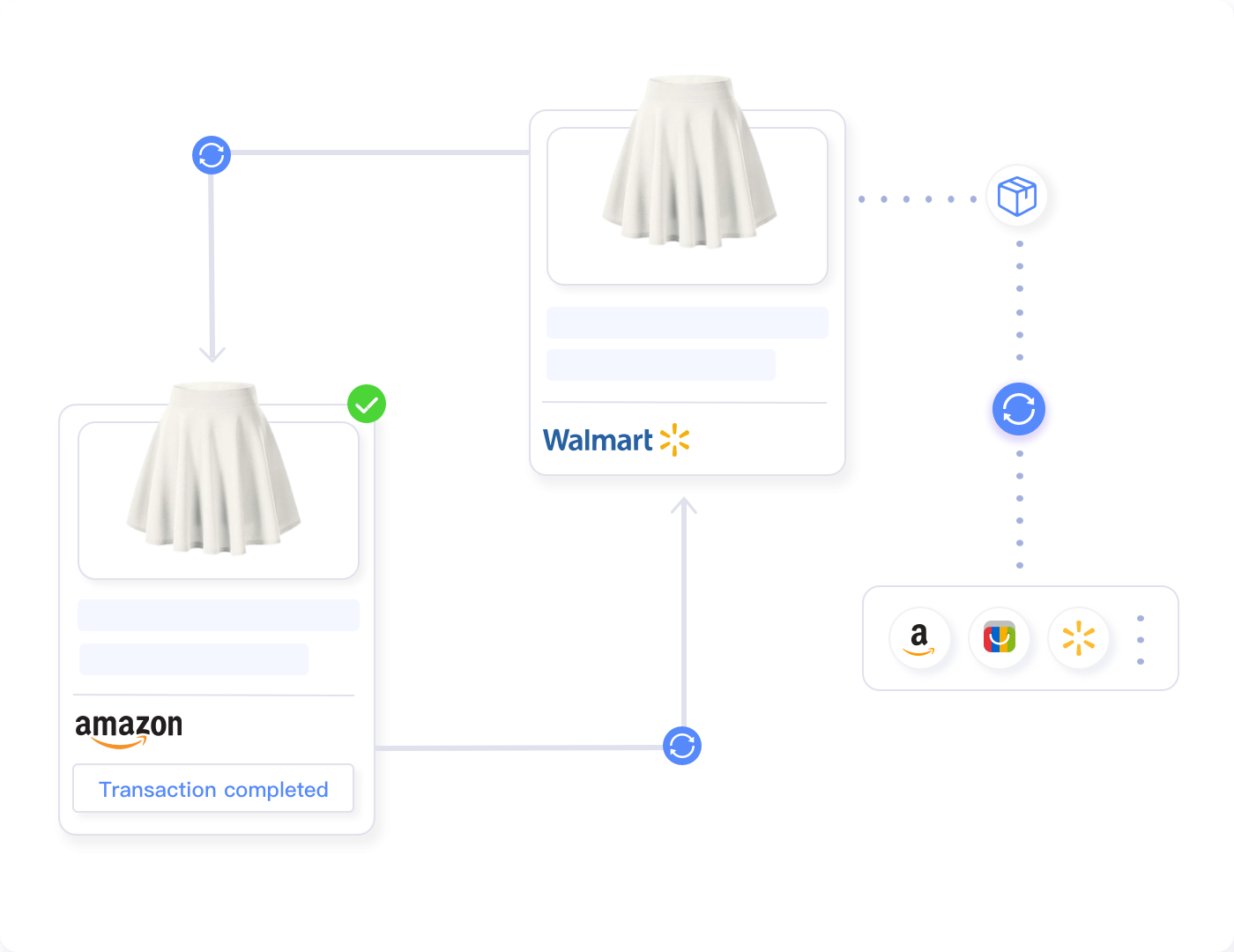
Multi-channel shipping coordination tools can help manage this complexity. Instead of separately configuring shipping zones on each platform, you can set master shipping rules that automatically adapt to each platform’s specific zone structure and requirements. This approach prevents the common problem where you update Amazon shipping costs but forget to adjust Walmart templates, creating inconsistent pricing that confuses customers and erodes margins.
Coordinate Shipping Across All Your Sales Channels
Manage Walmart, Amazon, and eBay shipping templates from one centralized dashboard. Update rates once and sync across platforms instantly.
Building Your Walmart Shipping Templates Strategy
Effective walmart shipping templates balance three competing priorities: maximizing Two-Day Delivery coverage, maintaining competitive pricing, and protecting your margins. Start by analyzing where your buyers are located and what shipping costs you can sustainably absorb when designing walmart shipping templates.
Walmart Shipping Templates Structure for Standard Products
Most Walmart sellers need 3-4 core walmart shipping templates for standard-weight products (0-20 lbs). This walmart shipping templates approach provides sufficient granularity without creating template management overload:
Template 1: Local + Regional Flat Rate (Zones 1-2)
Offer flat-rate shipping—typically $4.99 to $6.99 depending on product category—for Zones 1-2. This covers 35-40% of potential buyers at predictable costs. Since ground carriers reliably deliver within two business days to these zones, you’ll automatically qualify for Two-Day Delivery badges. The psychological benefit of flat-rate pricing (vs. calculated rates) can increase conversion by 8-12% because buyers appreciate pricing transparency.
Template 2: Extended Regional Calculated (Zone 3)
Use carrier-calculated rates for Zone 3 since distances vary significantly (301-600 miles). This ensures you’re not overcharging nearby Zone 3 customers or undercharging those at the far end of the range. Select carriers with strong Zone 3 performance—UPS Ground and FedEx Ground typically achieve 2-day delivery to the near end of Zone 3, maintaining your Two-Day badges for roughly half these buyers.
Template 3: Long-Distance Tiered (Zones 4-5)
For cross-country zones, implement tiered pricing by product weight. Create 3-4 weight bands (0-5 lbs, 5-10 lbs, 10-15 lbs, 15-20 lbs) with fixed rates per band. This approach is simpler than fully calculated rates while providing more accuracy than single national pricing. You won’t get Two-Day badges for these zones with standard ground shipping, but you’ll avoid shocking customers with unexpectedly high calculated rates at checkout.
Template 4: Expedited Options (All Zones)
Create at least one expedited shipping template offering 2-Day Air or overnight delivery. Price this at 2-3x your standard shipping rates. While only 10-15% of customers select expedited options, having them available makes your listings eligible for Walmart’s “Fast Delivery” filter searches. This visibility boost benefits all your products, even when buyers ultimately choose standard shipping.
Managing Heavy and Oversized Products
Products over 20 lbs or exceeding standard package dimensions need separate template strategies since shipping costs increase dramatically and Two-Day eligibility becomes more challenging:
For 20-50 lb items, zone-based pricing becomes critical. The cost difference between shipping 30 lbs to Zone 1 versus Zone 5 can exceed $40—enough to eliminate all profit if you’re using flat national rates. Create weight-tiered templates for each zone, or use fully calculated shipping to ensure accurate costs. Many successful sellers set minimum order values ($75-$150) for free shipping on heavy items, filtering out unprofitable small orders.
Oversized products (over 108 inches in length plus girth) enter freight territory. You’ll need separate freight shipping templates with significantly higher rates and longer delivery windows. Two-Day Delivery badges become impractical for true freight items. Instead, focus on clear communication about delivery timeframes (7-14 business days) and white-glove service options if applicable. Consider whether drop-shipping directly from suppliers makes more sense than warehousing oversized inventory.
Coordinating Walmart Shipping Templates Across Amazon and eBay
Here’s where walmart shipping templates management becomes genuinely complex: each platform uses different zone structures, terminology, and configuration systems. You can’t copy-paste walmart shipping templates between platforms, yet you need consistent pricing strategy to avoid creating arbitrage opportunities or customer confusion when managing walmart shipping templates.
Manually managing walmart shipping templates across multiple platforms creates several problems. First, the time sink: updating walmart shipping templates rates quarterly (when carriers adjust prices) means logging into 3-4 different seller portals, navigating different interfaces, and manually recalculating zone-by-zone pricing for each platform’s unique walmart shipping templates structure. For a seller with 500 products and walmart shipping templates across platforms, this easily consumes 10-15 hours per quarter—40-60 hours annually just maintaining walmart shipping templates.
Second, inconsistency errors creep in. You update Amazon templates in January when carriers raise rates, but forget to adjust Walmart templates until March. For two months, your Walmart shipping is underpriced relative to actual costs, eroding margins. Or worse, you adjust Walmart upward but forget eBay, creating a pricing disparity that savvy buyers notice and discuss in seller rating comments.
Third, expansion constraints limit growth. When you want to add a new fulfillment location (to expand Two-Day Delivery coverage), you’ll face reconfiguring shipping templates on every platform to reflect the new warehouse ZIP code and updated zone calculations. This complexity often delays or prevents fulfillment expansion that would otherwise make business sense.
Tools designed for multi-channel selling address these coordination challenges through centralized shipping rule management. Instead of creating separate templates on each platform, you can define shipping strategies once—for example, “flat rate $5.99 within 300 miles, calculated rates beyond that, free shipping over $50″—and have the system automatically translate this into Amazon’s 8-zone structure, Walmart’s 5-zone format, and eBay’s postal code-based pricing.
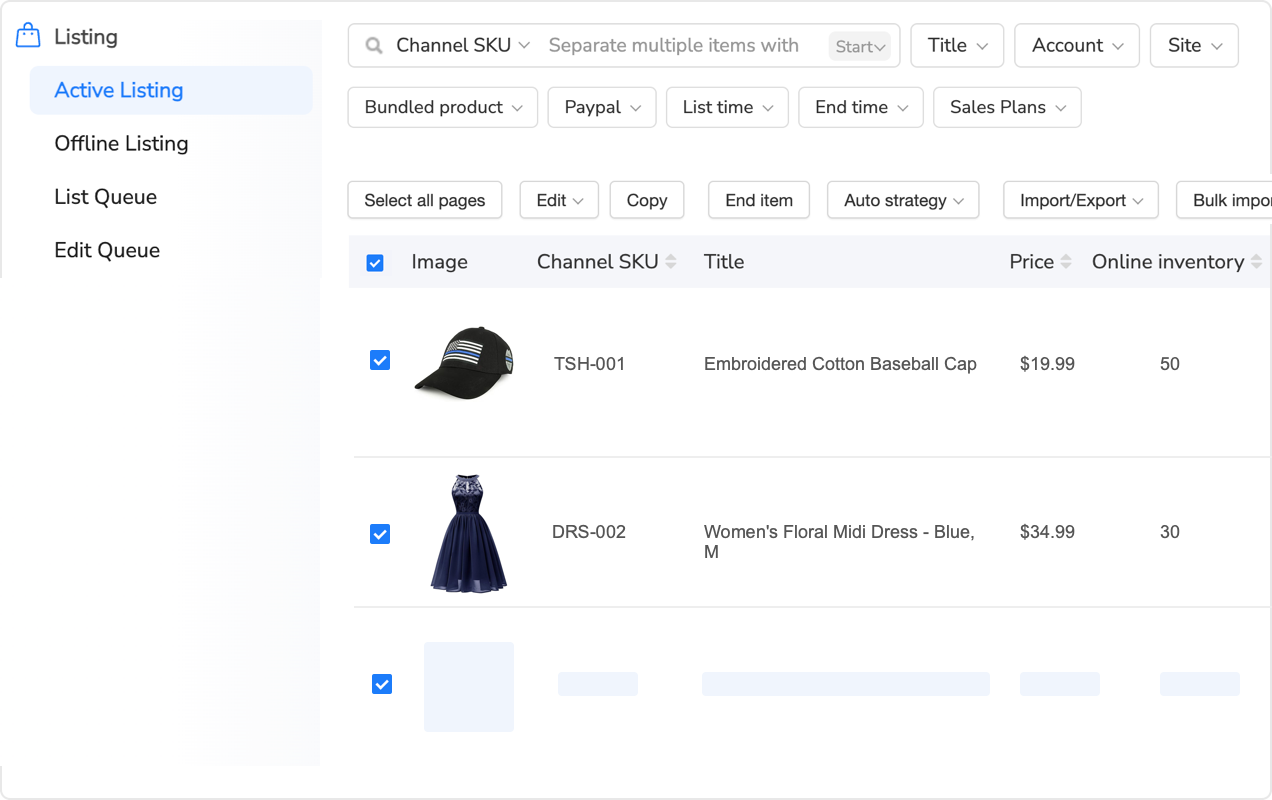
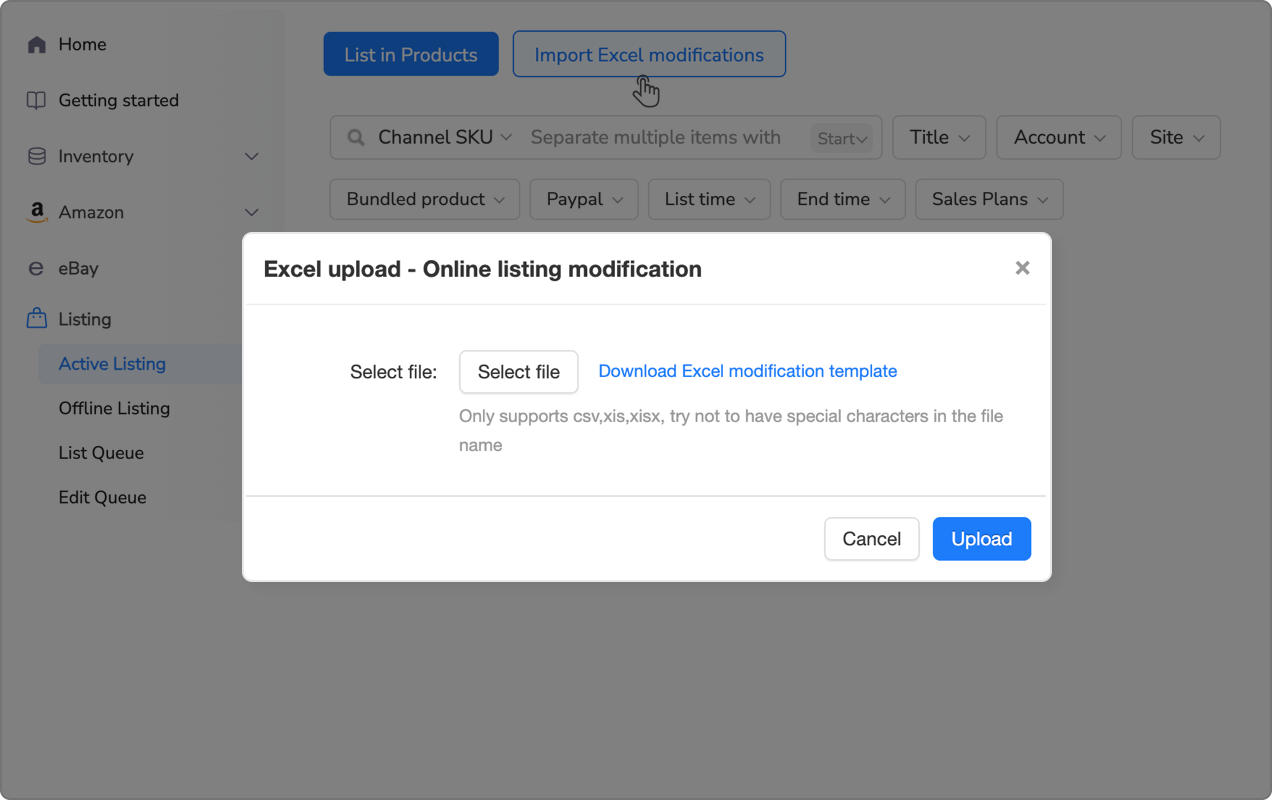
When you’re managing thousands of listings across platforms, tools like Maxmerce’s Manage Online Listings feature can help coordinate shipping templates across all your sales channels. Instead of manually creating and maintaining separate shipping configurations on Amazon, Walmart, and eBay, you can set up centralized shipping rules that automatically adapt to each platform’s specific requirements.
Here’s how centralized shipping management works in practice. You start by defining your core shipping strategy based on your warehouse location, carrier contracts, and margin requirements. For example: flat-rate $5.99 for products under 5 lbs within 300 miles, weight-tiered calculated rates beyond 300 miles, free shipping threshold at $50, and expedited 2-Day options at $12.99.
The system then automatically translates this single strategy into platform-specific formats. For Walmart, it creates templates covering Zones 1-2 (flat rate), Zone 3 (calculated), and Zones 4-5 (tiered by weight). For Amazon, it adapts the same strategy to Amazon’s eight zones, mapping your 300-mile threshold to the appropriate zone boundaries. For eBay, it converts to postal code-based rate tables that approximate your zone strategy.
When carrier rates change (typically in January and during peak season surcharges), you can update your base shipping costs once and push changes to all platforms simultaneously. This transforms what used to be a 10-15 hour quarterly project into a 30-minute update session. You can review the changes across all platforms, make any platform-specific adjustments if needed, then publish everything at once.
The real power shows up when you add new fulfillment locations. Let’s say you’ve been shipping everything from Texas and want to add an East Coast warehouse to improve Two-Day Delivery coverage. Manually, you’d need to recalculate zones from the new location, create new templates on each platform, assign products to appropriate warehouses, and update inventory allocation—easily a 20-30 hour project.
With centralized management, you add the new warehouse location to your account, define its shipping rules (which can inherit from your existing strategy), and assign products. The system recalculates zones from both warehouse locations, creates appropriate templates on each platform, and handles the inventory routing logic. What was a multi-day project becomes a 2-3 hour configuration task.
You can also use this approach to implement sophisticated strategies like hybrid fulfillment—shipping Zone 1-2 orders from your main warehouse but using a 3PL for Zones 4-5 to maintain Two-Day eligibility across the country. The system manages which products ship from which locations based on customer proximity, automatically applying the appropriate shipping templates.
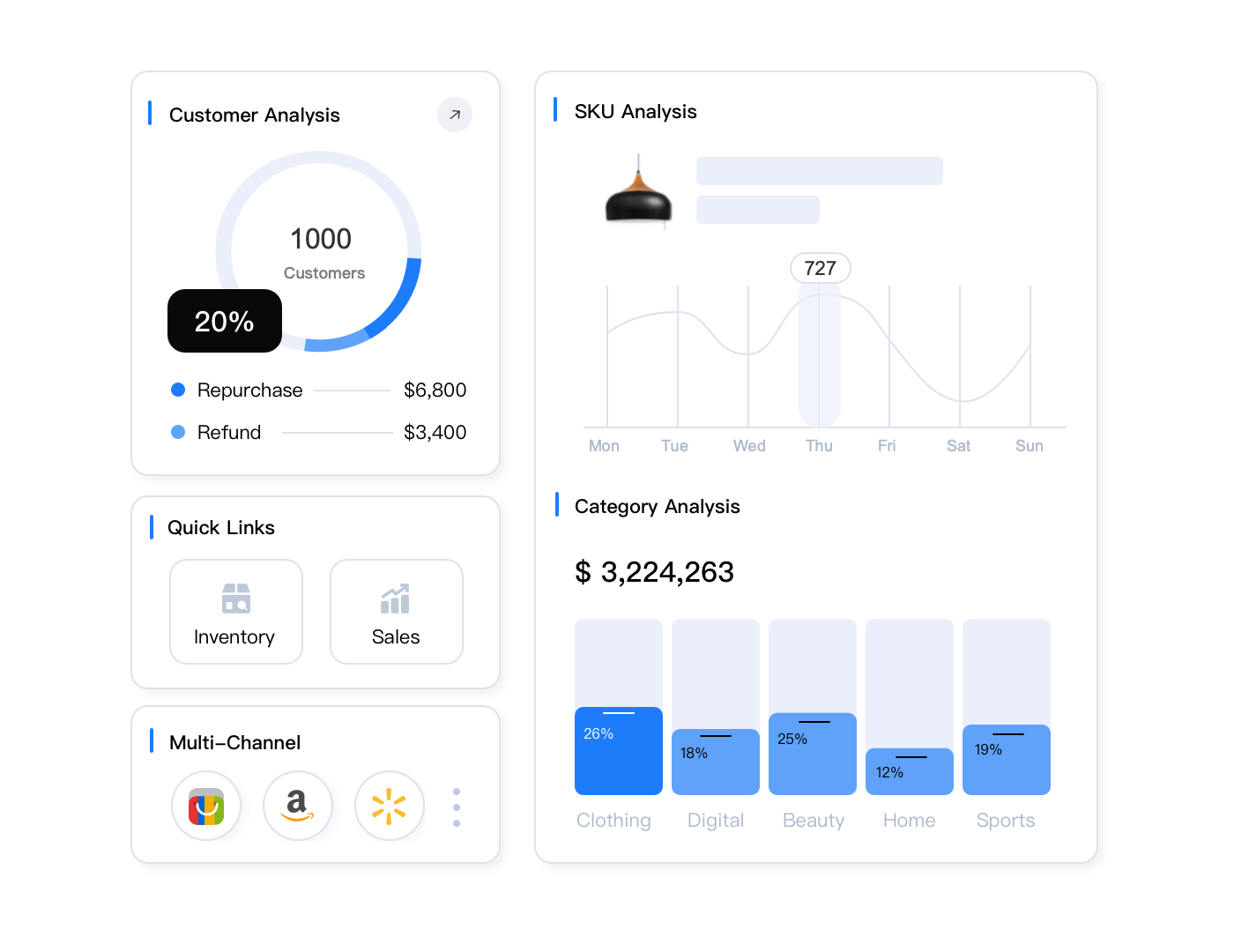
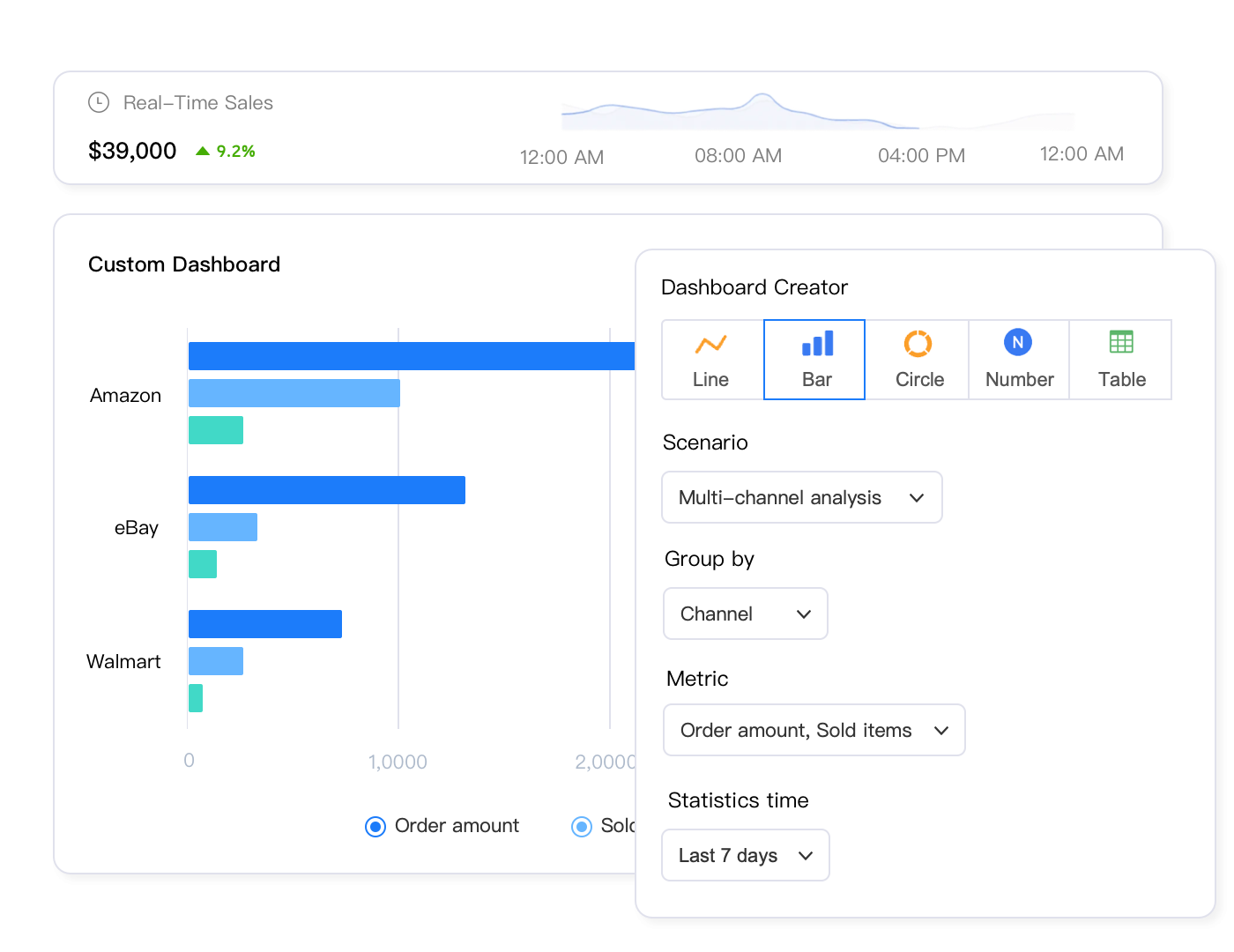
Beyond shipping template coordination, this integrated approach provides visibility into shipping performance across all platforms. You can see which zones generate the highest conversion rates, where shipping costs are eating into margins, and which products would benefit from adjusted template strategies. This data-driven insight is nearly impossible to achieve when shipping templates are scattered across separate platform seller portals.
Maximizing Two-Day Delivery with Walmart Shipping Templates
The Two-Day Delivery badge appears on Walmart product listings when your walmart shipping templates can deliver to the customer’s location within two business days. This isn’t just cosmetic—products with Two-Day eligibility from optimized walmart shipping templates see conversion rates 40-60% higher than identical products without the badge. Here’s how to maximize the percentage of buyers who see your Two-Day badges through walmart shipping templates optimization:
Carrier Selection in Walmart Shipping Templates
Not all ground shipping services deliver with equal speed in walmart shipping templates configurations. UPS Ground and FedEx Ground typically achieve 2-day delivery within 600-800 miles of origin, while USPS Priority Mail reaches most addresses in 1-3 days but with less consistency. For Zone 3 coverage (300-600 miles) in your walmart shipping templates, choosing UPS or FedEx over USPS can extend your Two-Day eligibility by 10-15 percentage points of the U.S. market.
Check your carrier’s published transit time maps. These show expected delivery days for ground service from your warehouse ZIP code to every region. Identify which zones reliably receive delivery within 2 business days, then structure your Walmart shipping templates to use those carriers for the zones where they excel. You might use USPS for Zones 1-2 (where it’s cheapest and still fast) while switching to UPS for Zone 3 (where UPS’s speed justifies the cost).
Strategic Fulfillment Location Placement
A single warehouse in Kansas City reaches approximately 55-60% of the U.S. population within Zone 3 (600 miles), achieving Two-Day ground delivery to that entire coverage area. Adding a second location—say, Atlanta or Northern California—extends your Two-Day coverage to 80-85% of U.S. buyers. The margin improvement from higher conversion rates often justifies the additional inventory and 3PL costs within 6-12 months.
When evaluating potential fulfillment locations, use Walmart’s Shipping Template Preview tool. Enter ZIP codes from your current warehouse and potential new locations, then compare how many population centers fall within 2-day ground delivery zones. The ideal second location maximizes coverage of areas your primary warehouse can’t reach efficiently—typically opposite ends of the country (East/West or South/Central).
However, multiple fulfillment locations create inventory coordination complexity. You’ll need to allocate inventory between locations based on regional demand patterns, track which orders ship from which warehouse, and prevent stock-outs at one location while the other has excess inventory. This is where multi-channel inventory synchronization becomes essential—not just for preventing overselling across platforms, but for optimizing inventory placement across warehouses.
Tools like Maxmerce’s Inventory Sync can help manage these scenarios by tracking inventory across all your fulfillment locations and sales channels in real-time. When an order comes in on Walmart from a customer in New York, the system checks which warehouse can deliver fastest and has stock available, then routes the order appropriately. Your Walmart listings automatically show Two-Day eligibility if either warehouse can deliver within that timeframe.
The multi-warehouse coordination works like this: You set up each fulfillment location in your account with its warehouse ZIP code. For each product, you specify available inventory at each location. When a Walmart buyer views your listing, the platform calculates the zone from the nearest warehouse that has stock. If your East Coast warehouse (which is closer to the buyer) has inventory, Walmart uses those zones for shipping calculation and Two-Day eligibility. If it’s out of stock but your West Coast warehouse has units, Walmart falls back to the longer distance zones.
The system automatically updates Walmart shipping templates based on inventory availability at each location. If the East Coast warehouse goes to zero inventory, your Two-Day badge might disappear for East Coast buyers until you restock. You can set minimum inventory thresholds per location to prevent this—like ensuring at least 5 units at each warehouse before advertising Two-Day delivery from that location.
You can also implement intelligent restock alerts that consider Two-Day coverage. If inventory drops to a level where your Two-Day eligibility will drop below 70% of buyers, the system alerts you to restock priority locations. This visibility prevents the common problem where you have 200 total units in inventory but they’re all at your West Coast warehouse, leaving East Coast buyers without Two-Day eligibility and watching your conversion rates drop.
For sellers using WFS (Walmart Fulfillment Services), integration becomes even more valuable. WFS automatically provides Two-Day Delivery for eligible products, but you can coordinate WFS inventory with your own fulfillment—using WFS for fast-moving items where Two-Day is critical while handling slow-movers from your own warehouse to avoid long-term storage fees. The inventory sync ensures buyers see accurate availability and delivery timeframes regardless of which fulfillment method you’re using per product.
Advanced Template Strategies for Competitive Advantage
Once you’ve nailed basic zone-optimized templates and coordinated cross-platform pricing, these advanced strategies can further improve conversion rates and margins:
Dynamic Free Shipping Thresholds
Instead of a single free shipping minimum ($50, for example), create tiered thresholds based on zones. Offer free shipping at $35 for Zones 1-2 where your costs are lowest, $50 for Zone 3, and $75 for Zones 4-5. This approach captures more sales in nearby areas where you can afford to absorb shipping, while protecting margins on long-distance orders.
Walmart’s shipping template system supports this through conditional shipping rules. You can set up templates that apply free shipping to different order values depending on the calculated delivery zone. This creates a competitive advantage in your local and regional markets (where most orders come from) without bleeding margins on expensive cross-country shipments.
Category-Specific Template Optimization
Shipping expectations vary by product category. Electronics buyers often expect free or low-cost shipping because Amazon has trained them to expect it. Home goods buyers are more accustomed to paying shipping due to larger sizes and weights. Apparel falls somewhere in between.
Adjust your shipping strategies accordingly. For electronics in competitive categories, you might need to absorb shipping costs (building them into product prices) to remain competitive. For bulky home goods, clearly communicate shipping costs upfront and emphasize value, selection, or quality to justify the charges. Don’t use identical shipping templates across wildly different categories—buyers’ expectations and willingness to pay vary too much.
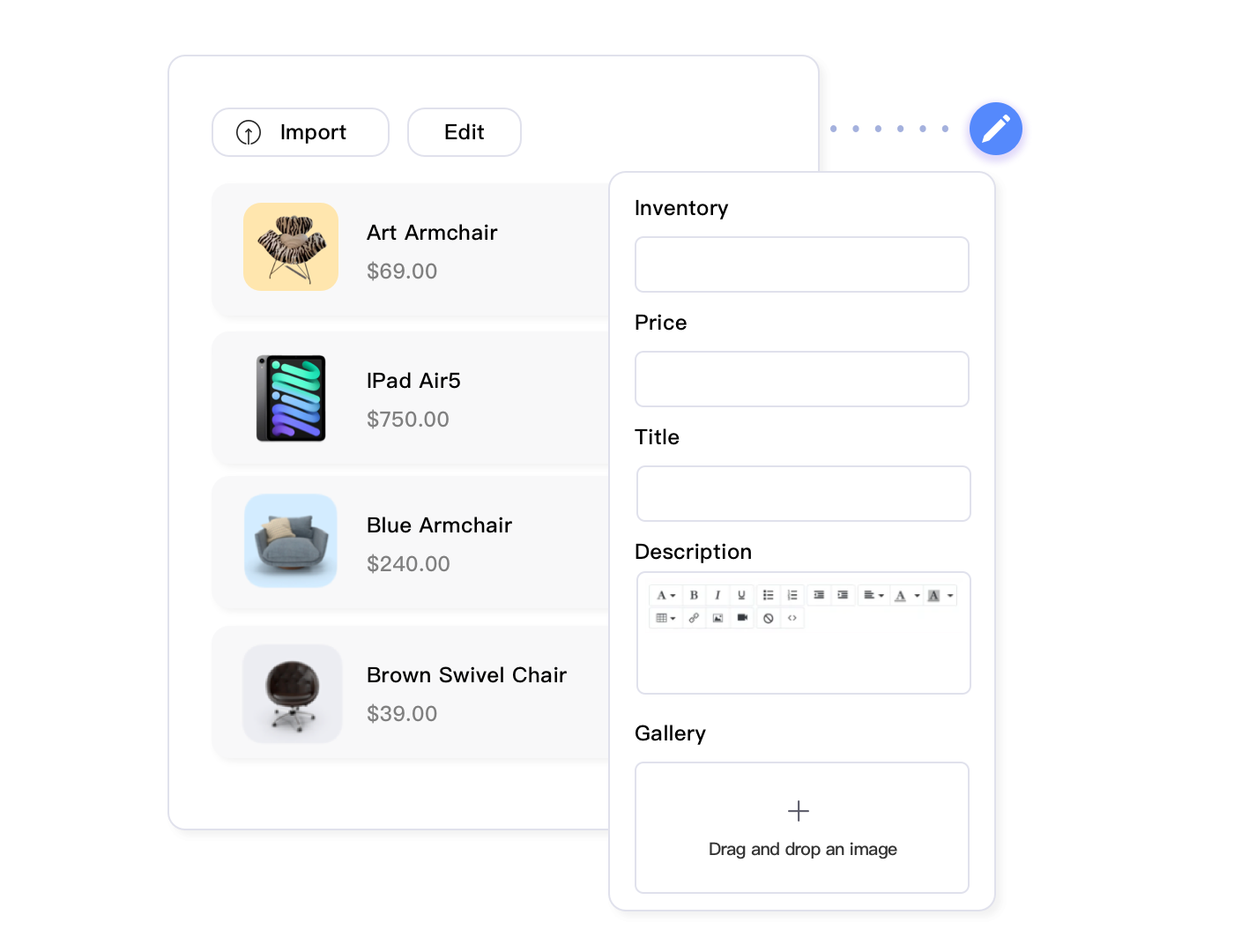
When you’re managing hundreds of products across multiple categories, bulk template updates become essential. You can’t manually assign the optimal shipping template to each listing individually—it’s too time-consuming and error-prone. Instead, use tag-based or rule-based bulk editing to assign category-appropriate templates at scale.
For example, tag all electronics products with “ElectronicsShipping” and all home goods with “HomeGoodsShipping.” Then create automation rules: products tagged ElectronicsShipping automatically use your aggressive free-shipping template (free at $35 across all zones), while HomeGoodsShipping products use weight-tiered calculated rates with free shipping only at $75+. When you add new products, simply apply the appropriate tag and shipping templates update automatically.
Tools designed for bulk listing management can handle these scenarios efficiently. Maxmerce’s Rule-Based Bulk Listing Editing feature allows you to set up conditional rules that automatically assign shipping templates based on product attributes like category, weight, dimensions, or custom tags.
Here’s a practical workflow: You’re adding 200 new home decor items that vary from small picture frames (1-2 lbs) to large mirrors (15-25 lbs). Instead of manually reviewing each product to assign the appropriate shipping template, you can create rules like “IF category = Home Decor AND weight < 5 lbs THEN use template HomeDecorLight” and “IF category = Home Decor AND weight > 15 lbs THEN use template HomeDecorHeavy.”
Apply these rules to all 200 new listings simultaneously. The system reviews each product’s attributes, matches them to your rules, and assigns the appropriate shipping template. This transforms what would’ve been 3-4 hours of manual template assignment into a 5-minute bulk operation. Plus, the rules remain active—when you add more home decor items next month, they’ll automatically receive correct templates based on their characteristics.
You can also schedule template updates for seasonal changes. Before Black Friday, you might want to lower free shipping thresholds to $25 across all categories to remain competitive. Create a scheduled bulk update that temporarily switches all products to promotional shipping templates November 20-30, then automatically reverts to standard templates in December. This ensures you capture holiday traffic without manually toggling templates for thousands of listings.
Seasonal Rate Adjustments
Carrier rates increase during peak season (typically Thanksgiving through New Year), and fuel surcharges fluctuate throughout the year. Rather than updating templates reactively after margin erosion, schedule proactive rate reviews:
January: Carriers publish annual rate increases (typically 5-7%). Update all templates to reflect new base rates.
May: Mid-year carrier contract negotiations. If you’ve earned volume discounts, update templates to reflect improved rates.
October: Peak season surcharges begin. Add 10-15% to Zone 4-5 templates or increase free shipping thresholds.
January (again): Remove peak surcharges and return to standard rates.
This quarterly review rhythm keeps shipping costs aligned with actual expenses while avoiding constant template churn that confuses customers. Use your analytics to identify which rate adjustments impacted conversion rates positively or negatively, then refine your approach over time.
Common Walmart Shipping Templates Mistakes to Avoid
After analyzing thousands of Walmart seller accounts, these walmart shipping templates configuration errors appear repeatedly and consistently hurt performance:
Mistake 1: Using Single National Flat Rate in Walmart Shipping Templates
Setting $6.99 flat-rate shipping nationwide in your walmart shipping templates seems simple, but you’re either overcharging nearby customers (hurting local conversion) or undercharging distant customers (eroding margins). A seller shipping from Chicago charging $6.99 to both Milwaukee (85 miles) and Los Angeles (1,750 miles) using single walmart shipping templates will lose local sales to competitors offering $4.99 local rates while losing $8-12 per order on West Coast shipments where actual costs are $14-18.
Fix: Implement at minimum two walmart shipping templates: flat-rate for Zones 1-2, calculated or tiered rates for Zones 3-5. This walmart shipping templates setup takes 15 minutes and typically improves margins by 2-5% while maintaining local competitiveness.
Mistake 2: Forgetting to Update Walmart Shipping Templates ZIP Code
When you move warehouses or add a new fulfillment location, Walmart shipping templates zone calculations use the ZIP code specified in each template. If you move from Texas to Georgia but forget to update walmart shipping templates ZIP codes, Walmart still calculates zones from your old Texas location. Customers near your new Georgia warehouse don’t see Two-Day eligibility even though you could easily deliver in one day, while customers near old Texas location see Two-Day badges you can’t fulfill.
Fix: After any warehouse change, immediately update the origin ZIP code in all walmart shipping templates and verify by testing sample customer addresses in different zones using Walmart’s preview tool.
Mistake 3: Identical Templates Across Different Product Weights
Using the same shipping template for 2 lb items and 18 lb items creates significant problems. If you set rates based on light products, you’ll lose money shipping heavy items. If you set rates for heavy products, you’ll dramatically overcharge light-item buyers and lose sales. A $7.99 shipping charge might be reasonable for a 15 lb kitchen appliance but destroys conversion on a 3 lb gadget where competitors charge $4.99.
Fix: Create weight-tier templates. Group products into bands: 0-5 lbs, 5-10 lbs, 10-20 lbs, 20+ lbs. Assign appropriate templates per tier. This ensures pricing accuracy without creating 50 different templates.
Mistake 4: No Expedited Options
Sellers often skip creating expedited shipping templates, assuming few buyers will pay for faster delivery. While that’s partially true (only 10-15% select expedited), having the option available makes your listings eligible for Walmart’s “Fast Delivery” filter. Buyers searching with this filter set won’t see your listings at all if you don’t offer expedited options, even if they would’ve been fine with standard shipping once viewing your product.
Fix: Create at least one expedited template offering 2-Day or Next-Day delivery. Price it high enough to cover expedited carrier costs (typically 2-3x standard shipping). You’ll capture occasional expedited orders while becoming visible in Fast Delivery searches.
Mistake 5: Forgetting About Handling Time
Walmart’s Two-Day Delivery calculation includes your specified handling time plus transit time. If you’ve set 2-day handling (the default) and offer ground shipping, customers in Zone 2 (where ground transit is 1-2 days) will see 3-4 day total delivery, missing the Two-Day badge. You need 0-1 day handling plus 1-2 day transit to qualify for Two-Day Delivery.
Fix: Set handling time to 1 business day for products you’re serious about converting. This requires efficient warehouse processes that can pick, pack, and ship orders by end-of-day for orders received that morning. If you can’t consistently meet 1-day handling, your Two-Day eligibility will always be limited regardless of shipping template optimization.
Performance Metrics: Measuring Shipping Template Success
How do you know if your Walmart shipping template strategy is working? Track these key metrics monthly and adjust templates based on performance data:
Two-Day Delivery Coverage Percentage
What percentage of your total Walmart impressions (product views) showed the Two-Day Delivery badge? Walmart provides this data in your Seller Center performance dashboard. Benchmark targets:
Poor: <40% Two-Day coverage
Average: 40-60% coverage
Good: 60-75% coverage
Excellent: 75%+ coverage
If you’re below 60%, analyze your fulfillment location. Can you shift to a more central U.S. location? Add a second warehouse? Negotiate better transit times with carriers? Increasing Two-Day coverage by 10 percentage points typically lifts overall conversion by 4-6%.
Average Shipping Revenue Per Order
Calculate total shipping revenue collected from customers divided by total orders. Compare this to your average shipping cost per order (what you actually pay carriers). The difference is your shipping contribution margin—ideally positive (you’re collecting more than costs) or slightly negative if you’re strategically subsidizing shipping to win sales.
| Scenario | Avg Revenue/Order | Avg Cost/Order | Margin | Assessment |
|---|---|---|---|---|
| Conservative Pricing | $7.50 | $5.20 | +$2.30 | Profitable shipping but possibly hurting conversion |
| Competitive Pricing | $5.50 | $5.20 | +$0.30 | Break-even shipping, optimizing for conversion |
| Aggressive Strategy | $3.50 | $5.20 | -$1.70 | Subsidizing shipping (must justify with product margins) |
| Misaligned Templates | $6.00 | $8.50 | -$2.50 | Undercharging shipping without strategic intent—fix immediately |
The key insight: small shipping losses per order (subsidizing by $1-2) can make strategic sense if they increase conversion enough to offset the subsidy through additional product sales. But unintentional shipping losses from misconfigured templates just erode profitability.
Conversion Rate by Zone
Compare conversion rates (orders / page views) across delivery zones. You’ll typically see highest conversion in Zones 1-2 where Two-Day eligibility and lower shipping costs combine. If Zone 3+ conversion rates are dramatically lower, you’re likely losing sales to competitors with better shipping terms in those areas.
Example analysis: Zone 1-2 converts at 8%, Zone 3 at 5%, Zones 4-5 at 3%. You’re maintaining healthy local sales but losing 40-60% of potential sales in distant zones. Solutions might include adding a second fulfillment location, adjusting Zone 4-5 product pricing to absorb some shipping costs, or accepting that distant zones aren’t worth pursuing for lower-margin products.
Cart Abandonment at Shipping Step
High abandonment when buyers reach the shipping cost screen indicates sticker shock—your rates exceed expectations. Walmart analytics show where in the checkout process buyers abandoned. If 30%+ of abandonment occurs at shipping calculation (vs. the 15-20% baseline), your templates are likely overpriced relative to competitor and buyer expectations.
Fix: Test lower shipping rates or higher free shipping thresholds for a month and measure impact on completion rates. Sometimes reducing shipping by $2 per order increases conversion by 15%, making the subsidy highly profitable through volume.
Optimize Your Walmart Shipping Strategy Today
Stop leaving money on the table with poorly configured shipping templates. Centralized listing management gives you the tools to coordinate shipping across Walmart, Amazon, and eBay while tracking performance metrics that drive continuous improvement.
Shipping Template Coordination with Amazon and eBay
You can’t ignore the elephant in the room: most Walmart sellers also sell on Amazon and eBay, each with completely different shipping template systems. Here’s how to maintain strategic consistency without going insane from platform complexity:
Amazon’s 8-Zone Structure vs. Walmart’s 5 Zones
Amazon divides the U.S. into eight shipping zones (Zones 1-8), while Walmart uses five (Zones 1-5). You can’t directly map Amazon Zone 4 to Walmart Zone 3—the geographic boundaries don’t align. However, you can maintain consistent strategic principles:
Strategy Consistency: If you offer flat-rate shipping within 300 miles on Walmart (Zones 1-2), replicate that 300-mile threshold on Amazon even though it spans Amazon Zones 1-3. The dollar amount might differ slightly due to each platform’s different built-in shipping subsidies, but the strategic approach remains consistent: competitive flat rates for nearby buyers, calculated rates for distant orders.
Two-Day Alignment: Amazon Prime creates different dynamics (most Amazon buyers expect free fast shipping), but for non-Prime buyers viewing your FBM listings, coordinate Two-Day eligibility criteria. If you can profitably offer Two-Day on Walmart for Zones 1-2, offer it for equivalent distances on Amazon. This ensures you’re not creating arbitrary inconsistencies where the same customer address gets Two-Day on one platform but not another.
eBay’s Postal Code Tables vs. Zone-Based Systems
eBay uses postal code ranges instead of numbered zones, making coordination even trickier. You can approximate zone-based strategies using ZIP code ranges:
Create eBay shipping tables that group ZIP codes by approximate distance from your warehouse. Use USPS ZIP code zone charts to identify ranges. For example, from a Dallas warehouse: 75000-75999 might be Zone 1 (local), 73000-73999 and 77000-77999 Zone 2 (regional), 70000-79999 Zone 3 (extended regional), etc. Apply pricing similar to your Walmart zone strategy within these ranges.
This approach doesn’t perfectly replicate Walmart’s system (eBay’s postal ranges are less precise than calculated zones), but it maintains strategic consistency—nearby buyers pay less, distant buyers pay actual costs. That’s more important than perfect zone alignment.
The Reality: Manual Coordination Doesn’t Scale
Realistically, maintaining coordinated shipping strategies across all three platforms manually works fine if you have 20-50 products. Beyond that, the complexity becomes overwhelming. Each platform’s different interface, terminology, and zone structure means you’re constantly translating your strategy into platform-specific configurations.
When carrier rates change quarterly, you’ll need 3-6 hours to update templates across all platforms even with only 100-200 products. Scale to 1,000+ products and that becomes 10-20 hours quarterly—80 hours annually just keeping shipping costs current.
Tools designed for multi-channel listing management handle this translation layer automatically. You can define your shipping strategy once in terms of business logic (“flat rate within X miles, calculated beyond that, free shipping at $Y threshold”), and the system creates appropriate templates on each platform using that platform’s native format—Amazon’s zones, Walmart’s zones, eBay’s postal tables.
When updates are needed, you can adjust your base strategy and propagate changes to all platforms simultaneously. Instead of logging into three seller portals and navigating three different template configuration systems, you make one change that cascades everywhere. This transforms shipping management from a constant maintenance burden into a quarterly strategic review.
FAQ: Walmart Shipping Template Questions
Most successful sellers use 8-12 shipping templates covering different scenarios: standard ground shipping by weight tier (3-4 templates), expedited options (2-3 templates), oversized items (1-2 templates), and regional flat-rate options (2-3 templates). This provides flexibility without creating management complexity. Start with 4-6 core templates and add specialized ones as your catalog grows or you identify specific needs.
No, you can’t directly transfer templates because each platform uses different zone systems and requirements. Amazon uses 8 zones, Walmart uses 5 zones, and eBay uses postal code-based pricing. However, you can use similar pricing strategies across platforms while adapting to each platform’s specific format. The key is maintaining strategic consistency (like flat-rate shipping within 300 miles on all platforms) even though the technical implementation differs per platform.
Two-Day Delivery is Walmart’s premium shipping badge that appears on product listings when you can deliver to the buyer’s ZIP code within two business days. Products with this badge see 40-60% higher conversion rates according to Walmart’s internal data. Standard shipping doesn’t have guaranteed delivery timeframes and lacks the prominent badge. Two-Day eligibility depends on your handling time plus carrier transit time from your fulfillment location to the customer’s address falling within two business days.
Review shipping templates quarterly at minimum, or whenever: carrier rates change (typically January and peak season), you add new fulfillment locations, your Two-Day Delivery coverage drops below 75%, or you expand to new product categories with different size/weight profiles. Set calendar reminders for January (annual carrier increases), May (mid-year review), October (peak season prep), and post-holiday January (remove peak surcharges).
Yes, but with different dynamics. Walmart’s free shipping threshold is $35 (vs Amazon’s $25 for non-Prime). Setting your minimum just below this threshold (e.g., free shipping at $30) can capture buyers who want to avoid the $35 requirement, but you’ll need to factor shipping costs into your margins. Unlike Amazon where Prime dominates and free shipping is expected, Walmart buyers are more accustomed to paying for shipping, giving you more flexibility to charge reasonable rates rather than absorbing all costs.
Absolutely. Inaccurate shipping templates lead to late deliveries (impacting On-Time Delivery Rate), order cancellations when actual costs exceed estimates (affecting Order Defect Rate), and customer complaints (damaging your Seller Rating). Walmart’s algorithm prioritizes sellers with strong shipping performance in Buy Box calculations. Even small template errors—like using an old warehouse ZIP code or miscalculating Zone 4 costs—can cascade into performance problems that take months to recover from.
In Walmart Seller Center, use the Shipping Template Preview tool with your warehouse ZIP code. Enter different customer ZIP codes to test delivery timeframes—Walmart calculates zones and shows expected delivery dates. Generally, Zones 1-2 (within 300 miles) qualify for Two-Day with standard ground, Zone 3 (300-600 miles) is borderline depending on carrier performance, and Zones 4-5 require expedited carriers or multiple fulfillment locations. Check your specific carrier’s transit time maps for precise zone-by-zone capabilities from your fulfillment location.
Offer both if possible. While 85% of buyers choose standard shipping, the 15% who select expedited options generate 30-40% higher average order values and are often your most valuable customers (repeat buyers with higher lifetime value). Plus, having expedited options makes your listings eligible for Walmart’s “Fast Delivery” filters, increasing visibility even for buyers who ultimately choose standard shipping. Create at least one 2-Day and one Next-Day template priced at 2-3x your standard shipping to capture this segment without cannibalizing regular orders.
Taking Action: 30-Day Walmart Shipping Templates Optimization Plan
Ready to transform your walmart shipping templates strategy? Here’s a phased implementation plan that optimizes walmart shipping templates without disrupting current operations:
Week 1: Audit Walmart Shipping Templates
Document your current walmart shipping templates configuration. How many walmart shipping templates do you have? What zones do your walmart shipping templates cover? What are the current walmart shipping templates rates? Pull Walmart analytics for the past 90 days: conversion rates by zone, Two-Day Delivery coverage percentage from your walmart shipping templates, shipping cost as percentage of order value, cart abandonment at shipping step.
Identify your biggest gaps. Are you using single-rate national shipping when zone-based would improve margins? Is your Two-Day coverage below 60%? Are distant zones converting at half the rate of local zones? Prioritize the 2-3 problems causing the most revenue impact.
Week 2: Design Walmart Shipping Templates Strategy
Based on your warehouse location(s) and carrier contracts, design an ideal walmart shipping templates structure. Typically this walmart shipping templates setup includes: flat-rate or low calculated rates for Zones 1-2, weight-tiered walmart shipping templates rates for Zone 3, calculated rates for Zones 4-5, at least one expedited walmart shipping templates option, and specialized walmart shipping templates for oversized items if applicable.
Calculate target rates for each walmart shipping templates and zone. Use actual carrier quotes for representative products in each weight range and zone combination. Build a spreadsheet mapping product categories to appropriate walmart shipping templates. Verify your handling time setting can support Two-Day Delivery claims (should be 0-1 day).
Week 3: Implement and Test Walmart Shipping Templates
Create your new walmart shipping templates in Walmart Seller Center or your multi-channel management tool. Before rolling out broadly, assign new walmart shipping templates to 10-20% of your catalog as a test group—ideally products with sufficient sales volume to generate statistically meaningful results within a week.
Monitor the test group closely: Are Zone 1-2 conversion rates improving with lower flat rates? Are margins holding on Zone 4-5 orders with new calculated rates? Is Two-Day coverage increasing? After one week of data, analyze results and adjust rates if needed before full rollout.
Week 4: Full Rollout and Cross-Platform Coordination
Roll out optimized templates to your entire catalog. If you’re managing this manually, plan for 4-8 hours to assign templates to all products, test with preview tool, and verify everything displays correctly. If using automated listing tools, bulk-assign templates based on product categories, weights, and other attributes—typically 1-2 hours.
Coordinate equivalent changes on Amazon and eBay to maintain consistent shipping strategies across platforms. Update your Standard Operating Procedures so your team knows which templates to assign to new products based on category and weight. Schedule your next quarterly shipping review for three months out.
Ongoing: Monitor and Refine
Track your key metrics monthly: Two-Day coverage percentage, conversion rate by zone, shipping margin per order, and cart abandonment at shipping step. You should see measurable improvements within 30-60 days: 5-15% increase in Two-Day coverage, 3-8% improvement in overall conversion, 2-5% better shipping margins.
Continue refining based on data. If Zone 3 conversion is still lagging, test lower rates or investigate better carrier options for that range. If certain product categories show different patterns, create specialized templates. Shipping optimization is continuous—the best sellers treat it as an ongoing competitive advantage, not a one-time configuration.
Conclusion: Walmart Shipping Templates as Competitive Strategy
Walmart shipping templates determine whether you win or lose the Two-Day Delivery badge for 50-60% of potential customers, directly impacting conversion rates that drive your entire business. Moving from basic single-rate walmart shipping templates to optimized zone-based walmart shipping templates with strategic carrier selection can increase your effective market reach by 25-40%—the equivalent of adding dozens of new products to your catalog without any inventory investment.
The key isn’t just understanding Walmart’s five-zone system, but coordinating walmart shipping templates across all your sales channels while keeping management complexity under control. Manual walmart shipping templates coordination works fine at small scale but becomes unsustainable as you grow beyond a few hundred products. That’s when centralized listing and walmart shipping templates management tools transform from “nice to have” to “competitive necessity.”
Start with the basics: zone-optimized walmart shipping templates, accurate warehouse locations, and consistent handling times. Get those walmart shipping templates fundamentals right and you’ll immediately see Two-Day coverage and conversion improvements. Then layer on advanced walmart shipping templates strategies like category-specific templates, seasonal rate adjustments, and multi-warehouse coordination to continuously expand your competitive advantage.
Your competitors are either doing this optimization work already (and winning market share), or they’re not (and losing margin to shipping errors). Either way, optimized shipping templates move from optional to essential as Walmart grows more competitive. The question isn’t whether to optimize, but whether you’ll do it before or after your competitors.
Ready to Optimize Your Walmart Shipping Templates?
Maxmerce’s listing management platform helps you coordinate shipping templates across Walmart, Amazon, and eBay from one centralized dashboard. Stop wasting hours manually updating templates on each platform—automate your shipping strategy and focus on growing your business.
