Walmart Smart Assistant: When Bulk Automation Wins

Quick Answer
The Walmart Smart Assistant works best for catalogs under 500 SKUs with unique products. For 1000+ SKUs requiring systematic changes, rule-based bulk automation saves 93% time—reducing 83-hour operations to 6 hours. Use Smart Assistant for creative optimization on your top 20% revenue generators, bulk automation for systematic updates across your entire catalog. The winning strategy combines both tools strategically.
The Walmart Smart Assistant promises to revolutionize listing management with AI-powered optimization. But here’s the uncomfortable truth sellers with 1000+ SKUs discover quickly: Walmart Smart Assistant can’t keep pace when you need systematic changes across thousands of listings simultaneously. While AI excels at generating creative product descriptions for individual items, rule-based bulk automation dominates when you’re updating prices across 2000 listings, adding promotional badges to 800 products, or synchronizing attributes for entire categories—tasks that would take the Walmart Smart Assistant 80+ hours but bulk automation completes in 6.
Key Takeaways
- Smart Assistant works best for catalogs under 500 SKUs where personalized content creation adds significant value (Walmart Seller Center, Updated September 2025)
- Bulk automation saves 93% time for large-scale operations—2000 listing updates drop from 83 hours to 6 hours (Multi-channel seller benchmarks, 2025)
- Hybrid approach delivers optimal results: use bulk automation for systematic changes, Smart Assistant for high-value listing optimization (E-commerce operations research, 2025)
- Rule-based editing prevents costly mistakes at scale with preview mode, testing capabilities, and rollback options unavailable in Smart Assistant (Platform policy compliance data, 2025)
- Category-specific requirements demand bulk workflows—applying mandatory attributes across hundreds of products manually risks compliance issues (Walmart Marketplace Standards, October 2025)
The Walmart Smart Assistant Promise vs. Reality
Walmart launched the Walmart Smart Assistant with impressive AI capabilities: generate optimized titles, create compelling descriptions, suggest relevant keywords, and enhance product attributes. For sellers managing 50-200 products, the Walmart Smart Assistant is transformative. You can optimize each listing individually, letting AI craft unique selling propositions tailored to specific products.
However, the efficiency equation changes dramatically at scale. The Walmart Smart Assistant processes listings one at a time (or small batches), requiring 2-3 minutes per product for review and application. That’s perfectly reasonable for a boutique catalog. But multiply that by 2000 listings and you’re looking at 83 hours of continuous work—more than two full work weeks just to apply a single round of updates using Walmart Smart Assistant alone.
When Walmart Smart Assistant Falls Short
Consider these common scenarios where the Walmart Smart Assistant’s limitations become apparent:
- Seasonal pricing adjustments: You need to increase prices by 12% across 1500 holiday items before Black Friday. The Walmart Smart Assistant can’t apply percentage-based calculations across your catalog—you’d need to manually review and adjust each listing.
- Compliance updates: Walmart introduces new safety badge requirements for children’s products. You have 800 affected listings that need identical attribute additions. The Walmart Smart Assistant generates unique suggestions for each product when you need consistent, compliant changes.
- Cross-category enhancements: Your analytics reveal that listings with “Fast Ship” badges convert 23% better. Adding this to 2000 listings via Walmart Smart Assistant means 83 hours of repetitive clicking.
- Attribute standardization: You discover 1200 listings have inconsistent manufacturer names (some say “Sony,” others “Sony Corporation”). The Walmart Smart Assistant can’t find-and-replace across your catalog.
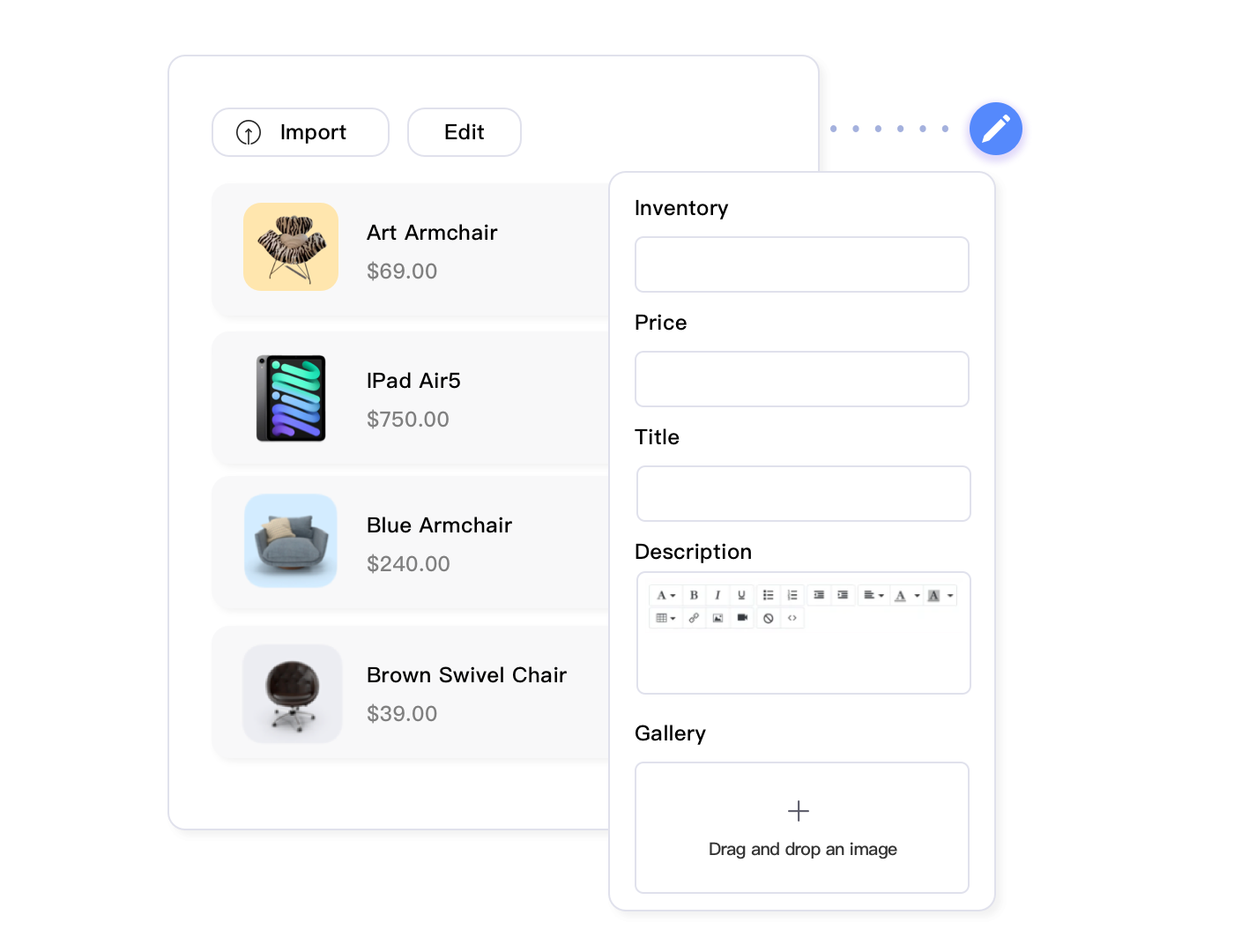
These aren’t hypothetical edge cases—they’re the daily realities of managing substantial Walmart catalogs. The Walmart Smart Assistant’s AI shines when creativity and personalization matter. But when you need systematic, identical changes across hundreds or thousands of listings, the Walmart Smart Assistant’s one-at-a-time approach becomes a bottleneck, not a breakthrough.
The Power of Rule-Based Bulk Automation
Rule-based bulk automation takes a fundamentally different approach. Instead of processing listings individually, you define criteria (filters) and actions (changes), then apply them across your entire catalog—or precisely targeted subsets—simultaneously. Think of it as the difference between hand-addressing 2000 envelopes versus running a mail merge.
How Bulk Automation Actually Works
Modern bulk automation platforms designed for large Walmart catalogs operate through a four-step workflow that transforms hours of repetitive work into minutes of strategic setup:
Step 1: Define Your Target
You start by selecting which listings need updates using sophisticated filtering. Instead of scrolling through thousands of products, you create precise criteria: “Show me all listings in Home & Garden category, priced between $20-$50, with inventory above 10 units, tagged ‘seasonal’, that haven’t been updated in 60+ days.” Within seconds, the system identifies exactly 327 products matching these specifications.
Step 2: Specify Your Changes
Next, you define what to modify. This isn’t limited to simple find-replace operations. Advanced bulk editors support conditional logic: “If product title contains ‘LED’, add ‘✓ Energy Star Certified’ badge. If price is under $25, set shipping to ‘Free’. For all electronics, populate warranty field with ‘1-Year Manufacturer Warranty’.” You can combine multiple changes in a single rule set, applying dozens of modifications simultaneously.
Step 3: Preview and Validate
Before touching a single live listing, you preview exactly what will change. Professional bulk automation shows you before-and-after comparisons for 10-20 sample products, letting you verify that your rules produce intended results. This preview capability—completely absent in Smart Assistant’s workflow—prevents the nightmare scenario of accidentally applying wrong formulas to thousands of listings.
Step 4: Execute and Monitor
Once you’ve confirmed your rules work correctly, you execute the batch operation. The system processes hundreds or thousands of listings in minutes, providing real-time progress tracking. If something unexpected occurs, you can pause mid-operation. After completion, you get a detailed report showing exactly what changed on each listing, creating an audit trail for compliance and troubleshooting.
Managing 1000+ Walmart Listings?
See how Maxmerce’s bulk automation handles what Smart Assistant can’t—systematic updates across thousands of products in minutes, not days.
Real-World Bulk Automation Scenarios
Let’s walk through how bulk automation solves the scenarios where Smart Assistant struggles:
Seasonal Pricing Strategy
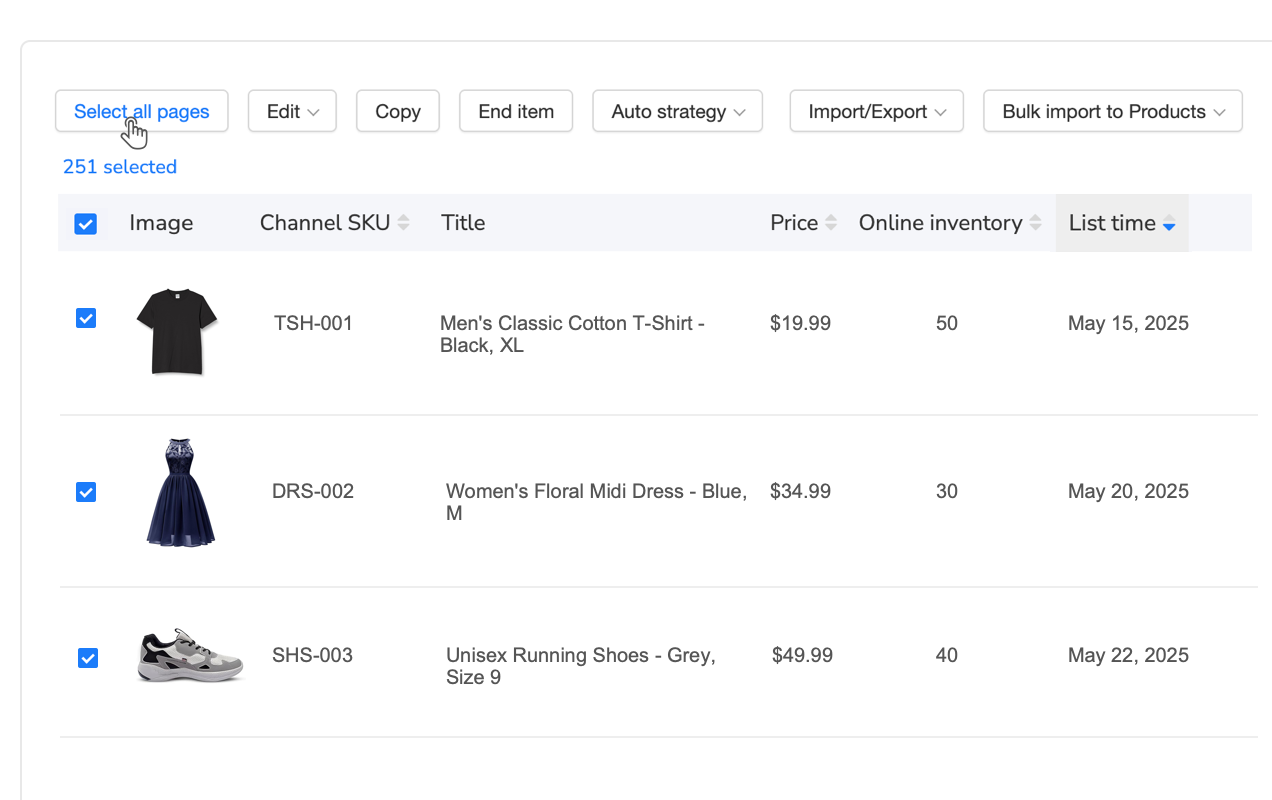
It’s November 15th, and Black Friday is 10 days away. You’ve analyzed historical data and determined that increasing prices by 12% before the sale (then offering 20% discounts) maximizes profitability while maintaining competitive positioning. Here’s the challenge: you have 1500 holiday-related products across eight categories that need this adjustment. Doing this manually with Smart Assistant would take approximately 62 hours—far too long given your deadline. With bulk automation, you filter for products tagged “holiday” or in Christmas/gift categories, apply a formula multiplying current price by 1.12, preview changes on 15 sample listings to verify accuracy, then execute. Total time: 25 minutes to set up and test, 8 minutes to process all 1500 listings.
Compliance Badge Addition
Walmart announces that all toys intended for children under 3 years must display a choking hazard warning badge by December 1st, or listings will be suppressed. You have 800 affected products. Smart Assistant could theoretically help, but it would generate unique safety descriptions for each product—not the standardized compliance badge Walmart requires. Bulk automation lets you filter for category “Toys & Games” plus age range “0-3 years”, then add the exact required attribute with Walmart’s specified text. The system updates all 800 listings in 6 minutes, and you have a compliance report proving every listing was updated before the deadline.
Tools designed for large catalog management transform this repetitive compliance burden into a systematic process. Maxmerce’s Rule-Based Bulk Listing Editing handles exactly these scenarios: when Walmart introduces new safety badge requirements affecting 800 children’s products, you can’t manually update each listing before the compliance deadline.
The workflow that would take Smart Assistant 33 hours (2.5 minutes × 800 listings) compresses into a 15-minute bulk operation. You filter for category “Toys & Games” plus age range “0-3 years”, apply Walmart’s exact required safety badge text, preview 10 sample listings to verify compliance formatting, then execute. The system updates all 800 listings in 6 minutes and generates a compliance report documenting that every affected product was updated before Walmart’s deadline—the kind of audit trail that protects your account health.
The feature supports 30+ filter criteria beyond basic categories: price ranges, inventory levels, last update dates, custom tags, marketplace performance metrics, and attribute completeness. You can combine filters with AND/OR logic to create surgical precision: “Show me Electronics with prices $50-$200, inventory above 20 units, rating below 4.0 stars, that haven’t been updated in 90 days”—then apply targeted improvements to exactly that subset.
What separates professional bulk automation from dangerous “spray and pray” approaches is the preview-test-execute workflow. Before touching a single live listing, you see before-and-after comparisons for 15-20 sample products. This lets you verify that your rule “If title contains ‘wireless’, add ‘Bluetooth 5.0 Technology’ badge” correctly identifies the right products and formats the addition properly—without accidentally adding the badge to wired products or breaking character limits.
The time savings compound dramatically with catalog size. For a single bulk operation affecting 2000 listings (realistic for holiday promotions or seasonal adjustments), you save 77 hours compared to Smart Assistant’s per-listing approach. But sellers don’t run just one bulk operation—they execute 8-12 per month for pricing updates, promotional badges, attribute enhancements, and compliance fixes. That’s 600+ hours saved annually, equivalent to adding a full-time employee to your team without payroll costs.
The Strategic Decision Matrix: Walmart Smart Assistant vs. Bulk Automation
The decision isn’t binary—you don’t choose Walmart Smart Assistant or bulk automation and stick with it forever. Strategic sellers use both tools, applying each where it delivers maximum advantage. Here’s how to decide which approach fits different scenarios when managing your Walmart Smart Assistant workflow alongside bulk operations.
| Scenario | Best Tool | Why | Time Impact |
|---|---|---|---|
| Creating new product listings (1-50 items) | Walmart Smart Assistant | AI generates unique, compelling content for each product | 2-3 min per listing |
| Optimizing top 20% revenue-generating listings | Walmart Smart Assistant | High-value products deserve personalized optimization | Worth the investment |
| Price adjustments across 500+ listings | Bulk Automation | Formula-based calculations apply instantly | 93% time savings |
| Adding promotional badges to category | Bulk Automation | Identical text needs consistent application | Hours → Minutes |
| Compliance updates (safety warnings, certifications) | Bulk Automation | Standardized text required by platform policy | Prevents violations |
| Attribute standardization (fixing manufacturer names) | Bulk Automation | Find-and-replace across catalog | 15 min vs. 40 hours |
| Enhancing underperforming listings with low traffic | Walmart Smart Assistant | AI identifies optimization opportunities per listing | Strategic ROI focus |
| Category-specific attribute population | Bulk Automation | Template-based rules ensure completeness | Scales effortlessly |
Catalog Size as the Primary Decision Factor
Your catalog size fundamentally determines which tool should be your primary workflow:
0-250 SKUs: Walmart Smart Assistant Primary
With a smaller catalog, you can afford to optimize each listing individually. The Walmart Smart Assistant’s AI-powered suggestions help you create differentiated content that stands out in search results. You’re not overwhelmed by volume, so spending 2-3 minutes per listing with Walmart Smart Assistant is a worthwhile investment. Use bulk automation only for occasional systematic changes like holiday pricing.
250-1000 SKUs: Hybrid Approach (Walmart Smart Assistant + Bulk Automation)
You’ve reached the threshold where bulk automation becomes necessary for efficiency. Apply the 80/20 rule: use Walmart Smart Assistant to optimize your top 20% revenue generators (50-200 listings), giving these high-value products personalized attention. Handle the remaining 80% with bulk automation for systematic improvements—pricing adjustments, badge additions, attribute completion. This hybrid approach balances Walmart Smart Assistant quality with scalability.
1000+ SKUs: Bulk Automation Primary (Strategic Walmart Smart Assistant Use)
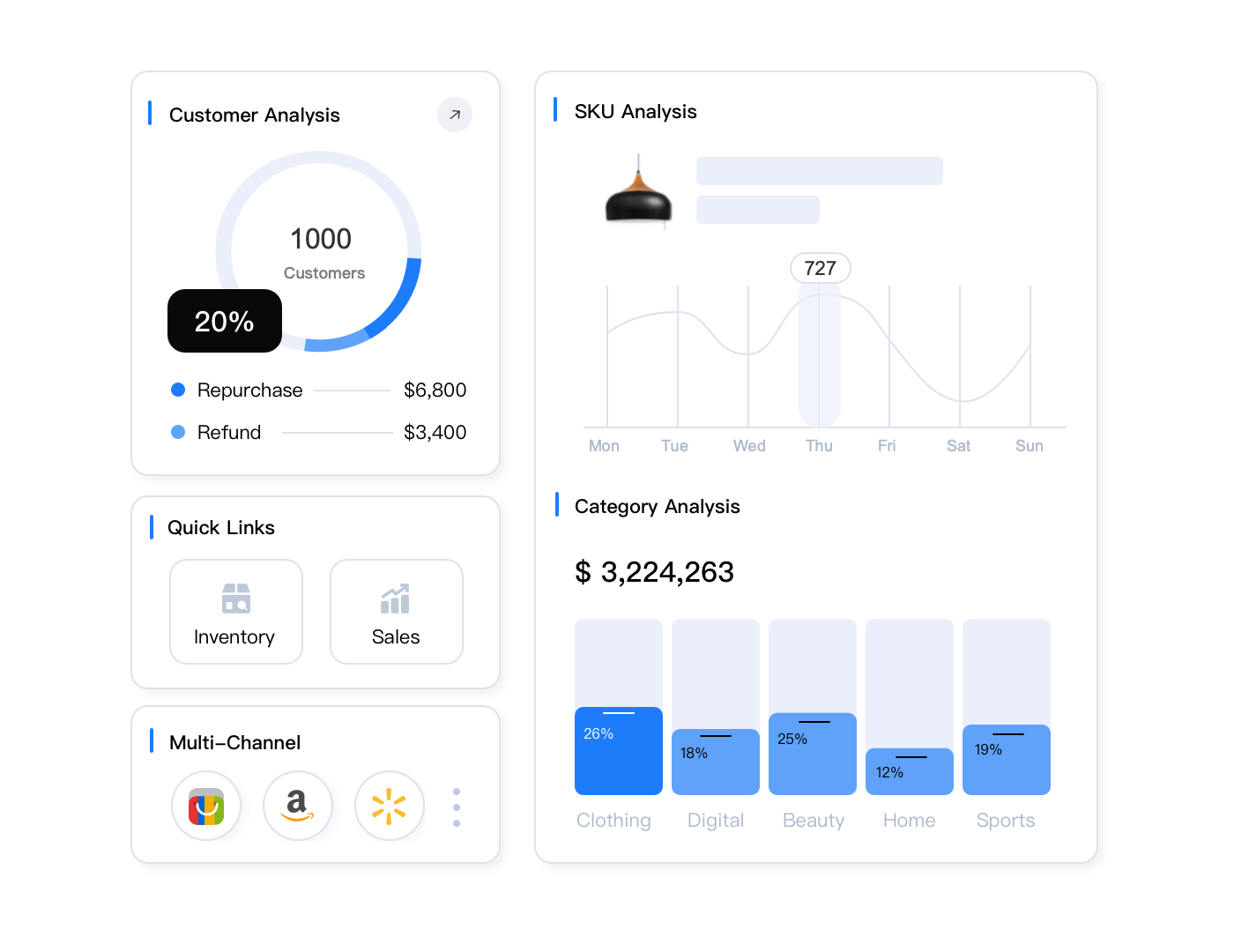
At this scale, bulk automation isn’t optional—it’s the only viable path. You physically can’t optimize 2000+ listings individually within reasonable timeframes using Walmart Smart Assistant alone. Bulk automation becomes your foundation for all systematic updates: pricing, promotions, compliance, attributes. Reserve Walmart Smart Assistant for strategic initiatives: launching new product lines, optimizing underperforming categories, or preparing for major sales events where creative optimization drives measurable ROI.
Implementing Bulk Automation Without Destroying Your Catalog
Bulk automation’s power comes with responsibility. One wrong formula applied to 2000 listings can create chaos that takes days to fix. Here’s how professional sellers implement bulk automation safely and effectively.
The Three-Tier Testing Protocol
Never—and this can’t be emphasized enough—never execute bulk operations on your full catalog without testing. Professional sellers follow a three-tier validation process:
Tier 1: Sandbox Testing (3-5 Listings)
Start by applying your rule to 3-5 test listings that represent different scenarios. If you’re adding a badge, test it on products with short titles, long titles, and titles at the character limit. This reveals edge cases where your rule might break formatting or exceed platform restrictions. Verify each test listing manually to ensure changes appear exactly as intended.
Tier 2: Category Sample Testing (20-30 Listings)
Once your rule works on test cases, expand to a larger sample within one category. This catches category-specific issues—maybe your pricing formula works perfectly for electronics but breaks on apparel with size variations. Review 100% of this sample batch to verify consistency across product types, prices ranges, and attribute configurations.
Tier 3: Phased Rollout (Progressive Batches)
For operations affecting 1000+ listings, don’t click “apply to all” immediately. Roll out in batches: 100 listings, monitor results for 24 hours, then 500 more, monitor again, then complete the remaining catalog. This staged approach means if something goes wrong, you’ve only affected a portion of your inventory—not your entire business.
Essential Safety Features to Demand
Not all bulk automation tools are created equal. When evaluating platforms for large-scale Walmart operations, these safety features separate professional-grade solutions from dangerous shortcuts:
- Preview Mode with Before/After Comparison: You must see exactly what will change before changes go live. Platforms that execute blindly are account-health disasters waiting to happen.
- Rollback/Undo Capabilities: Professional systems maintain version history, letting you reverse bulk operations if results aren’t what you expected. This safety net is critical when testing new rule configurations.
- Change Audit Trails: Every bulk operation should generate a detailed log showing what changed, when, and who executed it. This documentation protects you during platform disputes and helps troubleshoot unexpected issues.
- Dry Run Mode: The ability to simulate operations without making actual changes lets you validate logic and test formulas risk-free.
- Progressive Execution: Systems that process listings in batches (rather than all-or-nothing) let you monitor early results and pause if issues emerge.
- Validation Rules: Built-in checks that prevent common mistakes—like pricing below cost, exceeding character limits, or violating platform policies—before execution.
For Walmart sellers managing enterprise-scale catalogs, Maxmerce’s Bulk Product Editing via Excel provides an additional safety layer through the export-edit-import workflow. Instead of making changes directly in a web interface, you export your listings to Excel, where you can see all data in spreadsheet format, use Excel’s powerful formulas and conditional logic, and review every change before importing back.
This Excel-based approach offers unique advantages for complex operations. Say you need to adjust prices across 2000 listings based on multiple factors: increase by 12% for products with ratings above 4.0, but only 8% for lower-rated items, and don’t change prices ending in .99 (psychological pricing). Building this multi-conditional logic in a web interface is tedious and error-prone. In Excel, you write one formula, apply it down a column, and visually verify results across your entire catalog before importing.
The workflow also prevents the nightmare scenario where you accidentally execute before testing. With Excel editing, there’s no “apply to 2000 listings” button to click prematurely. You work offline, verify everything is perfect, save your file, then deliberately import only when you’re certain. This built-in pause creates a psychological safety barrier that web-based bulk editors lack.
Beyond safety, Excel editing enables bulk operations that would be nearly impossible through standard interfaces. You can use VLOOKUP to merge data from supplier price lists, apply complex IF-THEN logic across multiple conditions, or use find-and-replace with wildcard patterns. For sellers comfortable with spreadsheets, this approach combines Excel’s analytical power with Walmart listing management—without requiring programming skills.
The system validates your import file before touching live listings, flagging errors like missing required fields, invalid category IDs, or prohibited words. You fix issues in Excel and re-upload, ensuring that only clean, compliant data reaches your Walmart catalog. This validation prevents the cascading errors that occur when web-based bulk editors apply flawed rules to thousands of listings before you realize something’s wrong.
The Hybrid Strategy: Combining Walmart Smart Assistant and Automation
Here’s the approach that wins for sellers managing substantial Walmart catalogs: stop treating the Walmart Smart Assistant and bulk automation as competing tools, and start orchestrating them as complementary capabilities within a unified workflow.
The 3-Layer Optimization Framework
Layer 1: Foundation—Bulk Automation for Systematic Excellence
Your baseline workflow uses bulk automation to maintain catalog health and implement systematic improvements across all listings. This includes monthly pricing optimization, quarterly attribute completeness audits, seasonal promotional badge additions, and immediate compliance updates when Walmart changes requirements. These foundational operations affect 100% of your catalog and must scale efficiently—this is bulk automation’s domain.
Layer 2: Strategic Focus—Walmart Smart Assistant for High-Value Listings
Analyze your sales data monthly and identify your top 15-20% revenue generators. These products deserve individual attention with the Walmart Smart Assistant’s AI optimization. Let the Walmart Smart Assistant craft compelling titles, enhance descriptions with persuasive copy, and suggest keyword improvements that boost search visibility. The time investment here pays direct dividends because these listings drive the majority of your revenue.
Layer 3: Continuous Improvement—Rotate Walmart Smart Assistant Through Long Tail
Don’t abandon your remaining 80% of listings—just optimize them systematically over time rather than all at once. Each month, use the Walmart Smart Assistant to enhance 50-100 listings in your long tail, working through categories, low performers, or products flagged by analytics as having high potential. Over 12 months, you’ve improved 600-1200 additional listings using Walmart Smart Assistant without overwhelming your workflow.
Workflow Automation: Triggered Rules That Work While You Sleep
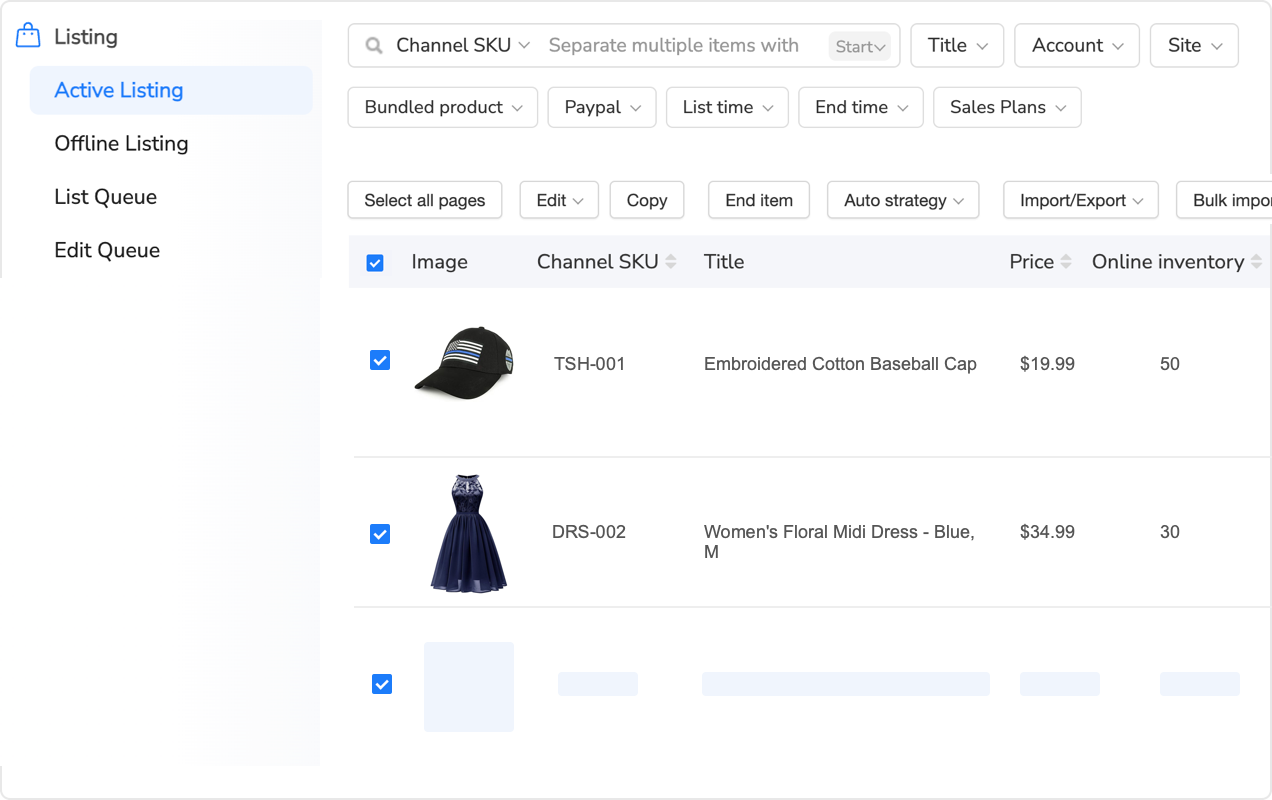
The most sophisticated sellers don’t just use bulk automation reactively—they set up triggered rules that execute automatically based on conditions. This transforms bulk automation from a manual tool into an intelligent system:
Inventory-Triggered Pricing
Create rules that automatically adjust prices based on stock levels: when inventory drops below 20 units, increase price by 5% to slow sales velocity while you restock. When inventory exceeds 200 units, decrease price by 8% to accelerate movement before storage costs accumulate. The system monitors inventory 24/7 and adjusts pricing across hundreds of SKUs without your intervention.
Performance-Triggered Optimization with Walmart Smart Assistant
Set up monitoring rules that flag listings for Walmart Smart Assistant optimization when performance metrics decline. If a previously strong product’s conversion rate drops 15% over 30 days, it’s automatically tagged for Walmart Smart Assistant review. This creates a self-maintaining catalog where data triggers Walmart Smart Assistant optimization only when needed.
Seasonal-Triggered Badging
Configure calendar-based rules that add seasonal badges automatically: on October 15th, add “🎃 Halloween Ready” to 300 relevant products. November 1st, remove Halloween badges and add “🎄 Perfect Holiday Gift” to 800 products. The system executes these bulk operations on schedule, ensuring your catalog reflects current shopping seasons without manual intervention.
Platforms designed for this level of automation sophistication bridge the gap between basic bulk editing and enterprise inventory management. Maxmerce’s Bulk Product Publish extends beyond simple updates to orchestrate sophisticated multi-channel workflows where Walmart is one piece of your broader marketplace strategy.
When you manage 2500+ SKUs across Walmart, Amazon, and eBay simultaneously, you can’t treat each platform as an isolated silo. Changes you make to core product data (pricing, inventory, descriptions) need to propagate to all channels—but with platform-specific adaptations. Walmart allows longer titles than Amazon, eBay requires different attribute fields, and each platform has unique compliance requirements.
Centralized bulk publishing systems let you maintain a master product catalog, then apply channel-specific rules during publication. You make your price adjustment once in the master catalog—say, increasing all seasonal items by 12%—and the system automatically publishes those changes to Walmart, Amazon, and eBay with each platform’s formatting requirements, character limits, and policy compliance built in. What would take 4-6 hours updating each platform separately becomes a 25-minute operation.
The validation and error checking happens before publishing, not after. The system flags issues like missing required attributes for Walmart’s electronics category, prohibited words in titles that violate Amazon’s policies, or attribute mismatches between your data and eBay’s item specifics structure. You fix these issues once in your master catalog, then publish clean, compliant listings across all channels.
This centralized approach also solves the inventory synchronization nightmare that plagues multi-channel sellers. When you sell a product on Walmart, the system instantly updates available quantities on Amazon and eBay, preventing overselling. When you add new products to your master catalog, you can publish to all three platforms simultaneously—or selectively choose which products go to which channels based on profitability, competition, or strategic priorities.
Ready to Scale Beyond Smart Assistant’s Limits?
Try Maxmerce’s bulk automation free for 14 days. No credit card required—see how rule-based editing transforms large catalog management.
Advanced Bulk Automation Strategies for Power Sellers
Once you’ve mastered basic bulk operations, these advanced strategies separate growing sellers from those who plateau at 1000-2000 SKUs.
Conditional Logic: Rules Within Rules
Basic bulk automation applies the same change to all filtered listings. Advanced bulk automation uses nested conditional logic—different actions based on multiple criteria within the same operation:
“If product is Electronics AND price is under $100 AND rating is above 4.5 stars, add badge ‘⭐ Best Value’. If product is Electronics AND price is over $100 AND rating is above 4.5 stars, add badge ‘⭐ Premium Choice’. If product is Electronics AND rating is below 4.0, add note ‘See customer reviews for details’ to description.”
One bulk operation, three different outcomes based on conditions. This granularity lets you implement sophisticated merchandising strategies across thousands of products simultaneously.
Cross-Field Calculations and Dependencies
Advanced bulk editors can reference data from multiple fields to calculate new values, enabling complex business logic:
- Margin-Based Pricing: Calculate selling price as (cost × 1.4) + shipping + Walmart fees, ensuring 40% margin after all costs. The formula pulls cost from one field, shipping from another, applies Walmart’s fee structure based on category, then sets the final price.
- Dynamic Shipping Calculations: Set shipping to “Free” if price is above $50 or product weight is under 2 lbs, otherwise calculate as (weight × $0.75) + $3.50 handling.
- Bundle Pricing Logic: For products tagged “Bundle”, calculate price as (sum of component prices × 0.85), automatically applying a 15% bundle discount based on individual item costs.
These cross-field calculations let you implement sophisticated pricing and logistics strategies that would be impossible to maintain manually across large catalogs.
Time-Series Operations: Historical Data Analysis
The most advanced bulk automation platforms maintain historical snapshots of your catalog, enabling time-based operations:
Automatic Rollbacks: “Show me all listings where price increased more than 20% in the last 7 days and sales dropped more than 50%—then revert those prices to their previous values.” The system identifies failed price tests and fixes them automatically.
Performance-Based Optimization: “Find listings where views decreased 30% or more over the last 30 days compared to the prior 30 days—flag these for Smart Assistant optimization.” This creates a data-driven queue of underperforming products that need attention.
Seasonal Pattern Learning: “Apply the same percentage price adjustments we used for these 400 products last December (when they performed well) to this year’s holiday catalog.” The system learns from historical successes and replicates winning strategies.
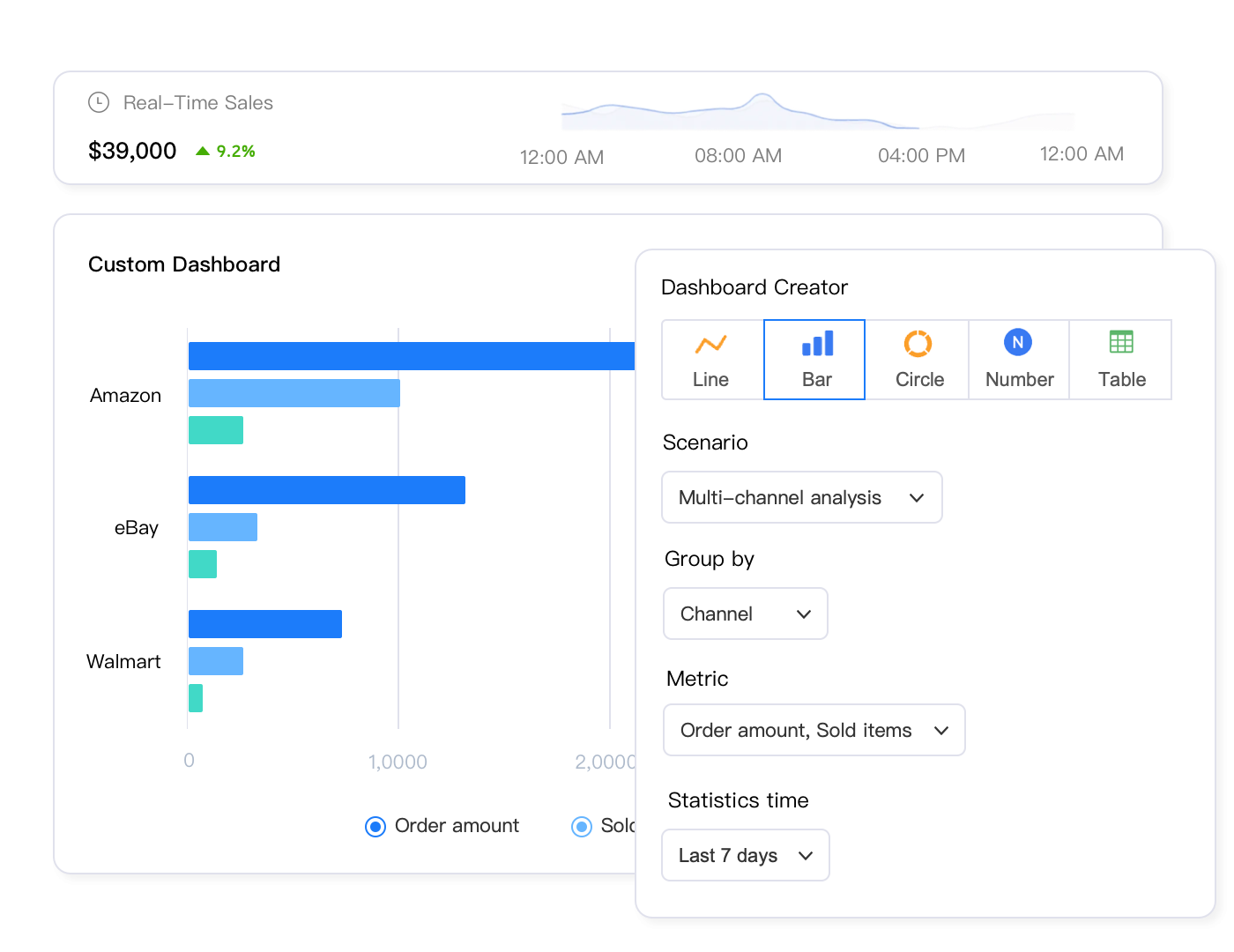
Category-Specific Bulk Automation Templates
Different product categories on Walmart have vastly different requirements, optimal strategies, and compliance needs. Smart sellers create category-specific bulk automation templates that encode best practices into reusable workflows.
Electronics: Attribute Completeness Drives Visibility
Walmart’s search algorithm heavily weights attribute completeness for electronics. Products with 90%+ attributes filled rank significantly higher than those with sparse data. Your bulk automation template for electronics should:
- Populate Technical Specs: Use lookup tables to automatically fill processor speed, RAM, storage capacity, screen size, and connectivity options based on model numbers. A bulk operation can populate 40+ attributes for 500 electronics listings in minutes using manufacturer data.
- Add Certification Badges: Apply “✓ UL Certified”, “✓ FCC Compliant”, “✓ Energy Star” badges based on product data. These trust signals improve conversion rates and satisfy Walmart’s safety requirements.
- Warranty Information: Standardize warranty descriptions across all electronics: “Includes [X]-year manufacturer warranty. Extended protection plans available at checkout.” Consistent, professional warranty information reduces support inquiries.
Apparel: Size Variation Management at Scale
Managing apparel means managing variations—each product might have 8 sizes × 6 colors = 48 individual SKUs. Bulk automation becomes critical:
- Variation Inventory Rules: “If any size/color combination drops to 0 inventory, hide that variation but keep parent listing active. If all variations hit 0, set parent to out of stock.” This prevents customer frustration from clicking unavailable options.
- Pricing by Popularity: Automatically adjust prices based on size popularity—charge $2 more for XL and XXL sizes that have higher demand and costs. Bulk automation applies these differentiated prices across all apparel variations.
- Seasonal Clearance: At end of season, apply progressive discounts: 30% off for 2 weeks, then 50% off for 2 weeks, then 70% off final clearance. The system executes these tiered discounts automatically across hundreds of apparel products.
Home & Garden: Seasonal Optimization
Home & Garden products follow strong seasonal patterns that bulk automation can exploit:
- Calendar-Based Badging: March 1st, add “🌱 Spring Garden Essential” to outdoor products. June 1st, add “☀️ Summer Ready” to patio furniture. The system cycles through seasonal badges automatically, keeping hundreds of products contextually relevant.
- Weather-Responsive Pricing: In regions experiencing heat waves, automatically increase prices by 8% for fans and air conditioning units. When weather normalizes, revert pricing. This dynamic approach maximizes margin during high-demand periods.
- Holiday Preparation: 45 days before major holidays, bulk update all relevant products with gift-focused descriptions and badges. Christmas decorations get “🎄 Create Holiday Magic”, Halloween items get “🎃 Spooky Season Essential”.
Common Bulk Automation Mistakes to Avoid
Even experienced sellers make these errors when implementing bulk automation. Learn from others’ expensive mistakes:
Mistake 1: Forgetting Platform Character Limits
You create a rule adding “✓ Fast Ship – Usually Arrives in 2-3 Business Days” to all titles. It works perfectly on products with short titles, but breaks 30% of your catalog where titles were already near Walmart’s 75-character limit. Now those titles are truncated mid-sentence, looking unprofessional.
Prevention: Always add character-count conditional logic: “Only add badge if current title length + badge length is under 70 characters.” Leave 5-character buffer for safety.
Mistake 2: Over-Optimization With Keyword Stuffing
You discover that adding more keywords to titles correlates with higher rankings, so you create a bulk operation appending 15 keyword phrases to every product title. Walmart’s spam filters flag your catalog, and rankings plummet because your titles read like keyword salad rather than helpful product descriptions.
Prevention: Bulk automation should enhance readability, not destroy it. If you can’t read your changes out loud and have them sound natural, don’t apply them to 2000 listings.
Mistake 3: Bulk Price Changes Without Competitor Context
You apply a 15% price increase across your catalog to improve margins. Three days later, sales drop 60% because competitors didn’t raise prices—you’ve priced yourself out of the market on 1800 products simultaneously.
Prevention: Never bulk-adjust prices without checking competitive positioning for at least your top 100 SKUs. Use conditional pricing: “Increase by 15% only if our price will still be within 10% of lowest competitor.”
Mistake 4: Ignoring Category-Specific Rules
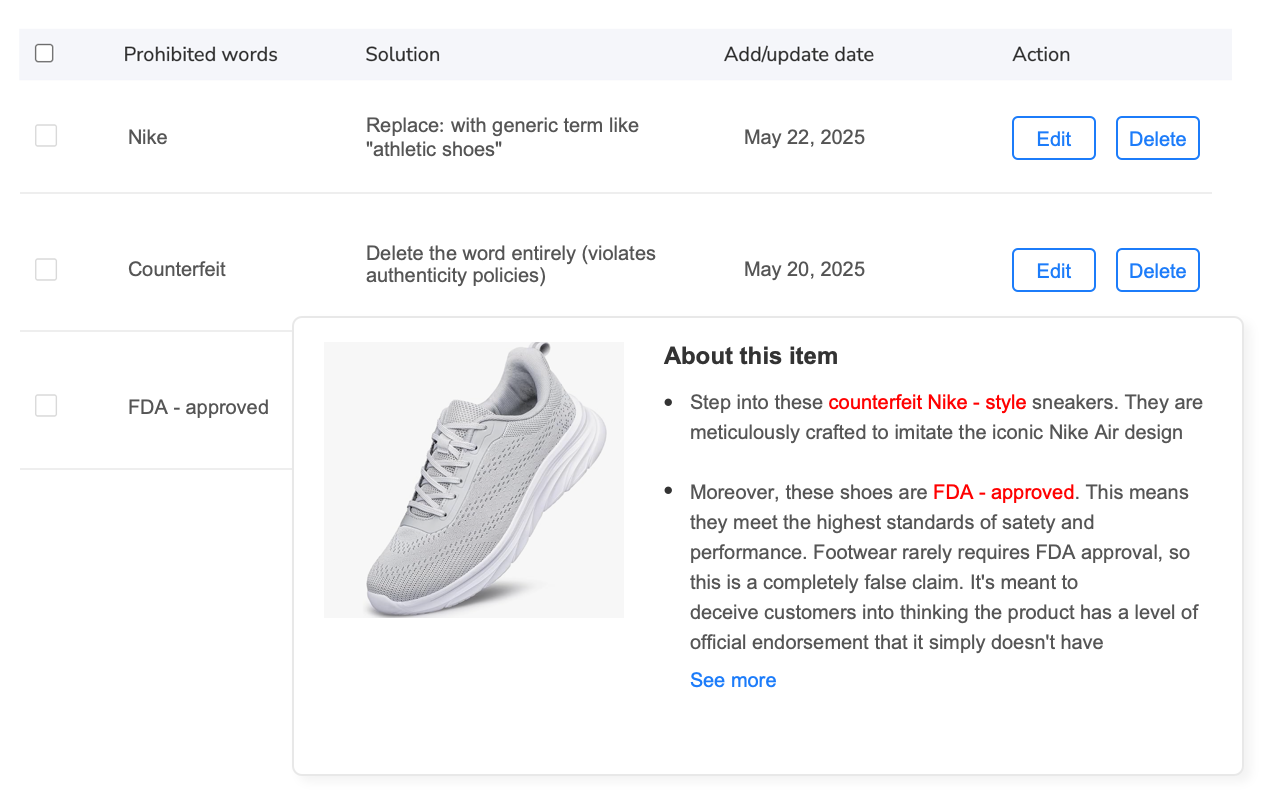
You create a universal bulk operation adding “Batteries Not Included” to all electronics. Unfortunately, this phrase is prohibited for battery-powered items on Walmart—you should say “Batteries Required (Not Included)”. Your bulk operation just created 600 policy violations.
Prevention: Review Walmart’s category-specific policies before creating bulk rules. When in doubt, apply rules to smaller category subsets rather than your entire catalog.
Mistake 5: No Testing on Walmart’s Actual Platform
You perfect your bulk edits, apply them to 2000 listings, and everything looks great in your management platform. Then you check actual Walmart listings and discover that your formatted bullet points turned into run-on text blocks because Walmart’s HTML rendering stripped your formatting.
Prevention: After bulk operations, always spot-check 10-15 actual Walmart listings (not just your management dashboard) to verify changes render correctly on the live marketplace.
Measuring ROI: Is Bulk Automation Worth It?
Time savings are obvious, but let’s quantify the full financial impact of bulk automation for large Walmart catalogs.
Direct Time Savings: The 93% Efficiency Gain
Start with the math we’ve referenced throughout this article. If you manage 2000 listings and execute an average of 10 bulk operations monthly (realistic for seasonal adjustments, promotions, compliance updates, and ongoing optimization):
- Smart Assistant Approach: 10 operations × 2000 listings × 2.5 minutes = 833 hours monthly
- Bulk Automation Approach: 10 operations × 6 hours average = 60 hours monthly
- Time Saved: 773 hours monthly = 9,276 hours annually
At $25/hour loaded labor cost (salary + benefits for operations staff), that’s $231,900 in annual labor savings. Even if you only execute 5 bulk operations monthly instead of 10, you’re still saving $115,950 annually.
Indirect Revenue Protection: The Compliance Advantage
When Walmart announces new policy requirements—like safety badges for certain categories or updated attribute specifications—sellers using Smart Assistant often can’t implement changes fast enough across large catalogs. The result: listing suppressions that cost sales.
If 20% of your catalog (400 listings) gets suppressed for 5 days during a compliance update you couldn’t implement quickly, and those listings average $85 daily revenue each, that suppression costs $170,000 in lost sales. Bulk automation that implements compliance changes in hours instead of weeks prevents this revenue loss.
Strategic Opportunity Cost: What Could You Build Instead?
Perhaps the most significant ROI from bulk automation isn’t the direct savings—it’s the strategic opportunities those saved hours unlock:
- Market Expansion: The 770+ hours you save monthly could launch and manage 500+ products on additional marketplaces (eBay, Amazon, Shopify), diversifying revenue streams.
- Product Development: Invest saved time in sourcing new products, negotiating with suppliers, and expanding your catalog—activities that directly drive revenue growth.
- Strategic Analysis: Instead of manually updating listings, analyze sales data to identify profitable categories, optimize inventory investment, and make data-driven expansion decisions.
- Customer Experience: Redirect operational staff toward improving customer service, reducing response times, and building brand loyalty—initiatives that increase repeat purchase rates.
The most successful sellers don’t use bulk automation to do the same work faster—they use it to free capacity for higher-value activities that scale their business beyond what operational efficiency alone could achieve.
Transform Your Walmart Operations Today
Stop letting manual updates hold back your growth. See how Maxmerce’s bulk automation handles 2000+ SKUs with the same effort you’re currently spending on 50.
The Future of Walmart Listing Management
The Walmart Smart Assistant will improve—that’s certain. AI models get more sophisticated every quarter, generating better content with less human review. But Walmart Smart Assistant advancement doesn’t diminish bulk automation’s value; it actually increases it.
Here’s why: as the Walmart Smart Assistant gets better at creating unique, compelling content, it becomes even more valuable to reserve Walmart Smart Assistant processing for listings where uniqueness matters—your top revenue generators, new product launches, and strategic growth categories. The rest of your catalog—the 70-80% of products that need consistent, systematic management—benefit more from efficient bulk operations than from Walmart Smart Assistant variations.
The winning approach is converging toward intelligent hybrid systems: the Walmart Smart Assistant suggests optimizations, bulk automation applies them at scale, and human judgment determines which listings deserve which treatment. Imagine Walmart Smart Assistant analyzing your catalog and saying, “These 87 electronics products would benefit from enhanced technical specifications—here’s the data to add.” Then bulk automation applies those enhancements to all 87 listings simultaneously, and you’ve combined Walmart Smart Assistant intelligence with automation efficiency.
We’re also seeing the emergence of predictive bulk automation—systems that don’t just execute rules you define, but suggest rules based on your historical performance. “Last year when you added ‘Holiday Gift’ badges to 300 home decor products in November, conversion rates increased 18%. Apply similar badges to this year’s comparable products?” The system learns from your successes and automates the replication of winning strategies.
For Walmart sellers managing 1000+ SKUs, the future isn’t choosing AI or automation—it’s orchestrating both intelligently within workflows that scale your operation without scaling your workload proportionally.
Frequently Asked Questions
Conclusion: Choose Tools Based on Catalog Reality, Not Marketing Promises
The Walmart Smart Assistant represents genuinely impressive AI technology. For sellers managing 50-250 products, the Walmart Smart Assistant is transformative—letting you create compelling, optimized listings with minimal effort. But technology isn’t valuable in a vacuum; it’s valuable when it solves your specific problems at your specific scale.
If you’re managing 1000+ SKUs, your problems aren’t “I need help writing 10 great product descriptions”—they’re “I need to update prices on 1500 products before Friday’s sale,” “I need to add compliance badges to 800 listings before Walmart’s new policy deadline,” and “I need to systematically improve attribute completeness across my entire catalog.”
The Walmart Smart Assistant can’t solve these problems. Not because it’s poorly designed, but because the Walmart Smart Assistant is designed for a different use case. Bulk automation exists precisely to handle what AI can’t: systematic, identical changes applied across thousands of products with efficiency, consistency, and safety.
The strategic sellers winning on Walmart aren’t choosing between tools—they’re building workflows that apply the right tool to each specific challenge. They use bulk automation as their foundation for managing catalog scale, then layer Walmart Smart Assistant strategically for high-value optimizations that justify individual attention.
Don’t let your tool choice be constrained by what’s newest or most heavily marketed. Choose based on your catalog size, your operational reality, and the specific problems you need solved. For most sellers managing substantial Walmart operations, that choice points decisively toward bulk automation as your primary workflow—with Smart Assistant as a valuable supplementary tool for strategic optimization.
Your catalog doesn’t care about AI hype. It cares about accurate pricing, complete attributes, compliant content, and systematic improvements that maintain quality at scale. Give it the tools that deliver those outcomes most efficiently, and you’ll build an operation that scales profitably rather than one that drowns in operational overhead.
