Multi-Channel Inventory Sync: Prevent Overselling

Quick Answer
Multi-channel inventory sync prevents overselling by updating stock levels in real-time across Amazon, eBay, and Walmart when sales occur on any platform. Modern synchronization systems process inventory changes within 5-15 seconds, protecting seller ratings from cancellation penalties. Additionally, implementing buffer stock strategies and intelligent allocation rules ensures accurate inventory availability even during high-volume sales periods.
Key Takeaways
- Real-time inventory sync processes updates in 5-15 seconds across all connected sales channels, preventing simultaneous sales of the same item (Industry standard, 2025)
- Overselling costs sellers up to $50-150 per incident in refunds, shipping losses, and platform penalties that damage account health (Marketplace Pulse, 2025)
- Buffer inventory management reduces overselling by 95% by maintaining safety stock levels 5-10% below actual quantities (E-commerce Research, 2025)
- Multi-channel sellers save 15-20 hours weekly by automating inventory updates instead of manual adjustments across platforms (Seller Survey, 2025)
- Amazon requires <2.5% cancellation rate, eBay tracks defects, Walmart demands 95% fulfillment accuracy to maintain good seller standing (Platform policies, Updated October 2025)
Selling on Amazon, eBay, and Walmart simultaneously expands your market reach exponentially—but creates a critical challenge: how do you prevent selling the same item twice? When you have 5 units in your warehouse and list them on three platforms, a single burst of sales can quickly result in overselling, customer disappointments, and devastating account penalties.
Multi-channel inventory synchronization solves this by creating a unified inventory pool that updates instantly across all platforms. However, implementation requires understanding real-time sync mechanics, buffer stock strategies, and platform-specific requirements. This comprehensive guide reveals proven strategies for perfect inventory accuracy across Amazon, eBay, and Walmart.
Understanding Multi-Channel Inventory Synchronization
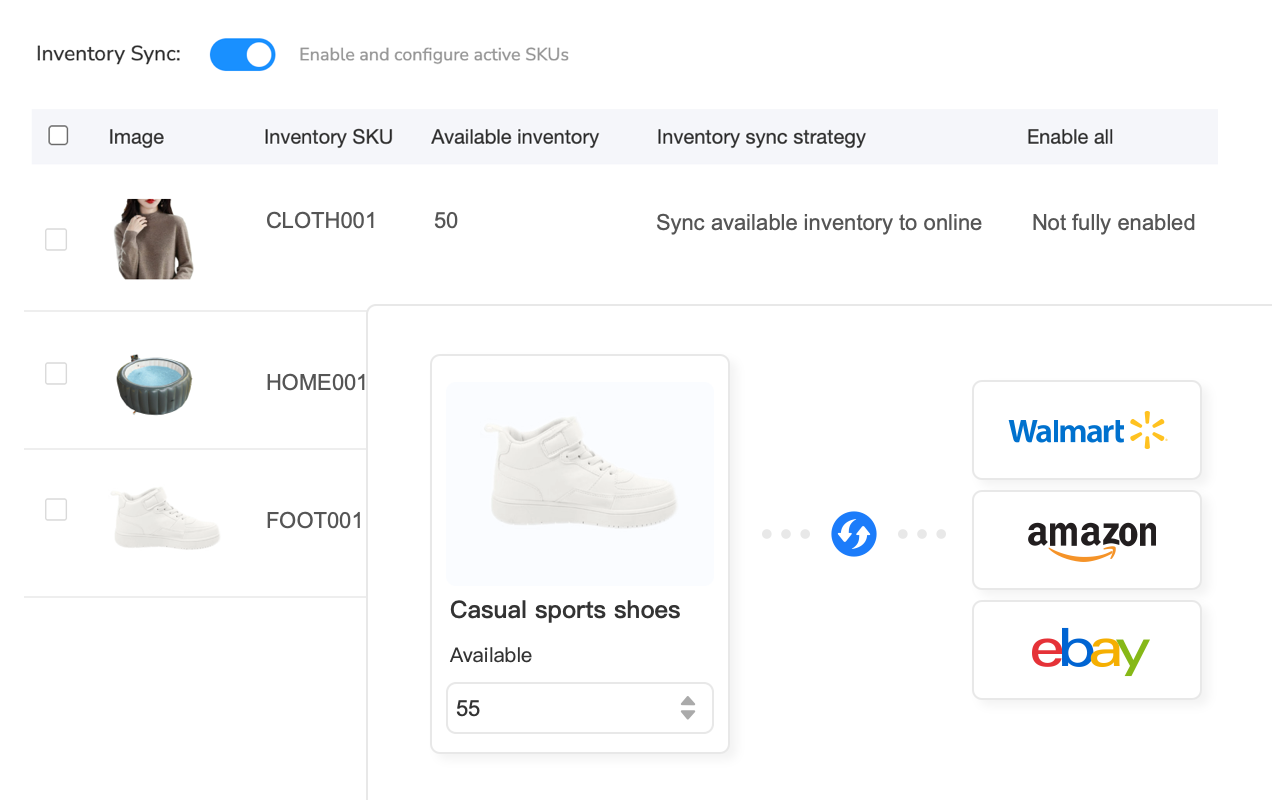
Multi-channel inventory synchronization is a system that automatically updates product stock levels across multiple sales platforms when inventory changes occur on any single channel. When a customer purchases an item on Amazon, the sync system immediately reduces available quantity on eBay and Walmart, preventing simultaneous sales of the same physical item.
How Real-Time Inventory Sync Works
Modern inventory synchronization operates through continuous API connections between your inventory management system and each marketplace platform. Here’s the technical process that happens in seconds:
- Order Detection: The sync system receives a webhook notification or polls the platform API detecting a new sale
- Inventory Reservation: The system instantly reserves that item quantity in your master inventory database
- Multi-Platform Update: Simultaneously, API calls push updated quantities to all other connected sales channels
- Confirmation Loop: Each platform confirms receipt of the inventory update, logging success or retry attempts
- Buffer Calculation: If buffer stock rules are enabled, the system adjusts displayed quantities below actual stock levels for safety
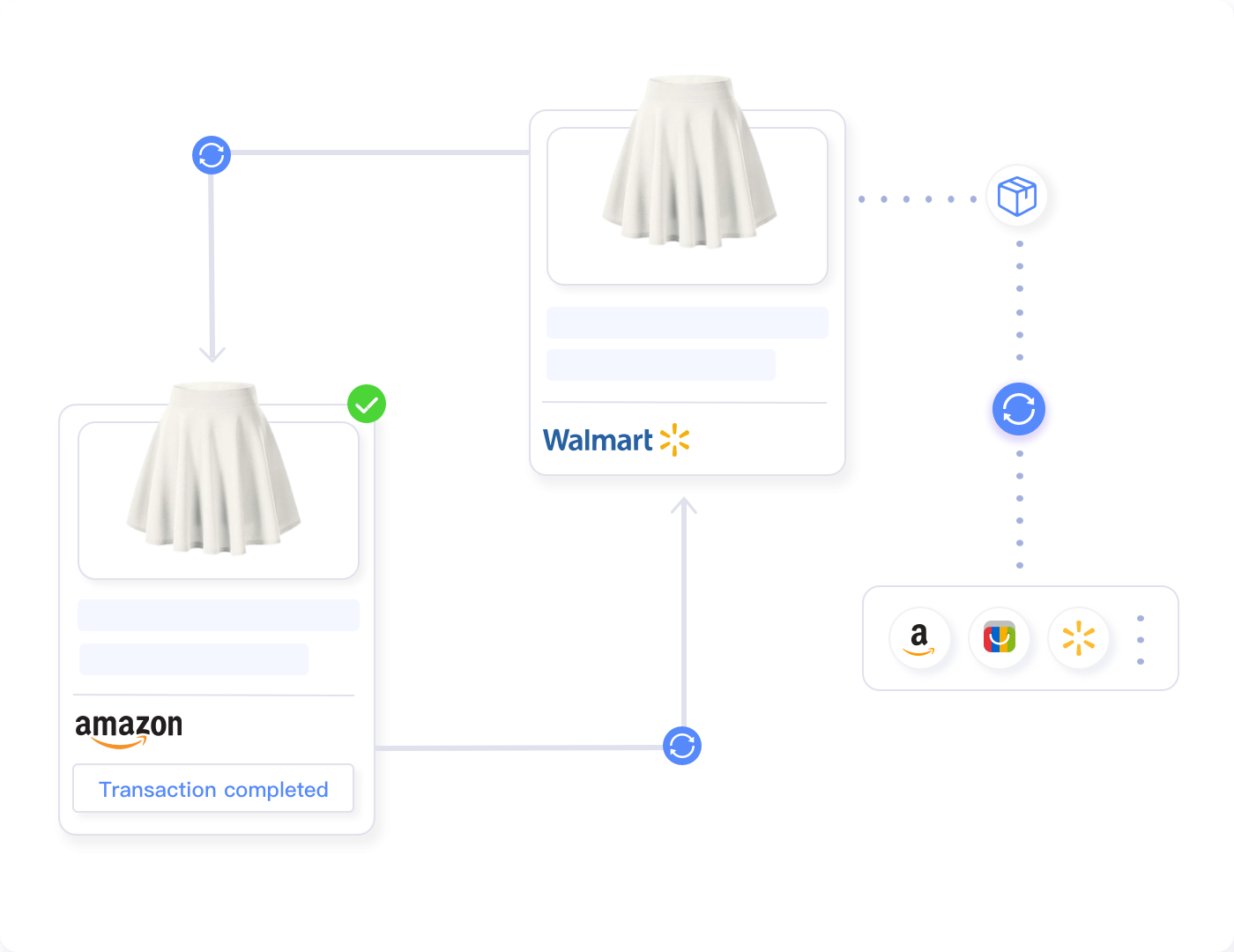
This entire process typically completes in 5-15 seconds for premium systems. However, during platform API congestion or maintenance windows, delays can extend to 30-60 seconds. Therefore, successful multi-channel sellers always implement buffer stock strategies as a secondary protection layer.
The True Cost of Overselling
Understanding overselling’s financial impact motivates proper inventory sync implementation. Consider this realistic scenario: You sell the same item on Amazon and eBay simultaneously because inventory didn’t sync fast enough. Here’s what you lose:
| Cost Category | Amount per Incident | Impact |
|---|---|---|
| Order Cancellation Penalty | $0 (but metric damage) | Amazon: counts toward 2.5% threshold |
| Customer Refund Processing | $3-5 admin time | Staff time and system fees |
| Negative Feedback Risk | $50-200 lost sales | Future customers avoid low-rated sellers |
| Lost Sale Margin | $10-50 profit | Direct revenue loss from cancelled order |
| Account Health Damage | Difficult to quantify | Repeated violations risk suspension |
A single overselling incident costs $50-150 when accounting for direct losses, time investment, and long-term reputation damage. Sellers experiencing 10-20 overselling incidents monthly lose $500-3,000—far exceeding the cost of professional inventory sync systems.
Platform-Specific Inventory Sync Requirements
Each marketplace has unique inventory management rules, API limitations, and performance standards. Understanding these platform-specific requirements ensures your sync strategy complies with all policies while maximizing availability.
Amazon Inventory Sync Requirements
Amazon’s sophisticated inventory system requires careful synchronization planning. For Fulfillment by Amazon (FBA), inventory is automatically tracked in Amazon’s warehouses—your sync system only needs to manage seller-fulfilled listings. However, FBA and seller-fulfilled inventory must never share the same SKU across platforms to prevent confusion.
Amazon Critical Metrics:
- Order Defect Rate must stay below 1% (cancellations count toward this)
- Cancellation Rate must remain below 2.5% for account health
- API rate limits: 30 requests per second for inventory updates
- Inventory sync updates typically process within 15 minutes on Amazon’s side
Amazon’s Buy Box algorithm also considers inventory quantity. Listings showing low stock levels (typically below 5 units) may lose Buy Box eligibility on competitive products. Therefore, configure your sync system to display inventory strategically—not necessarily your true stock level, but enough to maintain Buy Box competitiveness while preventing overselling.
eBay Inventory Management Specifications
eBay’s inventory system differs significantly from Amazon’s. Quantity sync updates process nearly instantly through eBay’s Inventory API, making real-time synchronization highly effective. However, eBay tracks transaction defects differently than Amazon.
eBay’s performance standards focus on:
- Transaction Defect Rate: Must stay below 2% (includes item not received, not as described, and cancellations)
- Late Shipment Rate: Should remain under 5% for Top Rated Seller status
- Cases Closed Without Seller Resolution: Keep below 0.3%
Additionally, eBay allows “out of stock” listings that automatically hide when quantity reaches zero. This feature is useful during temporary stock shortages—your listing remains live and SEO-ranked, but invisible to buyers until inventory is replenished. Configure your sync system to leverage this rather than ending listings completely.
Walmart Marketplace Inventory Standards
Walmart maintains the strictest inventory accuracy requirements among major marketplaces. Walmart requires 95% fulfillment accuracy to maintain good seller standing. This means you can only cancel 5 out of every 100 orders without risking account suspension.
Walmart’s inventory sync characteristics:
- API Update Speed: Inventory changes typically process within 5-10 minutes
- Bulk Inventory Uploads: Supported via XML feed for 1,000+ SKU updates
- Real-Time Inventory API: Available for instant single-item updates
- Performance Dashboard: Shows fulfillment rate prominently—monitor daily
Walmart Critical Warning: Unlike Amazon and eBay, Walmart has lower tolerance for fulfillment issues. Three consecutive weeks below 95% fulfillment rate can trigger account review or suspension. Therefore, Walmart sellers must implement buffer stock levels more conservatively—typically 10-15% below actual inventory rather than the 5-10% used for other platforms.
Implementing Buffer Stock Strategies
Buffer stock management is the practice of displaying fewer units online than you actually have in inventory, creating a safety cushion against sync delays and simultaneous purchases. This critical strategy reduces overselling incidents by 90-95% even when real-time sync experiences brief delays.
Calculating Optimal Buffer Levels
Buffer stock percentages should vary based on your sales velocity, product value, and platform requirements. Use this framework to determine appropriate buffer levels:
| Sales Velocity | Recommended Buffer | Example (10 units actual) |
|---|---|---|
| Slow-moving (0-2 sales/week) | 0-5% buffer | Display 9-10 units |
| Moderate (3-10 sales/week) | 5-10% buffer | Display 8-9 units |
| Fast-moving (11-30 sales/week) | 10-15% buffer | Display 7-8 units |
| Very fast (30+ sales/week) | 15-20% buffer | Display 6-7 units |
| High-value items ($500+) | 20-25% buffer | Display 5-6 units |
Additionally, implement platform-specific buffer adjustments. For example, set Walmart buffer levels 5% higher than Amazon/eBay due to stricter fulfillment requirements. During peak seasons like Black Friday or Prime Day, temporarily increase buffers by another 5-10% to account for sudden sales spikes.
Dynamic Buffer Adjustment
Advanced inventory sync systems automatically adjust buffer levels based on real-time sales patterns. For instance, if a product typically sells 5 units weekly but suddenly sells 8 units in one day, the system recognizes increased velocity and automatically increases the buffer for that SKU.
Implement dynamic buffer strategies using these triggers:
- Velocity Spike Detection: When sales exceed 150% of 7-day average, increase buffer by 5%
- Low Stock Threshold: When inventory drops below 10 units, increase buffer to 25% to protect remaining stock
- Platform Performance: If a platform shows sync delays (logged in system), temporarily increase buffer for that channel only
- Seasonal Adjustment: During known high-volume periods, apply pre-configured buffer increases
Multi-Channel Inventory Sync Implementation Strategies
Successful multi-channel inventory synchronization requires more than just connecting your systems—it demands strategic planning, testing, and ongoing optimization. Follow these proven implementation strategies to achieve 99%+ inventory accuracy.
Step 1: Establish a Master Inventory Source
Your master inventory source is the single source of truth for all stock quantities. This could be your warehouse management system (WMS), a dedicated inventory management platform, or your primary selling channel. All other systems sync from this master source—never create circular sync relationships where platforms update each other directly.
Master inventory source options:
- Dedicated Inventory Management System: Best for sellers with 500+ SKUs or multiple warehouses. Systems like Maxmerce, SellerCloud, or SkuVault maintain centralized inventory and push updates to all channels.
- Warehouse Management System (WMS): Ideal for sellers with physical warehouses using barcode scanning. WMS tracks physical inventory movements, and sync tools connect WMS to marketplaces.
- Primary Marketplace Platform: Works for smaller operations (under 300 SKUs). For example, use Amazon as master source and sync to eBay/Walmart. However, this creates dependency on that platform’s API reliability.
- E-commerce Platform (Shopify, WooCommerce): Suitable when your website generates significant sales. Your e-commerce platform maintains master inventory, syncing to all marketplaces.
Pro Tip: Never create two-way sync between platforms (e.g., Amazon syncs to eBay AND eBay syncs to Amazon). This creates infinite loops, data conflicts, and inventory chaos. Always designate one master source with one-way sync flows to all channels.
Step 2: Map SKUs Across All Platforms
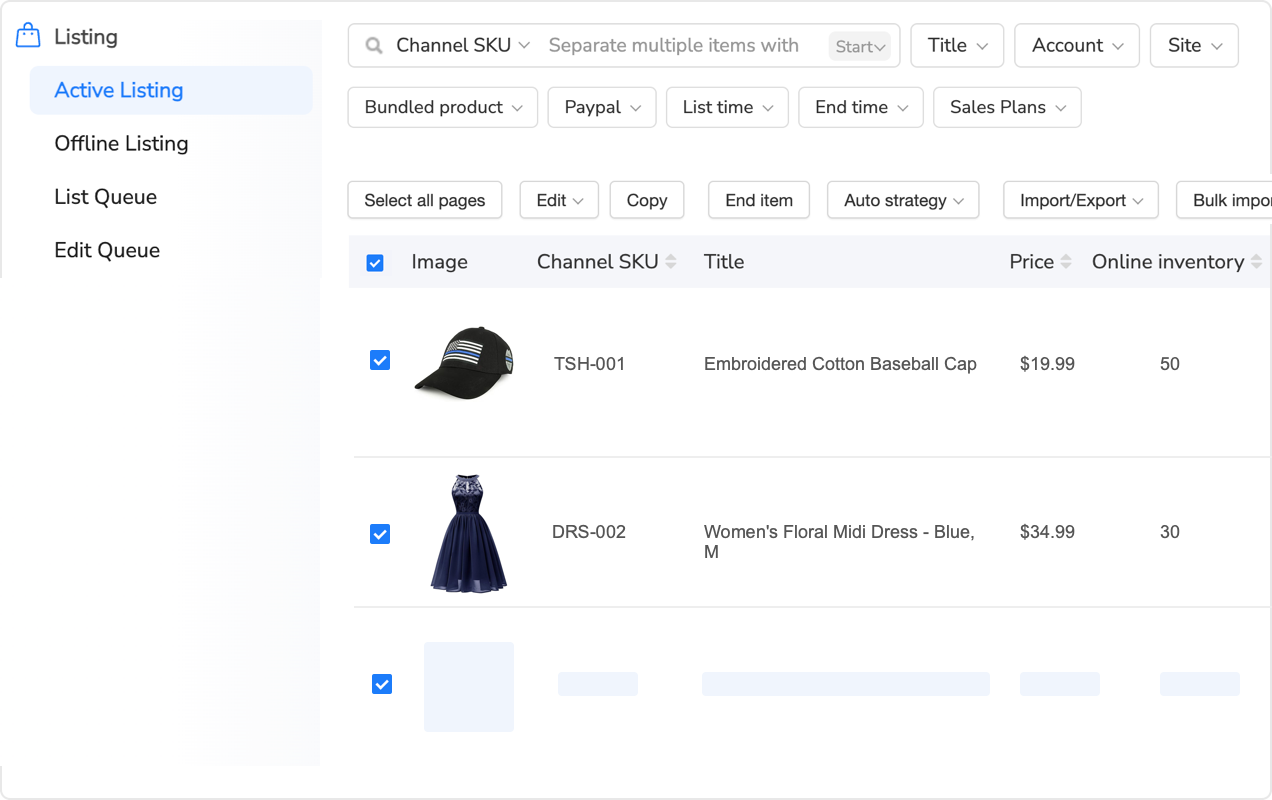
Different platforms use different product identifiers—Amazon uses ASINs, eBay uses Item IDs, and Walmart uses Item IDs. Your sync system must map these platform-specific identifiers to your internal SKU system. Accurate SKU mapping is the foundation of reliable inventory sync—errors here cause stock updates to hit wrong products or fail entirely.
SKU mapping best practices:
- Use Consistent Internal SKUs: Create a standardized SKU format (e.g., BRAND-CATEGORY-NUMBER) that remains consistent across all platforms
- Maintain SKU Mapping Database: Document which platform-specific IDs correspond to each internal SKU. Export this regularly as backup
- Handle Variations Carefully: For products with size/color variations, map parent and child relationships accurately. A red medium shirt is a different SKU than red large
- Audit Mapping Monthly: Run reports identifying unmapped or incorrectly mapped SKUs. Fix errors before they cause overselling
- Use Custom SKU Fields: Most platforms allow custom SKU fields—populate these with your internal SKU for easy mapping
Step 3: Configure Real-Time Sync Rules
Sync rules determine how and when inventory updates propagate across channels. Proper rule configuration balances accuracy, speed, and API cost efficiency. Modern inventory sync systems offer granular control over update triggers and timing.
Essential sync rule configurations:
| Rule Type | Configuration | Use Case |
|---|---|---|
| Update Trigger | Instant on order/sale | Fast-moving inventory requiring immediate updates |
| Batch Updates | Every 5-15 minutes | Slow-moving inventory to reduce API calls |
| Buffer Rules | Platform-specific % | Display less inventory than actual for safety |
| Minimum Display Qty | 1-5 units minimum | Maintain Buy Box eligibility on Amazon |
| Zero Stock Action | Set to zero or hide listing | Platform preference (eBay hides, Amazon shows zero) |
| Restock Threshold | Auto-enable when qty > X | Automatically relist when inventory replenished |
Step 4: Implement Comprehensive Testing
Before going live with multi-channel inventory sync, conduct thorough testing to identify configuration errors, sync delays, and edge cases. Testing prevents costly mistakes during actual sales operations.
Comprehensive testing protocol:
- Single Product Test: Start with one low-value, high-stock product. Manually create test orders on each platform and verify sync speed and accuracy across all channels.
- Variation Testing: Test products with multiple size/color variations. Ensure specific variation sales decrement correct SKUs, not parent product totals.
- Zero Stock Test: Reduce test product to zero inventory. Verify all platforms respond appropriately (hide listing, show zero, trigger restock alerts).
- Buffer Verification: Set test product to 10 units with 10% buffer. Confirm platforms display 9 units, not 10. Test buffer calculation across different quantities.
- Simultaneous Sale Test: Difficult to test, but critical. If possible, coordinate two people to purchase the same item simultaneously on different platforms. Does sync prevent overselling?
- API Failure Test: Temporarily disconnect one platform’s API. Verify the system logs errors appropriately and doesn’t corrupt inventory data.
- High-Volume Test: Process 20-50 manual test orders rapidly. Monitor sync performance under load.
Advanced Multi-Channel Inventory Strategies
Beyond basic synchronization, advanced inventory strategies optimize availability, reduce costs, and improve customer experience across all channels. Implement these tactics once your foundation is solid.
Intelligent Inventory Allocation
Intelligent allocation strategically distributes inventory across channels based on sales velocity, profitability, and competitive dynamics. Rather than showing identical quantities everywhere, you intentionally allocate more inventory to high-performing channels.
Example allocation strategy for 20 units in stock:
- Amazon: 12 units displayed (60% allocation) – highest sales velocity and profitability
- eBay: 5 units displayed (25% allocation) – moderate sales, lower fees
- Walmart: 3 units displayed (15% allocation) – testing new channel, conservative approach
As sales occur on any channel, the system dynamically rebalances allocation. If Amazon sells 5 units quickly, the system might automatically pull 2 units from eBay’s allocation to replenish Amazon’s display quantity, maximizing sales on the hottest channel.
However, intelligent allocation requires careful monitoring—you don’t want to starve growing channels of inventory. Set minimum allocation percentages (e.g., each channel gets at least 20% of available stock) to ensure all platforms remain competitive.
Channel-Specific Pricing with Inventory Sync
Multi-channel sellers often use different pricing strategies per platform due to varying fee structures and competitive landscapes. Your inventory sync system must coordinate with repricing systems to ensure price changes don’t trigger unintended inventory movements.
For example:
- Amazon: $29.99 (competitive pricing due to high visibility)
- eBay: $32.99 (higher price to offset lower fees)
- Walmart: $31.99 (positioned between Amazon and eBay)
When sales velocity changes dramatically on one channel due to pricing adjustments, your sync system should automatically adjust inventory allocation. If you drop Amazon’s price to $24.99 and sales triple, the system should pull inventory from slower channels to feed Amazon’s demand.
Multi-Warehouse Inventory Sync
Sellers operating multiple warehouses or using third-party logistics (3PL) providers face additional complexity. Each physical location has separate inventory pools, requiring sophisticated sync systems that track location-specific stock levels.
Multi-warehouse sync strategies:
- Location-Based Allocation: Assign specific warehouses to specific platforms. For example, East Coast warehouse serves Amazon FBA, West Coast serves eBay/Walmart seller-fulfilled.
- Unified Pool with Routing: Present combined inventory across all platforms, but route orders to the nearest warehouse with stock. Sync system tracks each location’s stock separately.
- Buffer by Location: Apply different buffer percentages to each warehouse based on reliability. A new 3PL might get 20% buffer while your primary warehouse uses 10%.
- Cross-Location Transfers: When one location depletes stock, automatically trigger transfer requests from other locations to rebalance inventory.
Choosing the Right Multi-Channel Inventory Sync System
Selecting appropriate inventory sync software is critical for long-term success. The wrong system causes constant overselling issues, while the right system operates invisibly in the background. Evaluate potential systems using these criteria.
Essential Features to Prioritize
Your inventory sync system must include these core capabilities:
| Feature | Why It Matters | Questions to Ask |
|---|---|---|
| Real-Time Sync Speed | Faster updates = fewer overselling incidents | What’s the average sync time? 5 seconds? 5 minutes? |
| Buffer Stock Management | Safety cushion prevents simultaneous purchases | Can I set different buffers per platform and product? |
| SKU Mapping Tools | Accurate mapping prevents wrong products updating | How does it handle variations and bundles? |
| Sync Logs & Audit Trail | Troubleshooting requires detailed history | Can I see exactly when and why updates failed? |
| API Reliability | System uptime directly affects inventory accuracy | What’s the uptime SLA? How are outages handled? |
| Bulk Operations | Managing 1000+ SKUs requires batch updates | Can I update via Excel/CSV import? |
| Low Stock Alerts | Proactive reordering prevents stockouts | Can I set custom alert thresholds per SKU? |
| Multi-Warehouse Support | Track inventory at multiple locations | Does it support location-based routing? |
Maxmerce Inventory Sync Solution
Maxmerce’s Listing module provides comprehensive multi-channel inventory synchronization designed specifically for Amazon, eBay, and Walmart sellers. The system processes real-time inventory updates within 5-15 seconds, preventing overselling through intelligent buffer management and instant reservation systems.
Eliminate Overselling with Maxmerce
Real-time inventory sync across Amazon, eBay & Walmart. Buffer stock management, intelligent allocation, and 24/7 automated updates.
Key Maxmerce inventory sync capabilities:
- Real-Time Synchronization: Inventory updates propagate within 5-15 seconds of sales on any platform
- Buffer Inventory Management: Set safety stock levels to maintain cushion against sync delays
- Locked Quantity Controls: Fix available online stock to specific quantities regardless of actual inventory
- Multi-Channel Dashboard: Monitor inventory levels across all platforms from unified interface
- Automated Reservation System: Instantly reserves inventory when orders process, even before platform confirmation
- Bulk Inventory Updates: Adjust thousands of SKUs simultaneously via Excel import
- Platform-Specific Rules: Configure different sync behaviors for Amazon, eBay, and Walmart
Maxmerce inventory sync is available on the Growth plan and higher, starting from $39/month with support for up to 3,000 active listings. Premium plans offer advanced features like rule-based bulk editing and price protection. All plans include unlimited teammates and 20% savings with annual billing.
Integration Ecosystem Considerations
Your inventory sync system must integrate seamlessly with your existing tools and platforms. Before committing to a system, verify it connects with:
- E-commerce Platforms: Shopify, WooCommerce, BigCommerce, Magento integration for website inventory sync
- Accounting Software: QuickBooks, Xero, or other accounting platforms for financial reconciliation
- Shipping Software: ShipStation, Shippo, or marketplace-native shipping tools
- Warehouse Management: If using WMS, confirm API compatibility for real-time inventory feeds
- Repricing Tools: Ensure pricing changes coordinate properly with inventory allocation
- ERP Systems: For larger operations, ERP integration centralizes all business operations
Troubleshooting Common Inventory Sync Issues
Even well-configured inventory sync systems occasionally encounter problems. Knowing how to quickly diagnose and resolve issues minimizes disruption to your business operations.
Issue 1: Sync Delays Exceeding Normal Timeframes
Symptoms: Inventory updates that normally process in 5-15 seconds suddenly take 5-15 minutes or longer. Sales on one platform don’t reduce quantities on others promptly.
Common Causes:
- Platform API maintenance or outages (check Amazon/eBay/Walmart status pages)
- API rate limit exceeded due to too many rapid updates
- Your sync system’s server experiencing performance issues
- Network connectivity problems between your system and marketplaces
Solutions:
- Check platform status pages first—if marketplaces are experiencing issues, wait for resolution
- Review sync logs for API rate limit errors. If detected, temporarily slow update frequency or upgrade your plan for higher limits
- Temporarily increase buffer stock levels by 10-15% to provide additional safety during delay periods
- Contact your sync system’s support team with specific error messages from logs
- As emergency measure, manually reduce displayed quantities on fastest-selling platforms until sync normalizes
Issue 2: Inventory Showing Incorrect Quantities
Symptoms: Platforms display quantities that don’t match your warehouse counts or master inventory source. For example, you have 10 units but Amazon shows 7 and eBay shows 12.
Common Causes:
- SKU mapping errors—updates hitting wrong products
- Pending orders not yet marked as shipped, causing inventory reservation confusion
- Manual adjustments made directly on platform without syncing to master source
- Sync system not receiving webhook notifications from one platform
- Buffer calculations applied inconsistently across platforms
Solutions:
- Audit SKU mapping database—verify internal SKUs correctly correspond to platform-specific identifiers
- Perform manual inventory reconciliation: export quantities from each platform and compare to master source
- Disable sync temporarily for affected products, manually correct quantities on all platforms, then re-enable sync
- Review buffer settings—ensure you understand how buffers affect displayed quantities
- Reconnect platform API connections (disconnect and reconnect in sync system settings)
Issue 3: Overselling Still Occurring Despite Sync System
Symptoms: You’ve implemented inventory sync but still experience occasional overselling incidents. This is the most serious issue requiring immediate attention.
Common Causes:
- Buffer stock levels set too low for product’s sales velocity
- Simultaneous purchases within the sync delay window (even 5 seconds allows this)
- Products listed with variations incorrectly decrementing parent inventory instead of specific variation
- Some platforms not properly connected to sync system
- Manual inventory adjustments not syncing properly
Solutions:
- Immediately increase buffer levels on affected products by 10-15%
- Review sync logs around the time overselling occurred—identify which sale processed first and if sync updates actually fired
- Audit variation mappings—ensure size/color variants sync as separate SKUs, not shared parent inventory
- Test each platform connection by creating a test order and verifying sync updates on other channels
- Consider implementing “safety stock” rules: when inventory drops below 5 units, automatically hide listings on lower-priority channels
- For chronic overselling on specific high-velocity products, consider splitting inventory—dedicate X units exclusively to Amazon, Y units to eBay, etc., without sharing
Optimizing Inventory Sync for Peak Season Performance
Black Friday, Cyber Monday, Prime Day, and holiday selling periods present unique inventory sync challenges. Sales volume can increase 5-10x during these events, stressing even robust sync systems. Prepare in advance to maintain inventory accuracy during your most profitable periods.
Pre-Season Sync System Preparation
Begin preparations at least 30 days before major sales events:
- Stress Test Your System: Create 50-100 test orders rapidly across all platforms. Monitor sync speed under load—does it maintain 5-15 second updates or slow down?
- Upgrade API Rate Limits: Contact your sync system provider about temporary or permanent rate limit increases. Some platforms offer “event mode” with higher API quotas.
- Increase Buffer Stock Globally: Raise all buffer percentages by 10-15% for the event period. Better to miss a few sales than oversell.
- Audit High-Velocity Products: Identify your 20% of products that generate 80% of sales. Verify sync configuration is perfect for these critical SKUs.
- Set Up Enhanced Monitoring: Configure alerts for sync delays, API errors, and inventory discrepancies. During peak periods, check dashboards hourly.
- Coordinate with Support Teams: Ensure your sync system provider’s support team is staffed 24/7 during your peak event. Get emergency contact information.
During-Event Monitoring and Adjustment
Active monitoring during sales events enables rapid response to sync issues:
- Hourly Dashboard Reviews: Check sync status, error logs, and inventory levels every 1-2 hours during peak sales periods
- Platform-Specific Monitoring: Watch each marketplace’s seller dashboard for performance alerts, policy warnings, or API issues
- Manual Quantity Checks: For top 10-20 SKUs, manually verify quantities match across platforms every few hours
- Sync Speed Verification: Periodically test sync speed by placing test orders and timing updates to other channels
- Buffer Adjustment Authority: Authorize team members to temporarily increase buffers if they notice sync delays or concerns
Post-Event Inventory Reconciliation
After major sales events, perform comprehensive inventory reconciliation:
- Export final inventory quantities from all platforms
- Compare against your master inventory source to identify discrepancies
- Review all overselling incidents—document causes and solutions
- Analyze sync system logs for patterns: Did certain times show slower updates? Which platforms had issues?
- Adjust buffer levels, SKU mappings, or sync rules based on learnings
- Physically count high-value or high-velocity inventory to verify accuracy
Future-Proofing Your Multi-Channel Inventory Strategy
E-commerce marketplace requirements and technologies constantly evolve. Building an adaptable inventory sync strategy ensures long-term success regardless of platform changes or business growth.
Scalability Considerations
As your business grows from hundreds to thousands or tens of thousands of SKUs, your sync system must scale accordingly. Plan for growth by:
- Choosing Systems with Tiered Plans: Ensure your sync platform offers higher-tier plans supporting more SKUs, API calls, and features without requiring migration
- API Efficiency: Systems that batch updates or use intelligent update triggers reduce API calls, allowing growth without hitting rate limits
- Database Performance: As SKU count increases, database query speeds matter. Test sync speed with 10,000+ SKU catalogs before committing
- Multi-Account Support: If you plan to expand into multiple brand accounts, ensure your system handles multiple seller accounts per platform
- Team Collaboration Features: Growing teams need role-based access, audit trails, and approval workflows for inventory changes
Emerging Technologies and Inventory Sync
New technologies are revolutionizing inventory management for multi-channel sellers:
- AI-Powered Demand Forecasting: Machine learning analyzes historical sales patterns to predict future inventory needs, automatically adjusting reorder points and buffer levels
- Blockchain-Based Inventory Tracking: Some systems now use blockchain for immutable inventory audit trails, particularly useful for high-value items requiring proof of custody
- IoT Warehouse Integration: Smart shelves and RFID tags provide real-time physical inventory counts that automatically sync to all channels
- Predictive Overselling Prevention: Advanced systems analyze buying patterns and cart adds across platforms to predict simultaneous purchases before they occur
Frequently Asked Questions
Q: How quickly does multi-channel inventory sync update across platforms?
A: Modern inventory sync systems update in real-time, typically within 5-15 seconds of a sale on any channel. Premium systems like Maxmerce process updates instantly, pushing changes to Amazon, eBay, and Walmart simultaneously. However, platform API limitations can introduce 30-60 second delays during high-traffic periods. For critical inventory protection, implementing buffer stock levels ensures you never oversell even during sync delays.
Q: What happens if I oversell during the sync delay window?
A: Overselling during sync delays typically triggers automatic order cancellations, which damage your seller metrics. On Amazon, cancellations below 2.5% maintain good standing, but repeated violations risk suspension. eBay tracks defect rates, while Walmart requires 95% fulfillment accuracy. Modern sync systems prevent this by reserving inventory instantly when orders process, even before platform confirmation. Additionally, setting buffer stock levels (5-10% below actual inventory) creates a safety cushion.
Q: Can I sync inventory across different fulfillment methods?
A: Yes, advanced systems support mixed fulfillment strategies. You can sync FBA (Amazon), seller-fulfilled (eBay/Walmart), and dropshipping inventory simultaneously. The key is intelligent allocation—systems track location-specific stock and route orders accordingly. For example, an item available in your warehouse syncs to all channels, while FBA inventory only appears on Amazon. This requires sophisticated inventory management that maps physical locations to selling channels accurately.
Q: How do I handle inventory sync for product variations?
A: Variation sync requires mapping SKUs across platforms with different variation structures. Amazon uses parent-child ASINs, eBay uses item specifics, and Walmart uses variant groups. A proper sync system creates a master product catalog with all variations, then maps them to each platform’s requirements. When a red size-medium shirt sells on Amazon, the system decrements that specific variation across all channels. SKU-level tracking is essential—without it, you risk overselling popular variations while maintaining stock in unpopular ones.
Q: What’s the difference between real-time sync and scheduled sync?
A: Real-time sync updates inventory instantly after each transaction, processing changes within seconds. Scheduled sync updates at fixed intervals—every 15 minutes, hourly, or daily. Real-time prevents overselling but requires more API calls and system resources. Scheduled sync reduces costs but increases overselling risk during high-volume periods. For multi-channel sellers, real-time is essential for fast-moving inventory, while scheduled sync works for slow-moving items. Hybrid approaches optimize both cost and accuracy.
Q: How much does multi-channel inventory sync typically cost?
A: Multi-channel inventory sync pricing varies by listing volume and features. Entry-level plans start at $19-39/month for up to 3,000 active listings with basic sync. Premium plans range from $119-399/month, supporting 30,000-150,000 listings with real-time sync, buffer inventory management, and advanced features. Maxmerce’s Listing module offers real-time inventory sync starting from $39/month on the Growth plan. Calculate ROI by comparing subscription costs against potential losses from overselling penalties and customer refunds.
Q: Will inventory sync slow down my selling during peak seasons?
A: Quality sync systems actually prevent slowdowns during peak periods by processing updates asynchronously. When a sale occurs, the system immediately reserves inventory and queues platform updates for background processing. This ensures customers see accurate stock levels without delays. During Black Friday or Prime Day, test your sync system in advance—monitor update speeds, check buffer stock adequacy, and ensure your plan’s API rate limits support transaction volume. Systems with dedicated infrastructure handle thousands of updates per minute without lag.
Q: Can I sync inventory between my own website and marketplaces?
A: Yes, comprehensive sync systems integrate Shopify, WooCommerce, BigCommerce, and custom websites with marketplace inventory. This creates a unified inventory pool—when a product sells on your Shopify store, stock decrements on Amazon, eBay, and Walmart simultaneously. Integration typically uses platform APIs or webhook connections for real-time updates. However, verify that your sync tool supports your specific e-commerce platform and marketplace combination. Two-way sync is critical—inventory changes on any platform must propagate everywhere.
Q: What inventory management features should I look for beyond basic sync?
A: Beyond basic sync, prioritize these features: buffer inventory management (safety stock levels), intelligent allocation (warehouse location-aware routing), low stock alerts (automated reorder notifications), historical sync logs (audit trail for troubleshooting), bulk inventory updates (mass changes via Excel), and platform-specific rules (Amazon reserves 5 units minimum, eBay allows zero stock). Additionally, look for variation mapping, multi-warehouse support, and sync conflict resolution. These advanced features transform basic sync into strategic inventory control.
Q: How do I troubleshoot inventory sync errors?
A: Start by checking sync logs for error messages—most systems provide detailed histories showing which updates failed and why. Common issues include API authentication failures (reconnect your account), rate limit exceeded (upgrade plan or reduce sync frequency), SKU mapping errors (verify SKU consistency), and platform policy violations (check listing compliance). Test individual products first before bulk operations. Additionally, verify your inventory source data is accurate—errors often originate from incorrect warehouse management system data rather than sync failures.
Conclusion: Master Multi-Channel Inventory Sync to Scale Your Business
Multi-channel inventory synchronization is no longer optional for serious Amazon, eBay, and Walmart sellers—it’s essential infrastructure. Real-time sync systems prevent overselling, protect seller ratings, and enable confident expansion across multiple platforms without constant manual inventory adjustments.
Success requires more than just connecting your accounts to a sync tool. Implement strategic buffer stock levels, establish clear SKU mapping protocols, configure platform-specific rules, and continuously monitor sync performance. Additionally, prepare for peak seasons by stress-testing your system, increasing buffers, and coordinating with support teams.
The cost of professional inventory sync systems—typically $39-399 monthly depending on scale—represents a fraction of potential losses from overselling incidents. A single week of overselling problems can cost $500-3,000 in refunds, penalties, and lost sales. Therefore, investing in robust multi-channel inventory sync delivers immediate positive ROI while enabling long-term business growth.
Start by implementing basic real-time sync, then progressively add advanced features like intelligent allocation, dynamic buffer adjustment, and multi-warehouse support as your business scales. With proper inventory synchronization, you’ll confidently list your full catalog across all platforms, maximizing sales without overselling risk.
Ready to Eliminate Overselling Forever?
Maxmerce provides enterprise-grade multi-channel inventory sync for sellers of all sizes. Real-time updates, intelligent buffer management, and comprehensive platform support for Amazon, eBay, and Walmart.
Plans from $39/month • 20% discount on annual billing • Start protecting your seller ratings today
