Free Amazon Keyword Research Tool

If you’ve ever launched a product on Amazon only to watch it sit there doing absolutely nothing, you know that sinking feeling. Chances are, keyword research—or more accurately, doing it the wrong way—was quietly behind that failure. Most tools love to brag about “accurate data,” but once you’re in the trenches, that confidence quickly fades. Sellers often end up guessing what shoppers really want. Over the years, I’ve found that combining firsthand observations with smart analytics—like those provided by platforms such as Maxmerce—can make a huge difference in separating guesswork from insight.
After countless late nights navigating Seller Central, reviewing dashboards, and testing product launches, I’ve learned that relying solely on surface-level metrics usually leads you down the wrong path. In this guide, I’ll share how to make real search data actionable in a hands-on way, highlighting strategies that align with patterns I’ve observed across multiple product categories and marketplaces.
Visual Product Intelligence: Get Inside the Shopper’s Head
Numbers alone rarely tell the full story. One of the most revealing aspects of real search data is seeing how products actually appear in live search results. Instead of starting with assumptions, I’ve found it far more effective to study what shoppers are actually clicking on. Tools like Maxmerce make it easier to spot recurring patterns in top-performing listings without sifting through endless spreadsheets, giving sellers a clearer view of buyer preferences.
Take the “Yoga Mat” niche as an example. On paper, everyone was focused on “non-slip.” But when I examined the actual listings, the products gaining traction all shared a minimalist matte texture and a specific carry strap. You could almost anticipate what buyers expected before they read a single title. This visual context helps determine whether a market favors premium aesthetics or budget-friendly options, and noticing it early can prevent expensive positioning mistakes.
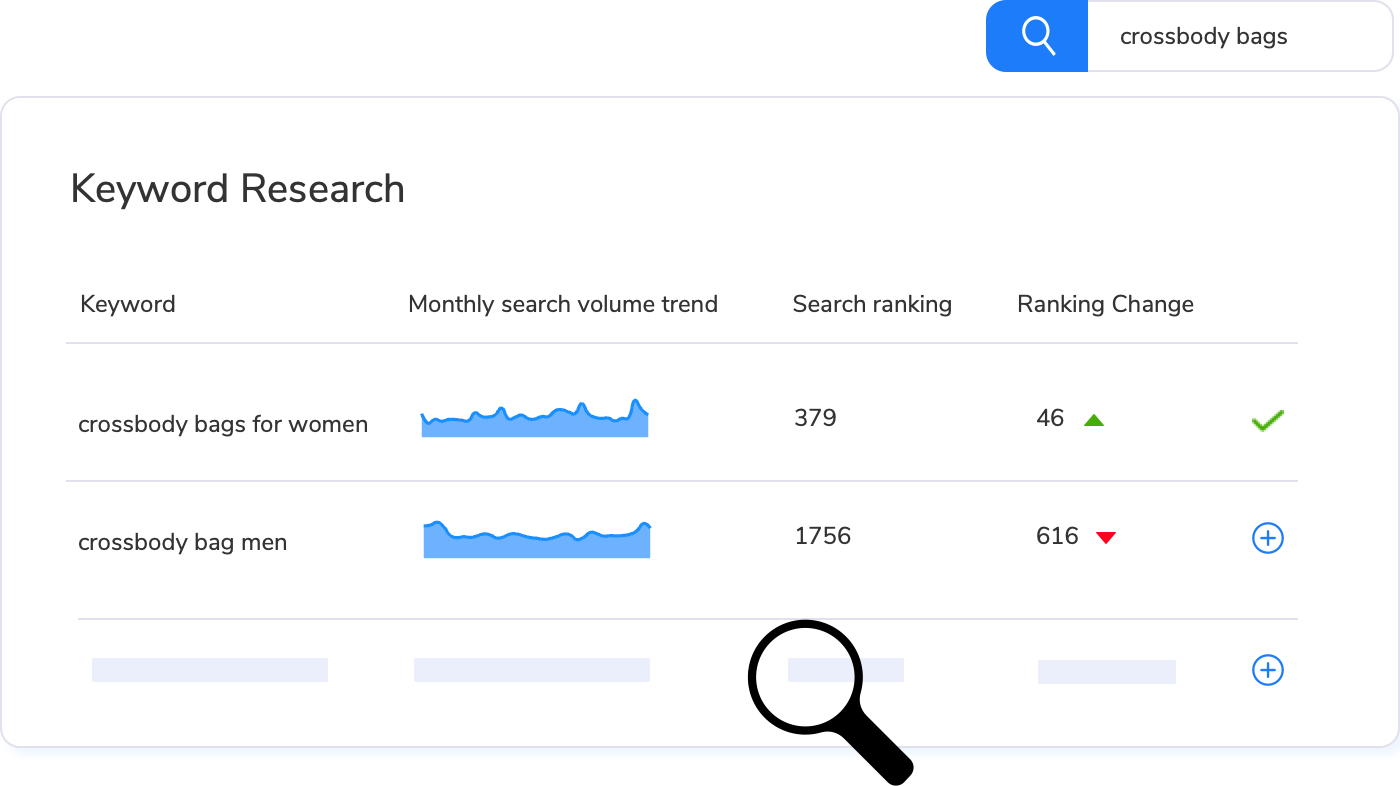
I’ve seen similar trends in other categories. In outdoor solar lights, the items that gained attention weren’t the cheapest or brightest, but those with sleek, modern designs that blended into patios and gardens. In kitchen tools, subtle variations in handle design or color combos consistently affected buyer behavior. Maxmerce’s tools provide a layer of visibility that makes identifying these trends intuitive, though the key insight still comes from observing how shoppers interact with the listings.
Real Search Data vs. the “Estimates” We’re Used To
Most keyword tools rely on estimated search volume. Estimates provide a general direction, but they often fail to capture real-time shifts in buyer behavior. Real search data reflects exactly what shoppers are typing in at that moment. Platforms like Maxmerce aggregate this type of data, making it easier to see emerging trends, but the real advantage comes from interpreting what those patterns mean for your listings.
In my experience, this distinction is especially important during trend shifts. I’ve seen “small” keywords consistently outperform bigger ones because buyer intent was sharper, and competitors hadn’t noticed. For instance, last summer, searches for “compact patio umbrella with LED lights” surged in real time, though conventional estimates didn’t reflect it. Sellers who noticed these subtle changes were able to capture traffic early, while those relying solely on older data missed out.
Hot Keywords vs. Fast-Growing Trends
Not all keywords are created equal. “Hot” keywords often come with heavy competition, making it tough for newer listings to rank. Fast-growing keywords, however, act as early indicators of demand. Focusing on these trends rather than only chasing volume can yield better long-term results.
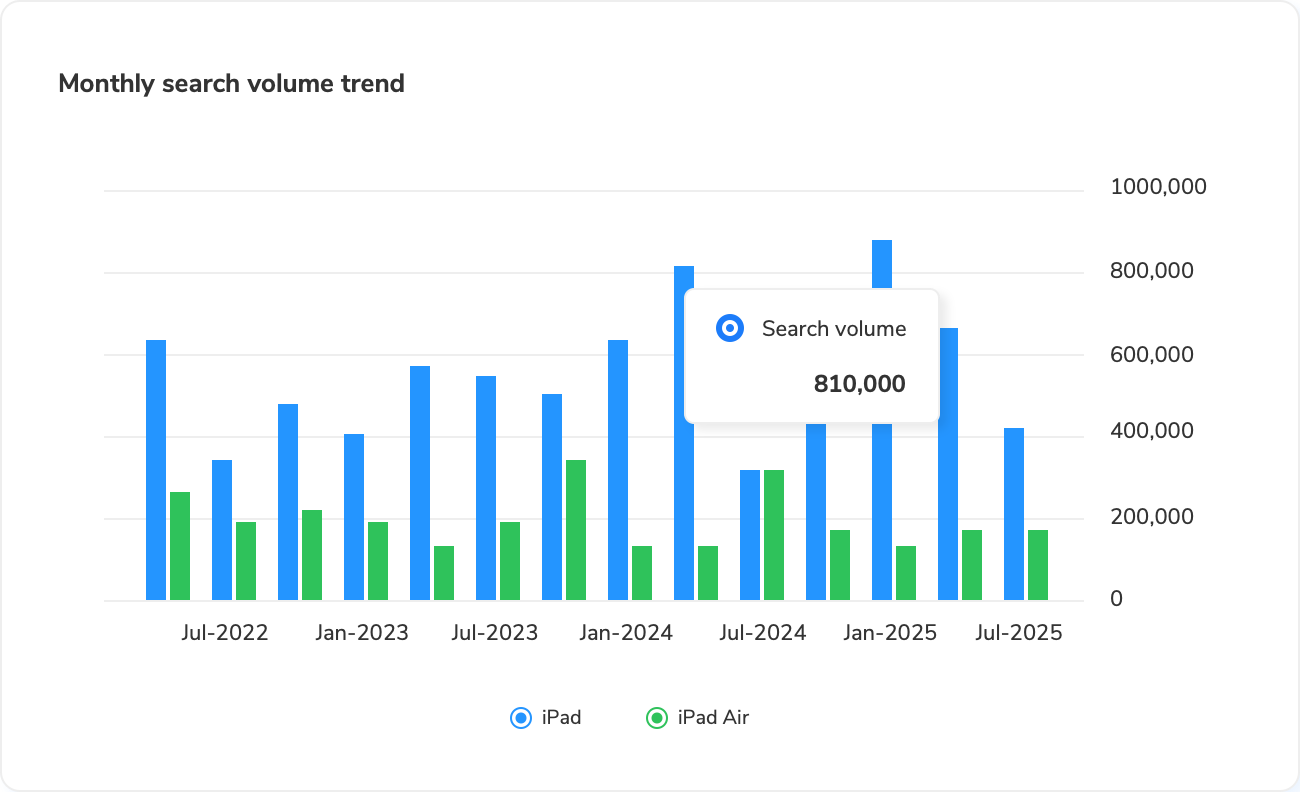
For example, in the home fitness niche, “adjustable dumbbells” was a highly competitive keyword. But the related, fast-growing term “compact adjustable dumbbells for small apartments” revealed an emerging trend. Sellers who aligned their product listings with this insight gained traction faster than those chasing the broader, saturated term. Tools like Maxmerce can help track these trends across multiple marketplaces, but the critical factor remains understanding why buyers are searching and responding the way they are.
Clean Your Data with Category Filtering
Keyword data without context can be overwhelming. A term like “grill” could refer to an outdoor BBQ, an indoor electric grill, or even automotive parts. Filtering by category ensures that you focus on relevant searches. Maxmerce can assist in narrowing down these results, but even with automation, the value comes from interpreting the data correctly and applying it to your products.
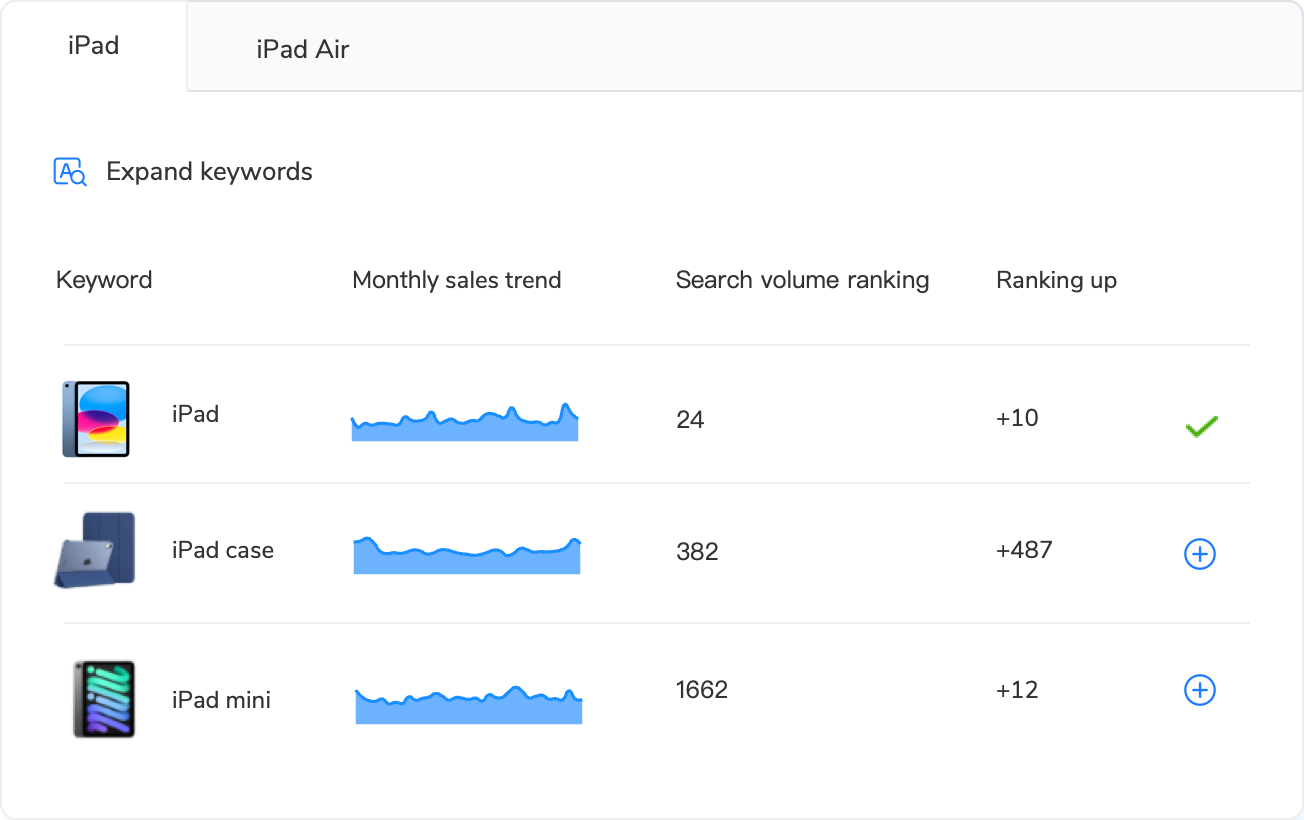
For example, the word “grill” could refer to outdoor BBQ grills, indoor electric grills, or even car radiator parts. By filtering within the correct category, you avoid irrelevant data and focus only on the terms that matter for your products. This simple step often cuts my keyword list in half, but the insights that remain are far more actionable.
I remember early in my selling career, I ignored category filters and ended up optimizing a listing for “grill” with traffic coming from car parts searches. Not only was the conversion rate terrible, but it also wasted precious ad spend. Lesson learned: filter early, focus on relevance, and save time and money.
Keywords Should Reveal Buyer Intent
Expanding your keyword list isn’t about collecting thousands of random terms. It’s about understanding how shoppers describe their actual needs. I pay close attention to modifiers—size, material, and specific use cases—because these details reveal why someone is searching.
Take kitchen tools again: searching for “non-stick ceramic frying pan for induction cooktop” shows that buyers are not just looking for any pan—they want non-stick, ceramic, and induction-compatible. These specifics dictate how you write bullet points, craft your product description, and even plan the next iteration of your product.
Ignoring buyer intent can be costly. I’ve seen sellers waste months creating listings based on broad keywords like “frying pan,” only to discover their target buyers were searching for very specific features that were missing from their listings.
The Global Reality Check
Search behavior isn’t universal. A keyword that’s saturated in the U.S. might still have plenty of room in other marketplaces. Comparing trends across regions helps uncover overlooked opportunities.
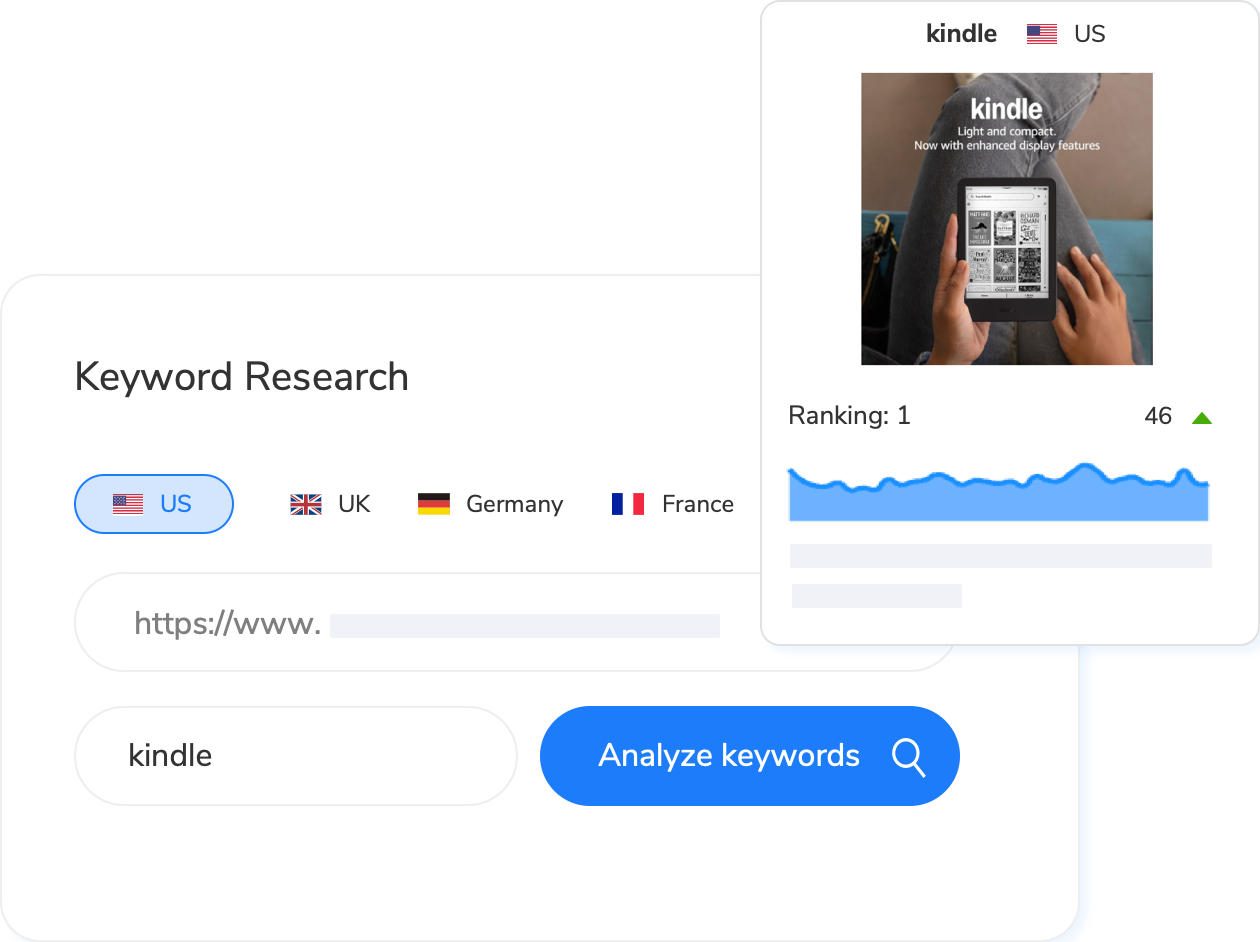
For example, “eco-friendly yoga mats” is highly competitive in the U.S., but in certain EU marketplaces, it’s still emerging. Sellers who localized their listings and targeted these fast-growing international trends were able to enter the market early and capture significant traffic.
International selling also requires considering language, measurement units, and regional preferences. Even simple adjustments like changing “pounds” to “kilograms” or adapting color descriptions can make a huge difference in conversion rates.
Practical Tips for Real Search Data
Here are some strategies I’ve found useful over the years:
- Monitor search spikes weekly – Trends can change quickly; weekly monitoring helps you catch them early.
- Combine visual and keyword insights – Look at listings that rank well and analyze their images, bullet points, and layout.
- Pay attention to modifiers – Words like “compact,” “lightweight,” or “adjustable” often reveal buyer priorities.
- Filter by category and marketplace – Always make sure your data is relevant to your product niche and target region.
- Track emerging trends – Fast-growing keywords can signal untapped opportunities before everyone notices.
- Test and iterate – Even after optimizing your listing, continue testing different keyword combinations and image presentations.
Final Thoughts
Keyword research only works when it reflects how real people actually shop. Search volume alone is insufficient; it doesn’t explain why a product converts or fails. When real search data is combined with visual context and an understanding of trends—supported by tools like Maxmerce—keyword research becomes actionable rather than speculative.
The key takeaway: watch what buyers are doing, understand why they search, and adapt your listings accordingly. Using Maxmerce to visualize patterns and track emerging keywords can streamline this process, but the real power comes from applying these insights thoughtfully to your strategy, resulting in smarter launches, more targeted advertising, and sustainable growth.
How I Actually Use This Tool
Here’s my process when launching new products. Takes about 90 minutes total.
Step 1: Start with a broad seed keyword (5 minutes)
Type the general product category. “Wireless earbuds,” “yoga mat,” “camping tent.” Don’t overthink it.
Step 2: Check visual product intelligence (10 minutes)
Look at the top-selling product images for that keyword. What product type dominates? What price range? What visual style? This tells you product expectations immediately.
Step 3: Use keyword expansion to find specific buyer segments (20 minutes)
Review the 50-100 related keywords. Group them by buyer intent (budget, premium, specific use case, feature-focused). Pick 5-8 keywords that match your product positioning.
Step 4: Filter by category to eliminate noise (5 minutes)
Apply category filtering to your niche. Electronics sellers select Electronics. Home goods sellers select Home & Kitchen. This cuts irrelevant keywords by 60-70%.
Step 5: Check hot search vs fast-growing trends (15 minutes)
Look for keywords appearing in fast-growing weekly rankings but not yet in hot search. That’s your early-mover window. If a keyword’s already in hot search rankings, competition’s heavy—you’ll need aggressive pricing.
Step 6: Compare multi-market opportunities (20 minutes)
Check the same keywords across UK, Germany, and other markets. Sometimes you find 50% less competition for identical products. Worth testing if you can handle international shipping.
Step 7: Target long-tail variations for PPC (15 minutes)
Pull 10-15 long-tail keywords (3-4 words) with lower competition. Use these for exact match PPC campaigns at launch. Better conversion rates, lower ad spend than broad keywords.
Total: 90 minutes. Same research that took 4-5 hours with manual methods.
Common Keyword Research Mistakes (And How to Avoid Them)
After watching hundreds of sellers use keyword research tools, I’ve seen the same mistakes repeatedly. Here’s what tanks most product launches.
Mistake 1: Chasing High-Volume Keywords Without Checking Competition
You find “wireless earbuds” gets 500K monthly searches. Looks perfect. You optimize your title for that exact keyword.
Then you realize you’re competing with Apple, Samsung, Anker, and 8,000 other sellers. Your listing appears on page 47. Zero organic traffic.
High search volume means nothing if competition’s saturated. Look at the top 20 results for your target keyword. Count how many have 1,000+ reviews. If it’s more than 15, you need a different keyword angle.
Better approach: Find 3-4 word variations of that high-volume keyword. “Wireless earbuds under 30” has 20K searches with 70% less competition. “Wireless earbuds for small ears” gets 12K searches—even less competition, higher buyer intent.
Mistake 2: Ignoring Seasonal Trends
You launch “portable heater” in July based on yearly average search volume. Looks promising.
Then you sit on inventory for four months waiting for searches to spike in November. That’s $4,000 tied up in dead stock earning zero revenue.
Check trending data by month, not just annual averages. Fast-growing keywords in the tool show you when searches start accelerating. Launch portable heaters in September when searches begin climbing—not July when demand’s flat.
Mistake 3: Using Generic Keywords for Niche Products
You sell vintage typewriter ribbons. You optimize for “typewriter ribbons” because it has higher search volume than “vintage typewriter ribbons.”
Wrong audience. Generic “typewriter ribbons” searches come from people looking for modern thermal ribbons for label makers. Vintage collectors search specifically for “vintage typewriter ribbons” or “manual typewriter ribbons.”
Lower search volume. Higher buyer intent. Better conversion rates. That’s the tradeoff with niche products.
Mistake 4: Keyword Stuffing Title and Backend
You find 15 relevant keywords. You cram all 15 into your title. “Wireless Bluetooth Earbuds Noise Cancelling Waterproof Sports Running Workout Gym True Wireless In Ear Headphones…”
Amazon’s algorithm penalizes keyword stuffing. Shoppers scroll past titles that read like SEO spam. Your click-through rate tanks.
Pick your 3-4 strongest keywords. Write a readable title. Put the rest in backend search terms. Quality over quantity.
Advanced Strategies Most Sellers Miss
Strategy 1: Reverse ASIN Lookup for Competitor Analysis
Find your top 3 competitors. Look at which keywords drive traffic to their listings. You’ll discover keyword variations you hadn’t considered.
One supplement seller found their competitor ranked for “energy supplement for women over 50.” They’d been targeting generic “energy supplement” with terrible results. Switched to the age-specific keyword. Sales tripled within six weeks.
Strategy 2: Cross-Reference Trending Keywords with Product Launches
When a keyword shows 200%+ growth in the fast-growing weekly rankings, check if Amazon just launched a related product category or if a major brand entered the space.
If yes, ride the trend. The major brand’s advertising drives search volume for all related keywords. Your listing benefits from their marketing spend.
If no clear catalyst, the trend might be TikTok-driven or seasonal. Research why searches spiked before committing inventory dollars.
Strategy 3: Bundle Complementary Keywords
Instead of listing “yoga mat” alone, create product bundles that capture multiple keyword clusters. “Yoga mat with strap and blocks” hits three separate search terms with one listing.
Bundle keywords should target related buyer intent—not random products. “Yoga mat with strap” makes sense (same use case). “Yoga mat with protein powder” doesn’t.
When You Don’t Need This Tool
This won’t fix a weak product or bad pricing. The tool shows you which keywords shoppers search for—it doesn’t make a mediocre product suddenly competitive or justify pricing that’s 40% above market rate. Keyword data accelerates launches for solid products, not magic bullets for fundamentally flawed offerings.
If you’re selling private label products in saturated categories (wireless chargers, phone cases, generic supplements), keyword research matters less than product differentiation and review velocity. You could have perfect keywords and still lose to established sellers with 4,000+ reviews.
This tool works best for:
- Launching new products in moderately competitive niches (not ultra-saturated)
- Finding untapped keyword variations with lower competition
- Understanding buyer search patterns before ordering inventory
- Optimizing existing listings that aren’t converting despite decent traffic
- Testing international market opportunities for existing products
If you’re managing 5-10 products and manually researching keywords once every few months, free tools like Amazon’s search bar autocomplete work fine. You don’t need specialized software.
But if you’re launching products regularly (2-3 per quarter), managing 50+ SKUs, or testing new niches, keyword research becomes a weekly task. That’s when tooling matters.
Manual vs Tool Comparison
| Method | Time Per Product | Data Quality | Cost |
|---|---|---|---|
| Manual Amazon search | 3-4 hours | Limited (no search volume) | $0 |
| Paid keyword tools | 1-2 hours | Good (if data is current) | Monthly subscription |
| Maxmerce free tool | 60-90 minutes | Excellent (real-time data) | $0 |
Actually Free (No Hidden Catches)
No trial period that expires. No credit card required. No “upgrade to see real data” upsells. Just create an account and start researching keywords immediately.
You get unlimited access to trending keywords, search volume data, keyword expansion, multi-market comparison, and competitor product analysis. Everything. Free. The only limitation is whether you act on the insights or keep guessing which keywords work.
Start using Maxmerce’s free Amazon keyword tool at www.maxmerce.com/solutions/free-amazon-keyword-research-tool. Stop guessing which keywords work. Start using data from millions of real Amazon shoppers.
Frequently Asked Questions
How often does keyword data update?
Search volume data updates continuously based on real Amazon shopper searches. Trending keywords (both hot search and fast-growing) refresh daily. You’re seeing current search patterns, not six-month-old data like some paid tools show.
Can I research keywords for eBay and Walmart too?
The free tool currently focuses on Amazon marketplace data. If you need multi-platform keyword research across Amazon, eBay, and Walmart simultaneously, Maxmerce’s full Analytics module includes that—but the Amazon-specific free tool covers most sellers’ needs.
Do I need a paid plan to access all features?
No. The free Amazon keyword tool includes trending keywords, search volume data, visual product intelligence, keyword expansion, category filtering, and multi-market comparison. No credit card. No trial limits. No feature restrictions.
How many keywords can I research per day?
Unlimited. Research as many keywords as you need. No daily caps, no monthly limits. The tool is designed for sellers actively launching products and optimizing listings regularly.
Will this help me rank higher on Amazon?
Keyword research shows you which terms shoppers search for. Ranking depends on multiple factors—product relevance, pricing, reviews, sales velocity, fulfillment method. The tool helps you target the right keywords; execution determines ranking success.
Can I use this for existing products or only new launches?
Both. Around 40-50% of sellers use the tool to optimize existing listings that aren’t converting well despite decent traffic. Sometimes you discover better keyword variations with lower competition and higher buyer intent than your current title keywords.
What makes this different from paid keyword tools?
Three things. First, it’s actually free—no trial period, no credit card, no upgrade walls. Second, visual product intelligence shows you what shoppers expect before you source inventory (most tools don’t include this). Third, the dual-track trending system (hot search vs fast-growing) separates high-volume keywords from early-stage trends—different strategic opportunities.
Is there a catch I’m missing?
No catch. Maxmerce offers this free because keyword research is fundamental to selling on Amazon. We want sellers to succeed using data instead of guessing. If you eventually need advanced features like automated repricing, multi-channel inventory sync, or profit analytics, those are paid modules. But the keyword research tool stays free regardless.
Sources & References
- Amazon Seller Central – Optimizing Product Discoverability (Updated January 2025)
- Maxmerce Keyword Research Tool – Free Amazon Keyword Tool Features (Accessed January 2025)
